
- Top Pick: AMD Ryzen 5 5600X 6-core, 12-thread unlocked desktop processor with Wraith Stealth cooler
- Best Value: AMD Ryzen™ 5 9600X 6-Core, 12-Thread Unlocked Desktop Processor
- Premium Choice: GIGABYTE B550 Gaming X V2 AMD AM4 ATX Motherboard, Supports Ryzen 5000/4000/3000 Series Processors, DDR4, 10+3 Power Phase, 2X M.2, PCIe 4.0, Front USB-C, GbE LAN, Q-Flash Plus, RGB Fusion
Best motherboard for Ryzen 5 5600 X choices are decided by case size rather than power delivery, because this 65W six-core chip barely troubles any modern AM4 board. That frees you to choose on form factor, storage and connectivity instead, which is how this guide is organised.
As an Amazon Associate we earn from qualifying purchases at no extra cost to you.







As an Amazon Associate we earn from qualifying purchases at no extra cost to you.
By Ryan Cole, PC hardware writer at NVIDIA Review.
How to Pick the Best Motherboard for Ryzen 5 5600 X
The 5600X delivers six cores and twelve threads with a 4.6 GHz boost, 32 MB of L3 cache and a 65W TDP. Four questions shape the best motherboard for Ryzen 5 5600 X, and none concern whether the VRM can cope.
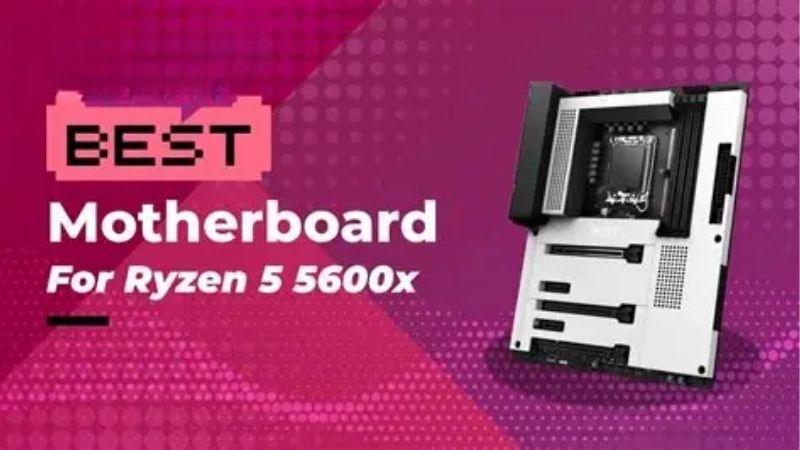
Start With the Case You Already Own
ATX gives four DIMM slots, the most PCIe expansion and typically six SATA ports. Micro-ATX trims expansion while keeping four memory slots, and Mini-ITX drops to two DIMM slots and a single expansion slot for the graphics card.
Smaller boards are not slower. Two-slot Mini-ITX designs frequently reach higher stable memory speeds because the shorter traces suit tighter timings, which matters on Ryzen where memory frequency influences frame rates directly.
Weigh B550 Against X570 Honestly
B550 gives this processor a PCIe 4.0 graphics slot and one Gen4 M.2 socket direct from the CPU. X570 extends Gen4 to the chipset lanes as well, which matters only if you plan several fast drives alongside the graphics card.
Original X570 boards also use a small chipset fan that can become audible with age. X570S revisions removed it, but for a six-core gaming build the extra cost buys expansion capability rather than any measurable performance gain.
Insist on BIOS Flashback Where You Can
All B450, B550 and X570 boards run Ryzen 5000 with correct firmware, but boards sitting in storage may ship with older versions. Without a compatible chip on hand, an outdated BIOS means the machine will not post at all.
Flashback writes firmware from a USB stick with no processor installed, removing that risk completely. On a build where the 5600X is your only AM4 chip, that feature is worth more than any amount of additional rear I/O.
Count Storage and Networking Before Deciding
Two M.2 sockets is the comfortable target, since one fills with the boot drive immediately. Boards offering only one socket push future capacity onto SATA, which is fine for bulk storage but slower for anything you actively use.
Networking separates tiers more than it should. Better boards ship 2.5 Gb Ethernet and Wi-Fi 6, budget models stay on gigabit with no wireless, and retrofitting either costs a slot or a USB port you may want elsewhere.
SATA count is worth a glance as well. Six ports gives room for mechanical bulk storage, whereas four fills quickly once an optical drive or a couple of older drives migrate across from a previous system.
Top Picks: Best Motherboard for Ryzen 5 5600 X by Form Factor
The best motherboard for Ryzen 5 5600 X depends on the case and how much storage you plan to add, so these six are grouped by size. Specifications come from manufacturer sheets; AM4 stock fluctuates, so confirm availability before ordering.
| Model | Chipset | Form Factor | M.2 Sockets | Wireless |
|---|---|---|---|---|
| Gigabyte B550 AORUS Elite AX V2 | B550 | ATX | 2 | Wi-Fi 6 |
| MSI MPG B550 Gaming Plus | B550 | ATX | 2 | None |
| Gigabyte X570 AORUS Elite | X570 | ATX | 2 | None |
| ASUS Prime B550M-A WiFi II | B550 | Micro-ATX | 2 | Wi-Fi 6 |
| ASRock B550M Pro4 | B550 | Micro-ATX | 2 | None |
| ASUS ROG Strix B550-I Gaming | B550 | Mini-ITX | 2 | Wi-Fi 6 |
Gigabyte B550 AORUS Elite AX V2
For a full-size build this is the balanced option. A 12+2 phase design with heatsinks on both VRM banks, four DDR4 slots, two M.2 sockets with one running Gen4, 2.5 Gb Ethernet and Wi-Fi 6 cover everything a 5600X build needs.
The headroom means a later 5800X3D upgrade requires no board change. The drawback is that only the primary M.2 socket receives a heatsink, so a second drive runs uncovered unless you add an aftermarket heatspreader yourself.
MSI MPG B550 Gaming Plus
The Gaming Plus targets builders who want a capable ATX board without paying for wireless. Four DDR4 slots, two M.2 sockets, six SATA ports and a competent VRM with heatsinking make it a sensible host for a six-core chip.
Layout is clean with plenty of room around the socket for a large air cooler. The compromises are gigabit Ethernet rather than 2.5 Gb and no onboard wireless, both of which need planning if your desk sits far from the router.
Gigabyte X570 AORUS Elite
If you intend to run several Gen4 drives, X570 is the reason to spend more. This board extends PCIe 4.0 to the chipset lanes, adds additional storage flexibility and pairs it with a robust 12+2 phase power delivery design.
For a 5600X the CPU performance is identical to B550. The honest caveats are a chipset fan on original X570 revisions, which can become audible with age, and a price that a six-core gaming build struggles to justify.
ASUS Prime B550M-A WiFi II
Among Micro-ATX boards this gives up the least. Four DDR4 slots, two M.2 sockets, a PCIe 4.0 graphics slot, integrated Wi-Fi and BIOS Flashback cover the features that matter, in a footprint that fits almost any case.
Two M.2 sockets plus wireless at this size is genuinely useful. The limitations are gigabit Ethernet rather than 2.5 Gb and a modest VRM better suited to 65W chips than to a 105W eight-core processor further down the line.
ASRock B550M Pro4
Pro4 is the practical Micro-ATX choice when wireless is not needed. It provides four DDR4 slots, two M.2 sockets with Gen4 on the primary, six SATA ports and enough VRM heatsinking to keep a 5600X entirely comfortable.
Six SATA ports on a Micro-ATX board is unusually generous for mechanical storage. The drawbacks are the absence of onboard Wi-Fi, gigabit networking and a rear panel that is functional rather than plentiful for peripherals.
ASUS ROG Strix B550-I Gaming
Small-form-factor builds are well served here. Two DDR4 DIMM slots, two M.2 sockets with the second on the rear of the board, 2.5 Gb Ethernet and Wi-Fi 6 fit onto a 170 x 170 mm layout with a properly heatsinked VRM.
Two DIMM slots often reach higher stable memory frequencies, which suits this processor well. The trade-offs are inherent to Mini-ITX: tight cooler clearance, restricted airflow around the VRM and a price above larger boards.
Timing an AM4 Build in the 2026 Market
Two market conditions make pairing a board with this processor more sensible now than the platform’s age suggests, and both come down to what the alternative actually costs.
AM5 Is the Better Platform but a Bigger Outlay
AMD confirmed at Computex 2026 that AM5 receives new processors through the end of 2029, making it the stronger long-term choice. Moving there means buying a board, a processor and DDR5 memory together in one purchase.
If you already own DDR4 and an AM4 cooler, pairing the 5600X with a B550 board avoids replacing three components at once. That remains the practical case for finishing an AM4 system rather than migrating immediately.
DDR4 Ownership Shifts the Break-Even Point
DRAM contract pricing climbed steeply through 2026, with further rises forecast into the fourth quarter and no meaningful new capacity expected before late 2027. DDR5 kits absorbed the largest share of that increase.
A working 32 GB DDR4 kit is therefore worth more to your budget than it was a year ago. That saving alone often covers the difference between an entry board and a mid-tier one with room for a later CPU upgrade.
Budget Boards Restock Less Reliably
Motherboard sales fell by more than a quarter and manufacturers concentrated on mid and high-tier models, with promotional pricing policies withdrawn in February 2026. Older platform boards feel that squeeze soonest of all.
The practical effect is availability rather than sudden price increases. Check several retailers rather than assuming a specific cheap listing will still be there next week, but there is no reason to rush an unplanned purchase.
Frequently Asked Questions
These questions come up most often when people pair a board with this particular processor.
Does the best motherboard for Ryzen 5 5600 X need to be X570?
No. B550 provides the PCIe 4.0 graphics slot and Gen4 boot drive socket this chip can use. X570 adds chipset-level Gen4 lanes that a six-core gaming build rarely touches, at a higher price and sometimes with a chipset fan.
Will Mini-ITX limit performance?
Not for this processor. Two DIMM slots often run high memory speeds more reliably than four, and a 65W chip does not stress a small board’s VRM. The real constraints are cooler clearance and case airflow rather than performance.
Can I run 64 GB of memory on these boards?
Yes on four-slot boards, and on most two-slot Mini-ITX designs using two 32 GB modules. For gaming, 32 GB remains ample, and running two sticks rather than four generally makes high-speed profiles easier to stabilise.
Is a tower cooler necessary?
Not strictly. The bundled Wraith Stealth handles a 65W chip in a ventilated case. A modest tower cooler lowers temperatures and noise noticeably, which matters more in small cases where airflow is already restricted.
See More:
- Best MSI motherboard
- Best motherboard processor combo for gaming
- Best B550 motherboard
- Best CPU for streaming
- What is the best AM4 CPU for gaming
Final Thoughts
The best motherboard for Ryzen 5 5600 X is whichever tier matches your case and your upgrade intentions, because this chip does not demand heavy power delivery. AORUS Elite AX and MPG Gaming Plus suit full-size builds, Prime B550M-A and Pro4 cover Micro-ATX, and the Strix B550-I handles small cases without real compromise.











Write Your Review
No reviews yet. Be the first to share your experience!