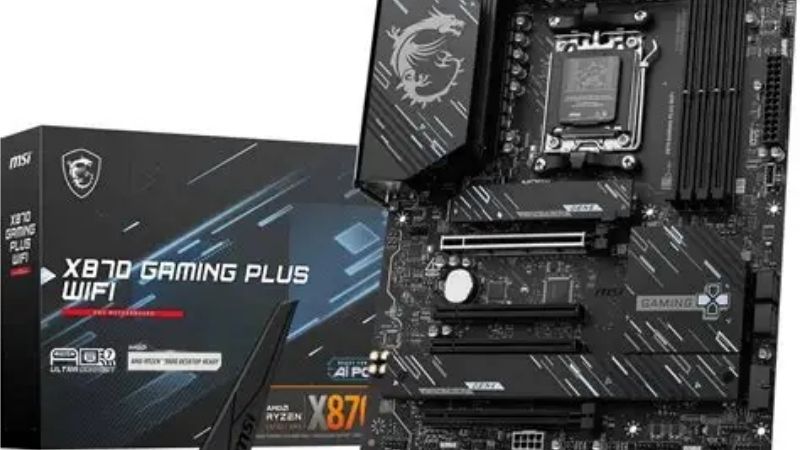
Best MSI motherboard picks depend far more on socket choice, VRM design and M.2 layout than on model names or heatsink styling. This guide covers five current MSI boards across the AM5 and AM4 platforms, explains which build each one suits, and flags the trade-offs worth knowing before you spend.
As an Amazon Associate we earn from qualifying purchases.
By Ryan Cole, PC hardware writer at NVIDIA Review.
Quick answer: For most people in 2026, the best msi motherboard is the MAG X870 Tomahawk WiFi — our #1 rated choice. See the full ranked comparison, alternatives and buying advice below.
How to Choose the Best MSI Motherboard for Your Build
MSI splits its line into PRO, MAG, MPG and MEG tiers, and the gap between them is mostly power delivery, rear I/O and networking rather than raw gaming performance. Four things decide which board is the best MSI motherboard for your parts list.

Match the Socket and Chipset to the CPU You Want
Socket comes first because it is the one thing you cannot change later. AM5 covers Ryzen 7000, 8000 and 9000 chips, AM4 tops out at Ryzen 5000, and Intel LGA 1700 covers 12th through 14th Gen. LGA 1851 is a separate platform for Core Ultra parts.
Chipset then sets your lane budget. X870 boards guarantee USB4 and PCIe 5.0 storage, B850 keeps a Gen5 GPU slot with fewer rear ports, and B650 trims the primary slot to PCIe 4.0 on many SKUs. Cheaper chipsets do not slow the CPU down.
Read the VRM Before the RGB
Power delivery matters most if you plan on a 12 or 16-core chip. MSI publishes phase counts and amperage per SKU, so a 14+2+1 arrangement with 80A stages has far more headroom than an entry board using 45A parts, especially under sustained all-core loads.
For an eight-core CPU like a 9800X3D, mid-tier VRMs are already comfortable, since that chip has a capped power target. The real benefit of a heavier VRM is lower heatsink temperatures and quieter fan behaviour during long render or compile sessions.
Count M.2 Slots, DIMM Slots and PCIe Lanes
Most people run out of M.2 slots before they run out of anything else. Three or four slots means you can add drives without pulling the GPU, while two-slot boards force choices later. Check which slots share bandwidth with the graphics card slot.
DIMM count matters too. Four-slot ATX boards give upgrade room, but two-slot ITX designs often hit higher stable memory speeds because shorter traces make EXPO and XMP profiles easier to run at high transfer rates.
Networking, Rear I/O and Tool-Free Features
Almost every current MSI board above the entry tier ships 2.5 Gb Ethernet, and X870 models step up to faster wired options plus Wi-Fi 7. If your router is still Wi-Fi 6, that upgrade buys you nothing immediately but does age better.
Tool-free hardware is worth more than it sounds. MSI EZ M.2 Clip II fits a drive without a screwdriver, and the quick-release latch on the top PCIe slot saves real frustration when a triple-slot card blocks the tab.
Top Picks: Best MSI Motherboard Options Right Now
The best MSI motherboard for a given build changes with socket, so these five cover flagship AM5 down to a budget AM4 upgrade. Specifications come from MSI product pages; pricing and stock shift constantly, so treat the tier labels as guidance rather than a fixed cost.
| Model | Socket / Chipset | Form Factor | M.2 Slots | Wireless |
|---|---|---|---|---|
| MAG X870 Tomahawk WiFi | AM5 / X870 | ATX | 3 (1x Gen5) | Wi-Fi 7 |
| MAG B850 Tomahawk MAX WiFi | AM5 / B850 | ATX | 3 (1x Gen5) | Wi-Fi 7 |
| PRO B650M-A WiFi | AM5 / B650 | Micro-ATX | 2 (Gen4) | Wi-Fi 6E |
| MPG B650I Edge WiFi | AM5 / B650 | Mini-ITX | 2 | Wi-Fi 6E |
| MAG B550 Tomahawk MAX WiFi | AM4 / B550 | ATX | 2 (1x Gen4) | Wi-Fi 6 |
MSI MAG X870 Tomahawk WiFi
This is the pick for a high-core-count AM5 build that will keep the same board for years. It runs a 14+2+1 power stage layout rated at 80A, four DDR5 slots, a PCIe 5.0 x16 graphics slot and a PCIe 5.0 x4 M.2 socket fed directly by the CPU.
The X870 chipset requirement means USB4 at 40 Gbps is included, which is genuinely useful for external NVMe enclosures. The downside is price: you are paying for USB4 and Wi-Fi 7 whether or not you own devices that use either, and the third M.2 slot sits under the graphics card.
MSI MAG B850 Tomahawk MAX WiFi
For most gaming builds this is the sensible version of the board above. It keeps the same 14+2+1 80A class VRM and a PCIe 5.0 graphics slot plus Gen5 storage, but drops the mandatory USB4 controller to bring the price down a tier.
Wi-Fi 7 and 2.5 Gb Ethernet are still there, and the tool-free M.2 and PCIe release latches carry over. The compromise is rear I/O count, which is thinner than the X870 model, so heavy peripheral users may need a powered USB hub on the desk.
MSI PRO B650M-A WiFi
The PRO line drops RGB and heavy heatsinks to hit a lower price, and this Micro-ATX board is the entry point into AM5 that still feels complete. You get four DDR5 slots, two M.2 sockets, 2.5 Gb Ethernet and Wi-Fi 6E in a compact footprint.
The obvious trade-off is the PCIe 4.0 primary slot rather than Gen5, which costs nothing in real gaming terms today. The bigger limit is two M.2 slots and a lighter VRM, so pair it with a 6 or 8-core chip rather than a 16-core part.
MSI MPG B650I Edge WiFi
Mini-ITX buyers have few good AM5 options and this is one of them. Two DDR5 DIMM slots, two M.2 sockets and a full-length graphics slot fit onto a 170 x 170 mm board, with Wi-Fi 6E and 2.5 Gb Ethernet handled on-board.
Two DIMM slots is actually a benefit for memory stability at high EXPO speeds. The catch is thermal: with a small case, the VRM heatsink and the M.2 heatspreader sit close to the CPU cooler, so airflow planning matters more here than on any ATX board.
MSI MAG B550 Tomahawk MAX WiFi
If you already own AM4 parts, this remains the most balanced B550 board MSI makes. It carries a 10+2+1 power design, four DDR4 slots, a PCIe 4.0 x16 slot, one Gen4 M.2 socket and a second Gen3 socket, plus 2.5 Gb Ethernet and Wi-Fi 6.
It handles a Ryzen 7 5800X3D without complaint and usually ships with recent BIOS support for Ryzen 5000. The honest limitation is that AM4 is a closed road: this board is an upgrade destination, not a platform with future CPUs coming.
What the 2026 Market Means for MSI Board Buyers
Advice on the best MSI motherboard has shifted this year because platform lifespan and component pricing both moved. Three developments change how you should time a purchase, and none of them are reasons to panic-buy.
AM5 Now Has a Roadmap Through 2029
AMD confirmed at Computex 2026 that AM5 will keep receiving new CPUs through the end of 2029. That makes an X870 or B850 board bought today a genuinely long-term purchase, since you can drop in a 2027 or 2028 chip without replacing memory or cooler brackets.
Intel does not offer the same continuity right now. Nova Lake requires the new LGA 1954 socket, so any current Intel board is best treated as a finished platform rather than a stepping stone toward future CPU upgrades.
Nothing New Arrives Until CES 2027
If your instinct is to wait for the next wave, the honest answer is that the wait is long. Zen 6 desktop parts, Intel Nova Lake and the refreshed RTX 50 Super line have all slipped to CES in January 2027, so today’s boards are what the market has.
That cuts both ways. No imminent launch will make current boards obsolete, but no near-term price correction is coming from new competition either, so buying when you need the parts is reasonable.
The Budget End of the Board Market Is Thinning
Motherboard sales fell by more than a quarter and manufacturers have shifted focus toward mid and high-tier SKUs, while promotional pricing policies were withdrawn in February 2026. In practice, the cheapest boards get restocked less often than the mid-range ones.
The practical takeaway is not urgency but flexibility: if the exact entry-level model you wanted is out of stock, the nearest step up is often the only thing available. Memory prices have risen sharply too, so budget for DDR5 accordingly.
Frequently Asked Questions
A few questions come up constantly when people compare MSI boards across tiers and sockets. These answers cover the ones that affect purchasing decisions most.
Does the best MSI motherboard have to be an X870 model?
No. X870 mainly guarantees USB4 and extra rear I/O. For a gaming build with one graphics card and two or three drives, a B850 board delivers the same CPU performance and the same PCIe 5.0 graphics slot for noticeably less money.
Can I reuse my DDR4 memory on a new MSI AM5 board?
No. AM5 is DDR5-only, so a move from AM4 to AM5 means new memory as well as a new CPU and board. If your DDR4 kit is recent and you want to keep it, staying on B550 with a Ryzen 5000 chip is the cheaper path.
Will an MSI board need a BIOS update for a newer CPU?
Sometimes, particularly on boards manufactured before a CPU launched. MSI includes BIOS Flashback on many MAG and MPG models, which lets you update firmware using a USB drive with no CPU installed. Check that feature before buying if you are pairing an older board with a new chip.
Is Wi-Fi 7 worth paying extra for in 2026?
Only if you already have or plan to buy a Wi-Fi 7 router. On a Wi-Fi 6 network the newer radio behaves like a Wi-Fi 6 adapter. Wired 2.5 Gb Ethernet still beats wireless for latency-sensitive gaming regardless of which standard the board supports.
See More:
- Best motherboard processor combo for gaming
- Best B550 motherboard
- Best CPU for streaming
- What is the best AM4 CPU for gaming
Final Thoughts
The best MSI motherboard for you is decided by socket first, then M.2 count and VRM headroom, and only then by looks. Buyers on AM5 get the longest runway thanks to CPU support through 2029, while B550 and Z790 boards remain solid choices for completing a build around a CPU you already own.
Ready to decide? Our #1 pick for 2026 is the MAG X870 Tomahawk WiFi.
Live price & availability on Amazon.
Write Your Review
No reviews yet. Be the first to share your experience!