
- Top Pick: AMD Ryzen 5 7600X + GIGABYTE B650 AORUS ELITE AX Motherboard
- Best Value: Micro Center AMD 7600X Processor with MSI B850 Gaming PRO WiFi Motherboard
- Premium Choice: Newegg CPU Motherboard Memory Combo – Ryzen 5 7600X Bundle with B650M Pro RS WiFi and TG T-Force 16GB (2 x 8GB) 288-Pin PC RAM DDR5 6000 (PC5 48000) Memory
The best motherboard for Ryzen 5 7600X doesn’t need a flagship price tag to deliver rock-solid power delivery. The 7600X runs a 105W (up to 142W PPT) TDP that most mid-range B650 boards handle without breaking a sweat, so your budget is better spent on M.2 storage, networking, and BIOS quality than on an oversized VRM you’ll never stress.
As an Amazon Associate we earn from qualifying purchases at no extra cost to you.


As an Amazon Associate we earn from qualifying purchases at no extra cost to you.
By Ryan Cole
How to Choose the Right Motherboard for Ryzen 5 7600X
Picking the best motherboard for Ryzen 5 7600X comes down to matching the board’s power delivery and feature set to what the CPU actually needs, then leaving room to grow. Here’s what actually moves the needle for a 6-core Zen 4 chip rather than what looks impressive on a spec sheet.
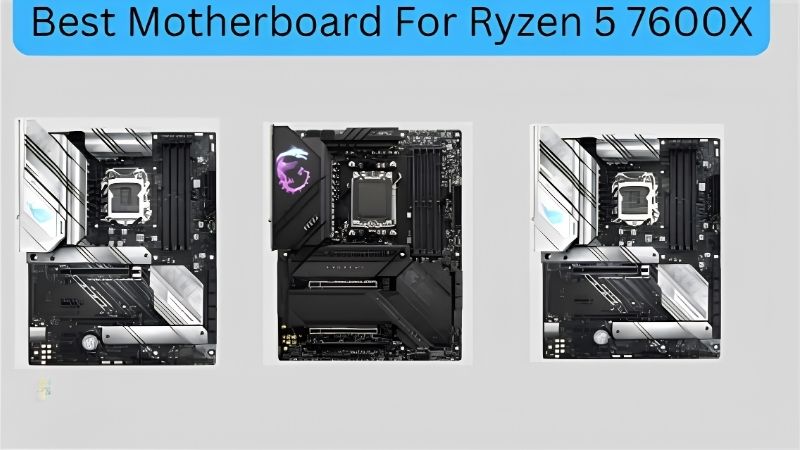
VRM headroom for a 105W chip
A 7600X pulls nowhere near the current a 7950X does, so a 12+2 or 14+2 phase VRM in the 60-80A range is plenty. Boards like the ASUS TUF Gaming B650-PLUS WiFi run 12+2 teamed 60A stages and hold the 7600X’s boost clocks without thermal throttling under sustained Cinebench-style loads.
Spending extra for a 20+2 flagship VRM only matters if you plan to drop in a Ryzen 9 9950X later. If your upgrade path stops at Ryzen 7-class chips, a mid-tier VRM with a proper heatsink is the more rational buy.
Chipset tier: B650 vs B650E vs X670
B650 gives you a PCIe 4.0 primary GPU slot and at least one Gen4 M.2 slot; B650E mandates PCIe 5.0 across the board. For a 7600X gaming build, PCIe 5.0 GPU bandwidth is functionally unused today, so standard B650 is the better value pick unless you specifically want a Gen5 SSD.
X670/X670E adds more chipset-fed lanes and typically a stronger VRM, but that’s overkill for a single-GPU 7600X build. Save that tier for multi-GPU workstation or heavy multi-NVMe setups.
Storage, networking, and BIOS readiness
Look for at least one PCIe 4.0 M.2 slot with a heatsink and 2.5GbE LAN as the baseline; WiFi 6E is a nice-to-have rather than a requirement. Since the 7600X shipped at Ryzen 7000 launch, any current-generation B650 board should boot it out of the box without a BIOS flash.
Still, check the manufacturer’s CPU support list before buying a clearance-priced older board, since very early B650 revisions sometimes shipped with BIOS versions that need an update for full EXPO memory support.
These three factors together are really what separate a good pick from a mediocre one when hunting for the best motherboard for Ryzen 5 7600X, more so than any single flashy spec on the box.
Top Picks: Best Motherboard for Ryzen 5 7600X
These five AM5 boards cover budget-to-premium builds, all verified as compatible with Ryzen 7000-series CPUs including the 7600X. Prices reflect typical street pricing at the time of writing (August 2026) and will shift with the DRAM market, so treat them as a ballpark rather than a locked-in figure when shopping for the best motherboard for Ryzen 5 7600X.
| Motherboard | Chipset | Form Factor | VRM | M.2 Slots |
|---|---|---|---|---|
| ASUS TUF Gaming B650-PLUS WiFi | B650 | ATX | 12+2 (60A) | 3 (1x Gen5) |
| MSI MAG B650 Tomahawk WiFi | B650 | ATX | 14+2+1 (80A) | 3 (Gen4 only) |
| Gigabyte B650 AORUS Elite AX | B650 | ATX | 14+2+1 | 1x Gen5 + more |
| ASUS ROG Strix B650E-F Gaming WiFi | B650E | ATX | 12-phase (80A) | 3 (1x Gen5) |
| ASRock B650M Pro RS WiFi | B650 | Micro ATX | 8+2+1 Dr.MOS | 3 (1x Gen5) |
ASUS TUF Gaming B650-PLUS WiFi
This is the best motherboard for Ryzen 5 7600X for most builders. The 12+2 teamed 60A VRM under enlarged heatsinks comfortably runs the 7600X, and you get a PCIe 5.0 M.2 slot, WiFi 6, and 2.5GbE LAN at a genuinely mid-range price point.
The downside is the Realtek ALC audio codec, which is unremarkable compared to premium boards, and only one of its three M.2 slots runs at Gen5 speeds. Still, for a 7600X pairing it’s hard to beat the value, and the ProCool power connectors and alloy chokes are the kind of durability detail budget boards often skip.
MSI MAG B650 Tomahawk WiFi
The Tomahawk’s 14+2+1 phase, 80A Duet Rail VRM is genuinely overbuilt for a 7600X, which means thermals stay cool even during long gaming or render sessions. The M.2 Shield Frozr heatsinks and 2.5G Realtek LAN round out a well-balanced feature set.
Its main weakness is that all three M.2 slots run at PCIe 4.0, not Gen5, so if a fast Gen5 SSD is on your future shopping list, this isn’t the board for it. It’s also worth noting street pricing has softened well below its original MSRP as B650E boards took the spotlight.
Gigabyte B650 AORUS Elite AX
Gigabyte’s Elite AX pairs a 14+2+1 power phase with a PCIe 5.0 primary M.2 slot, WiFi 6E, and 2.5GbE, and the newer AORUS Elite AX V2 revision adds a 5-year warranty that’s longer than most competitors offer.
Gigabyte’s BIOS UX has historically lagged behind ASUS and MSI in polish, and buyer feedback flags occasional slow boot times on early production runs, so a BIOS update after purchase is worth doing before your first serious build session.
ASUS ROG Strix B650E-F Gaming WiFi
If you want headroom to upgrade toward a Ryzen 7 or 9 chip later without changing motherboards, the Strix B650E-F’s mandatory-PCIe-5.0 B650E chipset and 12-phase 80A VRM make it the forward-looking pick, complete with WiFi 6E, Intel 2.5GbE, and Q-Release for tool-free GPU removal.
The obvious tradeoff is price: you’re paying roughly $80-100 more than the TUF Gaming B650-PLUS for headroom the 7600X itself won’t use. It’s the right call only if a future CPU upgrade is genuinely on your roadmap.
ASRock B650M Pro RS WiFi
For builders who want a compact case with the 7600X, this micro-ATX board still delivers a PCIe 5.0 “Blazing M.2” slot, 2.5G LAN, and WiFi 6E, all on an 8+2+1 Dr.MOS VRM that’s sized correctly for a 6-core chip.
User reports note the bundled WiFi/Bluetooth drivers sometimes require a manual install rather than plug-and-play, and the two rear PCIe expansion slots limit multi-card setups. For a single-GPU 7600X build in a smaller case, neither issue is a dealbreaker.
Market Context: Is Now a Good Time to Buy?
Motherboard pricing and platform longevity both matter when picking the best motherboard for Ryzen 5 7600X in 2026, so here’s the honest state of the market rather than a rush-to-buy pitch. A couple of factors genuinely affect the value equation right now, and one common piece of advice is actually wrong this year.
AM5 socket support runs through at least 2029
AMD confirmed at Computex 2026 that the AM5 socket will keep receiving new CPUs through the end of 2029. That’s the single strongest argument for buying a 7600X board today: the board you pair with a budget 6-core chip now can carry a much faster Ryzen upgrade in 2027 or 2028 without a platform swap.
That longevity changes how you should think about spending. Putting a little more into a solid B650 board like the TUF Gaming B650-PLUS is buying into a platform with years of upgrade runway, not a dead-end socket that Intel-style yearly changes would leave stranded.
The budget board tier is quietly shrinking
Motherboard makers have seen entry-level board sales fall sharply, and the industry has shifted its focus toward mid-range and high-end models. The practical result is that the cheapest B650 boards are getting thinner on features, and some promotional pricing has been pulled, so the genuine value has moved up to well-built mid-tier boards rather than the rock-bottom options.
For a 7600X builder, that means a mid-range board is now the smart-money pick rather than a splurge. You’re not overpaying for headroom; you’re buying the tier where the actual value now sits.
No new AM5 chips are coming before 2027
If you’re wondering whether to wait, the next wave of AMD desktop CPUs (Zen 6 / Ryzen 10000) isn’t expected until CES in early 2027 at the earliest. There’s no imminent 7600X replacement on the horizon, so a build today won’t feel outdated next month, and the 7600X remains a strong value gaming chip in the meantime. There’s no reason to sit on your hands waiting for a launch that’s still quarters away.
Frequently Asked Questions
Here are the most common questions builders ask when shopping for the best motherboard for Ryzen 5 7600X, based on what actually trips people up during the build process.
Does the Ryzen 5 7600X need a B650E motherboard?
No. Standard B650 boards handle the 7600X’s 105W TDP without issue, and since the CPU’s PCIe lanes rarely get saturated in gaming, B650E’s mandatory Gen5 GPU slot goes unused in most builds. B650E is worth the premium mainly for a future Gen5 SSD.
Will an X670E board improve 7600X gaming performance?
Not meaningfully. X670E’s extra PCIe lanes and stronger VRM matter for multi-GPU or 16-core workstation builds, not for a 6-core gaming chip. You’re paying for headroom the 7600X can’t use.
Do I need to update the BIOS before installing a 7600X?
Usually not, since the 7600X shipped alongside the original AM5 launch and is natively supported by essentially every B650/X670 board’s out-of-box BIOS. Check the manufacturer’s CPU support page if you’re buying old clearance stock.
Is micro-ATX a downgrade for a 7600X build?
Not functionally. Boards like the ASRock B650M Pro RS WiFi carry the same chipset features as their ATX siblings, just with fewer expansion slots and DIMM slots in some cases. For a single-GPU build it’s a space-saver, not a compromise.
See More:
- Best MSI motherboard
- Best motherboard processor combo for gaming
- Best B550 motherboard
- Best CPU for streaming
- What is the best AM4 CPU for gaming
Final Thoughts
The best motherboard for Ryzen 5 7600X is ultimately the one that matches your case size and upgrade plans rather than the most expensive board on the shelf. The ASUS TUF Gaming B650-PLUS WiFi is the safest all-around pick, the MSI MAG B650 Tomahawk WiFi is the VRM-headroom choice, and the ASRock B650M Pro RS WiFi covers compact builds without sacrificing PCIe 5.0 storage.











Write Your Review
No reviews yet. Be the first to share your experience!