
- Top Pick: Thermalright Aqua Elite 240 V3 Water Cooling CPU Cooler, Double PWM ARGB Fans with S-FDB Bearings,Efficient PWM Controlled Pump,for AMD/AM4/AM5, Intel LGA1150/1151/1200/1700/1851, (AE240 V3)
- Best Value: NZXT Kraken Plus 240-240mm AIO CPU Cooler, LCD – Black
- Premium Choice: CoolerMaster MasterLiquid ML240L RGB V2, Close-Loop AIO CPU Liquid Cooler, Gen3 Dual Chamber Pump, 240mm Radiator, SickleFlow 120 PWM ARGB, AMD Ryzen AM5/AM4, Intel LGA1700/1200 (MLW-D24M-A18PC-R2)
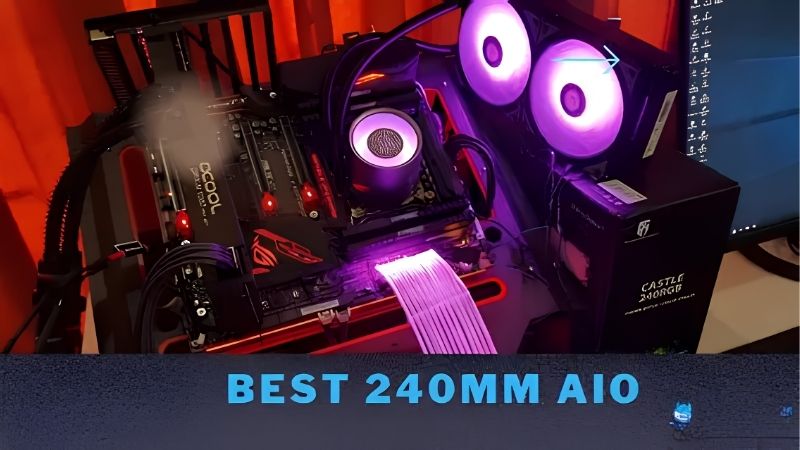
Best 240mm AIO CPU cooler shopping is about finding the sweet spot between capacity and case compatibility, because 240 mm fits far more chassis than 360 mm does while still handling most mainstream processors comfortably.
As an Amazon Associate we earn from qualifying purchases at no extra cost to you.





As an Amazon Associate we earn from qualifying purchases at no extra cost to you.
By Ryan Cole, PC hardware writer at NVIDIA Review.
How to Choose the Best 240mm AIO CPU Cooler
All 240 mm units share the same radiator footprint, so differences lie in construction and control. Four factors separate the best 240mm AIO CPU cooler options from ones that are merely adequate.
Know Which Processors 240 mm Actually Suits
A 240 mm radiator handles 65W to 120W processors comfortably, which covers most mainstream gaming chips including the 7800X3D and 9800X3D. Those parts have locked power ceilings that prevent them running away thermally.
Sixteen-core processors are where it starts to strain. A 9950X3D or a 14900K under sustained all-core load will reach its thermal ceiling sooner on 240 mm than on a 360 mm unit, which costs boost clocks over long workloads.
Radiator Thickness Matters More Than Length
Most radiators are around 27 mm thick, but thicker designs exist and provide meaningfully more surface area. A thick 240 mm radiator can match a thin 280 mm one, which is useful when case support limits your length options.
Thickness has a cost though. A thick radiator plus fans may foul memory slots when front-mounted or collide with the top panel, so measure the case clearance figure rather than assuming a 240 mm unit simply fits.
Fan thickness adds to that total. Standard 25 mm fans are assumed in most case clearance figures, so fitting thicker fans for better static pressure can push the assembly beyond what the chassis actually accepts.
Pump Noise Is the Difference You Will Live With
Fans are easy to tune through a curve, but pump noise is more constant. Units that allow independent pump speed control let you reduce that hum during light use, which matters in a quiet room more than peak cooling does.
Pump placement varies too. Designs with the pump on the radiator rather than the cold plate move the noise away from the socket area, which some builders find less intrusive despite identical measured levels.
Cold plate designs differ as well. A larger plate covers more of the heat spreader, which helps on processors where the die sits off-centre, though the effect is smaller than radiator size or fan choice.
Check What Software Is Required
Some AIOs run entirely from motherboard fan headers and need no software at all. Others require a proprietary application for pump control, lighting or a display, which then runs permanently in the background.
Neither approach is wrong, but it is worth deciding before buying. If you prefer controlling everything from the BIOS, choose a unit that exposes standard PWM control rather than one built around an ecosystem.
Software dependence also affects longevity. An AIO controlled entirely through motherboard headers keeps working regardless of whether the manufacturer maintains its application, which is worth considering over a build’s lifetime.
Top Picks: Best 240mm AIO CPU Cooler Options
The best 240mm AIO CPU cooler for you depends on noise preference and whether you want software control, so these six span budget units to premium ecosystem models. Specifications come from manufacturer documentation; verify case clearance first.
| Cooler | Radiator | Pump Control | Display | Best For |
|---|---|---|---|---|
| Arctic Liquid Freezer III 240 | Thick | PWM header | None | Best value cooling |
| NZXT Kraken 240 | Standard | CAM software | LCD | Display and looks |
| Corsair iCUE Link Titan 240 RX | Standard | iCUE software | Optional | Single-cable builds |
| Lian Li Galahad II Trinity 240 | Standard | Controller | None | Lit builds |
| DeepCool LE520 | Standard | PWM header | None | Budget entry |
| Thermalright Frozen Notte 240 | Standard | PWM header | None | Cheapest capable |
Arctic Liquid Freezer III 240
This is the value benchmark and difficult to argue against. A thicker radiator than most competitors provides extra surface area, and the integrated VRM fan directs airflow across the board’s power stages at the same time.
It runs from standard motherboard headers with no software required, which suits builders who prefer BIOS control. The drawbacks are radiator thickness that can foul memory in tighter cases and a deliberately plain appearance.
NZXT Kraken 240
The Kraken’s LCD display is the reason most people choose it, showing temperatures, images or system statistics on the pump head. Cooling performance is solid and the pump runs quietly at moderate speeds.
Build quality and cable management are both good. The reservations are dependence on CAM software for display and pump control, and a price premium driven largely by the screen rather than thermal capability.
Corsair iCUE Link Titan 240 RX
Corsair’s iCUE Link system reduces cabling to a single cable from a hub, which genuinely simplifies assembly when fans and cooler come from the same ecosystem. The 240 mm radiator handles mainstream chips well.
Setup is quick once the hub is mounted and powered. The trade-offs are cost, the required hub, and iCUE running in the background permanently for fan curves and lighting to work as configured.
Lian Li Galahad II Trinity 240
If lighting matters, this is the strongest 240 mm option. The infinity-mirror pump head and matched fans produce a coherent look, and cooling performance sits comfortably in the upper half of the category.
It suits builds where the cooler is a visual centrepiece. The compromises are a controller that needs mounting somewhere and pump noise that is slightly more noticeable than the quietest units at equivalent speeds.
DeepCool LE520
The LE520 is the practical budget entry, covering 65W to 105W processors without difficulty. It runs from standard fan headers, needs no software and keeps a mainstream gaming chip comfortable during extended sessions.
For a first liquid cooling build it removes most of the complexity. The limitations are fans that are audible at higher speeds and a thinner radiator that reaches its ceiling sooner under sustained multi-threaded load.
Installation follows the standard AM4 and AM5 pattern with included brackets for both. That keeps it usable through a platform migration, which softens the cost of what is otherwise an entry-level purchase.
Thermalright Frozen Notte 240
Thermalright applies its budget approach to liquid cooling here, delivering ARGB fans and competent cooling at a price well below established brands. For a 65W to 120W chip it performs perfectly adequately.
The value is difficult to match at this price point. The honest caveats are pump noise that is more noticeable than premium units and a warranty period shorter than what Arctic or Corsair provide on their AIOs.
Where AIO Spending Sits in the 2026 Market
Two market conditions make cooling one of the more sensible upgrade categories this year, and one caution applies specifically to liquid cooling.
Cooling Still Delivers Measurable Gains
With graphics card pricing elevated, cooling remains among the few upgrades producing a real result for modest cost. Moving from a stock cooler to a 240 mm AIO typically lowers load temperatures substantially and quietens the machine.
On chips with locked power ceilings the gain is mostly acoustic. That still matters daily, since a machine that stays quiet under load is more pleasant than one running a few degrees cooler while spinning fans hard.
Coolers Remain a Genuine Discount Category
The usual advice to wait for seasonal sales does not apply to memory, storage or prebuilt systems this year, because those are built from components purchased at elevated contract prices. Cooling avoided that problem.
Coolers, fans, cases and power supplies still see real discounts during sale events. If the upgrade is not urgent, this is one of the few areas where holding out for a sale remains genuinely worthwhile.
Remember the Pump Is a Wear Component
Cooler pricing rose roughly 6 to 8 percent this year with promotional pricing withdrawn in February 2026, which narrows the gap between budget and mid-tier units. That makes warranty length worth more attention than usual.
An AIO pump has a finite service life in a way an air cooler does not. For a machine you expect to run for many years, a longer warranty is a more meaningful differentiator than a couple of degrees under load.
Frequently Asked Questions
These questions come up most often from people fitting liquid cooling for the first time.
Mounting position and whether liquid genuinely beats air account for most of the uncertainty.
Is 240 mm enough for a modern gaming CPU?
For chips up to around 120W, comfortably. That covers most mainstream gaming processors including the X3D parts. Sixteen-core chips under sustained all-core load benefit from 280 mm or 360 mm instead.
Should the radiator go on top or at the front?
Top exhaust is usually the tidier choice, since it removes warm air from the case. Front intake feeds cooler air to the radiator but pushes that heat across the graphics card afterwards.
Does the best 240mm AIO CPU cooler beat a good air cooler?
Not always. A strong dual-tower air cooler matches or exceeds many 240 mm units while removing pump noise and pump failure risk. The AIO advantage is memory clearance and moving heat away from the socket area.
How long does an AIO last?
Most are rated for several years of continuous operation, and warranty periods of five or six years are common. The pump is the component that eventually fails, which is why warranty length is worth comparing carefully.
See More:
- Best MSI motherboard
- Best motherboard processor combo for gaming
- Best B550 motherboard
- Best CPU for streaming
- What is the best AM4 CPU for gaming
Final Thoughts
The best 240mm AIO CPU cooler for most builds is the Liquid Freezer III, which offers a thicker radiator and needs no software at all. NZXT and Corsair earn their premiums through displays and cabling systems, while Thermalright and DeepCool cover budget builds where an air cooler would otherwise be the default.










Write Your Review
No reviews yet. Be the first to share your experience!