
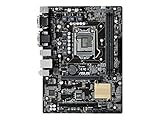
- Top Pick: ASUS PRIME B360M-A (300 Series) Intel LGA-1151 mATX Motherboard with Aura Sync RGB header, DDR4 2666MHz, M.2 support, HDMI, Intel Optane memory ready, SATA 6Gbps and USB 3.1 Gen 2
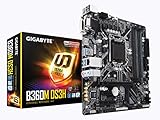
- Best Value: GIGABYTE Z390 AORUS PRO Wi-Fi (Intel LGA1151/Z390/ATX/2xM.2 Thermal Guard/Onboard AC Wi-Fi/RGB Fusion/Gaming Motherboard)
- Premium Choice: ASUS Prime Z390-P LGA1151 (Intel 8th and 9th Gen) ATX Motherboard for Cryptocurrency Mining(BTC) with Above 4G Decoding, 6xPCIe Slot and USB 3.1 Gen2
LGA1151 best motherboard searches almost always come from someone rebuilding around an 8th or 9th Gen Core chip they already own. That narrows things usefully, because only the second revision of the socket accepts those processors, and stock is now largely limited to remaining retail and used inventory.
As an Amazon Associate we earn from qualifying purchases at no extra cost to you.



As an Amazon Associate we earn from qualifying purchases at no extra cost to you.
By Ryan Cole, PC hardware writer at NVIDIA Review.
How to Approach an LGA1151 Best Motherboard Search
This socket has an unusual complication that catches out a lot of buyers, and it is worth understanding before you spend anything. Four points decide whether a given board will actually work with the processor sitting on your desk.
There Are Two Incompatible LGA1151 Revisions
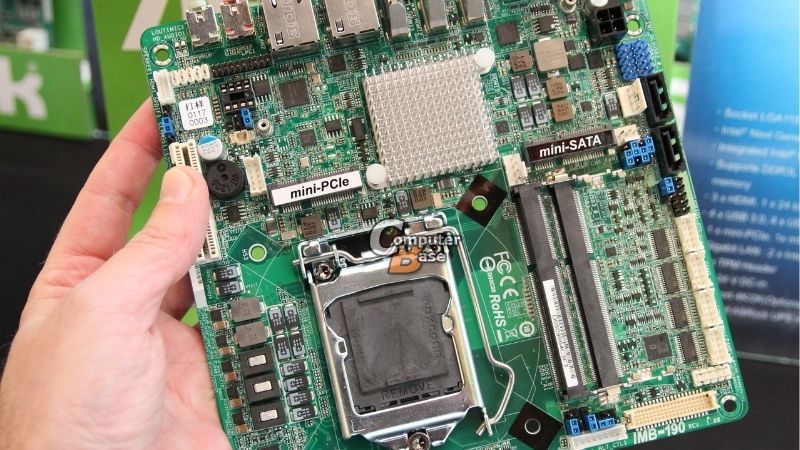
The physical socket is identical, but the electrical pinout is not. Boards using 100 and 200-series chipsets such as Z170, B250 and Z270 accept only 6th and 7th Gen Core processors, and they will not run an 8th or 9th Gen chip.
The 300-series chipsets, meaning Z370, Z390, B365 and H310, cover 8th and 9th Gen only. If your CPU is an i5-8600K, i7-9700K or i9-9900K, a 300-series board is the sole option regardless of how similar older listings look.
Check VRM Quality Against Your Chip
An i9-9900K running eight cores at sustained load draws serious power for a platform of this era. Budget H310 and B365 boards with bare power stages will hit their limits and throttle, which is the most common complaint from this generation.
Z390 boards from the mid-tier upward generally carry proper VRM heatsinks and enough phases to hold sustained clocks. For a locked i5 or i3 the requirement relaxes considerably, and a cheaper board becomes entirely reasonable.
Memory, Storage and Feature Realities
Every board here uses DDR4, which is now a genuine advantage given how far DDR5 pricing has climbed. Most Z390 models support four DIMM slots with XMP profiles in the 3000 to 3600 MT/s range depending on the memory controller.
Storage is where the age shows. Boards typically offer one or two M.2 sockets running PCIe 3.0, and the graphics slot is Gen3 as well. That costs little in gaming terms but halves throughput on a modern NVMe drive rated for Gen4.
SATA capacity partly offsets this. Most Z390 boards provide six ports, so bulk storage on mechanical drives or SATA SSDs remains straightforward even when the single M.2 socket is already occupied by a boot drive.
Buy on Availability, Not Just Specification
These boards left production years ago, so listings vary between remaining new stock, open-box units and used inventory. That is the single biggest practical constraint on any LGA1151 best motherboard shortlist you assemble today.
When buying used, prioritise sellers offering returns and check photographs of the socket pins closely. Bent pins are the most common fault on second-hand boards and are the one problem that is genuinely difficult to repair.
Price sanity matters too. Set a ceiling before you start, because well-regarded boards from this era occasionally list for more than a current entry-level board and processor combined, which defeats the purpose entirely.
Top Picks for an LGA1151 Best Motherboard Build
The LGA1151 best motherboard for you depends on which CPU you own and how hard it is pushed, so these six span flagship Z390 down to a budget B365. Specifications come from manufacturer sheets; availability now varies enormously by retailer and region.
| Model | Chipset | Form Factor | M.2 Sockets | Wireless |
|---|---|---|---|---|
| ASUS ROG Strix Z390-E Gaming | Z390 | ATX | 2 | Wi-Fi 5 |
| Gigabyte Z390 AORUS Elite | Z390 | ATX | 2 | None |
| MSI MAG Z390 Tomahawk | Z390 | ATX | 2 | None |
| ASUS Prime Z390-A | Z390 | ATX | 2 | None |
| ASRock Z390 Phantom Gaming 4 | Z390 | ATX | 2 | None |
| Gigabyte B365M DS3H | B365 | Micro-ATX | 1 | None |
ASUS ROG Strix Z390-E Gaming
This was the enthusiast choice at launch and remains the strongest pick for a 9900K. It combines a substantial power delivery with heavy VRM heatsinking, four DDR4 slots, two heatsinked M.2 sockets and integrated Wi-Fi 5 plus gigabit Ethernet.
The BIOS gives fine control over power limits, which matters on a chip that will otherwise run hot. The drawback is price on the second-hand market, where Strix boards hold value well and often cost more than a newer entry-level platform.
Gigabyte Z390 AORUS Elite
The AORUS Elite is the sensible middle of the Z390 range. A 12-phase-class digital VRM with direct heatsink contact, four DDR4 slots, two M.2 sockets with thermal guards and reinforced graphics slots cover a 9700K comfortably.
It handles sustained all-core loads without the throttling that plagues cheaper boards. The omission is wireless, which is absent entirely, so budget for a PCIe card or USB adapter unless the machine sits on a wired connection.
MSI MAG Z390 Tomahawk
MSI’s Tomahawk line has always aimed at balance rather than features. Four DDR4 slots, two M.2 sockets, a solid power delivery with proper heatsinks and a clean layout make it a straightforward host for an i7-9700K build.
The BIOS is stable and well documented, which counts when troubleshooting an older platform. The compromises are gigabit rather than 2.5 Gb Ethernet, no onboard wireless and rear I/O that feels sparse by current standards.
ASUS Prime Z390-A
Prime strips the gaming branding while keeping the substance. It offers four DDR4 slots with XMP support, two M.2 sockets, a capable VRM with heatsinking and ASUS BIOS conventions that many builders find the easiest to navigate.
For an unlocked i5 or a mid-tier i7 it is more board than the chip requires. The limitations are the usual ones for this tier: no wireless, gigabit networking and an audio implementation a clear step below the Strix.
ASRock Z390 Phantom Gaming 4
This is the value entry into the Z390 chipset. It retains four DDR4 slots, two M.2 sockets and memory overclocking support, which is the main reason to choose Z390 over B365 in the first place.
For a locked i5 build it does everything asked of it. The honest caveat is power delivery, which is lighter than the boards above and better suited to six-core chips than to a 9900K under sustained multi-threaded load.
Gigabyte B365M DS3H
When the goal is simply getting an 8th or 9th Gen chip running cheaply, this Micro-ATX board does the job. It supports the right processors, offers a single M.2 socket, four DDR4 slots and the basic connectivity a working system needs.
It is the pragmatic choice for a secondary machine or an office build. The limitations are significant though: no memory overclocking on B365, a modest VRM unsuited to eight-core chips, and minimal expansion beyond the essentials.
Where LGA1151 Sits in the 2026 Market
Two conditions shape whether rebuilding on this socket makes sense or whether the money is better spent elsewhere. Both come down to what you already own.
DDR4 Ownership Is Now Worth Real Money
DRAM contract pricing rose sharply through 2026, with further increases forecast into the fourth quarter and no meaningful new manufacturing capacity expected before late 2027. DDR5 kits absorbed the largest share of that rise.
If you own a working 32 GB DDR4 kit and an 8th or 9th Gen processor, reusing both avoids the most expensive part of a modern build. That is the strongest argument for repairing or rebuilding on LGA1151 rather than migrating.
This Platform Has No Upgrade Path At All
LGA1151 ended with 9th Gen, so whatever chip you fit is permanent. By contrast, AMD confirmed at Computex 2026 that AM5 will accept new processors through the end of 2029, giving that platform a genuine second life.
That comparison matters when a used Z390 board costs as much as an entry-level modern board. Rebuilding here is a repair decision or a budget one, not an investment in a system you plan to improve over time.
Nothing New Arrives Before CES 2027
Zen 6 processors and Intel Nova Lake have both moved to CES in January 2027, so anyone waiting for the next generation faces a long delay with no intermediate launches. Current platforms are what the market offers.
For an LGA1151 owner that is mildly good news. There is no imminent release that changes the calculation, so keeping an older machine running for another year while prices settle is a defensible plan rather than a delay tactic.
Frequently Asked Questions
These questions come up most often from people rebuilding on this socket rather than starting fresh.
Will a 9th Gen chip work in a Z170 or Z270 board?
No. Despite the identical socket name and physical fit, the pinout differs between revisions. Eighth and 9th Gen processors require a 300-series chipset, and installing one in an older board will simply fail to post.
Does the LGA1151 best motherboard need to be Z390?
Only if you want memory overclocking or plan to run an unlocked K-series chip hard. For a locked i5 or an office machine, B365 provides the same core functionality at a considerably lower price.
Is buying used safe for these boards?
Generally yes, with care. Check socket photographs for bent pins, prefer sellers offering returns, and expect to reapply thermal paste and update the BIOS. Capacitor age is rarely a problem on boards from this generation yet.
Should I just move to a newer platform instead?
If you need to buy a CPU and memory anyway, yes. If you already own a working 9700K and DDR4, replacing only the board is far cheaper, and current memory pricing makes that gap wider than it would normally be.
See More:
- Best MSI motherboard
- Best motherboard processor combo for gaming
- Best B550 motherboard
- Best CPU for streaming
- What is the best AM4 CPU for gaming
Final Thoughts
An LGA1151 best motherboard decision comes down to socket revision first and VRM capability second. Z390 boards from the mid-tier upward suit unlocked eight-core chips, B365 covers locked processors cheaply, and the whole exercise makes most sense when you already own the CPU and DDR4 memory to go with it.











Write Your Review
No reviews yet. Be the first to share your experience!