
- Top Pick: MSI MAG B850 Tomahawk MAX WiFi Motherboard, ATX – Supports AMD Ryzen 9000/8000 / 7000 Processors, AM5-80A SPS VRM, DDR5 Memory Boost 8400+ MT/s (OC), PCIe 5.0 x16, M.2 Gen5, Wi-Fi 7, 5G LAN
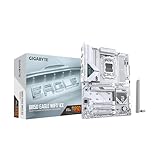
- Best Value: GIGABYTE B850 AORUS Elite WIFI7 AMD AM5 ATX Motherboard, Support AMD Ryzen 9000/8000/7000 Series, DDR5, 14+2+2 Power Phase, 3X M.2, PCIe 5.0, USB-C, WIFI7, 2.5GbE LAN, EZ-Latch, 5-Year Warranty
- Premium Choice: ASUS TUF Gaming B850-PLUS WiFi AMD AM5 B850 ATX Motherboard, 14+2+1 80A Stages, AI Ready, DDR5, PCIe 5.0, 3X M.2, Wi-Fi 7, 2.5Gb LAN, DisplayPort, HDMI™, USB 10Gbps & 20Gbps Type-C®, BIOS Flashback™
Best B850 motherboard shopping is simpler than it looks once you understand what the chipset guarantees and what it leaves to each manufacturer. B850 sits between B650 and X870 on AM5, and the differences that matter are storage lanes, networking and power delivery rather than anything that affects frame rates.
As an Amazon Associate we earn from qualifying purchases at no extra cost to you.




As an Amazon Associate we earn from qualifying purchases at no extra cost to you.
By Ryan Cole
How to Choose the Best B850 Motherboard
Picking the best B850 motherboard comes down to four things, none of which change gaming performance directly but all of which affect how the build behaves over the years you keep it.
What B850 Guarantees Over B650
B850 requires a PCIe 5.0 M.2 slot on every board, which B650 left optional. Most B850 implementations also provide a PCIe 5.0 graphics slot, though that remains a manufacturer decision rather than a chipset mandate.
Against X870, the difference is USB4. That chipset mandates 40Gbps external connectivity while B850 does not, so if you need Thunderbolt-class docking, B850 is the wrong tier to shop in.
For gaming alone, none of this changes anything measurable. Treat the chipset as defining your connectivity floor rather than as a performance specification.
The chipset also determines how many lanes reach secondary devices. That becomes relevant with several drives and an expansion card installed, which is when lane sharing starts costing you a SATA port or graphics slot bandwidth.
Power Delivery for the Chips You Will Run
Published configurations such as 14+2+1 at 80A describe how much sustained current the board feeds the processor. For a six or eight-core gaming chip, almost any B850 board has ample headroom.
It becomes real with sixteen-core processors or aggressive Precision Boost Overdrive tuning, where a weaker eight-phase design pulls clocks back under long all-core loads. Heatsink mass matters alongside phase count here.
Two boards with identical phase counts can behave very differently under sustained load if one carries substantially more aluminium over the regulation area. Photographs of the heatsinks tell you more than the marketing figures do.
Storage Configuration and Lane Sharing
Count the M.2 slots and check which are Gen5 against Gen4, then read the manual for lane sharing. Populating a second or third slot frequently disables SATA ports or drops the graphics slot to eight lanes.
Manufacturers rarely advertise those tradeoffs. For a gaming build the practical advice is to prioritise having three or four usable slots over having one very fast one, since Gen4 already exceeds what games request.
Check heatsink coverage on those slots as well. A Gen5 drive without a substantial sink will throttle under sustained writes, and boards vary in whether they cool every slot or only the primary one.
Networking, Rear I/O and Form Factor
Wi-Fi 7 and 2.5G Ethernet are standard at this tier, with some boards stepping up to 5G LAN. For competitive play a wired connection remains preferable regardless of what the wireless specification promises.
Micro-ATX saves money with almost no compromise for a single graphics card build, while ATX offers more slots, better VRM cooling and more rear connectivity. Count USB ports and check for a front panel USB-C header before deciding.
Fan header count is worth checking too. A build with six case fans plus a cooler needs more headers than some budget boards provide, and splitters work but remove independent control over each group.
Top Picks: Best B850 Motherboard Choices Available
These six cover ATX and micro-ATX across several budget levels. Specifications are manufacturer-published as of August 2026, and all support AM5 processors with BIOS Flashback on most models.
| Board | Form Factor | Networking | Notable Feature |
|---|---|---|---|
| MSI MAG B850 Tomahawk WiFi | ATX | Wi-Fi 7, 5G LAN | Strongest VRM at the tier |
| ASUS ROG Strix B850-F Gaming WiFi | ATX | Wi-Fi 7, 2.5G | Best BIOS and memory tuning |
| Gigabyte B850 AORUS Elite WiFi7 | ATX | Wi-Fi 7, 2.5G | Tool-free M.2 and GPU release |
| ASUS TUF Gaming B850-Plus WiFi | ATX | Wi-Fi 7, 2.5G | Balanced mid-range value |
| MSI B850M Mortar WiFi | Micro-ATX | Wi-Fi 7, 2.5G | Best compact option |
| ASRock B850 Pro RS | ATX | 2.5G LAN | Cheapest full-size board |
MSI MAG B850 Tomahawk WiFi – Best Overall
This is the best b850 motherboard for most AM5 gaming builds. A 14+2+1 arrangement at 80A handles any current processor, and it pairs a PCIe 5.0 graphics slot and Gen5 M.2 with Wi-Fi 7 and 5G Ethernet.
Rear I/O is functional rather than generous compared with boards costing more, and there is no USB4 controller since that belongs to the X870 tier. The styling is also plainer than the ROG and AORUS alternatives.
ASUS ROG Strix B850-F Gaming WiFi – Best BIOS Experience
ASUS firmware remains the most approachable for memory tuning, with reliable training on high-speed EXPO kits and clear menu organisation. Power delivery is comfortable for any AM5 chip and rear connectivity is extensive.
You pay a clear premium over the Tomahawk for features a pure gaming build will not exercise. Networking also steps down to 2.5G Ethernet rather than the 5G found on the MSI equivalent.
Gigabyte B850 AORUS Elite WiFi7 – Easiest to Build In
Tool-free M.2 heatsinks and drive retention plus a quick-release graphics latch make this the least frustrating board here to assemble and modify. Power delivery and connectivity match its rivals closely.
Gigabyte firmware is the weakest of the three major brands for memory tuning, particularly on aggressive kits. Some board revisions have also needed a BIOS update before running the newest processors reliably.
ASUS TUF Gaming B850-Plus WiFi – Best Mid-Range Balance
The TUF line sits below ROG while keeping the same firmware quality, solid power delivery and Wi-Fi 7. For builders who want ASUS BIOS without the ROG premium, this is the efficient way to get it.
VRM heatsinks are smaller than on the Tomahawk, which shows under sustained all-core loads with a sixteen-core chip. Rear USB port count is also lower than the ROG equivalent.
MSI B850M Mortar WiFi – Best Micro-ATX Board
For a compact build this delivers nearly everything the full-size Tomahawk does, including strong power delivery, Wi-Fi 7 and four DIMM slots, in a form factor that fits considerably smaller cases.
You lose expansion slots and some rear I/O compared with ATX alternatives, and micro-ATX boards at this specification carry a small price premium over equivalent full-size models.
ASRock B850 Pro RS – Cheapest Sensible Full-Size Board
When the budget should go to the graphics card, this covers the essentials without waste: four DIMM slots, a Gen5 graphics slot, multiple M.2 sockets and 2.5G Ethernet at the lowest price in the tier.
There is no onboard Wi-Fi on this variant, rear I/O is sparse and the VRM heatsinks are modest enough that a sixteen-core chip under sustained load is beyond its comfortable range.
What the 2026 Platform Market Means for B850 Buyers
Two developments should shape how much you spend on the best b850 motherboard for your build, and whether B850 is the right tier at all.
AM5 Is Supported Through 2029
AMD confirmed at Computex 2026 that AM5 will keep receiving processors through the end of 2029, while Intel moves to a new socket for its next architecture. A B850 board bought today has years of drop-in upgrades ahead.
That changes how you should value power delivery. Paying a little more for a board that comfortably handles a sixteen-core chip makes sense when the processor you install in 2028 may need that headroom.
Memory Pricing Shifts the Budget
DDR5 contract prices rose sharply through 2026, with forecasts pointing to further increases into Q4 and no new manufacturing capacity expected before late 2027. Memory now consumes a larger share of a build budget than it did.
The practical advice is to buy the capacity you need in one kit rather than planning to add sticks later, and to favour a well-specified mid-range board over a premium one so the money goes where it is needed.
The Entry Tier Is Thinning
Motherboard unit sales have fallen more than 25%, and manufacturers have concentrated on mid and high-tier products. Promotional pricing policies also tightened in early 2026, and some budget lines have disappeared from listings.
The risk here is availability rather than price. If a specific budget board fits your build, buying it when you see stock is more sensible than waiting for a discount that may never arrive.
Frequently Asked Questions
The best b850 motherboard question usually arrives with these, from builders working out whether the chipset step up is worth paying for.
Is the best b850 motherboard worth it over B650?
Usually yes when the price gap is small. B850 guarantees a Gen5 M.2 slot and typically brings newer networking and USB standards, whereas B650 implementations vary considerably between models on exactly those points.
Do I need X870 instead?
Only if you need USB4. X870 mandates 40Gbps external connectivity, which matters for high-speed docking or external storage. For gaming, an X870 board performs identically to B850 with the same processor and graphics card.
Does a better board improve frame rates?
Not directly. With identical components, a budget and a premium board produce essentially the same frame rates. Better boards buy stability under sustained load, faster memory support and a longer comfortable upgrade path.
Will I need a BIOS update before installing my processor?
Possibly, if the board has been in stock since before your chip launched. Look for BIOS Flashback on the specification sheet, which lets you update firmware from a USB drive with no processor installed at all.
See More:
- Best 4TB NVMe SSD
- Best thermal grizzly paste
- Best thermal paste for 7800X3D
- Best CPU case fans
- Best motherboard for gaming computer
Final Thoughts
The best B850 motherboard for most builds is the MSI MAG B850 Tomahawk WiFi, which pairs the strongest power delivery in the tier with the best networking. The ROG Strix earns its premium if you tune memory, the AORUS Elite makes assembly easier, and the ASRock Pro RS keeps budget builds sensible. With AM5 supported through 2029 and memory absorbing more of a typical budget, a well-specified mid-range board is the right landing point.











Write Your Review
No reviews yet. Be the first to share your experience!