
Best Thermal Paste Method depends far more on what you are mounting than on which shape looks tidiest. A lidded desktop processor, a bare graphics die and a laptop heat pipe each reward a different approach, and the compound you own narrows the choice further.
As an Amazon Associate we earn from qualifying purchases at no extra cost to you.


As an Amazon Associate we earn from qualifying purchases at no extra cost to you.
By Ryan Cole, hardware writer at NVIDIAReview.
How to Pick the Best Thermal Paste Method for the Job
Application methods exist because surfaces differ. The best thermal paste method for a lidded processor is not the one for a bare die, and choosing wrongly costs coverage rather than a couple of degrees. Four factors decide it.
Surface Type Comes First
A lidded processor has a flat metal spreader and firm mounting pressure, which means a dot or short line will flow to the edges on its own. This is the easiest case and the one most guides describe.
A bare die is small, delicate and mounted with far less pressure. Here a manual spread gives more reliable coverage, since there is not enough force to push a central blob outward across the whole surface.
Laptops sit somewhere between the two, with small dies, weak spring pressure and severe heat cycling. Coverage matters, and migration over time matters even more, which is why phase-change material has become popular there.
Graphics cards add another wrinkle. The die needs compound while the memory and power stages rely on pads of a specific thickness, so a card service is two separate jobs rather than one.
Compound Viscosity Rules Out Some Methods
Thin compounds spread under pressure and suit the dot method. Thick ones resist flowing, so a line, an X or a manual spread gives them a head start toward the corners.
Warming a thick tube in your hands for a minute changes its behaviour noticeably, particularly in a cold room. That single step removes most complaints about stubborn compounds.
If you are unsure which category a compound falls into, squeeze a small amount onto a piece of card. A blob that holds its shape rigidly needs a pattern covering more area from the start.
Quantity Is the Variable That Actually Matters
Roughly a pea-sized volume covers a standard desktop processor. Too little leaves dry corners and unstable temperatures, while too much insulates and squeezes onto the substrate around the package, where it does nothing useful.
Manual spreading tempts people into using more than necessary. Aim for a thin, even film that just hides the metal beneath it rather than a visible layer.
Bare dies need less again. The surface is far smaller than a heat spreader, so a quantity sized for a desktop processor will squeeze out over the substrate and the surrounding components.
Preparation and Mounting Pressure Finish the Job
Clean both surfaces with isopropyl alcohol at ninety percent or higher on a lint-free cloth and let them dry. Old compound left in place undoes whatever care goes into the new application.
Keep debris out of the join as well. A single fibre from a paper towel sits between the surfaces exactly where the compound should be, which is why lint-free cloths and coffee filters are worth using.
Tighten the cooler in a cross pattern in stages rather than seating one screw fully first. Even pressure produces even contact, which affects temperatures more than any pattern choice.
Work on a level surface with the board flat where possible. Mounting a heavy cooler in a vertically installed board makes even pressure harder to achieve and is a common source of poor contact.
Top Picks: Compounds That Suit Each Best Thermal Paste Method
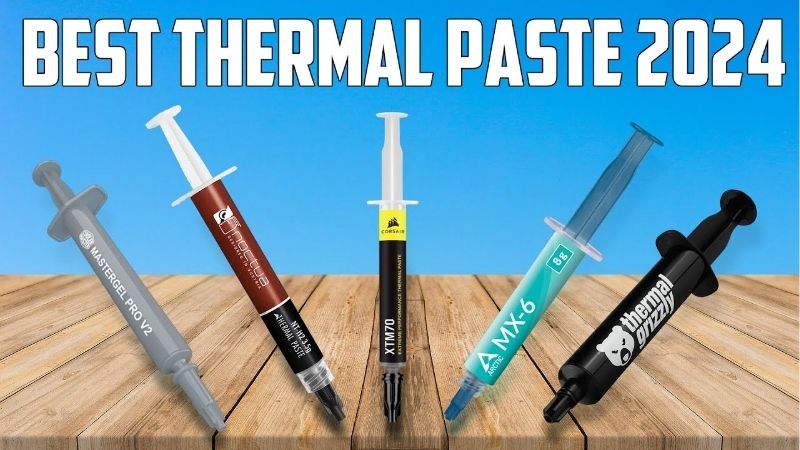
Each of these suits a particular best thermal paste method rather than every surface equally. Figures are manufacturer-rated, and retail pricing at the time of writing in August 2026 changes weekly, so treat tiers as your guide.
| Compound | Rated conductivity | Consistency | Method it suits | Best surface |
|---|---|---|---|---|
| Arctic MX-6 | Not directly comparable | Soft | Centre dot | Lidded processors |
| Thermal Grizzly Kryonaut | 12.5 W/mK | Medium | Dot or small X | Lidded processors |
| Noctua NT-H2 | Not published | Thick | Short line | High-pressure mounts |
| Cooler Master MasterGel Maker | 11 W/mK | Medium thin | Line or X, flat tip | Bare graphics dies |
| Gelid GC-Extreme | 8.5 W/mK | Very thick | Manual spread | Set-and-forget builds |
| Honeywell PTM7950 | Around 8.5 W/mK | Phase change pad | Cut and place | Laptops and small dies |
Arctic MX-6
For the dot method this is the ideal compound, since it flows readily under mounting pressure and reaches the corners of a standard heat spreader without help. It is also non-conductive, so a small overspill is harmless.
The soft consistency makes over-application easy, and peak numbers sit slightly behind the highest-rated compounds. Keep the quantity to a pea and neither issue appears.
Thermal Grizzly Kryonaut
Rated at 12.5 W/mK with a consistency that behaves well at room temperature, this works from a simple dot on a lidded chip and gives among the best results on a fresh mount.
It dries out faster than thicker compounds on hot processors, so plan on reapplying periodically. Price per gram is at the high end, which suits enthusiasts rather than one-time builders.
Noctua NT-H2
Thick and durable, this wants a short line rather than a dot because it will not travel far on its own. With firm bracket pressure it reaches a thin bond line and stays put for years.
It is unforgiving on low-pressure mounts and awkward on a bare die. Cost per gram is high, though the included wipes and long service life offset that for most people.
Cooler Master MasterGel Maker
The flat-tipped syringe makes controlled line and X patterns easy, which is exactly what a bare graphics die needs when mounting pressure is limited and coverage must be deliberate.
Tube sizes are small, so cost per application climbs if you re-paste often. The thinner consistency also places it among the compounds more prone to migrating over repeated heat cycles.
Gelid GC-Extreme
When you intend to close the case and leave it alone, this is the compound to spread manually across the lid. It holds its numbers over years better than most and does not migrate readily.
Spreading it cold is genuinely hard work, so warm the tube first. Availability varies by region, and the thickness makes precise application on small surfaces awkward.
Honeywell PTM7950
This replaces the whole question. You cut a sheet, place it, and let the first heat cycles reflow it in place, which is why it has become the default answer for laptops and small hot dies.
The first cycle runs slightly warmer until it settles, and application requires care not to trap debris under the sheet. Counterfeits are common, so buy from a seller you can verify.
What 2026 Conditions Mean for Re-Pasting
A careful remount using the best thermal paste method is worth more this year than it was, because the alternatives have become expensive. Three points matter.
Cheap Thermal Work Is Where the Gains Are
Graphics card pricing remains elevated and no new processor generation arrives before CES in January 2027, so replacing dried compound and remounting a cooler properly is one of the few upgrades still available.
The payoff is a few degrees, which appears as higher sustained clocks and slower fan ramping rather than a larger benchmark number. It costs very little and takes twenty minutes.
Doing it alongside a case clean makes the most of the trip. Clogged filters and dust-packed fin stacks cost more than dried compound does, and both are addressed with the same twenty minutes of work.
Buy the Larger Tube
Component pricing has drifted up roughly six to eight percent across cooling and power supplies as manufacturers concentrated on higher tiers, and promotional pricing for entry-level products ended in early 2026.
Paste itself has held steadier, so a four or eight gram tube now represents even better value against small premium syringes, particularly if you expect to re-paste more than once.
November Discounts Are Real in Cooling
Memory, drives and prebuilt systems are unlikely to see genuine Black Friday reductions this year because stock was manufactured against high contract pricing. Paste, coolers, fans and cases still see honest markdowns.
If your remount is routine maintenance, waiting for that window is sensible. If your processor is throttling now, do the job today and take the improvement immediately.
Frequently Asked Questions
These come up most often once someone has chosen the best thermal paste method and starts the actual job.
Does spreading manually beat letting pressure do it?
On a lidded processor, no. Mounting pressure spreads a correctly sized application without trapping air. Manual spreading earns its place on bare dies and low-pressure mounts.
How do I clean off the old compound?
Wipe away the bulk with a lint-free cloth, then finish with isopropyl alcohol at ninety percent or higher. Let both surfaces dry completely before applying anything new.
Can I reuse paste that squeezed out?
No. Once it has touched the substrate or a cloth it has picked up contamination, and the quantity involved is worth a fraction of a penny. Wipe it away and start clean.
Should I re-seat the cooler to check coverage?
Once, on a first build, is worthwhile. Look for full coverage without overspill, then reapply fresh compound and mount again rather than reusing the imprinted layer.
See More:
- What Is the Best Thermal Paste
- Best PC Case Fans 120mm
- Thermal Paste Best Brand
- Best Thermal Paste Brands
- Best CPU Cooler Reddit
Final Thoughts
The best thermal paste method follows the surface: a dot for a lidded processor with a compound that flows, a line or X for thicker pastes, a manual spread on a bare die, and a cut phase-change sheet for a laptop. Get the quantity and the mounting pressure right and the pattern stops mattering.











Write Your Review
No reviews yet. Be the first to share your experience!