
What Is the Best Thermal Paste is a question with a shorter answer than most guides admit. Between quality compounds the difference on a normal desktop is one to three degrees, so the useful answer is about which one stays good, not which wins a benchmark.
As an Amazon Associate we earn from qualifying purchases at no extra cost to you.


As an Amazon Associate we earn from qualifying purchases at no extra cost to you.
By Ryan Cole, hardware writer at NVIDIAReview.
Short answer: the answer to what is the best thermal paste, for most desktop builds, is a stable and electrically non-conductive compound such as Arctic MX-6 or Noctua NT-H2, bought in a tube large enough to cover several mounts. Buy for durability and safety rather than for the highest number printed on the packaging.
What Is the Best Thermal Paste Actually Doing in Your Build
Paste is not a cooling material. It fills the microscopic gaps between two metal surfaces that look flat but are not, so heat can cross the join instead of passing through trapped air.
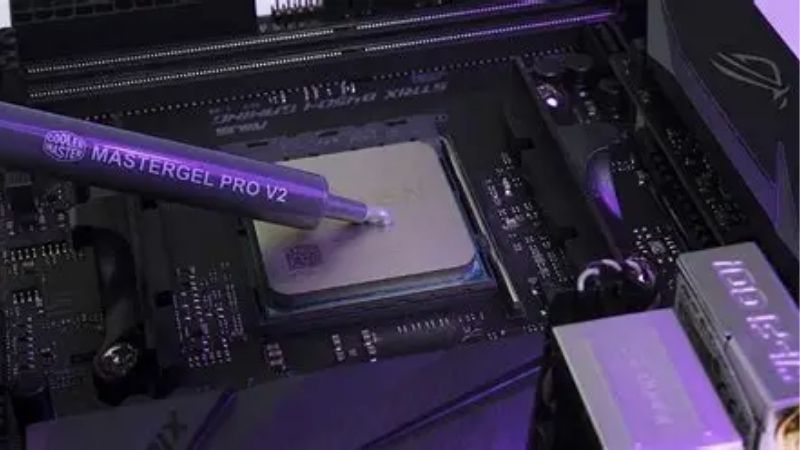
It Replaces Air, Not Metal
Air is a poor conductor of heat, and even a polished cold plate and heat spreader touch at only a fraction of their surface area. The compound occupies the remaining space so contact becomes effectively complete.
Machining marks are the reason. Both surfaces are flat to a tolerance rather than perfectly flat, and the gaps left between them are wide enough to matter thermally even though you cannot see them.
That is also why more paste is not better. A thick layer adds material between the surfaces rather than filling gaps, which raises temperatures rather than lowering them.
The Cooler Does the Real Work
Paste can only improve the join between the processor and the cooler. If the cooler itself is undersized for the chip, no compound will fix the resulting temperatures.
The practical order is cooler first, case airflow second, compound third. Reversing that order is the most common reason people are disappointed by a paste upgrade.
Mounting Pressure Matters as Much as the Compound
Even, firm pressure spreads the paste into a thin film and holds the surfaces together. Uneven tightening leaves one side thicker than the other, which costs more than any difference between brands.
Tighten cooler brackets in a cross pattern in stages rather than seating one screw fully first, and the compound choice becomes the smallest variable in the equation.
What Separates a Good Compound From a Bad One
Once you stop comparing headline figures, three properties decide what is the best thermal paste for a given machine. The table below summarises how the common families differ.
| Type | Typical rating | Electrically conductive | Best suited to |
|---|---|---|---|
| Carbon-based | Around 8 W/mK and up | No | General desktop use |
| Ceramic-loaded | Around 11 to 14 W/mK | No | Higher heat loads |
| Silver-loaded | Around 8 to 9 W/mK | Capacitive | Older builds, legacy sockets |
| Phase change pad | Around 8.5 W/mK | No | Laptops and small hot dies |
| Liquid metal | Around 73 W/mK | Yes | Bare or delidded dies only |
Published Ratings Are Not Comparable Between Brands
Each manufacturer measures thermal conductivity under its own test conditions, at its own bond line thickness. A compound rated at 12.5 does not automatically beat one rated at 8.5 in a real mount.
Noctua makes the point by publishing no figure at all, arguing it misleads buyers, and its compounds still finish near the top of independent comparisons.
Electrical Safety Should Be a Filter
Ceramic and carbon compounds do not conduct electricity, so an accidental overspill is a cleanup rather than a dead motherboard. That alone makes them the correct default for a machine you depend on.
Silver-loaded pastes can be capacitive, and liquid metal conducts freely and corrodes aluminium. Both have legitimate uses, neither belongs in a first build.
Durability Decides How It Performs in Two Years
Pump-out is the gradual migration of compound away from the centre of the die as the system heats and cools. Thin, high-conductivity pastes are more prone to it than thicker, more stable ones.
Phase-change materials sidestep the problem by reflowing in place rather than migrating, which is why they have become popular for laptops and other small, hot dies.
Common Mistakes When Applying Thermal Paste
Most disappointing results come from the application rather than the product, which is why what is the best thermal paste matters less than how it goes on. These four mistakes account for nearly all of them.
Using Far Too Much
A volume roughly the size of a pea covers a standard desktop processor. Anything approaching a visible layer insulates instead of conducting and squeezes out onto the substrate around the package.
The temptation is strongest with soft compounds that come out of the syringe easily. Start with less than you think and check the imprint if you are unsure.
Not Cleaning the Old Compound Properly
Dried paste left in place ruins the contact regardless of what goes on top. Wipe away the bulk with a lint-free cloth, then finish with isopropyl alcohol at ninety percent or higher and let both surfaces dry.
Paper towel and household cleaners leave residue and fibres. A coffee filter or a microfibre cloth works better and costs nothing.
Overthinking the Pattern
On a lidded processor, mounting pressure does the spreading. A centre dot works for compounds that flow, and a short line or small X suits thicker ones, particularly on a rectangular heat spreader.
Manual spreading matters on a bare die or a low-pressure mount, where there is not enough force to push a central blob outward. Everywhere else it mostly risks trapping air.
Ignoring the Cooler and the Case
People re-paste a machine that is throttling because its cooler is too small or its case has no intake fans. Asking what is the best thermal paste at that point is the wrong question, since the compound is the last variable to change rather than the first.
If you want the full picture on which product to buy after fixing those, our roundups on the best pc thermal paste and the best thermal paste for gaming compare current compounds directly.
Frequently Asked Questions
These follow naturally once someone has asked what is the best thermal paste and wants the practical details.
How often should thermal paste be replaced?
Every three to five years in a normal desktop, or whenever the cooler is removed for any reason. Reapply sooner if temperatures have climbed with no other change to the build.
Is the paste included with a cooler good enough?
Usually yes. Bundled compounds from established cooler brands are adequate, and the difference against a premium paste is typically one to two degrees on a well-mounted cooler.
Does thermal paste expire?
Sealed tubes last for years, and opened ones stay usable if capped properly and stored indoors. Separated or hardened compound in the syringe is the sign to replace it.
Can I use the same paste on a graphics card?
Yes, on the main die, provided the compound is non-conductive. The memory and power stages rely on thermal pads, which must be replaced with pads of the correct thickness rather than paste.
See More:
Final Thoughts
So what is the best thermal paste in practice? A non-conductive compound from a reputable brand, applied in a pea-sized amount to clean surfaces under even mounting pressure, bought in a tube large enough to cover several mounts. Fix the cooler and case airflow first, then choose the compound you will still be happy with in three years rather than the one that wins by half a degree today.











Write Your Review
No reviews yet. Be the first to share your experience!