
Best 4K 32 inch gaming monitor options now split cleanly between QD-OLED panels at 240Hz and IPS screens at 144Hz for roughly half the money. The right choice depends less on the panel than on the graphics card you plan to drive it with, so this guide covers the panel and the hardware behind it before recommending anything.
As an Amazon Associate we earn from qualifying purchases at no extra cost to you.





As an Amazon Associate we earn from qualifying purchases at no extra cost to you.
By Ryan Cole
How to Choose the Best 4K 32 Inch Gaming Monitor
At this size and resolution the specification sheet hides more than it reveals. These four checks point to the best 4K 32 inch gaming monitor for your setup rather than the one with the loudest numbers.
Panel Technology Decides Almost Everything
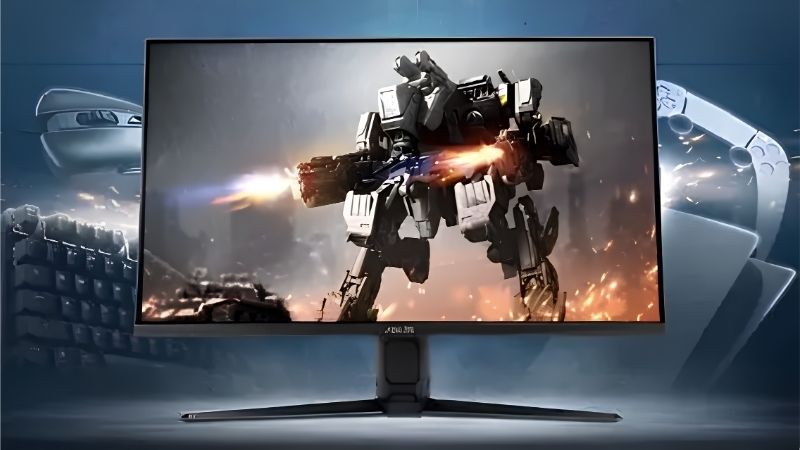
Panel type is the first fork in the road for anyone shopping for the best 4K 32 inch gaming monitor. QD-OLED delivers per-pixel lighting, effectively instant response and colour that IPS cannot match. The trade-offs are text rendering on a triangular subpixel layout and lower full-screen sustained brightness.
IPS panels are cheaper, brighter across the whole screen and better for mixed work use. Contrast is the weakness, since backlight bleed and grey blacks are visible in dark scenes.
Mini-LED sits between the two, using local dimming zones to improve contrast while keeping IPS brightness. Zone transitions can produce visible haloing around bright objects on dark backgrounds.
Be Realistic About Refresh Rate and Your GPU
A 240Hz panel only pays off if the graphics card can push those frames at 4K. In demanding titles that usually means upscaling and frame generation rather than native rendering.
For most builds, 144Hz at 4K is already more than the GPU can sustain in modern releases. Paying for 240Hz makes sense if you also play competitive titles that run far above that ceiling.
Adaptive sync matters more than peak refresh. A panel with a wide variable refresh range keeps frame pacing smooth at 70 or 90fps, which is where most 4K gaming actually happens.
Console players should note the ceiling is 120Hz over HDMI 2.1. Anything above that is only reachable from a PC, so a 144Hz panel is sufficient for a console-focused setup.
Check HDR Claims Against the Panel Type
DisplayHDR 400 on an IPS panel is a certification rather than a meaningful HDR experience. Real HDR needs either OLED contrast or a mini-LED backlight with a substantial number of dimming zones.
Look at sustained brightness rather than peak figures, which are measured on small windows. A panel quoting 1000 nits peak may hold far less across a bright full-screen scene.
Room lighting matters more than most buyers expect. A glossy OLED in a sunlit room can look worse than a matte IPS panel, regardless of what the contrast figures suggest on paper.
Count the Ports You Will Actually Use
HDMI 2.1 is required for 4K at 120Hz from a PS5 or Xbox Series X. DisplayPort 1.4 with DSC handles 4K 240Hz from a PC, while DisplayPort 2.1 removes the need for compression.
A built-in KVM is genuinely useful if you connect a laptop alongside the desktop. USB-C with power delivery is worth having for the same reason, though it adds to the price.
Check the stand as well. Several panels in this class ship with limited height adjustment, and a 32 inch screen sitting too high is uncomfortable in a way no picture quality compensates for.
Top Picks: Best 4K 32 Inch Gaming Monitor Options
The best 4K 32 inch gaming monitor for you depends on panel technology and budget, so these six run from premium QD-OLED to affordable IPS. Specifications come from manufacturer documentation, and pricing in this category moves quickly, so check current listings.
| Monitor | Panel | Refresh | Key Feature | Best For |
|---|---|---|---|---|
| ASUS ROG Swift PG32UCDM | QD-OLED | 240Hz | Custom heatsink | Best overall OLED |
| Samsung Odyssey OLED G8 G80SD | QD-OLED | 240Hz | Smart TV platform | Mixed media use |
| Gigabyte AORUS FO32U2P | QD-OLED | 240Hz | DisplayPort 2.1 | Uncompressed signal |
| LG UltraGear 32GS95UE | OLED | 240Hz | Dual-mode 1080p 480Hz | Competitive plus 4K |
| LG UltraGear 32GR93U | IPS | 144Hz | HDMI 2.1 | Balanced value |
| Gigabyte M32U | IPS | 144Hz | Built-in KVM | Work and play |
ASUS ROG Swift PG32UCDM
A 4K QD-OLED at 240Hz with a custom heatsink assembly and no cooling fan, this is the reference option in the category. Colour, contrast and motion clarity are all at the top of the market.
It is expensive, text rendering on the triangular subpixel layout is imperfect for long document work, and full-screen brightness trails IPS. For gaming specifically, none of that matters much.
Samsung Odyssey OLED G8 G80SD
The same class of QD-OLED panel with Samsung’s smart platform built in, which means streaming apps without a connected device. Refresh runs to 240Hz with a slim, glossy design.
The smart interface adds startup delay and menu complexity some buyers find unnecessary. Its glossy coating also shows reflections clearly in a bright room, so consider your lighting first.
Gigabyte AORUS FO32U2P
The distinguishing feature here is DisplayPort 2.1 with UHBR20, which carries 4K 240Hz without display stream compression. It also includes a KVM switch and USB-C connectivity.
Very few graphics cards currently output that bandwidth, so the benefit is largely forward-looking rather than something you will notice today. Gigabyte’s on-screen menu is also less polished than the Samsung or LG equivalents, which shows when adjusting settings frequently.
LG UltraGear 32GS95UE
Dual-mode switching lets this panel run 4K at 240Hz or drop to 1080p at 480Hz for competitive shooters. That flexibility is genuinely useful if you play both cinematic and esports titles.
The 1080p mode looks soft on a 32 inch screen, so treat it as a competitive tool rather than a general option. Pricing sits alongside the other premium OLED panels.
LG UltraGear 32GR93U
A 4K 144Hz IPS panel with HDMI 2.1, this is where value in the category currently sits. Colour accuracy out of the box is good and brightness handles a well-lit room comfortably.
Contrast is ordinary and HDR performance is nominal rather than real, so treat the certification as marketing. If you mostly play in a bright room, those weaknesses matter far less than the price difference against OLED.
Gigabyte M32U
4K at 144Hz with HDMI 2.1, USB-C and a built-in KVM makes this a strong choice for a desk shared between a gaming PC and a work laptop. It has been a category staple for years.
The stand is basic, HDR is limited, and the panel is beginning to show its age against newer IPS models. Even so, it remains one of the better value options in the category whenever it is discounted.
What the 2026 GPU Market Means for 4K Buyers
Buying a 4K panel is really a decision about graphics card spending, and that side of the market has moved sharply this year.
Graphics Cards Are the Expensive Half of This Upgrade
NVIDIA reduced partner supply by around 20% and GPU pricing rose roughly 19% globally from late 2025, with several models climbing further. Driving 4K at high refresh now costs more than the monitor.
Price the card and panel together before committing. Choosing the best 4K 32 inch gaming monitor at 144Hz and putting the savings into the graphics card usually produces a better result than the reverse.
Radeon Cards Have Been Less Affected
The current supply squeeze centres on GDDR7 memory, where 3GB modules cost far more than the 2GB parts. Radeon RX 9000 cards use GDDR6 and have seen smaller increases as a result.
That does not make one brand automatically correct, but it is worth checking both sides when budgeting for a 4K build. The price gap between comparable cards has widened noticeably.
Nothing New Arrives Before CES 2027
The refreshed NVIDIA cards, Zen 6 and Intel Nova Lake have all moved to January 2027, so there is no imminent launch that will ease pricing or add capability in the next few months.
Monitors themselves are not affected by the memory squeeze, and this category still sees genuine discounts during major sales. If you want to time a purchase, the panel is the part worth waiting on.
Frequently Asked Questions
These four questions decide most purchases in this category, and the answers depend heavily on your desk and the graphics card already in your build.
Is 32 inches too large for a desk?
At 4K it works well from around 60 to 80cm away, where the pixel density remains high enough to avoid visible structure. On a shallow desk, a 27 inch panel is often the more comfortable option.
Do I need to scale Windows at this size?
Most people run 32 inch 4K at 100% or 125% scaling, which is comfortable for both games and desktop work. That is one of the main advantages this size holds over a 27 inch 4K panel.
Should I worry about OLED burn-in?
Modern panels include pixel shifting and refresh routines, and warranties commonly cover burn-in for three years. Varied content is fine; static taskbars and HUD elements at maximum brightness carry more risk.
What graphics card do I need for 4K 144Hz?
For demanding titles, an upper mid-range card with upscaling enabled is the realistic entry point. Older or less demanding games run well on far less, so match the card to what you actually play.
See More:
Final Thoughts
The best 4K 32 inch gaming monitor for most people is a 144Hz IPS panel, with QD-OLED reserved for buyers who value contrast enough to pay roughly double and can drive the extra refresh. Decide the panel technology first, confirm HDMI 2.1 if consoles are involved, and budget the graphics card alongside the screen rather than after it.











Write Your Review
No reviews yet. Be the first to share your experience!