
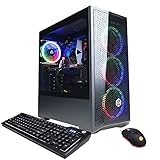
- Top Pick: CyberPowerPC Gamer Xtreme VR Gaming PC, Intel Core i9-14900KF 3.2GHz, GeForce RTX 5070 12GB, 32GB DDR5, 2TB PCIe 4.0 SSD, WiFi Ready & Windows 11 Home (GXiVR8080A39)
- Best Value: Evounic Gaming PC Desktop Computer RTX 4060, i7-11700F, 16GB DDR4 RAM
- Premium Choice: CyberPowerPC Gamer Xtreme VR Gaming PC, Intel Core i5-13400F 2.5GHz, GeForce RTX 5060 8GB, 16GB DDR5, 1TB PCIe 4.0 SSD, WiFi Ready & Windows 11 Home (GXiVR8060A40)
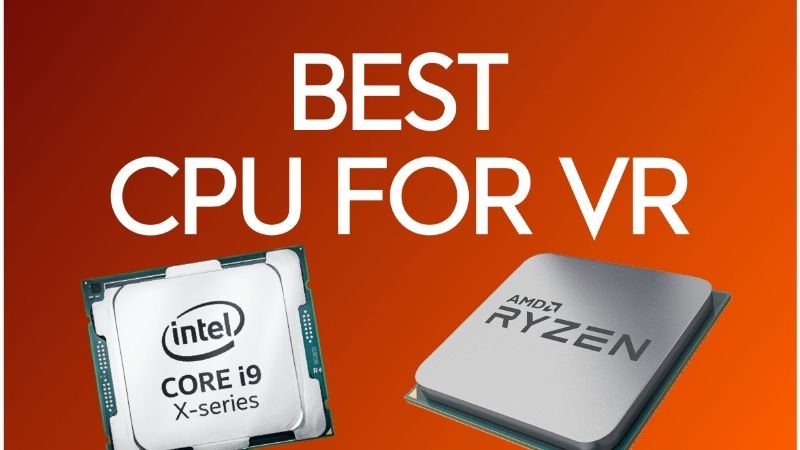
The best CPU for VR gaming is judged differently from a desktop gaming chip, because a headset punishes inconsistency far more than it rewards a high average frame rate. Missing a frame at 90Hz per eye is felt as stutter rather than seen as a dip on a graph. Cache and platform life matter more here than raw core count does.
As an Amazon Associate we earn from qualifying purchases at no extra cost to you.



As an Amazon Associate we earn from qualifying purchases at no extra cost to you.
By Ryan Cole
How to Choose the Best CPU for VR Gaming
Headsets impose a hard frame deadline, so the processor has to deliver work on time rather than quickly on average. These four factors decide whether a chip holds that deadline in demanding titles. The best CPU for VR gaming is the one that never misses that deadline.
Frametime consistency over average frame rate
A headset running at 90Hz gives the system roughly 11ms to produce each frame, and at 120Hz that shrinks to about 8ms. Missing the deadline triggers reprojection, which most people perceive as judder rather than a lower number. Reprojection is what you feel as judder.
That makes the worst-case frametime the figure to care about. A processor that averages slightly lower but stumbles less often will feel smoother in a headset than one with a higher average and occasional long frames. Look at one percent lows rather than averages.
Cache size and why it matters here
Simulation-heavy VR titles benefit from large L3 cache because more of the working set stays close to the cores. AMD’s 3D V-Cache parts carry substantially more cache than standard chips, which is why they dominate VR recommendations. Simulators are where cache pays off most.
Cache is not a universal fix. Titles that lean on raw clock speed or on a single heavy thread respond less to it, so treat cache as a strong advantage in simulators rather than a guaranteed uplift everywhere. Test the specific titles you actually play.
Core count and background load
Six to eight fast cores cover almost every VR title. Extra cores mainly help when you are streaming, running voice chat, or using headset software that transcodes video alongside the game in the background. Background software is the usual reason to want more.
Beyond that, more cores rarely help and can hurt if they come with lower clock speeds. For a dedicated VR machine, spending on faster cores rather than more of them is the better use of the same money. Clock speed beats core count for headsets.
Platform life and upgrade path
AMD confirmed at Computex 2026 that socket AM5 will accept new processors through the end of 2029, so a board bought now has a defined upgrade path. Intel’s next generation moves to a new LGA 1954 socket instead. That is a long runway for one board.
That matters more than usual because headset requirements keep rising. Buying into a socket with years of support left means the next upgrade can be a chip swap rather than a board, memory and cooler replacement. Headset requirements keep climbing every year.
Top Picks: Best CPU for VR Gaming in 2026
These five span current AM5 and Intel platforms, from the strongest option available to sensible mid-range choices. All of them clear the frame deadline in mainstream titles with a suitable graphics card. Which is the best CPU for VR gaming depends on the titles you run.
| Processor | Cores / threads | Platform | Best for |
|---|---|---|---|
| AMD Ryzen 7 9800X3D | 8 / 16 | AM5 | Best overall for VR |
| AMD Ryzen 7 7800X3D | 8 / 16 | AM5 | Value 3D V-Cache option |
| Intel Core Ultra 7 265K | 20 / 20 | LGA 1851 | Mixed VR and productivity |
| AMD Ryzen 5 7600X | 6 / 12 | AM5 | Entry AM5 builds |
| Intel Core i5-14600K | 14 / 20 | LGA 1700 | Reusing an LGA 1700 board |
AMD Ryzen 7 9800X3D
This is the chip most VR builders want. Eight Zen 5 cores sit alongside the second-generation 3D V-Cache implementation, and unlike the previous generation it is unlocked for overclocking with a 120W TDP rating. It is the default recommendation for a new build.
The obvious downside is price, since it sits at the top of the AM5 gaming stack and rarely discounts. It also runs warm enough to justify a large tower cooler or a 240mm radiator rather than a bundled heatsink. Budget for a capable cooler alongside it.
AMD Ryzen 7 7800X3D
The previous 3D V-Cache generation remains an excellent VR processor and usually costs noticeably less. It carries the same eight-core layout with a 120W TDP, and it drops into any AM5 board with a current BIOS. It remains an excellent headset processor.
Availability has become patchy as attention moved to the newer part, and stock varies by region. It also gives up some ground in productivity work, where standard chips with higher clocks pull ahead comfortably. Check stock carefully before planning around it.
Intel Core Ultra 7 265K
Intel’s option makes sense if you do serious content work alongside VR, since twenty cores handle encoding and rendering well. It uses the LGA 1851 socket and requires DDR5 memory alongside a compatible board. It makes sense for mixed workloads.
In pure VR it generally trails the 3D V-Cache parts in simulation-heavy titles, where cache matters most. The platform is also a dead end for upgrades, because the next Intel generation moves to a different socket. The socket has no future upgrades left.
AMD Ryzen 5 7600X
Six cores and twelve threads are enough for most VR titles, and this chip gets you onto AM5 at a much lower price. With socket support confirmed through 2029, it leaves an easy path to a 3D V-Cache chip later. It is the sensible entry point to AM5.
It runs hot for its class with a 105W TDP and a 142W package limit, so a decent tower cooler is effectively mandatory. In the heaviest simulators it will hit its limits before a comparable eight-core part does. A tower cooler is effectively mandatory.
Intel Core i5-14600K
If you already own an LGA 1700 board, this remains a sensible VR processor with fourteen cores and strong single-thread performance. Reusing the board, memory and cooler makes it the cheapest upgrade route by far. Reusing a board saves the most money.
As a new platform purchase it is harder to justify, since LGA 1700 receives no further processors. Power draw under load is also high, which means a capable cooler and a power supply with real headroom. Check your power supply headroom too.
What the 2026 Market Means for a VR Build
Two current market factors change how this purchase should be timed, and both point toward buying the processor now rather than waiting for something newer. Both change how you should budget the best CPU for VR gaming build.
Nothing new arrives before CES 2027
AMD’s Zen 6 generation and Intel’s Nova Lake have both moved to CES in January 2027, so there is no imminent launch to wait for. Anyone asking whether to hold off is looking at a wait of well over a year. There is no launch worth waiting for.
That also removes the usual risk of buying just before a launch. A processor bought today has a full generation of relevance ahead of it, particularly on a socket with confirmed support into 2029. Socket support into 2029 is unusual.
Memory is the expensive part of the build
DRAM pricing has risen sharply through 2026, with forecasts of further quarterly increases and no meaningful new production capacity before late 2027. That makes memory, not the processor, the line item to plan around. Buy the capacity you need in one go.
Buy the memory capacity you need in one purchase rather than planning to add more later. Waiting for Black Friday will not help here, since November stock was built from memory bought at high contract prices. November pricing will not rescue this.
Where the money is better spent
Graphics card pricing has climbed around 19% globally since late 2025, so the card usually dominates a VR budget. A mid-range processor paired with a stronger card generally delivers a better headset experience. The card usually dominates the budget.
The exception is simulation titles, which lean on the processor far more than on rendering power. If flight or racing simulators are the reason you own a headset, spending up on cache is the better allocation. Simulator players are the exception here.
Frequently Asked Questions
Common questions from readers building a headset-focused system, covering core counts, memory, graphics pairing and whether older chips still cope. They come up most from readers choosing the best CPU for VR gaming for a first headset system, so the answers assume a mainstream title rather than a heavy simulator.
How many cores do I need for VR?
Six fast cores handle almost every current title, and eight gives comfortable headroom for background software. Beyond that, higher clock speeds and larger cache matter more than adding further cores to the count. Faster cores beat more of them.
Does 3D V-Cache really help in VR?
In simulation-heavy titles the extra cache reduces long frames noticeably, which is exactly what a headset exposes. In lighter titles the difference narrows, and a standard chip with a strong graphics card is fine. Test your own library before assuming.
Is 16GB of memory enough?
It works for most titles, but 32GB is the safer target for simulators and for anyone running headset streaming software alongside the game. Given current pricing, buying the capacity once is better than upgrading later. Buying once is cheaper than upgrading twice.
Will an older Ryzen 5 5600X still run VR?
Yes for mainstream titles, particularly paired with a capable graphics card. It shows its age in demanding simulators, where longer frametimes appear as judder rather than as a simple reduction in average performance. Pair it with a strong graphics card.
See More:
- best CPU cooler for Ryzen 5 5600X
- best small form factor CPU cooler
- best SFF CPU cooler
- best CPU cooler for i9-14900K
- What is the best AIO CPU cooler
Final Thoughts
Choosing the best CPU for VR gaming means optimising for consistency rather than peak numbers, which is why cache and platform longevity matter so much here. Pick a socket with life left in it, then spend what remains on the graphics card. Consistency is the whole job here.











Write Your Review
No reviews yet. Be the first to share your experience!