
The best motherboard for an Intel Core i9-14900K needs explicit CPU support, an appropriate firmware path and the connections required by the rest of the build. Compare complete configurations rather than ranking boards by phase counts alone. A CPU-only offer is not a motherboard, and a bundle price should be assessed against all the parts it actually includes.
- Confirm support for the exact processor
- Use current firmware guidance
- Evaluate power delivery for the workload
- CPU and motherboard bundle offers
- CPU-only offers: these do not include a motherboard
- Check memory and expansion together
- Separate a board from a bundle
- Choose for the actual build
- Related links
- Sources
Confirm support for the exact processor
Open the manufacturer’s CPU support list for the exact board and check the Core i9-14900K entry and required BIOS version. Intel notes that some 600- and 700-series chipset boards may need BIOS updates when moving between supported desktop processor generations. A familiar socket or chipset label is not the final compatibility check.
Determine how the required update can be performed using the parts available to you. Follow the board or system manufacturer’s procedure, especially for an OEM system. Do not assume a retail-board firmware file is suitable for a similarly named board inside a prebuilt computer.
Use current firmware guidance
Intel’s current guidance for the relevant 13th- and 14th-generation desktop instability issue recommends the appropriate Intel Default Settings and a current BIOS containing microcode 0x12F or later. Check the manufacturer’s release information for the exact system rather than using an old general guide as the firmware source.
If an existing system is unstable, follow the support process instead of assuming a motherboard purchase or a voltage adjustment will repair every possible cause. Do not treat undervolting as a universal next step. Establish a supported baseline and investigate symptoms before optional tuning.
Evaluate power delivery for the workload
Read the board’s support and operating information for the intended processor and workload. Large phase counts, amperage labels and heatsink photographs do not independently prove comparative temperatures or sustained performance. Such comparisons need relevant measurements under stated conditions.
Include the processor cooler, case airflow and power supply in the plan. Check their compatibility and installation requirements. The motherboard should support an appropriate complete system rather than being expected to compensate for every cooling or power limitation elsewhere.
As an Amazon Associate we earn from qualifying purchases. Check the selected variant and current description against the requirements in this guide.
CPU and motherboard bundle offers

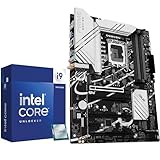


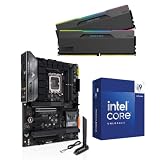

CPU-only offers: these do not include a motherboard


Check memory and expansion together
Verify the exact board’s memory type and compatibility information before selecting a kit. Similarly named versions can use different memory. Check storage and expansion-slot arrangements in the manual, including resource sharing with the devices you intend to install.
List the practical connections required by the case and peripherals: front-panel USB, fan headers, networking and the ports actually used. Paying for an unused connector is optional; discovering that a required header is absent after assembly is a different problem.
Separate a board from a bundle
A package containing a processor, motherboard and memory may be useful for a new build, but its contents need individual confirmation. If you already own the i9-14900K, account for the duplicate processor before comparing the bundle with a board-only purchase.
Check whether the selected offer includes memory or storage and identify the exact board model. A standalone Intel processor listing supplies no motherboard. The related offers below are separated by role so a component or package is not counted as an additional board recommendation.
Choose for the actual build
Keep the final parts list and the support information used to approve it. Confirm delivery contents, warranty and return arrangements before ordering. If a specific configuration remains uncertain, resolve that question with the manufacturer rather than relying on a broad compatibility claim in a seller title.
A suitable choice has verified CPU support, an understood firmware process and the required memory, storage and case connections. Use those checks to compare complete candidates for the actual workload, with any performance comparison tied to relevant measurements and stated conditions.
Related links
- Best motherboard for i9 14900K
- Ryan Cole
- Best MSI motherboard
- Best motherboard processor combo for gaming
- Best B550 motherboard
- Best CPU for streaming
- What is the best AM4 CPU for gaming
- Best Z790 Motherboard: 5 LGA 1700 Boards Worth Buying Now
- Best Gaming Motherboard for AMD: 6 AM5 Boards Ranked 2026
- Best Z890 Motherboard: Top Arrow Lake Boards Ranked 2026
- Best Motherboard for 5090: 6 AMD and Intel Boards Ranked











Write Your Review
No reviews yet. Be the first to share your experience!