
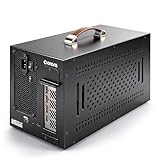
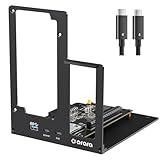
- Top Pick: ORARA eGPU Enclosure Compatible with Thunderbolt 3/4/USB4 40Gbps eGPU Dock Station with 750WPSU, Compact External Graphics Card Enclosure Compatible with NVIDIA/AMD PCIe, PD 85W, Daisy Chain (Black)
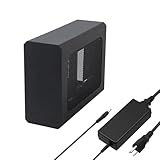
- Best Value: External eGPU Enclosure with PSU,Compatible with Thunderbolt 4/3 & USB4
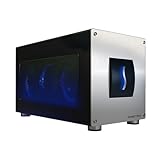
- Premium Choice: Sonnet Breakaway Box 850 T5 eGPU Enclosure – 80 Gbps Thunderbolt 5 / Thunderbolt 4 / USB4 – External GPU for Windows – 850W Power – Triple-Wide Graphics Cards – 5GbE Port


The best eGPU enclosure is the piece of gear that decides whether your external graphics dream feels effortless or endlessly frustrating. It is the box that houses the card, supplies the power, moves the air, and connects to your laptop. Get it right and you upgrade cards for years on the same base; get it wrong and you fight noise, heat, and dropped connections. This guide ranks the top options by real-world use so busy buyers can choose in minutes.
As an Amazon Associate we earn from qualifying purchases at no extra cost to you.


Quick Picks: The Best eGPU Enclosure at a Glance
If you only have thirty seconds, start here. The picks below cover the three groups most shoppers fall into, and the comparison table underneath lets you scan the core specs side by side without reading every review. Each choice balances price, power delivery, cooling, and how painless the daily plug-and-play experience actually is.
Best Overall eGPU Enclosure for Most Laptops
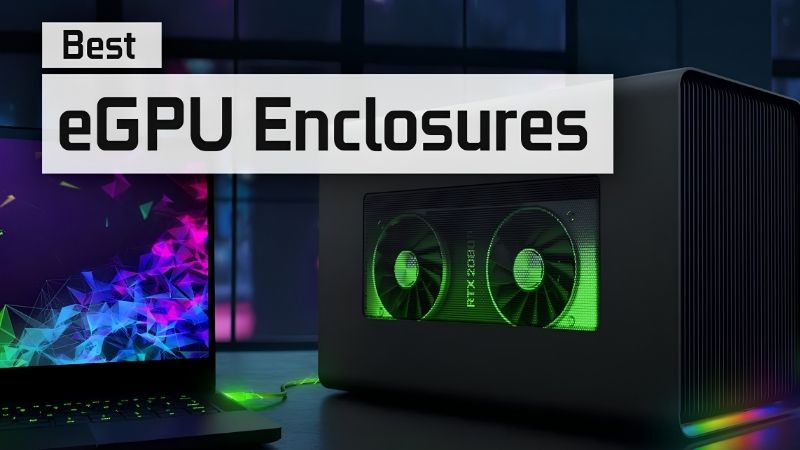
For the widest range of users, a large Thunderbolt enclosure such as the Razer Core X remains the safe, sensible default. It accepts long triple-slot cards, ships with a generous internal power supply, and uses a straightforward slide-out tray that first-time builders can manage in minutes.
The appeal is dependability rather than flash. There is no fragile clip system, no undersized power supply, and no obscure firmware to fight. For anyone who wants one purchase that simply works with a Thunderbolt laptop, this is the category to shop first.
It also earns its overall pick status through resale and reuse. A large, well-known enclosure holds its value because so many buyers trust the format, and its generous internal power supply comfortably handles today’s mid-range and even upper-tier cards. That means you are unlikely to outgrow it on your next upgrade, which is exactly what you want from a base you plan to keep for years.
Best Budget eGPU Enclosure for Tight Wallets
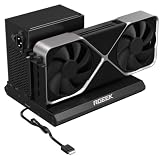
Builders watching every dollar increasingly skip Thunderbolt entirely and choose a bare OCuLink dock, often an ADT-Link style board paired with a separate power supply. You give up the tidy single-cable experience, but you gain more bandwidth for less money.
This route rewards people comfortable supplying their own power supply and routing an extra cable. It is the highest performance-per-dollar option on the list, which is exactly why it has become the enthusiast favourite for handhelds and mini PCs.
The savings are not just about the sticker price, either. Because you buy the power supply separately, you can reuse a unit you already own or choose one sized precisely to your card, avoiding the premium baked into all-in-one enclosures. For anyone building on a strict budget who does not mind a hands-on setup, this combination stretches the fewest dollars into the most usable frames.
Best Premium eGPU Enclosure for Quiet Power
When silence and build quality matter more than price, a premium enclosure such as the Sonnet eGFX Breakaway Box 750 earns its keep. Larger, quieter fans and a robust power supply let it feed hungry cards without turning your desk into a wind tunnel.
The premium tier suits content creators and anyone placing the enclosure near a microphone or in a quiet home office. You pay more up front, but you buy a base that stays composed under sustained load for years.
The difference shows up most during long sessions. Cheaper enclosures often stay quiet for a few minutes, then spin up loudly as heat builds, whereas a premium unit holds a steady, low acoustic profile even after hours of gaming or rendering. If your work or play involves sustained high load rather than short bursts, that consistency is worth the premium on its own.
eGPU Enclosure Reviews: What Owners Actually Experience
Specs only tell half the story, so the sections below distil what real buyers report after weeks of use. The comparison table maps the picks against one another, and the reviews that follow separate the Thunderbolt and OCuLink experiences, because the two interfaces create genuinely different day-to-day lives with the same graphics card.
Thunderbolt Enclosures: Plug-and-Play Convenience
Here is how the leading picks compare at a glance:
| Enclosure | Interface | Power supply | Best for |
|---|---|---|---|
| Razer Core X (Best Overall) | Thunderbolt 3/4 | ~650W | Most laptop users |
| OCuLink dock (Best Budget) | OCuLink (PCIe 4.0 x4) | Bring your own | Value seekers, mini PCs |
| Sonnet Breakaway Box 750 (Premium) | Thunderbolt 3/4 | ~750W | Quiet, sustained load |
Thunderbolt enclosures win on convenience. Owners consistently praise connecting a single cable that carries graphics, charging, and peripherals at once, then unplugging to walk away. For a laptop that leaves the desk often, that ritual is the entire reason to buy.
The trade-off is the bandwidth ceiling that caps performance, plus occasional detection quirks after system updates. Buyers who understand this going in report high satisfaction, because the convenience matches what they actually needed.
Build quality is where the price gap between Thunderbolt enclosures shows up most clearly. Cheaper units can rattle, run louder, or ship with a power supply that limits which cards you can safely install, while the stronger picks feel solid and stay quiet. Reading owner reviews for mentions of fan noise and tray sturdiness is the quickest way to separate a keeper from a return before you spend.
OCuLink Enclosures: Maximum Bandwidth for Builders
OCuLink docks flip the priorities. Reviewers highlight performance that lands far closer to a full desktop, with noticeably smaller frame-rate losses in the CPU-heavy scenarios where Thunderbolt struggles most. For competitive gamers chasing every frame, that gap is the whole point.
The cost is convenience and tidiness. Hot-plugging is unreliable, cabling is messier, and you must supply and manage a separate power supply. The happiest OCuLink owners are the ones who expected a hands-on build rather than a polished appliance.
Best eGPU Enclosure Pros and Cons
Across every pick, the same trade-offs repeat, so here is the honest balance sheet before you commit:
Pros:
- Reusable base that outlasts several graphics-card upgrades.
- Turns a portable laptop into a desktop-class machine on demand.
- OCuLink options deliver near-desktop performance for the money.
Cons:
- Thunderbolt models cap performance below a true desktop.
- Premium enclosures and capable cards add up in total cost.
- OCuLink demands cabling patience and a separate power supply.
The right pick depends on your priority. Choose Thunderbolt for calm convenience, OCuLink for raw frames, and a premium box when quiet operation is non-negotiable.
Buying Guide, Prices and FAQs
Before you click buy, it helps to know the criteria that separate a great enclosure from a regret, and how today’s pricing shapes the timing of your purchase. This final section gives you a short buying checklist, a clear read on the 2026 market, and quick answers to the questions shoppers ask most.
How to Choose the Best eGPU Enclosure
Start with three specs: interface, power supply wattage, and physical card clearance. The interface decides your performance ceiling, the wattage decides which cards you can safely run, and the clearance decides whether your chosen card physically fits. Miss any one and the setup fails before it starts.
Then weigh the softer factors that decide daily happiness. Fan noise, cable quality, and how easily the tray opens matter far more over months of use than a spec sheet suggests. Reading owner reviews for these specific words, quiet, easy, and reliable, is the fastest way to filter good from bad.
Finally, match the enclosure to the card, not the other way around. Buy a base with headroom so your next upgrade drops straight in, which is how you avoid replacing the whole setup a year from now.
One more check protects you from a costly surprise: physical dimensions. Note the length, height, and thickness of the card you plan to use, then confirm the enclosure lists clearance for all three. Triple-slot and extra-long cards are common today, and nothing is more frustrating than a powerful card that will not close inside the box you just bought.
eGPU Enclosure Prices and Timing in 2026
Enclosures, graphics cards, and their internal power supplies have all trended upward, driven largely by memory costs rippling through the supply chain. The encouraging news is that the sharp climb of late 2025 has flattened, and some hardware makers have reported a stretch of relative stability, even while warning that further swings remain possible.
Do not expect a rescue soon. Fresh memory supply is coming, including Chinese DDR5 sources and two Micron plants under construction in Idaho, but those facilities are not expected to run until 2027 or 2028. Prices have plateaued rather than fallen, so waiting a year is unlikely to save you much.
The practical conclusion is to buy the enclosure now and be selective about the card. A quality base holds its value and reusability regardless of card prices, making it the smartest place to spend while the market stays flat.
Best eGPU Enclosure FAQs
Do I need Thunderbolt for an eGPU enclosure? Not necessarily. Thunderbolt gives the easiest plug-and-play experience, while OCuLink offers more bandwidth for laptops and mini PCs that have the port. Match the interface to what your device actually supports.
Does the enclosure include a graphics card? Almost never. Enclosures are sold empty so you can choose the card that fits your budget and needs, which is part of why they stay useful across upgrades.
How much power supply do I need? Match the wattage to your card with headroom to spare. A roughly 650W supply comfortably runs most mid-range cards, while power-hungry upper-tier cards are happier with 750W or more. Buying a little extra wattage now protects your ability to drop in a stronger card later without replacing the whole enclosure.
Will an eGPU enclosure work with any laptop? Only if the laptop has the right port and firmware permission. Thunderbolt 3 or 4 is required for Thunderbolt enclosures, and a native OCuLink port for OCuLink docks, so always confirm your specific model supports external graphics before buying.
Ready to pick yours? Compare current prices and availability on the recommended enclosures through the links on this page, so you can lock in the best eGPU enclosure for your laptop before the next price movement.
See More:
Final Thoughts
The best eGPU enclosure is the one that matches your priority, whether that is the effortless single cable of a Thunderbolt box, the raw value of an OCuLink dock, or the quiet composure of a premium unit. Treat it as a long-term base, buy with headroom, and pair it with a sensible card. With prices flat rather than falling, there is little reason to wait, so use the links above to secure the best eGPU enclosure for your setup today.
Frequently Asked Questions
What should I look for when choosing an enclosure?
Prioritise the built-in power supply wattage, internal GPU length and thickness clearance, the Thunderbolt version supported, and how much power it delivers back to the laptop for charging. Cooling design and noise matter too, since a cramped enclosure with a small fan will let a hot card throttle.
What power supply wattage do I need inside it?
Add your intended card power to roughly 100 watts of overhead, then add the laptop charging draw, which is often 60 to 100 watts. A 200 watt card therefore wants a 400 watt or larger internal supply. Undersized units cause shutdowns during load spikes rather than gradual instability.
Will the enclosure limit which graphics card I can use?
Yes, in three ways: physical length, cooler thickness measured in slots, and available power connectors. Many enclosures accept only two-slot cards up to about 300mm. Check the manufacturer compatibility list, and remember the 12V-2×6 connector needs bend clearance that some compact enclosures simply do not provide.
Are Thunderbolt 5 enclosures worth waiting for?
If you plan to pair a high-end card, yes, because the extra bandwidth meaningfully reduces the interface penalty. For a mid-range card the improvement is smaller since you were less bandwidth limited to begin with. Your laptop must also support Thunderbolt 5 for any of it to matter.
Can I use the enclosure for non-gaming work?
Absolutely, and this is often where it shines. Video editing, 3D rendering, local AI inference and machine learning care mostly about VRAM and compute rather than frame delivery latency, so the interface penalty is far less noticeable than it is in games.
Ready to decide? Our #1 pick for 2026 is the Razer Core X.
Live price & availability on Amazon.









Write Your Review
No reviews yet. Be the first to share your experience!