
The GeForce RTX 5090 was announced at CES in early January 2025 and went on sale on January 30, 2025. It was the flagship of NVIDIA’s Blackwell desktop generation, replacing the RTX 4090 that had launched in October 2022, and it arrived with 32GB of GDDR7 memory, a 512-bit bus and a board power of 575 watts. The Founders Edition used a slim dual-slot design, which was a notable engineering change for a card of that class.
People still search for the release date because the RTX 5090 remains the reference point for every high-end GPU conversation, from upgrade decisions to workstation budgets to rumors about what follows. This article covers the launch timeline, the key specifications, what the card replaced, what the 50 series added after it and whether it still fits a build as of late 2026. As always, treat NVIDIA’s own product pages as the final word on exact details.
Launch Timeline
NVIDIA revealed the RTX 50 series during its CES keynote in January 2025. The RTX 5090 and RTX 5080 were the first desktop cards to ship, both on January 30. The RTX 5070 Ti followed in late February and the RTX 5070 in March, with the 5060 family arriving over the next several months. Laptop versions of the 50 series, including a mobile RTX 5090 with a different memory configuration, came later in the spring of 2025.
| Milestone | Timing | Notes |
|---|---|---|
| RTX 4090 (predecessor) | October 2022 | 24GB GDDR6X, Ada Lovelace |
| RTX 50 series announced | January 2025 (CES) | Blackwell desktop generation revealed |
| RTX 5090 on sale | January 30, 2025 | 32GB GDDR7, 512-bit bus |
| RTX 5070 Ti and 5070 | February and March 2025 | Lower tiers followed |
| Next-generation flagship | No official date | Not announced by NVIDIA |
Key Specifications
The RTX 5090 has 21,760 CUDA cores, 32GB of GDDR7 and a 512-bit memory interface. Its board power is 575 watts, it connects over PCIe 5.0 and it uses a single 16-pin 12V-2×6 power connector on the reference design. NVIDIA suggested a power supply in the 1000 watt class. The Founders Edition measures two slots, while many partner cards are larger, so case clearance matters more here than with any other GeForce card.
It supports DLSS 4 with Multi Frame Generation, fifth-generation Tensor cores and fourth-generation ray tracing cores. Outputs on the reference design include DisplayPort 2.1b and HDMI 2.1b, suited to high-refresh 4K and beyond. For creative work and local AI models, the 32GB capacity is the headline feature, since it opens room for larger scenes and models than any other consumer GeForce card.
What It Replaced
The RTX 5090 succeeded the RTX 4090, which arrived in October 2022 with 24GB of GDDR6X. The jump to 32GB and a wider memory interface was a major change, and the new generation added hardware for multi frame generation and neural rendering features. The older card remained capable, and owners had to weigh a significant power and cooling increase against the new features.
The power draw deserves attention. At 575 watts, the 5090 asks more of the power supply, the case airflow and the 16-pin connector than almost any consumer part before it. Seating the connector fully and using the cable supplied for your supply are basic precautions, and you should follow the card maker’s guidance exactly.
The Launch Experience
The first weeks were defined by scarce stock. Founders Edition cards sold out fast, partner boards appeared in limited quantities and prices in the open market often ran above what NVIDIA had described. That pattern is common at the high end, and it explains why many people remember the release date as an event rather than an easy purchase.
Over time, availability improved and partner designs spread across a wider range of cooler sizes and clock settings. A buyer today faces a different question than a launch-week shopper: not “can I find one,” but “which board is quiet, fits my case and carries a warranty I trust.” If you consider used or refurbished units, check the power connector area for damage and verify the seller’s history.
The Founders Edition Design
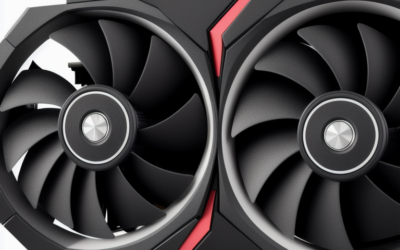
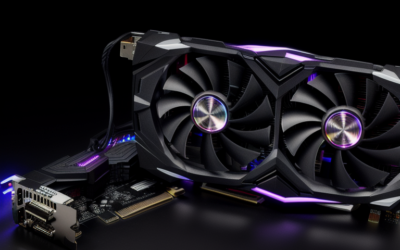
One reason the launch drew attention was the cooler. The RTX 5090 Founders Edition fit a 575 watt card into a dual-slot body with a two-fan, flow-through layout, which was a notable change from the very large three-slot and four-slot coolers of the previous flagship generation. Partner cards from other brands, by contrast, often remain larger and heavier with more elaborate heat sinks.
That variety gives buyers a real choice. A compact dual-slot card suits smaller cases and builds where space is scarce, but it tends to run warmer and louder under sustained load. A larger partner design usually keeps noise lower at the cost of space. Check the dimensions, the weight and the support bracket guidance before you commit.
What Came Next
NVIDIA filled out the RTX 50 series below the flagship and extended Blackwell into laptops and professional products. The workstation family, the RTX PRO Blackwell cards announced in March 2025, brought much larger memory pools aimed at professional users. A successor to the RTX 5090, and any refresh of it, has not been announced as far as public information goes, so dates or specifications you may see for such cards are rumor. Watch NVIDIA’s newsroom.
- Gaming: 4K high refresh and ray-traced play at high settings.
- Creative: large timelines, big scenes and local AI inference with plenty of VRAM.
- Small builds: possible with the Founders Edition footprint, but cooling needs careful planning.
- Esports at 1080p: unnecessary, since a lower tier does the job.
Connector and Cabling Notes
The 12V-2×6 connector carries a very large share of the card’s power through a single plug, so cable handling matters. Push the connector in until it is fully seated, avoid sharp bends close to the plug and use cables intended for the card and power supply you own. If a case panel presses on the cable, change the layout. These are simple precautions, but at 575 watts they are worth taking seriously.
Used buyers should look at the connector pins and the housing for discoloration or deformation. A card with any sign of heat damage near the plug deserves a firm no, regardless of how attractive the listing looks.
Who Should Buy and Who Should Skip
4K and Ultrawide Enthusiasts
If you want maximum settings with ray tracing at 4K or on very high-resolution displays, the RTX 5090 is the only GeForce card that aims at that without compromise. It also has headroom for future games.
Creators and AI Hobbyists
Anyone who runs large models locally, renders complex scenes or edits high-resolution footage benefits from the 32GB pool. If you need even more memory or certified drivers, look at professional RTX PRO cards instead.
Value-Minded Gamers
If you play at 1440p or even standard 4K with upscaling, the RTX 5080 or RTX 5070 Ti covers the job at much lower power and cost. The flagship is a luxury, not a requirement.
Buying Checklist
- Confirm your power supply meets NVIDIA’s guidance and has the right connector.
- Measure case length, thickness and clearance for the cooler.
- Check that your motherboard slot and airflow can support a large card.
- Read warranty terms and prefer sellers with clear return policies.
- Inspect used cards closely for connector damage.
- Verify the monitor can use the outputs and refresh rate you want.
Frequently Asked Questions
When was the RTX 5090 released?
It went on sale on January 30, 2025, after being announced at CES earlier that month. The RTX 5080 launched the same day. Stock was tight in the first weeks.
How much memory does the RTX 5090 have?
It has 32GB of GDDR7 on a 512-bit bus. That is eight gigabytes more than the RTX 4090 it replaced. It is the largest memory pool on a GeForce desktop card.
What power supply does it need?
NVIDIA suggested a power supply in the 1000 watt class for the reference design, and the board power is 575 watts. Use a quality unit with the correct 16-pin connector and follow your card maker’s guidance.
Is there a successor to the RTX 5090?
NVIDIA has not announced one as far as public information goes. Rumors about future cards are unconfirmed. Check NVIDIA’s official channels for news.
Related Guides
- Best RTX 5090 (2026): How to Choose
- RTX 5090 Price: Is It Worth The Investment For Gamers?
- RTX 5090 Laptop Review: The Ultimate Mobile GPU For 2026
- Nvidia RTX 5090 Review: The Ultimate Next-Gen GPU Powerhouse


Write Your Review
No reviews yet. Be the first to share your experience!