
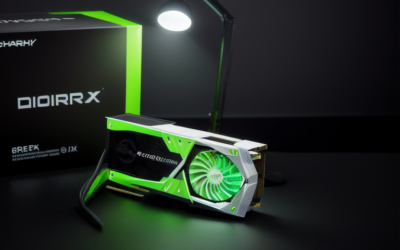
The NVIDIA RTX PRO 6000 Blackwell Server Edition is the data center version of NVIDIA’s top professional Blackwell graphics card. It pairs 96GB of GDDR7 memory with ECC with a passively cooled, dual-slot board designed to sit inside rack servers, where chassis fans supply the airflow. Unlike the workstation versions, it is meant to be installed by system builders into validated servers, not dropped into a desktop tower.
- What the Server Edition Is
- How It Differs From the Desktop Card
- Virtualization and Sharing
- Workloads It Targets
- Management and Reliability Features
- How It Compares With Other Server GPUs
- Cooling, Power and Compatibility
- Buying and Deployment Reality
- Who Should Consider It
- Checklist Before You Choose
- Frequently Asked Questions
- Related Guides
That difference in purpose drives everything else: how the card is cooled, how it is powered, whether it has display outputs, how it is managed and where it is sold. This guide explains what the Server Edition is, how it differs from the desktop and workstation cards in the same family, what workloads it targets and what to check before considering one. As of late 2026, NVIDIA’s professional GPU pages and your server vendor’s documentation are the places to confirm exact configurations, because details vary by system.
What the Server Edition Is
The RTX PRO 6000 Blackwell family was announced in March 2025 as the professional successor to the RTX Ada generation. Three versions exist: a Workstation Edition for desktops, a Max-Q Workstation Edition for power-limited or multi-GPU workstations and the Server Edition for data centers. All three are built around the same large Blackwell chip and the same 96GB memory capacity, but each is packaged for a different environment.
The Server Edition belongs to NVIDIA’s RTX PRO Server concept, which places these cards in standard enterprise servers for tasks that blend graphics, compute and AI. Think of it as a general-purpose accelerator that can render, simulate and run AI models in the same box, rather than a pure training card or a pure display card.
How It Differs From the Desktop Card
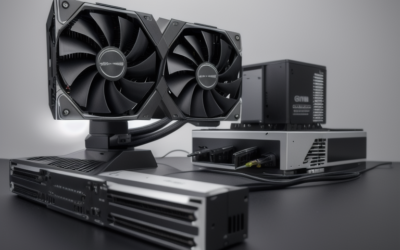
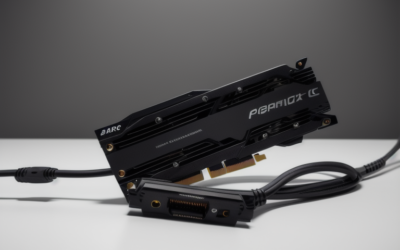
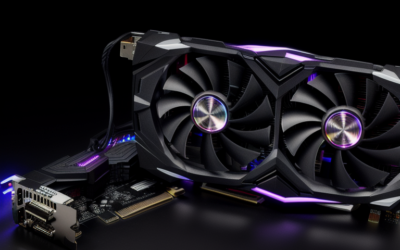
The differences are practical, not cosmetic. The desktop cards have their own fans and video outputs, because a person sits in front of the monitor. The Server Edition removes both. It relies on the server chassis to push air across a passive heat sink, and it has no display connectors, because the card works remotely through the network or the host system.
| Aspect | Desktop and workstation cards | Server Edition |
|---|---|---|
| Cooling | Built-in active cooler | Passive heat sink, chassis airflow required |
| Display outputs | DisplayPort outputs | None, remote or compute use |
| Memory | 96GB GDDR7 with ECC | 96GB GDDR7 with ECC |
| Power | 300 watts (Max-Q) or 600 watts | High power target, configurable by the system, check the spec sheet |
| Interface | PCIe 5.0 x16 | PCIe 5.0 x16 |
| Deployment | Workstations, direct purchase | Rack servers from system makers |
| Drivers | Professional workstation drivers | Data center drivers and virtualization software |
Virtualization and Sharing
A key advantage of the server version is how it can be divided. NVIDIA supports GPU partitioning and virtual GPU software on this class of card, which lets one physical board serve several users or jobs at once. That is how a company might host remote design workstations, virtual desktops or shared AI inference on a single server.
The details matter: partition counts, memory slices and licensing arrangements depend on the specific product documentation. Check NVIDIA’s spec sheet and software licensing pages for what your configuration supports, because those terms differ from consumer cards and sometimes involve separate software subscriptions.
Workloads It Targets
- AI inference and fine-tuning: the 96GB pool fits larger models than most single cards in this class.
- Remote workstations: virtual machines that deliver CAD, design and media tools to users over a network.
- Rendering and simulation: ray tracing and compute jobs in a shared pool.
- Digital twins and industrial visualization: large scenes that benefit from ECC memory and big capacity.
- Video and media pipelines: encode and decode workloads at scale.
Management and Reliability Features
Server deployments value remote control, monitoring and predictable behavior more than raw speed. Data center cards generally integrate with enterprise management tools so administrators can check temperature, power draw and health from a console, schedule firmware updates and receive alerts when a device misbehaves. ECC memory supports that goal by catching memory errors before they corrupt a long job.
These features explain part of the cost difference between server and consumer cards. A GeForce board is built for one user and a visible screen, so it has little need for fleet management. A server board must behave well across hundreds of machines, and the surrounding software, validation and support are part of what the buyer receives. Confirm exactly which management features your chosen server supports, since they depend on the platform.
How It Compares With Other Server GPUs
NVIDIA also sells accelerators aimed squarely at large-scale AI training, which use different memory technology and focus almost entirely on compute. The RTX PRO 6000 Server Edition sits in a different spot: it keeps graphics capabilities such as ray tracing and video features alongside compute and AI, so one card can serve rendering, virtual workstation and inference tasks. That makes it attractive for organizations that want a single hardware type to cover mixed workloads.
If your plan is pure large-model training across many tightly connected GPUs, other products may fit better, and NVIDIA’s data center pages are the right place to compare them. If your plan blends visualization and AI, this card is designed for that blend.
Cooling, Power and Compatibility
A passive card is only as good as the airflow around it. The server must be a certified or validated system with enough fan capacity and ducting for the card’s thermal output, and installing the card in an unsuited case will cause throttling or shutdowns. Power is also supplied differently, since the system builder handles connector choices and limits.
For that reason, the Server Edition is typically purchased as part of a configured server, not as a loose component. If you are building a lab machine from parts, the workstation editions are the safer path. If you manage infrastructure, ask the server vendor for the supported configuration and firmware requirements.
Buying and Deployment Reality
Because the Server Edition is passively cooled and system-dependent, it is usually specified through a server vendor that has validated the combination of chassis, power, firmware and drivers. Lead times, configuration options and support contracts come from that vendor, not from a retail shelf. Ask about firmware update policy and what happens if a card fails in a production cluster.
Who Should Consider It
IT Teams Hosting Virtual Workstations
If you serve CAD or media users from a data center, this card lets you consolidate GPU resources and manage them with enterprise tools. It is designed for that scenario.
AI Groups Running Shared Inference
If several teams need access to a large-memory GPU for model serving and experiments, a server deployment helps with scheduling and isolation. The 96GB capacity is the headline feature.
Individuals and Small Studios
If you are one person building a desk machine, skip the Server Edition. The Workstation or Max-Q versions come with active cooling and display outputs and are far easier to run.
Checklist Before You Choose
- Confirm the server model is validated for this card and its airflow needs.
- Check that your chassis supplies the required power and connectors.
- Decide whether you need display outputs or only remote and compute access.
- Review software licensing for virtualization features.
- Compare warranty and support terms from the system vendor.
- Consider the Max-Q or Workstation Edition if you only need one machine.
Frequently Asked Questions
Can I put the Server Edition in a normal desktop?
It is not designed for that. The card has no fans and depends on server airflow, and a standard case rarely provides enough. Use a workstation edition for desktops.
Does it have video outputs?
No, the Server Edition is designed without display connectors. It works through the host system and remote protocols. The workstation cards include DisplayPort outputs.
How much memory does it have?
It has 96GB of GDDR7 with ECC, the same capacity as the workstation versions. That is much larger than any GeForce card. Confirm details on NVIDIA’s official spec sheet.
Is it good for gaming?
It is not intended for gaming, since it lacks outputs and ships with data center drivers. A GeForce card is far better for that purpose. This card is for professional, AI and virtualization workloads.
Related Guides
- Nvidia RTX PRO 6000 Blackwell Review: Is It Worth the Cost?
- Nvidia RTX Pro 6000 Blackwell Gaming: Overkill or Genius?
- RTX Pro 6000 Blackwell Gaming Performance: Ultimate Review
- Nvidia RTX 6000 Pro Review: Ultimate Workstation Powerhouse


Write Your Review
No reviews yet. Be the first to share your experience!