
Nvidia MIG, or Multi-Instance GPU, is one of the most underrated features in the data center, letting a single expensive GPU behave like several smaller, fully isolated ones. For cluster administrators and DevOps engineers wrestling with underused hardware and competing workloads, understanding MIG can directly change how much value you extract from every card you own. This review explains exactly what MIG is, how it works, which hardware supports it, and whether it belongs in your infrastructure strategy in 2026.
What Nvidia MIG Is and How It Works
MIG is a hardware capability that carves one physical GPU into multiple independent instances, each with its own dedicated compute, memory, and bandwidth. Understanding that it is true partitioning at the hardware level, not just software time-sharing, is the key to grasping why MIG solves problems that simpler sharing methods cannot.
Partitioning One GPU Into Many
MIG divides a supported GPU into as many as seven separate instances, each of which appears to software as its own smaller GPU. A single card can therefore run seven independent jobs simultaneously, each unaware of the others sharing the silicon.
The point is granularity. Instead of dedicating a whole powerful GPU to a job that only needs a fraction of it, you slice the card to fit the workload, which is exactly what makes MIG so valuable for mixed and unpredictable demand.
For an administrator, that flexibility reframes capacity planning. One MIG-capable card can serve many small workloads or a few large ones, letting you match hardware to demand far more precisely than an all-or-nothing whole-GPU allocation ever allowed.
This is why MIG changed the conversation around expensive accelerators. A single flagship card is often wasted on a modest job, and MIG lets that same silicon quietly serve a whole team’s worth of small workloads instead of one under-filled task.
Hardware Isolation and Guaranteed Resources
What sets MIG apart from software-based sharing is genuine hardware isolation. Each instance gets a guaranteed slice of compute cores, memory, and memory bandwidth, so one workload cannot starve another or crash its neighbors.
That isolation delivers predictable performance, which is the property shared clusters most need. A job running in one MIG instance sees consistent throughput regardless of what the other instances are doing, unlike naive sharing where a noisy neighbor degrades everyone.
For security and reliability, the separation matters too. Because instances are isolated at the hardware level, MIG is well suited to multi-tenant environments where different users or teams must not interfere with or observe one another’s work.
Compared with software time-slicing, that hardware guarantee is a genuine step change. Software sharing improves utilization but cannot promise a workload its resources; MIG can, which is why regulated and customer-facing environments increasingly prefer it.
Which GPUs Support MIG
MIG is a feature of Nvidia’s data-center GPUs, introduced with the A100 and continued on the H100 and newer accelerators. It is not available on consumer or most workstation cards, so access to MIG is itself a reason some buyers choose data-center hardware.
The specific number of instances and their sizes depend on the GPU, but the seven-instance maximum on the flagship data-center cards is the headline figure administrators plan around. Knowing your card’s exact MIG profiles is essential for capacity planning.
The practical takeaway is that MIG availability should factor into your hardware selection. If your workloads are many and small, the ability to partition an A100 or H100 can change the economics of which card to buy.
It also shapes upgrade decisions. A team weighing whether to buy one large MIG-capable card or several smaller GPUs should factor in that the partitionable card offers both options in one purchase, which can simplify procurement and future flexibility.
Nvidia MIG in Real Deployments
The value of MIG shows up in utilization and predictability rather than raw speed. Across shared clusters and mixed workloads, the pattern is consistent: MIG turns expensive, often-idle GPUs into flexible, fully used resources when the workload mix suits it.
Maximizing GPU Utilization
The clearest benefit of MIG is utilization. A powerful GPU assigned to a small inference job wastes most of its capacity, and MIG recovers that waste by letting several such jobs share one card, each in its own guaranteed instance.
For organizations paying premium prices for data-center GPUs, that recovered utilization translates directly into cost savings. Serving more work per card lowers the effective cost per job, which is the metric that actually matters on a hardware budget.
The analytical case is strongest where you have many workloads that individually cannot fill a whole GPU. In that situation, MIG can dramatically improve the return on every card you own rather than leaving expensive silicon idle.
The savings compound at scale. Across a fleet of data-center GPUs, even a modest utilization gain per card adds up to a large reduction in the number of cards you must buy, which is where MIG’s financial case becomes hard to ignore.
Multi-Tenancy and Shared Clusters
MIG is a natural fit for shared clusters where multiple teams, users, or customers need GPU access. Hardware isolation lets an administrator hand each tenant a guaranteed instance without risk that one will disrupt another’s performance or data.
This makes MIG particularly valuable for internal platforms and cloud-like environments, where predictable, isolated allocation is a requirement rather than a nicety. It brings order to shared GPU access that software scheduling alone struggles to guarantee.
For providers offering GPU access to customers, that isolation is close to essential. It lets a single card safely serve several tenants, improving economics while maintaining the separation that multi-tenancy demands.
For internal platform teams, MIG also simplifies chargeback and quota. Handing each group a defined instance makes usage measurable and fair, turning a contested shared resource into something that can be allocated and accounted for cleanly.
Configuration and Practical Limits
MIG is configured by the administrator, who defines the instance layout to match the workload, and this requires some planning rather than being automatic. Choosing the right profile mix is where the skill of using MIG well lies.
There are practical limits to respect. Each instance is smaller than the whole GPU, so MIG suits many modest workloads rather than a single large one that needs the full card, and reconfiguring the layout is a deliberate operation, not something to change constantly.
The honest guidance is to use MIG where your workload mix is genuinely fragmented. Forcing it onto a few large jobs that each need a whole GPU adds complexity without benefit, so match the tool to the true shape of your demand.
A sensible starting point is to profile your current jobs by how much of a GPU they actually use. If many sit well below full utilization, MIG is likely a strong fit; if most saturate a whole card, you probably do not need it at all.
MIG, Hardware Choices, and Market Timing
Because MIG lives on expensive data-center GPUs, the decision to build around it is tied to the hardware market. Two developments in 2026 shape the cost and availability of MIG-capable cards, and both reward planning your purchase around a real need.
Choosing MIG-Capable Hardware in 2026
Adopting MIG means buying A100, H100, or newer data-center GPUs, which places you squarely in the most in-demand segment of the market. The United States has moved to permit Nvidia to sell the H200 into China, adding a large new source of demand to the same Hopper-class supply.
For a planner, the lesson is practical: when the GPUs that enable MIG are also the ones a global market is competing for, assuming supply will loosen and prices will fall is a risky basis for a roadmap. If MIG-driven consolidation is part of your plan, securing that hardware early protects your schedule.
The upside is that MIG can soften the blow of high prices by squeezing more work out of each scarce card, which makes the utilization argument even more compelling when supply is tight and every GPU counts.
In that sense MIG and a tight market reinforce each other. When you cannot simply buy more cards, extracting more from each one is the next best lever, and partitioning is one of the few tools that directly raises the return on hardware you already own.
Viewed that way, MIG is less a niche feature than a direct response to the economics of 2026: costly, scarce GPUs make maximizing utilization not just nice to have but a core part of a sound hardware strategy, and one of the clearest levers a data-center team has for keeping cost per job under control.
Memory Prices and Buying Timing
The broader memory market also shapes the cost of MIG-capable cards. Component and memory prices climbed steeply through late 2025 before merely leveling off, which is relief but not a cut, and data-center GPUs with large high-bandwidth memory are fully exposed to those costs.
New supply is coming, with OEMs able to source DDR5 from vendors such as CXMT and Micron building two Idaho plants, but those fabs will not reach volume until 2027 to 2028. The measured read is that MIG-capable hardware is unlikely to get dramatically cheaper soon.
That firm pricing strengthens the case for MIG rather than weakening it. If cards are expensive and staying that way, extracting maximum utilization from each one through partitioning is exactly how you protect your budget while demand and prices stay high.
Nvidia MIG Pros and Cons
The picture distilled for a fast decision.
Pros: true hardware partitioning into up to seven isolated instances; guaranteed, predictable performance per instance; dramatically higher utilization for fragmented workloads; ideal for multi-tenant and shared clusters.
Cons: available only on data-center GPUs like the A100 and H100; instances are smaller than the whole card, so it suits many small jobs not one big one; requires administrator planning; the enabling hardware is pricey and in high demand.
See More:
Final Verdict: Is Nvidia MIG Worth Using?
For any organization running many workloads that cannot individually fill a data-center GPU, Nvidia MIG is genuinely worth building around, turning expensive, underused cards into flexible, fully utilized resources with guaranteed isolation. If your jobs each need a whole GPU, MIG adds complexity without payoff, and standard whole-card allocation is the simpler choice.
If MIG fits your workload mix, remember that it lives on data-center hardware whose price and supply favor acting on a real need rather than waiting. Check the latest Nvidia MIG-capable GPUs, configurations, and availability through the link below and plan your capacity before demand tightens further.
Top-Rated Picks
Best Seller
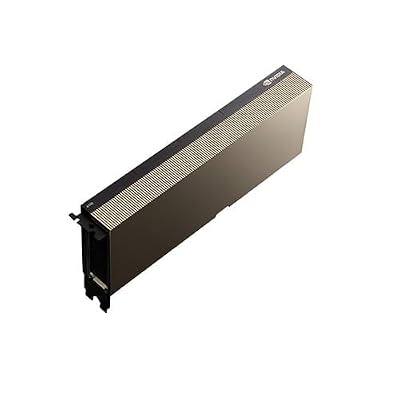
NVIDIA Tesla A100 Ampere 40 GB Graphics Processor Accelerator – PCIe 4.0 x16 – Dual Slot


| Product | Brand | Rating | Reviews | Price |
|---|---|---|---|---|
| ARCTIC MX-4 (4 g) – Premium Performance Thermal Paste… | ARCTIC | ★ 4.8 | 104k | $4.99 |
| ARCTIC MX-4 (incl. Spatula, 4 g) – Premium Performanc… | ARCTIC | ★ 4.8 | 71.9k | $5.49 |
| Crucial 8GB DDR4 RAM 3200MHz (PC4-25600), Downclockab… | Crucial | ★ 4.8 | 62.8k | $74.99 |
| AMD Ryzen 5 5600X 6-core, 12-thread unlocked desktop … | — | ★ 4.8 | 30.2k | $177.60 |
| NVIDIA Shield Remote; Voice Search, Motion-Activated,… | — | ★ 4.7 | 10.6k | $25.99 |
Frequently Asked Questions
What is Multi-Instance GPU and how does it work?
MIG partitions a supported data center GPU into multiple hardware-isolated instances, each with its own slice of streaming multiprocessors, memory and cache paths. On A100 and H100 class parts you can create up to seven instances, and each behaves to software like a separate smaller GPU.
Which GPUs support MIG?
MIG is limited to data center parts based on Ampere and newer, including the A100, A30, H100 and their successors. Consumer GeForce cards and most workstation RTX cards do not support it. If you need partitioning on other hardware, time slicing or vGPU is the alternative.
How does MIG differ from simple time slicing?
Time slicing shares the whole GPU sequentially so one heavy job can still stall others and memory is not isolated. MIG provides genuine hardware partitioning with dedicated memory and predictable quality of service, which prevents a noisy tenant from degrading other workloads on the same physical card.
Does MIG reduce total throughput?
Partitioning adds some overhead and prevents any single job from using the whole GPU, so peak throughput on one large job drops. Aggregate utilization usually improves though, because many small inference or notebook workloads that would leave a full GPU idle can now run concurrently.
When should I not use MIG?
Avoid it for large training jobs that need the full GPU memory and compute, for workloads requiring NVLink peer communication between partitions, and for teams running a single dominant application. MIG shines in multi-tenant inference, shared research clusters, and Kubernetes environments with many small GPU requests.











Write Your Review
No reviews yet. Be the first to share your experience!