
The ASUS Dual GeForce RTX 5050 8GB GDDR6 OC Edition is a factory-tuned version of NVIDIA’s entry-level desktop Blackwell card: 8GB of GDDR6 memory on a 128-bit bus, a modest power rating that needs a single PCIe power connector, and a two-fan “Dual” cooler designed for ordinary mid-size cases. It targets 1080p gaming, esports titles, and budget builds that want DLSS 4 support without a large power supply.
- Core Specifications of the RTX 5050
- What the ASUS Dual OC Edition Adds
- Memory: What 8GB of GDDR6 Means Today
- Power, PSU, and PCIe Considerations
- Where the Card Fits: Resolution and Settings
- How It Compares With Its Neighbors
- Who Should Buy or Skip It
- Specification Checklist
- Frequently Asked Questions
- Related Guides
This guide explains what the RTX 5050 specifications mean in practice, how an ASUS Dual OC model differs from NVIDIA’s reference specification, and what resolution and settings class the card fits. Where board-specific numbers such as exact boost clock, card length, and slot width matter, the ASUS product page is the authority, and they are intentionally not guessed here.
Core Specifications of the RTX 5050
The RTX 5050 launched in mid-2025 as the lowest-priced desktop card in the RTX 50 series. It sits below the RTX 5060 in the lineup and is the spiritual successor to the RTX 3050 for budget buyers.
| Specification | RTX 5050 (reference class) |
|---|---|
| Architecture | Blackwell |
| CUDA cores | 2,560 |
| Memory | 8GB GDDR6 |
| Memory bus | 128-bit |
| Board power | About 130 watts |
| Recommended power supply | 550-watt class |
| Power connector | Single 8-pin on typical boards |
| PCIe interface | PCIe 5.0 with an x8 link |
| Typical outputs | DisplayPort and HDMI; check the exact board |
| Upscaling features | DLSS 4 including multi-frame generation |
NVIDIA’s specification page remains the source of truth, so verify any figure you rely on there. Notably, the card uses GDDR6, not the newer GDDR7 found on higher RTX 50 models, which helps keep cost and power down but limits memory bandwidth.
What the ASUS Dual OC Edition Adds
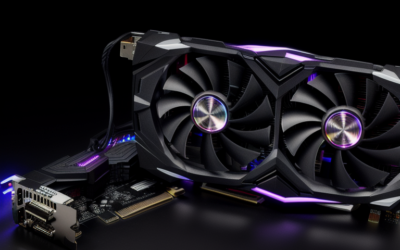
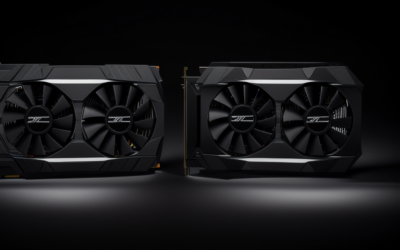
ASUS sells several tiers of coolers for the same GPU. The Dual series is the straightforward mainstream line: two axial fans, a heatsink sized for a card in this power class, and a simple styling approach aimed at compact and mid-size builds.
- OC Edition: indicates a factory overclock, meaning a boost clock slightly above NVIDIA’s reference figure. Gains are generally small, because this GPU is power-limited, so treat the OC label as a minor bonus rather than a major performance step.
- Cooling: a two-fan design suits the roughly 130-watt power level. Check the product page for whether the fans stop at idle, which helps for quiet desktops.
- Size: Dual cards are typically compact next to flagship models, but exact length and thickness should be checked against your case, particularly in small-form-factor builds.
- Warranty: comes from ASUS, and terms vary by region.
The practical advice is to buy on cooler quality, size, and noise rather than on the OC label. A well-cooled standard card will perform almost identically to an OC model in games.
Memory: What 8GB of GDDR6 Means Today
As of late 2026, eight gigabytes is the defining limitation of this card. For esports games, older titles, and many current games at 1080p with medium to high settings, it is adequate. In the newest games with large textures and ray tracing, 8GB can force you to lower texture quality or rely on upscaling to avoid stutter.
The 128-bit bus and GDDR6 memory also keep bandwidth modest, which is part of why this card is aimed at 1080p rather than higher resolutions. If you plan to move to 1440p soon or want to keep the card for many years, a model with more memory will age better.
Power, PSU, and PCIe Considerations
Power draw and connector
At roughly 130 watts, the RTX 5050 is gentle on a power supply. NVIDIA lists a 550-watt class unit as the recommendation, which means many older prebuilt PCs can accept it without a power supply upgrade. Confirm that your supply has a spare 8-pin PCIe power cable, and avoid using unsafe splitters.
PCIe 5.0 x8 and older motherboards
The card uses an x8 lane connection with PCIe 5.0 capability. In a PCIe 4.0 slot it runs at the slower rate, which is typically fine. In an older PCIe 3.0 system, the link bandwidth is lower, and some games may see a small performance loss. This is worth knowing if you are upgrading an older computer.
Display outputs
Most RTX 50 boards offer multiple DisplayPort outputs and an HDMI port, though the exact count varies by manufacturer. Check the ASUS page if you need a specific number of monitors or a particular HDMI version.
Where the Card Fits: Resolution and Settings
The RTX 5050 fits 1080p gaming with medium to high settings in most current titles, especially with DLSS enabled. It is a good match for competitive games where frame rate matters more than visual detail. At 1440p it is possible in lighter games and with upscaling, but memory and bandwidth limits show up quickly.
Ray tracing is available, but demanding ray-traced games will push a card of this class hard. Think of it as a card for enjoying such effects occasionally with upscaling, not as a ray tracing machine. As a home theater or light creative card it is also usable, with modern video decoding and AV1 support.
How It Compares With Its Neighbors
Understanding the RTX 5050 is easier when you see it next to the cards around it. The RTX 5060 above it carries more CUDA cores and, on the desktop, the same 8GB memory class, so the step up is mostly about speed. The RTX 5060 Ti above that comes in two memory sizes, and the 16GB version is the one that changes the long-term outlook for texture-heavy games. Below the 5050, there is little in NVIDIA’s current desktop range, which leaves older cards and integrated graphics as the alternatives.
Against older NVIDIA generations, the 5050 offers newer features rather than a dramatic speed leap. It adds DLSS 4 support and a more efficient design, but a discounted RTX 4060 or a used RTX 3060 can land in a similar performance neighborhood. For buyers choosing between them, the deciding factors are warranty, feature support, memory size, and cost, so compare the options in the same condition.
Against AMD and Intel entry cards, the typical selling points for NVIDIA are DLSS, strong driver support, and encoding features. Whether those matter more than raw value is a personal call, so check current independent reviews for the games and applications you actually use.
Who Should Buy or Skip It
The budget 1080p builder
If you are putting together a modest gaming PC with a limited power supply, the RTX 5050 offers modern features like DLSS 4 and low power requirements. An ASUS Dual model is a reasonable match if it fits your case.
The upgrader from an older GTX card
If you are replacing a GTX 1050 or 1650 class card, the leap in features and efficiency is big. Confirm your PCIe slot generation and your power connector first.
The buyer planning for 1440p or long-term use
If you want headroom for the coming years, skip the 8GB cards and compare the RTX 5060 and 5060 Ti options, which offer more capability. Memory size is the main reason.
Specification Checklist
- Confirm the listing says RTX 5050 with 8GB of GDDR6.
- Check the ASUS page for boost clock, length, slot thickness, and fan behavior.
- Verify that your power supply has an 8-pin PCIe cable and enough wattage.
- Check your motherboard’s PCIe generation if it is an older system.
- Match the card to a 1080p monitor or a modest 1440p setup with upscaling.
Frequently Asked Questions
How much memory does the RTX 5050 have?
The desktop RTX 5050 has 8GB of GDDR6 memory on a 128-bit bus. That is enough for 1080p gaming in most titles, but it can limit very new games at high texture settings.
How much power does it use?
The reference class is about 130 watts, with a 550-watt power supply as the recommended size. Most boards use a single 8-pin connector, but confirm on the exact model.
Does the OC Edition make a big difference?
No. The factory overclock is usually a small bump over the reference clocks. Cooler quality, noise, and size matter more than the OC label.
Does it support DLSS 4 and frame generation?
Yes, as a Blackwell card it supports DLSS 4, including multi-frame generation in supported games. Real-world benefit depends on the game and your base frame rate.
Related Guides
- ASUS Dual Geforce RTX 5060 Ti 16gb Gddr7 Oc Edition Review
- ASUS Dual GeForce RTX 5060 Ti Review: Best Compact Pick?
- ASUS Prime RTX 5060 Ti 16GB OC Review: Best Value 2026?
- ASUS Tuf Gaming Geforce RTX 5060 Ti Oc 16gb Review

Write Your Review
No reviews yet. Be the first to share your experience!