
A GeForce RTX 4080 Super with 16GB of memory and DLSS 3 is a high-end card built for 4K gaming with upscaling and for very fast 1440p, and it has enough headroom that the limits you will notice are mostly about ray tracing cost, CPU balance, and a few extreme games rather than the GPU running out of steam. Search phrases such as “RTX 4080 Super AMP DLSS 3 16G” usually point at a specific partner model, where “AMP” is a product-line name used by the board maker ZOTAC, “16G” means 16GB of memory, and “DLSS 3” refers to the frame generation feature of the RTX 40 series.
- Core Hardware That Shapes Performance
- Resolution and Settings Targets
- What 16GB of Memory Means in Practice
- DLSS 3, Frame Generation, and Their Trade-offs
- Bottlenecks and Real Limits to Watch
- Settings Strategy: Where to Spend and Where to Save
- Who Should Buy or Skip It
- Pre-Purchase Checklist
- Frequently Asked Questions
- Related Guides
This article explains what resolution and settings class the card fits, where its 16GB of memory helps or runs short, what DLSS 3 actually does for you, and which bottlenecks to watch for. It deliberately avoids quoting frame rates for specific games, because those numbers shift with every driver and game patch; use current independent reviews for the titles you play.
Core Hardware That Shapes Performance
The RTX 4080 Super is the refreshed version of the original RTX 4080, launched in January 2024. It uses the Ada Lovelace architecture and sits below the RTX 4090 in the stack.
- CUDA cores: 10,240, a small increase over the original 4080.
- Memory: 16GB of GDDR6X on a 256-bit bus.
- Board power: 320 watts for the reference specification, with a 750-watt power supply listed as the recommended class.
- Upscaling and frame generation: DLSS 3 on this card, including frame generation, plus the newer DLSS super resolution and ray reconstruction improvements that run on all RTX cards.
- Interface: PCIe 4.0.
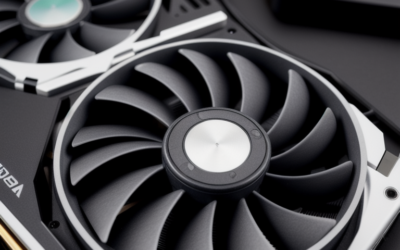
Factory-overclocked models such as the AMP-style cards add a modest clock increase and a bigger cooler. The extra performance from those clocks is usually small, so the real benefits of a premium model are cooling headroom and noise, not a different class of speed.
Resolution and Settings Targets
The following table summarizes what to expect in broad terms. These are categories, not frame rate promises.
| Target | Typical experience | Main caveat |
|---|---|---|
| 1080p high refresh | Far more GPU than needed; used only for very high refresh rates | CPU becomes the limiter in most games |
| 1440p high refresh | Maximum settings in nearly all current games | Heavy ray tracing may still call for DLSS |
| 1440p ultrawide | Strong at high settings | More pixels than standard 1440p, so heavy games need upscaling |
| 4K with DLSS | The card’s natural target at high to maximum settings | Ray tracing and path tracing push the limits |
| 4K native, ray tracing on | Playable in many games, but demanding titles may need upscaling | Path-traced games are a stress case |
The practical takeaway is that 4K is the card’s home territory, provided you are willing to use upscaling in the most demanding games. Native 4K with every setting maxed and full ray tracing is where even this card begins to struggle in a handful of titles.
What 16GB of Memory Means in Practice
Sixteen gigabytes is comfortable for current games, including at 4K with high-resolution texture packs. Most titles use well under that amount, and the few that approach it tend to be heavily ray-traced games with maximum texture settings or modded setups with large texture replacements.
Memory capacity matters more than raw speed for avoiding stutter. A card with insufficient memory can show sudden frame drops when assets spill into system memory. At 16GB, that is rare today, though as game requirements grow, owners who keep the card for many years might eventually find themselves lowering texture quality in the newest releases.
DLSS 3, Frame Generation, and Their Trade-offs
DLSS 3 combines upscaling with frame generation. Upscaling renders at a lower internal resolution and reconstructs a sharper image, which raises performance with a small image quality cost. Frame generation inserts an extra computed frame between traditionally rendered ones, which boosts displayed frame rates in supported games.
- Best case: a game already running at a decent base frame rate, where frame generation makes motion smoother on a high refresh display.
- Trade-off: frame generation can add some input latency, and it is less appealing when your base frame rate is already low, since that latency is more noticeable.
- Limit: the multi-frame generation feature introduced with the RTX 50 series is not available on this card. Check NVIDIA’s feature list for current support details.
Treat frame generation as a smoothness tool, not as a replacement for real rendering performance. Competitive players often turn it off and rely on upscaling only.
Bottlenecks and Real Limits to Watch
CPU limits
At 1080p and often at 1440p, an older or mid-range processor can hold back this card. If your system has a processor several generations old, you may see a lower GPU usage reading and less improvement than expected. Pairing the card with a strong modern CPU is more important the lower your resolution.
Power and cooling
A 320-watt board needs a quality power supply and good airflow. Large partner coolers can occupy three slots, so verify case clearance and motherboard layout before purchase.
Monitor limits
If your display is only 1080p at a standard refresh rate, you will not use much of this card’s capability. The best match is a 1440p high refresh or 4K monitor.
Ray tracing and path tracing
These features are the main place where the card feels its limits. Turn on DLSS and consider reducing a few ray tracing quality sliders before lowering texture or resolution settings.
Settings Strategy: Where to Spend and Where to Save
Owning a strong card does not mean every slider should sit at maximum. A few settings cost a lot of performance for very little visible gain, and trimming them lets the 4080 Super spend its power where you can see it.
- Keep high: texture quality, since it depends mostly on memory rather than raw speed, and 16GB gives you room. Anisotropic filtering is also cheap and improves distant surfaces.
- Consider lowering: volumetric effects, extreme shadow settings, and the highest ray tracing tiers, which often cost far more than they visibly add.
- Use upscaling wisely: the quality or balanced DLSS modes at 4K usually look close to native for many players, and they free up performance for ray tracing.
- Cap the frame rate: matching your monitor’s refresh rate reduces heat and noise, and it avoids pushing the card harder than your display can show.
A good habit is to adjust one group of settings at a time and watch how smooth the game feels, rather than chasing a maximum preset. Because titles differ widely, there is no universal recipe, but this approach consistently gets more from a card in this class than leaving everything on the highest option.
Who Should Buy or Skip It
The 4K gamer who values smooth visuals
If you play on a 4K display and are comfortable using DLSS, the 4080 Super offers a strong experience without the cost and power draw of an RTX 4090. It suits players of single-player games with rich visuals.
The creator who also games
With 16GB of memory and hardware encoding support including AV1, the card handles video editing and many 3D tasks comfortably in addition to gaming.
The 1080p competitive player
If your priority is the lowest latency at 1080p, this card is more than you need. A mid-range card plus a faster CPU is typically a better use of your budget.
Pre-Purchase Checklist
- Confirm the listing is an RTX 4080 Super with 16GB, not a different model.
- Check your power supply: a 750-watt class unit with the right connector is the baseline.
- Measure case length and thickness for the specific partner model.
- Match the card to a 1440p high refresh or 4K display.
- Check how a current RTX 5080 listing compares in the same condition.
Frequently Asked Questions
Is the RTX 4080 Super good for 4K gaming?
Yes, 4K is its natural target, especially with DLSS enabled. Demanding ray-traced games may need upscaling to hold smooth frame rates.
Does 16GB of memory limit it?
Not for most current games. A few extreme setups with high-resolution texture packs can approach the limit, but as of late 2026 it remains adequate for the majority of releases.
What does AMP mean on a graphics card name?
It is a naming tier used by the board maker ZOTAC for some of its factory-tuned models. The underlying GPU is the same RTX 4080 Super, with differences in cooler, clocks, and styling.
Does the card support the newest DLSS features?
It supports DLSS 3 including frame generation and the improved upscaling models. Multi-frame generation is tied to the RTX 50 series and is not available on this card.
Related Guides
- RTX 4080 Super Review 2026: Is It Worth $999?
- RTX 4080 vs 4070 Super: Is the Premium Tier Worth It 2026
- RTX 5090 vs 4080 Super: Is the Flagship Worth It? (In-Depth)
- RTX 5070 vs 4080 Super: Value Pick or High-End?


Write Your Review
No reviews yet. Be the first to share your experience!