
The NVIDIA RTX PRO 6000 Blackwell comes in a Workstation Edition and a Max-Q Workstation Edition that share the same core hardware but differ in power and cooling. Both pair 96GB of GDDR7 memory with ECC, but the Workstation Edition is built for a 600 watt power budget, while the Max-Q Edition is limited to 300 watts so that it fits tighter power and thermal limits. In practice you trade some peak speed for efficiency and density when you choose Max-Q.
- What the Two Editions Share
- Power: 600 Watts Versus 300 Watts
- Cooling and Chassis Planning
- Electrical and Noise Considerations
- Performance Expectations Without the Hype
- Use Cases for Each Version
- Where the Server Edition Fits
- Who Should Choose Which
- Checklist Before You Order
- Frequently Asked Questions
- Related Guides
The decision matters because the two cards are aimed at different machines. A single-GPU desktop workstation with a strong power supply can use the Workstation Edition’s full headroom, while a chassis with several GPUs, a limited power budget or a noise target is a natural home for Max-Q. This guide explains the differences in power, cooling, outputs and use cases, covers what both versions have in common, and offers a checklist for choosing. Confirm every detail against NVIDIA’s official spec sheet, since system builders vary, and check NVIDIA’s professional GPU pages for the current lineup as of late 2026.
What the Two Editions Share
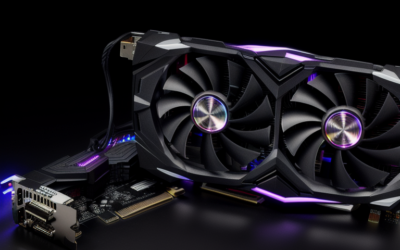
Both cards belong to the RTX PRO Blackwell generation, announced by NVIDIA in March 2025 to replace the RTX Ada generation workstation cards. They carry 96GB of GDDR7 memory with error-correcting code on a 512-bit interface, use a PCIe 5.0 x16 connection and occupy two slots. They provide DisplayPort outputs for driving professional monitors, and both run NVIDIA’s professional driver branches rather than only the consumer GeForce release.
That shared base means software compatibility is the same. Applications that run on one will run on the other, including rendering engines, CAD packages, simulation tools and local AI frameworks. The question is therefore not about features but about how much power the card can use and how its cooler handles heat.
Power: 600 Watts Versus 300 Watts
The Workstation Edition has a board power of 600 watts and takes power through the 16-pin 12V-2×6 connector, which calls for a high-capacity power supply and a cable rated for that load. The Max-Q Edition targets 300 watts, so it fits workstations whose supplies cannot spare 600 watts per GPU. The lower limit also reduces strain on cabling and on the wall circuit that feeds the machine.
Because Max-Q runs at a lower power target, it gives up some peak throughput compared with the full-power version. NVIDIA positions it as the efficiency choice, where performance per watt matters more than the last increment of speed. How big the gap is depends on the workload, so rely on application-specific data from the maker rather than a generic claim.
| Feature | Workstation Edition | Max-Q Workstation Edition |
|---|---|---|
| Memory | 96GB GDDR7 with ECC | 96GB GDDR7 with ECC |
| Board power | 600 watts | 300 watts |
| Cooling approach | Active cooler for single-card desktops | Active cooler tuned for dense multi-GPU chassis |
| Slot width | Dual slot | Dual slot |
| Display outputs | DisplayPort outputs present | DisplayPort outputs present |
| Best fit | Single-GPU workstation, peak speed | Multi-GPU or power-limited systems |
Cooling and Chassis Planning
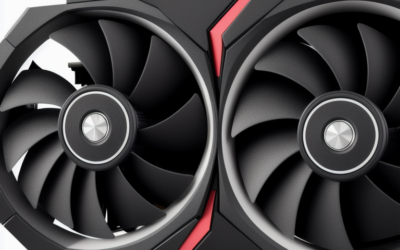
Heat is the second half of the story. A 600 watt card dumps a lot of warmth into the case, so the Workstation Edition needs a chassis with good airflow and enough clearance around the cooler. It works well in a single-card tower that has been built with ventilation in mind, but it is less suitable for compact or crowded cases.
The Max-Q Edition’s cooler is designed so that more than one card can live in the same system without cooking its neighbor. NVIDIA has promoted multi-GPU workstations built around this version, which is attractive for AI development, rendering farms and simulation setups that scale by card count. If you plan more than one GPU, check the motherboard slot spacing and the supply’s total capacity before ordering.
Electrical and Noise Considerations
A 600 watt card changes more than the case. It affects the power supply choice, the cable quality, the electrical circuit and even the room’s temperature during long renders. Offices with shared circuits or small server closets may find that one Workstation Edition card is manageable, while several of them in the same room are not. Max-Q’s 300 watt target makes the electrical side of a multi-card plan much easier to reason about.
Noise follows the same logic. A cooler that dissipates more heat has to move more air, and fan noise rises with that effort. For studios where people record audio or work next to the machine, a lower-power card often wins on comfort alone, even if the workload could use extra speed. If noise matters, ask the system builder how the chassis fans and card cooler behave under sustained load.
Performance Expectations Without the Hype
It is tempting to compare the editions with a single speed number, but the real answer depends on what you run. Workloads limited by memory capacity, such as huge scenes or large models, behave the same on both cards because both offer 96GB. Workloads limited by raw compute throughput will favor the higher power target. Workloads that scale across several GPUs may favor Max-Q simply because you can fit more cards.
Before buying, ask the vendor for application-specific results rather than synthetic claims, and consider a trial configuration if your job is expensive enough to justify it.
Use Cases for Each Version
- Workstation Edition: a single powerful GPU for rendering, large scenes, video finishing, and AI model work where peak speed matters.
- Max-Q Edition: two, three or four GPUs in one chassis, shared lab machines, quiet studios and power-constrained rooms.
- Either edition: workloads that need the large ECC memory pool, such as big datasets, high-resolution volumes and large language models run locally.
- Neither edition: typical gaming rigs, since the cost and design focus are professional rather than gaming-oriented.
Where the Server Edition Fits
A third version, the Server Edition, targets rack servers with passive cooling and relies on chassis airflow. It is a different product category, sold mainly through system makers, and not a drop-in desktop option. If you are shopping for a workstation under your desk, your choice is between the Workstation Edition and Max-Q.
Who Should Choose Which
Solo Creators and Engineers
If you run one GPU in a well-ventilated tower and want the fastest result per job, the Workstation Edition suits you. Plan for a strong power supply and a case that handles heat.
AI and Research Teams
If you want to stack several GPUs for training, inference or simulation in a single machine, the Max-Q Edition’s power and thermal limits are easier to manage. The total memory across cards can also exceed what any single board offers.
Buyers With Power or Noise Limits
If your office circuit, supply or noise tolerance is limited, Max-Q is the practical option. You give up some peak speed but gain predictability and easier installation.
Checklist Before You Order
- Confirm the power supply capacity and the connector type your card needs.
- Check slot spacing and chassis airflow, especially for multi-GPU builds.
- Verify certified software support for the applications you rely on.
- Decide whether you need display outputs or compute only.
- Compare warranty and support terms from the system builder or distributor.
- Ask whether your workload scales with power or with GPU count.
Frequently Asked Questions
Do the Max-Q and Workstation editions have the same memory?
Yes, both carry 96GB of GDDR7 with ECC. The difference lies in power limits and cooling, not capacity. Check NVIDIA’s spec sheet for exact details.
Is Max-Q slower than the Workstation Edition?
It runs at a lower power target, so peak throughput is typically lower. The size of the gap depends on the workload. Check application-specific data from NVIDIA or your system builder.
Can I run several of these cards in one machine?
The Max-Q Edition is designed with that scenario in mind, thanks to its lower power and cooler layout. You still need to verify motherboard spacing, supply capacity and airflow. System builders can configure validated multi-GPU machines.
Is either version good for gaming?
They can run games, but the drivers and design priorities are professional. A GeForce card gives far more gaming value. Choose these cards for memory-heavy professional work.
Related Guides
- Nvidia RTX PRO 6000 Blackwell Review: Is It Worth the Cost?
- Nvidia RTX Pro 6000 Blackwell Gaming: Overkill or Genius?
- RTX Pro 6000 Blackwell Gaming Performance: Ultimate Review
- Nvidia RTX 6000 Pro Review: Ultimate Workstation Powerhouse

Write Your Review
No reviews yet. Be the first to share your experience!