
What’s the best CPU cooler is a question with a short answer and a longer one. The short answer is that a good dual-tower air cooler handles almost every gaming processor, and a thick 360mm radiator handles the rest. The longer answer depends on your case, your specific chip and how much fan noise you are willing to tolerate.
As an Amazon Associate we earn from qualifying purchases at no extra cost to you.







As an Amazon Associate we earn from qualifying purchases at no extra cost to you.
By Ryan Cole
The Short Answer: What’s the Best CPU Cooler?
For most gaming builds, a quality 120mm dual-tower air cooler is the best CPU cooler you can buy. It handles chips up to roughly 140W, costs a fraction of a comparable AIO, has no pump to fail, and runs quietly enough to ignore. Only flagship processors under sustained all-core load genuinely need liquid cooling.
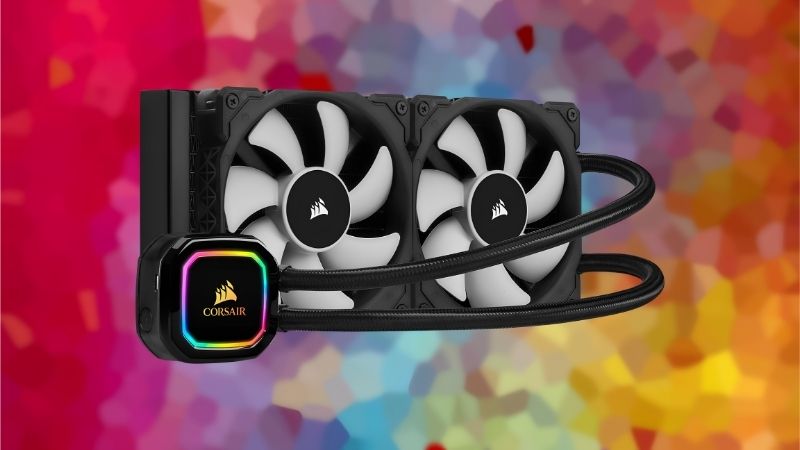
For a Mid-Range Gaming CPU
If you are asking what’s the best CPU cooler for a mainstream chip, the answer sits firmly in the mid-range of the market rather than at the top of it.
A Ryzen 5, Ryzen 7 or Core i5 runs comfortably on a dual-tower air cooler with two 120mm fans, and that is the honest answer to what’s the best CPU cooler for the majority of builds. Nothing more expensive changes frame rates, because the chip was never thermally limited to begin with.
X3D processors fall into this group too. They concentrate heat in a small area but operate within a modest power envelope, so contact quality matters more than raw cooler capacity.
For a Flagship Processor
A Core Ultra 9 or Ryzen 9 under long all-core load draws considerably more power, and that is where a 280mm or 360mm radiator earns its price by moving heat out of the case directly.
Even here, gaming alone rarely produces that load. If you play rather than render, a premium air cooler still keeps a flagship chip within its limits during normal sessions.
The distinction worth drawing is between peak and sustained load. Short bursts are absorbed by any competent cooler; hours of all-core work are what separate a radiator from a fin stack.
For a Small Form Factor Build
Compact cases set a hard height ceiling, often between 47mm and 77mm. Low-profile downdraft coolers fit those and have the side benefit of blowing air across the VRM and M.2 area.
Here the question of what’s the best CPU cooler is answered by the case before anything else. Measure the clearance, then pick the largest cooler that fits inside it.
Pair a low-profile cooler with a 65W processor rather than stretching it across a higher tier. In a small build, that combination stays quiet and avoids throttling under normal gaming load.
What Actually Determines Cooling Performance
Marketing focuses on heatpipe counts and wattage ratings, but three other factors decide what’s the best CPU cooler in practice once it is installed in your particular machine.
Surface Area and Fan Speed
A larger fin stack or radiator rejects the same heat at a lower fan speed, which is why big coolers sound calmer rather than simply running colder. That is the real benefit of stepping up a size.
Heatpipe count matters less than base flatness and fin surface. A six-pipe tower with an even, well-machined base regularly outperforms an eight-pipe design with poor contact.
Mounting Pressure and Paste
Even, screw-limited tension across the coldplate produces repeatable results. Uneven pressure tilts the contact patch and leaves one core measurably hotter than the rest of the die.
Paste choice matters far less than most people assume. The gap between mainstream compounds is one to three degrees; the gap between fresh paste and five-year-old paste can be ten or more.
The Air Your Cooler Is Breathing
A cooler can only reject heat into the air around it. A restrictive front panel or a clogged filter means the tower is recirculating warm air, and no fan speed fixes that properly.
Two or three decent intake fans usually improve temperatures more than upgrading from a mid-range cooler to a premium one. Airflow is the cheapest part of the equation.
Ambient room temperature counts as well. Every degree in the room is a degree at the die, which is why identical builds report very different numbers in summer and winter.
Common Mistakes When Choosing a CPU Cooler
Most disappointing results come from one of these four errors rather than from buying the wrong brand, and they explain why two people asking what’s the best CPU cooler can get very different outcomes from the same model.
Buying Before Measuring
Cooler height and radiator thickness are the most common reasons for a return. Check the clearance figure in your case manual and measure from the motherboard tray to the side panel first.
For AIOs, add radiator thickness to fan thickness. A 38mm radiator with 25mm fans needs 63mm of space, which several popular mid-towers cannot provide in the roof.
Assuming Liquid Always Beats Air
A thin budget 240mm AIO frequently loses to a good dual-tower air cooler costing half as much. Radiator thickness and fan quality decide the outcome, not the presence of a pump.
Liquid cooling wins on two specific things: it moves heat out of the case directly, and it fits builds where a tall tower physically cannot. Those are the reasons to choose it.
Ignoring RAM Clearance
Tall memory heat spreaders collide with dual-tower coolers, forcing you to raise the front fan and give up airflow. Low-profile kits or an offset cooler design avoid the problem entirely.
Check the cooler manufacturer’s stated memory clearance figure against the height of your kit. Both numbers are published, and comparing them takes less time than a return does.
Chasing Peak Noise Figures
Published dBA numbers come from fans at maximum speed, which almost never happens while gaming. What matters is the speed the cooler settles at after twenty minutes and how smoothly it ramps between states.
Set a fan curve tied to a smoothed temperature reading rather than instantaneous values. Gaming produces rapid spikes, and an aggressive curve turns those into constant audible surging.
Frequently Asked Questions
These come up whenever someone asks what’s the best CPU cooler for a specific machine, and the answers apply across most current builds.
Is the stock cooler good enough?
It prevents throttling on a 65W chip but runs loud under load. Any decent aftermarket tower lowers both temperature and noise, which is why it remains the standard first upgrade on a new build.
Do I need a 360mm AIO for a modern gaming CPU?
Almost never. Gaming rarely produces sustained all-core load, so a strong air cooler keeps even upper-tier chips in range. A large radiator lowers fan speed and noise rather than unlocking performance.
How long does an AIO last?
Most manufacturers quote five to seven years, and several offer six-year warranties on current models. Pump failure is the usual end point, which is the main structural advantage air cooling holds over liquid.
Will my cooler fit a future CPU?
Usually, with the right bracket. AM4 and AM5 share mounting hole spacing, and most brands sell socket kits cheaply, which makes a good cooler the part of a build most likely to outlast the platform.
See More:
Final Thoughts
So what’s the best CPU cooler? For the overwhelming majority of gaming builds it is a well-made dual-tower air cooler that fits your case and clears your memory, with a thick 360mm AIO reserved for flagship chips doing sustained heavy work. If you want specific models, our guide to the best CPU cooler for gaming breaks the picks down by CPU tier, and the wider best CPU coolers for gaming roundup covers air and liquid options at every budget. Measure first, buy the quietest cooler that fits, and spend what you save on case airflow.







Write Your Review
No reviews yet. Be the first to share your experience!