
- Top Pick: Acer Nitro 27in 4K 3840×2160 IPS 160Hz DFR 320Hz Gaming Monitor VG270K V4
- Best Value: Dell 27 Monitor S2725QS, 4K UHD IPS, 120Hz, 5ms, FreeSync Premium
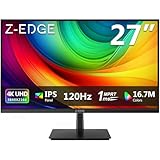
- Premium Choice: ZZA 27 Inch 4K Gaming Monitor,UHD(3840×2160) 4K 144Hz Flat Monitor, Adaptive Sync,HDMI 2.1 & DP 1.4,Tilt Adjustment PC Monitor, Wall Mountable, for Work, Streaming, and Home Office, Black
Best monitor size for gaming 4K is decided by your desk depth rather than by the panel itself, because the same 3840×2160 resolution produces very different pixel densities at 27, 32 and 42 inches. This guide covers the maths, the viewing distances and six panels across all three sizes.
As an Amazon Associate we earn from qualifying purchases at no extra cost to you.






As an Amazon Associate we earn from qualifying purchases at no extra cost to you.
By Ryan Cole
How to Pick the Best Monitor Size for Gaming 4K
Four factors decide which size suits your setup, and only one of them is about the screen itself. Measure your desk before comparing panels, because the best monitor size for gaming 4K follows directly from that measurement.
Pixel Density Changes Dramatically With Size
The same 4K resolution gives roughly 163 pixels per inch at 27 inches, about 138 at 32 inches and around 105 at 42 inches. That is a substantial difference in how sharp text and fine in-game detail appear from the same seat.
Higher density is not automatically better in practice. At 163 PPI, Windows scaling becomes essentially mandatory for readable text, which introduces its own complications in older applications and in some game menus.
Viewing Distance Is the Real Constraint
A 27-inch panel suits sitting distances under about 24 inches, which is where the high pixel density becomes genuinely visible. At 32 inches the screen is considerably more comfortable at typical desk distances of 24 to 30 inches.
A 42-inch panel needs considerably more depth, closer to a metre, or you will find yourself turning your head to see the edges of the screen. Measure from your eyes to where the panel will actually sit before deciding anything else.
The Graphics Card Has to Feed It
4K at high refresh rates is demanding regardless of panel size, and current pricing makes a capable card the expensive part of the setup. Upscaling technologies help considerably but do not remove the requirement.
If your card is mid-range, a smaller 4K panel does not reduce the workload at all, since the resolution being rendered is identical. Consider 1440p at 27 inches instead, which is a far easier target and leaves budget for a better panel.
Panel Technology Versus Size
OLED delivers contrast and response times that no LCD can match, and 4K at 240Hz has become genuinely affordable this year. Mini-LED offers higher sustained brightness without burn-in concerns, at the cost of visible blooming around bright objects.
Size and panel type interact. A 42-inch OLED doubles as a television, while a 27-inch OLED is a desk monitor first. Decide the role before the technology, since that narrows the field faster than specifications do.
What the 2026 Market Means for 4K Displays
Three conditions affect a 4K display purchase this year, and two of them concern the graphics card rather than the panel, which changes what the best monitor size for gaming 4K actually costs to feed.
Panel Prices Have Fallen While GPUs Rose
4K OLED panels running at 240Hz have dropped to prices that premium IPS displays commanded only two years ago, which makes the monitor the easy part of a 4K setup. The graphics card is now comfortably the expensive component.
NVIDIA cut partner supply roughly 20 percent and global GPU pricing rose around 19 percent from late 2025. Budget the card first and choose the panel around what is left, rather than the other way round.
No Major Panel Releases This Year
Monitor vendors are not expected to launch significant new panel technology through the rest of 2026, and the current mini-LED generation is likely to remain the standard. That makes now a perfectly reasonable time to buy a display.
The RTX 50 Super refresh has moved to CES in January 2027, so the graphics side is also static. Anyone waiting for a better pairing is looking at six months minimum with nothing changing in between.
Monitors Do See Genuine Seasonal Discounts
Unlike memory and pre-built systems, where November stock reflects expensive contract components, displays are a category where real reductions still appear during seasonal sales.
If a 4K panel is on your list, that window is genuinely worth waiting for in a way that memory is not. Just be aware that the popular OLED models tend to sell through quickly once they are discounted.
Top Picks: Best Monitor Size for Gaming 4K by Panel
These cover 27, 32 and 42 inches across OLED and IPS, so the best monitor size for gaming 4K in your room is somewhere in this list. Measure your viewing distance first, since that rules out sizes faster than any specification does.
| Monitor | Size | Panel | Refresh | Pixel Density | Best For |
|---|---|---|---|---|---|
| Gigabyte M27UP | 27in | IPS | 160Hz | 163 PPI | Budget 4K |
| GIGABYTE MO27U2 | 27in | QD-OLED | 240Hz | 163 PPI | Close seating |
| MSI MPG 321URX | 32in | QD-OLED | 240Hz | 138 PPI | Best all-round |
| ASUS ROG Strix XG32UCWMG | 32in | WOLED | 240Hz | 138 PPI | Brightness in SDR |
| ASUS ROG Swift PG32UCDM | 32in | QD-OLED | 240Hz | 138 PPI | Premium 32in |
| LG C4 42in OLED | 42in | WOLED | 120Hz | 105 PPI | Desk and TV duty |
Gigabyte M27UP
For a first 4K panel this IPS display at 160Hz is the value choice, delivering 163 PPI sharpness without OLED pricing or burn-in considerations. SDR gaming and desktop work both look excellent on it.
HDR performance is limited, as it is on every IPS panel without a mini-LED backlight, so bright highlights lack impact. At 27 inches you will also need Windows scaling for comfortable text, which is worth knowing in advance.
GIGABYTE MO27U2
This is the pick for anyone sitting under two feet from the screen, combining 4K at 240Hz with QD-OLED contrast in a 27-inch frame. Pixel density at 163 PPI is the sharpest arrangement available.
At typical desk distances the extra sharpness over a 32-inch panel is hard to perceive, so the smaller size only pays off with close seating. Text scaling is mandatory rather than optional at this density.
MSI MPG 321URX
The 321URX is the sensible middle of the market, pairing a 32-inch 4K QD-OLED panel at 240Hz with pricing that would have been impossible two years ago. At 138 PPI it is sharp without demanding aggressive scaling.
QD-OLED black levels degrade slightly in bright rooms compared to WOLED, which is worth considering if your desk faces a window. Sustained full-screen brightness also sits below a good mini-LED display.
ASUS ROG Strix XG32UCWMG
Built on a WOLED panel rather than QD-OLED, this 32-inch 240Hz display handles ambient light better, which makes it the stronger choice for a bright room. Contrast remains far beyond any LCD.
Colour volume in highly saturated content is slightly behind QD-OLED alternatives, and it costs more than the MSI panel. The difference matters most in HDR content rather than in ordinary gaming.
ASUS ROG Swift PG32UCDM
The PG32UCDM sits at the premium end of 32-inch 4K OLED, adding higher HDR certification, USB-C connectivity and a more refined on-screen interface than the value options.
The image quality gap against the cheaper 32-inch panels is smaller than the price gap suggests, since they share panel generations. Buy it for the connectivity and build rather than expecting a visible improvement.
LG C4 42in OLED
At 42 inches this doubles as a television and a monitor, which suits a setup where the display serves both roles. It needs roughly a metre of viewing distance to be comfortable at a desk.
Pixel density drops to around 105 PPI, so text is noticeably less crisp than on a 27 or 32-inch panel. Refresh tops out at 120Hz, and the physical size demands a deep desk that many people do not have.
Frequently Asked Questions
These questions come up whenever someone tries to settle the best monitor size for gaming 4K before committing to a panel.
Is 27 or 32 inches better for 4K?
32 inches for most desks. It gives roughly 138 PPI, which is sharp without demanding aggressive scaling, and it fills your field of view naturally at typical seating distances. Choose 27 inches only if you sit closer than about two feet from the panel.
Is 4K worth it at 27 inches?
It produces exceptional sharpness at 163 PPI, but scaling becomes mandatory and the GPU workload is identical to a larger panel. At 27 inches, 1440p at high refresh is a far easier target for the same money.
Can a 42-inch TV work as a gaming monitor?
Yes, with enough desk depth. It needs around a metre of viewing distance, and pixel density drops to roughly 105 PPI so text is less crisp. It works best when the display doubles as a television.
Do I need a high-end GPU for 4K?
A capable one, regardless of panel size, since the resolution is what creates the workload. Upscaling technologies reduce the requirement considerably but do not remove it. Budget the card before the display.
Is OLED burn-in still a concern?
For normal mixed gaming and desktop use, not really on current panels. Pixel-shift and panel-care routines have matured considerably. It remains worth avoiding a static heads-up display or taskbar at full brightness for many hours every day over several years.
See More:
- Who makes the best motherboard
- Best budget AM5 CPU for gaming
- What is the best thermal paste pattern
- Best mini ITX computer case
- Best desktop RAM for gaming
Final Thoughts
The best monitor size for gaming 4K is 32 inches for the majority of desks, because 138 PPI is sharp without forcing aggressive scaling and the screen fills your field of view at normal distances. Drop to 27 inches only if you sit unusually close, and step to 42 inches only if the display doubles as a television and your desk is deep enough. Measure that distance before you start comparing panels at all, and budget the graphics card first since it is now the expensive half. Figures reflect August 2026 and should be verified before purchase.











Write Your Review
No reviews yet. Be the first to share your experience!