
- Top Pick: LG 32GX850A-B 32" UltraGear 4K UHD (3840 x 2160) Glossy OLED Gaming Monitor, Dual-Mode 165Hz/330Hz, 0.03ms, G-SYNC, FreeSync Premium Pro, TrueBlack 400, HDMI, DP, Tilt/Height/Swivel/Pivot Stand, Black
- Best Value: Dell 32 Monitor S3225QS, 4K UHD VA, 120Hz, FreeSync Premium, Eye Comfort
- Premium Choice: CRUA 32" 4K UHD 160Hz Curved Gaming Monitor, 1500R, AMD FreeSync, White
Best 32 in 4K gaming monitor decisions hinge on two things nobody puts on a spec sheet: how deep your desk is and how far back you sit. At this size those two factors change the experience more than refresh rate or panel technology does, and they explain why some people love 32 inches while others send it straight back.
As an Amazon Associate we earn from qualifying purchases at no extra cost to you.




As an Amazon Associate we earn from qualifying purchases at no extra cost to you.
By Ryan Cole
How to Choose the Best 32 In 4K Gaming Monitor
Selecting the best 32 in 4K gaming monitor means getting the ergonomics right first, then choosing a panel technology that suits your room and what you play.
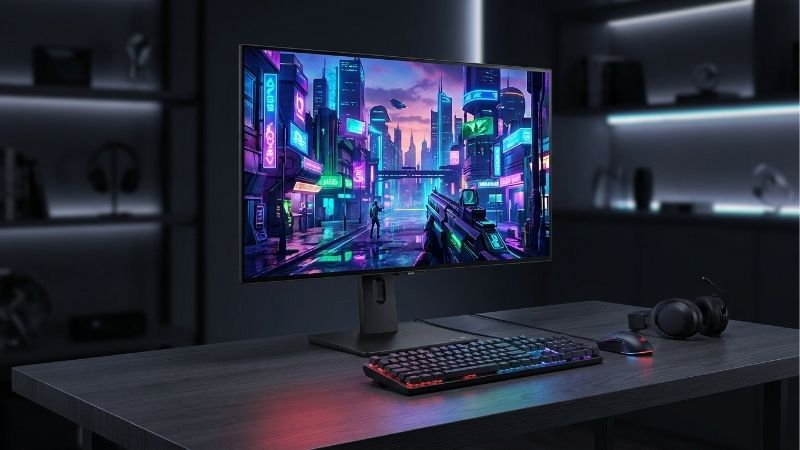
Pixel Density and Windows Scaling
A 32 inch 4K panel delivers roughly 138 pixels per inch, noticeably below the 163 that a 27 inch model reaches. Text is still sharp but the difference is visible at normal desk distance.
Most people run Windows scaling at 125 or 150 percent on a panel this size, which restores comfortable text at the cost of some effective screen area. Games are unaffected since they render at native resolution regardless.
On OLED panels the non-standard subpixel layout compounds this, since lower density gives the rendering less to work with. ClearType tuning helps considerably, but it is worth seeing one in person if the display doubles as a work screen.
Desk Depth and Viewing Distance
Thirty-two inches wants at least 80 centimetres of viewing distance, and closer to a metre is more comfortable. On a shallow desk you end up moving your head to track the edges, which becomes tiring during long sessions.
Measure before ordering rather than assuming. If your desk is under 70 centimetres deep, a 27 inch panel will almost certainly be the better experience regardless of which technology you choose.
A monitor arm buys back several centimetres compared with a stand, and lets you push the panel further away. On a shallow desk that adjustment alone often makes the difference between comfortable and tiring.
Curved Versus Flat at This Size
A gentle 1700R or 1800R curve genuinely helps at 32 inches by bringing the edges closer to a consistent viewing distance. In single-player and open-world games the effect is immersive rather than distracting.
It works against you for design work, spreadsheets or anything involving straight lines, where the distortion is obvious. Aggressive curves such as 1000R are more divisive still and best judged in person.
Curvature also affects how the panel handles reflections. A curved glossy screen gathers light from a wider arc of the room, which can put a window behind you into view even when a flat panel would not.
Panel Technology for Your Room
QD-OLED gives the most saturated colour and true black but lifts noticeably in bright rooms as ambient light reflects off the quantum dot layer. WOLED with a matte coating handles daylight better at some cost to colour volume.
Mini-LED sits between them with strong HDR brightness and no burn-in concern, at the price of visible blooming around bright objects on dark backgrounds. For a screen also used for static work content, that tradeoff often makes sense.
Room lighting decides more than the specification sheet does. A panel that looks spectacular in a dim review environment can wash out badly beside a window, which is why matte coatings matter for daytime use.
Top Picks: Best 32 In 4K Gaming Monitor Models
These six cover OLED, mini-LED and IPS across refresh rates and budgets. Specifications are manufacturer-published as of August 2026, and street pricing in this category moves considerably between sales periods.
| Monitor | Panel | Refresh | Shape | Notable |
|---|---|---|---|---|
| ASUS ROG Swift OLED PG32UCDM | QD-OLED | 240 Hz | Flat | Large flat OLED |
| Alienware AW3225QF | QD-OLED | 240 Hz | 1700R curve | Three-year burn-in cover |
| Gigabyte AORUS FO32U2P | QD-OLED | 240 Hz | Flat | DisplayPort 2.1 UHBR20 |
| LG UltraGear 32GS95UE | WOLED | 240 Hz | Flat | Dual mode 1080p at 480Hz |
| Samsung Odyssey Neo G7 | Mini-LED VA | 165 Hz | 1000R curve | HDR without burn-in risk |
| Gigabyte M32U | IPS | 144 Hz | Flat | Budget entry with KVM |
ASUS ROG Swift OLED PG32UCDM – Best Flat OLED
For anyone who wants a flat panel, this is the best 32 in 4k gaming monitor available. The QD-OLED panel delivers near-instant response and true black, and the extra screen area suits single-player games and productivity equally.
The glossy coating reflects noticeably in bright rooms, and at 138 pixels per inch the subpixel text issue is more apparent than on 27 inch panels. It is also physically large enough to dominate a standard desk.
Alienware AW3225QF – Best Curved Option
The gentle 1700R curve improves immersion without distorting straight lines badly, and Dell’s three-year coverage including burn-in is the most reassuring warranty in the category.
The curve remains a drawback for design work, and glossy reflections are an issue in bright rooms. Availability outside Dell’s own channels is also limited in several regions.
Gigabyte AORUS FO32U2P – Best Connectivity
DisplayPort 2.1 with UHBR20 carries the full 4K 240Hz signal without compression, and the panel matches its rivals on colour and response. Rear connectivity including a KVM switch is more generous than most competitors.
The stand is bulkier than the ASUS and Dell alternatives, and the on-screen menu system is less polished. Gigabyte’s burn-in warranty terms are also less generous than Dell’s.
LG UltraGear 32GS95UE – Best for Mixed Play
Dual mode switches between 4K at 240Hz and 1080p at 480Hz, so one panel covers both single-player and competitive titles. The matte WOLED coating handles bright rooms considerably better than QD-OLED rivals.
Colour volume is lower and HDR highlights are less striking than the quantum dot panels. The 480Hz mode only helps in games where your system can actually reach those frame rates at 1080p.
Samsung Odyssey Neo G7 – Best HDR Without Burn-In Risk
A mini-LED backlight with hundreds of dimming zones delivers genuine HDR brightness and none of the burn-in concern that comes with OLED. For a display also showing static work content all day, that matters.
Blooming around bright objects on dark backgrounds is visible and cannot be eliminated, and the aggressive 1000R curve divides opinion. At 165Hz it also trails the OLED panels on refresh rate.
Gigabyte M32U – Best Budget Entry
This is the panel that keeps appearing whenever someone wants 32 inch 4K without spending heavily. The built-in KVM switch lets one keyboard and mouse serve two machines, which is unusually useful at the price.
HDR performance is nominal rather than real, IPS black levels cannot compete with the panels above it, and quality control is inconsistent with backlight bleed complaints appearing regularly.
What the 2026 Market Means for 32 Inch Buyers
Two forces shape the best 32 in 4k gaming monitor decision, and only one of them is about the display itself.
The Graphics Card Is the Expensive Half
Global graphics pricing rose roughly 19% from late 2025 after partner supply was cut by around 20%, with high-end cards absorbing the worst of it. Driving 4K at high refresh now often costs more than the display.
That reframes the decision entirely. If your current card struggles at 1440p, a 32 inch 4K panel will not improve your experience, and the money belongs in the component actually limiting you.
Nothing New Arrives Before CES 2027
Refreshed graphics lineups from both major vendors slipped to January 2027, so there is no imminent launch that will make 4K cheaper to drive. New panel generations also typically appear early in the year.
If you are within a few months of a major show and your current monitor works, waiting to see what launches costs very little and may change what represents good value.
Monitors Still Discount Properly
Unlike memory and storage, where sale stock was built at elevated contract prices and Black Friday will not deliver real reductions, displays continue to see genuine seasonal discounts.
This is one of the few categories where the traditional advice still works. Waiting for a sale is a legitimate strategy rather than a gamble on prices that keep climbing regardless.
Frequently Asked Questions
The best 32 in 4k gaming monitor question usually arrives with these, from people weighing 32 inches against the safer 27 inch option.
Is the best 32 in 4k gaming monitor too large for a normal desk?
It depends on depth rather than width. At 80 centimetres or more of viewing distance it works well; under 70 centimetres you end up tracking the edges with head movement, and a 27 inch panel would suit better.
Do I need to use Windows scaling at this size?
Most people run 125 or 150 percent for comfortable text, since 138 pixels per inch is below the density where 100 percent stays readable at desk distance. Games render at native resolution regardless of the scaling setting.
Should I choose curved or flat at 32 inches?
A gentle 1700R curve genuinely helps immersion at this width and is worth having for single-player games. Flat is the better choice if the display doubles as a work screen where straight lines matter.
Is mini-LED a better choice than OLED here?
It is if the screen shows static content for hours or lives in a bright room, since there is no burn-in risk and brightness is higher. OLED still wins on contrast, response time and overall gaming image quality.
See More:
- Best 4TB NVMe SSD
- Best thermal grizzly paste
- Best thermal paste for 7800X3D
- Best CPU case fans
- Best motherboard for gaming computer
Final Thoughts
The best 32 in 4K gaming monitor for most people is the AW3225QF if a gentle curve appeals and the warranty matters, or the PG32UCDM if you want the same panel quality flat. The Neo G7 covers bright rooms and static content, and the M32U keeps the size accessible on a budget. Check your desk depth first, then your graphics card, and only then the panel.











Write Your Review
No reviews yet. Be the first to share your experience!