
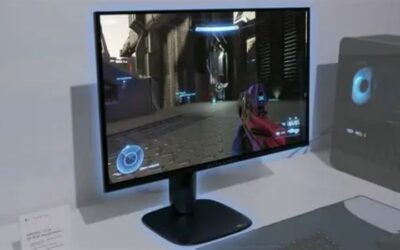
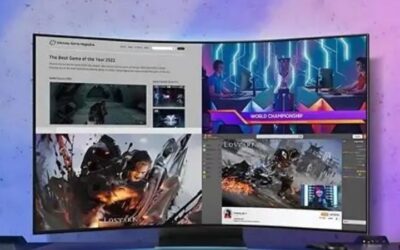
- Top Pick: CRUA 32" 4K UHD 240Hz Curved Gaming Monitor, 1500R VA, Speakers, PIP/PBP
- Best Value: Dell 27 240Hz Gaming Monitor – SE2726HG – 27-inch FHD (1920×1080) 240Hz Display, in-Plane Switching (IPS) Technology, AMD FreeSync Premium, TÜV 3-Star, 2X HDMI, DisplayPort 1.4, Tilt
- Premium Choice: SANSUI 32 Inch Curved 240Hz Gaming Monitor High Refresh Rate, FHD 1080P
Best 4K 240Hz gaming monitor shopping is genuinely difficult in 2026, because the panels are excellent and the graphics card needed to feed them has never been more expensive. This guide covers what separates the current OLED options, which connection standards matter, and whether your system can realistically drive one.
As an Amazon Associate we earn from qualifying purchases at no extra cost to you. Product prices and availability are accurate as of the date shown and are subject to change.





As an Amazon Associate we earn from qualifying purchases at no extra cost to you. Product prices and availability are accurate as of the date shown and are subject to change.
By Ryan Cole
How to Choose the Best 4K 240Hz Gaming Monitor
Selecting the best 4k 240hz gaming monitor is mostly a choice between two OLED technologies and two screen sizes, with the connection standard and your graphics card deciding whether the refresh rate is usable.
QD-OLED Versus WOLED Panels
QD-OLED panels use quantum dots and produce more saturated colour with brighter highlights in HDR. Their weakness is a lifted black level in bright rooms, because ambient light reflects off the quantum dot layer and turns black into dark grey.
WOLED panels use a white subpixel with colour filters and generally handle ambient light better with matte coatings. They trade some colour volume for that, and full-screen brightness is similar between the two technologies.
Both use a non-standard subpixel layout, which affects text rendering. Windows ClearType helps considerably, but if the monitor doubles as a work display you should look at one in person before committing.
27 Inch Versus 32 Inch at 4K
A 27 inch 4K panel delivers roughly 163 pixels per inch, which is exceptionally sharp and largely removes the subpixel text concern. It is also the size where 4K stops feeling like a compromise for competitive play.
A 32 inch panel drops to around 138 pixels per inch, still sharp but noticeably less so, in exchange for considerably more screen area. For single-player games and productivity, most people prefer the larger size.
Viewing distance decides which is right more than any specification. On a shallow desk a 32 inch panel forces constant head movement, while at a metre or more it becomes the more comfortable of the two.
DisplayPort 2.1, HDMI 2.1 and Compression
4K at 240Hz exceeds the bandwidth of HDMI 2.1 and older DisplayPort standards, so these monitors rely on Display Stream Compression or DisplayPort 2.1 with UHBR20 to carry the signal uncompressed.
Compression is visually lossless in practice and nothing to avoid. What matters more is whether your graphics card supports the connection at all, since not every current card offers DisplayPort 2.1 at full bandwidth.
Cable quality matters at these bandwidths too. Use the cable supplied in the box rather than an older one from a previous monitor, since marginal cables cause intermittent signal dropouts that look like panel faults.
Burn-In Protection and Warranty Terms
Every current OLED includes pixel shifting, logo dimming and automatic refresh cycles that run when the display sleeps. Those measures work well enough that normal mixed use is not a serious concern.
Manufacturer burn-in warranties typically run three years and are the practical safety net. Check the terms before buying, because coverage varies and some warranties exclude damage from static content displayed for extended periods.
Sensible habits extend panel life further. Hiding the taskbar, using a short screen blank timer and avoiding a fixed desktop wallpaper for hours at a time all reduce the cumulative exposure that causes uneven wear.
Top Picks: Best 4K 240Hz Gaming Monitor Models
These six cover both panel technologies and both common sizes. Specifications are manufacturer-published as of August 2026, and street pricing in this category moves considerably between sales periods.
| Monitor | Size | Panel | Shape | Notable |
|---|---|---|---|---|
| ASUS ROG Swift OLED PG27UCDM | 26.5 in | QD-OLED | Flat | DisplayPort 2.1 UHBR20 |
| Alienware AW2725Q | 27 in | QD-OLED | Flat | Strong warranty terms |
| MSI MPG 272URX | 27 in | QD-OLED | Flat | Competitive pricing |
| ASUS ROG Swift OLED PG32UCDM | 31.5 in | QD-OLED | Flat | Large flat panel |
| Alienware AW3225QF | 31.6 in | QD-OLED | Curved | 1700R curvature |
| LG UltraGear 32GS95UE | 31.5 in | WOLED | Flat | Dual mode 1080p at 480Hz |
ASUS ROG Swift OLED PG27UCDM – Best Overall
This is the best 4k 240hz gaming monitor for most desks. At 26.5 inches the panel reaches roughly 166 pixels per inch, which makes text noticeably cleaner than any 32 inch equivalent. DisplayPort 2.1 with UHBR20 carries the full signal without relying on compression.
It is expensive for its size, and the custom heatsink design makes it thicker than rivals. The stand is also large, which matters on a shallow desk where every centimetre counts.
Alienware AW2725Q – Best Warranty Package
Dell’s three-year coverage including burn-in is the most reassuring in the category, and this 27 inch QD-OLED matches the competition on image quality with a well-designed stand and clean on-screen menus.
Peak HDR brightness sits slightly behind the ASUS equivalent in some measurements, and the Alienware styling is divisive. Availability outside Dell’s own channels is also limited in several regions.
MSI MPG 272URX – Best Value at 27 Inches
MSI consistently prices its OLED panels below equivalent ASUS and Dell models while using the same generation of QD-OLED, including DisplayPort 2.1 support. For the specification, it is frequently the cheapest route in.
The stand is less adjustable than rivals and the firmware menu system is clumsier to navigate. MSI’s warranty terms on burn-in are also less generous than Dell’s.
ASUS ROG Swift OLED PG32UCDM – Best Large Flat Panel
For anyone who wants 32 inches without curvature, this is the strongest option. The extra screen area suits single-player games and productivity, and the panel matches its smaller sibling on colour and response.
Pixel density drops to around 140 pixels per inch, which makes the subpixel text issue more visible than on 27 inch panels. It is also physically large enough to dominate a standard desk.
Alienware AW3225QF – Best Curved Option
A gentle 1700R curve on a 32 inch panel improves immersion in single-player titles without the distortion of aggressive curves. Dell’s three-year burn-in coverage applies here too.
The curve is a genuine drawback for design work or anything involving straight lines, and reflections on the glossy coating are more noticeable in bright rooms than on matte alternatives.
LG UltraGear 32GS95UE – Best for Competitive Play
Its dual mode switches between 4K at 240Hz and 1080p at 480Hz, letting one display serve both single-player and competitive use. The WOLED panel with matte coating also handles bright rooms better than QD-OLED alternatives.
Colour volume is lower than QD-OLED rivals and HDR highlights are less striking. The 1080p mode is genuinely useful but only if you play titles where 480Hz is achievable in the first place.
The Graphics Card Problem Behind These Monitors
The panel is often not the expensive part of this upgrade, and what it takes to drive the best 4k 240hz gaming monitor should shape whether you buy one now.
You Need a Card That Costs More Than the Screen
Sustaining high frame rates at 4K requires a high-end graphics card, and pricing in that segment has climbed roughly 19% globally since late 2025 after supply reductions of around 20% from partner allocations.
Upscaling and frame generation close much of the gap and are worth enabling, but they do not remove the requirement. Buying this monitor to pair with a mid-range card means running well below the refresh rate it advertises.
Nothing New Arrives Before CES 2027
Refreshed graphics lineups from both major vendors have slipped to January 2027, so there is no imminent launch that will make driving 4K at 240Hz cheaper. Waiting means waiting the better part of a year.
If your current card cannot feed the panel today, that is an argument for buying the monitor later rather than sooner. The display will still be there, and panel prices in this category have been drifting down rather than up.
Monitors Still Discount Properly
Unlike memory and storage, where sale stock was built from expensive contract material, displays are still seeing genuine seasonal discounts. This is one category where holding out for the November sales period is a reasonable strategy.
That patience costs you nothing if your existing monitor works. Buy when the price lands where you want it, rather than treating a launch price as the number you have to pay.
Frequently Asked Questions
The best 4k 240hz gaming monitor decision usually raises these, from people weighing 4K at high refresh against the simpler option of 1440p.
What graphics card does the best 4k 240hz gaming monitor need?
A current high-end card to approach 240 frames per second at native 4K in demanding titles, though upscaling and frame generation close much of the gap. Competitive esports titles reach those rates on considerably less hardware.
Is 4K at 240Hz better than 1440p at 480Hz?
It depends entirely on what you play. Competitive shooters benefit more from the higher refresh rate at lower resolution, while single-player and open-world games look substantially better at 4K. Dual-mode panels let you have both.
Should I worry about OLED burn-in?
For mixed gaming and general use, modern protection features make it unlikely within the warranty period. The risk rises with many hours of static content such as fixed interface elements or a taskbar left visible all day.
Do I need DisplayPort 2.1 or is compression fine?
Display Stream Compression is visually lossless and perfectly acceptable. DisplayPort 2.1 with UHBR20 avoids compression entirely, but it only helps if your graphics card supports that standard at full bandwidth in the first place.
See More:
- Best 4TB NVMe SSD
- Best thermal grizzly paste
- Best thermal paste for 7800X3D
- Best CPU case fans
- Best motherboard for gaming computer
Final Thoughts
The best 4k 240hz gaming monitor for most people is the PG27UCDM if pixel density matters, a 32 inch QD-OLED if screen area matters more, or the LG dual-mode panel if you split time between competitive and single-player games. The harder question is the graphics card, since driving 4K at 240Hz requires hardware that has become considerably more expensive. With monitors still discounting normally, waiting for a sale here is a reasonable plan.




Write Your Review
No reviews yet. Be the first to share your experience!