
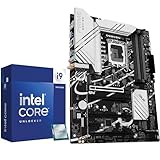
- Top Pick: Micro Center CPU Motherboard Combo – Intel i9-14900K 14th Gen 24-Cores LGA 1700 Desktop Processor Bundle with TUF Gaming Z790-Plus WiFi Gaming Motherboard
- Best Value: Cooler Master Hyper 212 Black CPU Air Cooler, 4 Heat Pipes, PWM Fan
- Premium Choice: be quiet! Pure Rock Pro 3 Black CPU Air Cooler | 6 High Performance 6mm Heat Pipes with HDT Technology | 120mm Quiet PWM Fan | AMD:AM4 AM5/Intel LGA 1700/1150/1151/1200 | Black | BK042
The best CPU cooler for i9-14900K has to deal with a 253W maximum turbo power figure concentrated in a small, dense die. That combination punishes weak mounting pressure and cramped cases, so capacity, cold plate contact and radiator or fin area all matter more here than on any mainstream chip. Fit rules out most options.
As an Amazon Associate we earn from qualifying purchases at no extra cost to you.





As an Amazon Associate we earn from qualifying purchases at no extra cost to you.
By Ryan Cole
How to Choose the Best CPU Cooler for i9-14900K
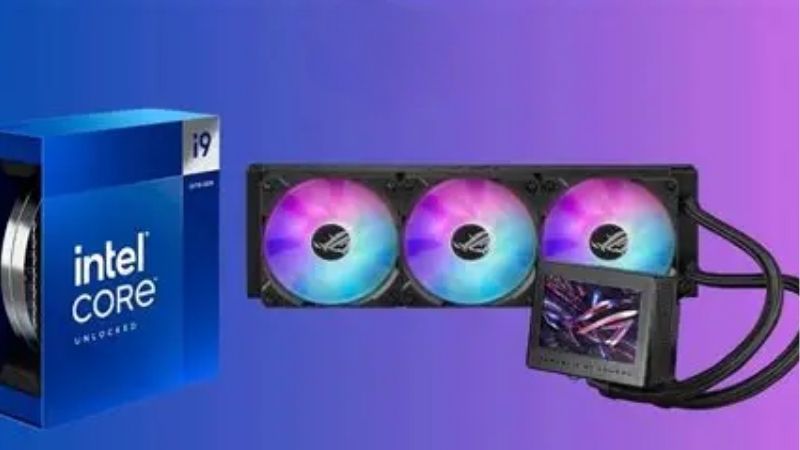
This processor has a 125W base power and a 253W maximum turbo power, with 24 cores split into eight performance and sixteen efficiency cores. Four factors decide whether a cooler holds it steady or lets it bounce off the thermal limit. The best CPU cooler for i9-14900K is the one that holds that load without shouting.
Sustained load capacity, not peak numbers
Short benchmark runs flatter every cooler. What separates them is a long render or compile session, where the heatsink or radiator has to shed 250W continuously rather than absorbing a burst into its thermal mass and recovering during idle periods. Sustained load is where cooler rankings usually change order.
For that duty cycle, look at fin area and radiator size. A 360mm radiator or a large dual-tower air cooler with seven or eight heatpipes gives the fans room to work at moderate speed instead of running at maximum for the whole session. Fin area and radiator length are printed on every specification sheet.
Cold plate contact and LGA1700 mounting
Raptor Lake Refresh concentrates heat in the performance core cluster, so uneven contact shows up quickly as one hot core. The standard socket mechanism applies pressure at the edges, and some builders fit an aftermarket contact frame to flatten the heat spreader slightly. Even pressure across the plate matters more than paste choice.
Whether or not you add a frame, mounting technique matters. Tighten screws gradually in a diagonal pattern, seat the backplate flat, and use a compound thin enough to spread evenly under pressure rather than a thick paste that resists movement. Rushing the mounting stage is the most common self-inflicted problem.
Case clearance and radiator space
Large air coolers in this class run from about 160mm to 168mm tall, which excludes several popular mid-towers. Dual-tower designs are also wide enough to overhang the first memory slot, so check both height and memory height before ordering. Both numbers appear in the case specification.
Liquid units trade that for radiator mounting. A 360mm radiator needs roughly 400mm of rail length plus fan and tubing clearance, and a thick 38mm radiator can collide with motherboard heatsinks when mounted in the top position of a compact case. Top mounts are the most common source of clearance surprises.
Noise at the power level you actually run
Many owners cap this chip below its full turbo power because the last portion of performance costs a disproportionate amount of heat. Trimming the limit to around 200W usually keeps most multi-core throughput while pulling fan speeds down noticeably. The last 50W of turbo power is the most expensive heat in the system.
If you plan to run the full 253W, accept that fans will be audible under load. Choose a cooler with a wide RPM range so that light workloads stay quiet, rather than one that sits at high speed regardless of what the system is doing. A wide PWM range is what separates a quiet build from a loud one.
Top Picks: Best CPU Cooler for i9-14900K in 2026
Three liquid coolers and two air coolers, all sized for a sustained 253W load. The table lists the format and clearance figure you need to check first, since fit disqualifies more options here than performance does. Any of them qualifies as the best CPU cooler for i9-14900K depending on your case.
| Cooler | Format | Key dimension | Best for |
|---|---|---|---|
| Arctic Liquid Freezer III 360 | 360mm AIO | 38mm thick radiator | Maximum sustained capacity |
| Noctua NH-D15 G2 | Dual-tower air | 168mm height | Air cooling without a pump |
| DeepCool LT720 | 360mm AIO | 27mm thick radiator | Slimmer radiator clearance |
| be quiet! Dark Rock Pro 5 | Dual-tower air | 163mm height | Low-noise air builds |
| Thermalright Frozen Notte 360 | 360mm AIO | 27mm thick radiator | Budget liquid cooling |
Arctic Liquid Freezer III 360
Arctic’s design uses a thicker 38mm radiator than most rivals and adds a small VRM fan on the pump block, which also cools the components around the socket. Three P12 PRO fans cover a wide PWM range, so light loads stay quiet without losing peak capacity. That VRM fan is a genuinely useful extra on a high-power socket.
That thickness is also the problem: with fans attached the assembly is deep enough to conflict with motherboard heatsinks in top-mounted positions in many mid-towers. Cable management around the pump is untidy, and there is no lighting on the standard model. Measure the gap above your memory before choosing a top mount.
Noctua NH-D15 G2
The second-generation NH-D15 is the strongest air option for this processor, with a redesigned fin stack, eight heatpipes and two NF-A14x25r G2 fans. Noctua sells offset and high-clearance base variants, which matters when matching it to a specific board layout. Noctua also publishes clearance diagrams for common board layouts.
At 168mm tall and very wide, it excludes a lot of cases and complicates memory choice. It is also expensive, and at the full 253W turbo power it will run warmer than a good 360mm liquid cooler in a sustained workload. Confirm both the height and the memory clearance before you commit to this cooler.
DeepCool LT720
The LT720 pairs a 360mm radiator with a taller pump housing that increases the internal fluid volume, and its three 120mm fans have a wide speed range. The slimmer 27mm radiator fits top mounts that the thicker Arctic unit struggles with. The slimmer radiator is the practical reason to choose it.
Pump noise is the main complaint at maximum speed, so it is worth setting a pump curve in BIOS rather than leaving it at full duty. The infinity-mirror pump top also polarises opinion and cannot be disabled independently of the fan lighting. Pump curves are set in the same BIOS menu as the fan curves.
be quiet! Dark Rock Pro 5
This dual-tower cooler is aimed at builders who want capacity without a pump. It uses seven heatpipes with a 135mm and a 120mm Silent Wings fan, stands 163mm tall, and includes a mounting system that allows removal of the front fan for memory clearance. Removing the front fan is also how you reach the mounting screws.
It is heavy, and installation in an assembled system is awkward because the front fan must come off to reach the mounting screws. Like every air cooler here, it gives ground to a 360mm radiator once the chip runs at full turbo power for long periods. Fit it before the graphics card goes in.
Thermalright Frozen Notte 360
Thermalright’s 360mm unit is the value entry, with a 27mm radiator, three ARGB fans and mounting hardware for current AMD and Intel sockets. For builders who want liquid cooling without paying premium prices, it covers the basics competently. It covers the fundamentals without the ecosystem overhead.
Fan quality is a step below the Arctic and DeepCool units, and the noise profile at high speed is less refined. Long-term pump reliability data is thinner than for established brands, so weigh the warranty terms as part of the decision. Weigh the warranty terms carefully on any part that contains a pump.
What the 2026 Market Means for a 14900K Build
If you already own this processor, the current market changes the calculation around upgrades. Two developments are directly relevant to how you spend money on this system. Both also affect how much of your budget should go toward the best CPU cooler for i9-14900K rather than elsewhere.
No new platform arrives before CES 2027
Intel’s Nova Lake and AMD’s next Ryzen generation have both moved to CES in January 2027, and Nova Lake requires a new LGA 1954 socket. There is no near-term replacement to wait for, which makes improving the system you have the practical route. Waiting for a platform that arrives in 2027 helps nobody today.
That also means an LGA1700 cooler purchase is not stranded investment in the short term. Most current coolers ship with brackets for several sockets, so hardware bought now generally carries over to a future build with a bracket request or included parts. Most current coolers ship with several bracket sets in the box.
Cooling is the cheap half of the upgrade path
Graphics card pricing has risen sharply, with global increases reported around 19% since late 2025. Against that, a cooler and fresh thermal compound are inexpensive, and on a chip that throttles under load they change sustained performance rather than just noise. Cooling is simply the cheaper half of that equation.
Set expectations honestly. If your 14900K already holds its boost clocks in your workload, a better cooler mainly buys quieter operation. If it is hitting the thermal limit and reducing clocks during long tasks, the upgrade recovers real performance. Log clock speeds during a long workload before deciding.
Timing your purchase
Cooler and power supply pricing has moved up roughly 6% to 10% this year, and promotional pricing policies ended in February 2026. Even so, cooling parts are among the categories still expected to see genuine discounts around 27 November. Cooling remains one of the categories where discounts are still real.
Memory and prebuilt systems are the exception and are unlikely to fall. Figures here reflect August 2026 and should be checked against the live listing, but there is no reason to rush a cooling purchase if your system is stable today. Check the live listing rather than a price quoted in any review.
Frequently Asked Questions
The questions that come up most from readers running this processor, covering air versus liquid, radiator size, temperatures and power limits. They assume a stock configuration on a current BIOS, which is what most readers shopping for the best CPU cooler for i9-14900K are already running.
Can an air cooler handle an i9-14900K?
Yes, provided the case has good airflow and you accept higher temperatures during long full-load sessions. A large dual-tower cooler keeps the chip stable, though a 360mm liquid unit generally holds lower sustained temperatures at the same noise level. A large tower keeps the chip stable.
Is a 240mm radiator enough?
It works for gaming and mixed use, where the processor rarely draws its full turbo power. For sustained rendering or compiling at 253W, a 360mm radiator gives more margin and lets the fans run slower for the same result. Radiator area is the cheapest form of thermal margin you can buy.
Why does this chip still hit 100C with a good cooler?
The design allows boost behaviour to push against the thermal limit by intention, and the die concentrates heat in a small area. Brief peaks are expected; the issue is only when clocks drop noticeably and stay down through a long workload. Brief peaks at the limit are normal rather than a fault.
Should I lower the power limit?
For most users it is worth testing. Reducing the maximum turbo power toward roughly 200W typically retains the majority of multi-core throughput while cutting heat output, which lowers fan speed and gives the cooler an easier job. The setting lives in the BIOS power menu on most boards.
See More:
- best CPU cooler for Ryzen 5 5600X
- best small form factor CPU cooler
- best SFF CPU cooler
- What is the best AIO CPU cooler
Final Thoughts
The best CPU cooler for i9-14900K is whichever high-capacity option fits your case with room to spare, because clearance rules out more choices than raw performance does. Confirm your radiator or height limit first, then match the cooler to the power level you actually run. Capacity comes second because every pick here has enough of it.











Write Your Review
No reviews yet. Be the first to share your experience!