
The GeForce RTX 2060 needs a single 8-pin PCIe power connector and a quality power supply in the 450W range, according to NVIDIA’s original system requirements for the card. Its board power is in the 160W class, so most modern 500W to 650W supplies handle it comfortably, as long as they offer the right connector and enough capacity for the rest of the system.
That power answer is only part of the picture. The RTX 2060 6GB has 6GB of GDDR6 memory on a 192-bit bus, a limit that matters more now than it did at launch, and there are other cards that share the name, including a 12GB revision. This guide walks through the memory, cores, power and where the card fits for buyers weighing a used or existing 2060.
RTX 2060 Core Specifications
The original RTX 2060, launched in January 2019, uses the TU106 Turing chip. The table covers the 6GB reference version. Boost clocks and dimensions vary by partner model, so the label on your card and NVIDIA’s page are the authority.
| Item | RTX 2060 6GB |
|---|---|
| Architecture | Turing (TU106) |
| CUDA cores | 1920 |
| Tensor and RT cores | 240 tensor cores, 30 RT cores |
| Memory | 6GB GDDR6 |
| Memory bus | 192-bit |
| Board power | 160W class |
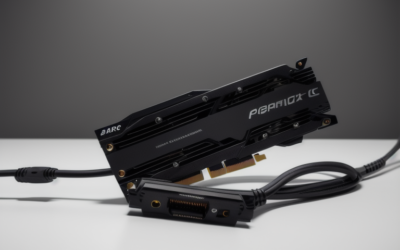
| Power connector | One 8-pin PCIe connector |
| Recommended system power supply | 450W class per NVIDIA’s launch guidance |
| Interface | PCIe 3.0 x16 |
| Outputs | DisplayPort, HDMI, and often DVI on partner designs; check your model |
Power Supply Requirements Explained
NVIDIA’s guidance targets the whole system, not just the card. A 450W supply assumes a modest CPU and few extra components, and it is a floor rather than a target. In practice, most owners benefit from a bit more headroom, especially with a higher-wattage processor, several drives or a lot of case fans.
Here is a practical way to size it:
- Start with the card’s board power in the 160W class.
- Add your CPU’s rated power under load, plus a margin for motherboard, memory, storage and fans.
- Choose a supply with comfortable headroom above the total, since efficiency and longevity are best when the unit is not running near its limit.
- Confirm the supply has one 8-pin PCIe connector on its own cable, or a dual 6+2-pin lead.
A few points are worth stressing. The 8-pin requirement is a hard one: a supply with only a 6-pin connector will not do without an adapter, and adapters are a poor choice for a long-term build. Older prebuilt PCs sometimes have proprietary or low-wattage supplies that cannot support a 160W card even if the physical connector is present, so check the label on the unit. Also confirm that the connector comes from a real PCIe cable and not from a molex adapter.
The RTX 2060 12GB revision and the 2060 Super draw somewhat more power, with the Super in the 175W class, so buyers moving between variants should recheck their supply.
Memory and What 6GB Means Today
The 6GB frame buffer was reasonable for 1080p in 2019, but it is the card’s main limit now. Games at 1080p with high texture settings can exceed it, which produces stutter or forced drops to lower textures. At 1440p the pressure grows, and ray tracing adds further memory demands on top of already-limited performance.
Search interest around the “2060 VRAM” question usually boils down to two practical points:
- 6GB is fine for esports and older games at 1080p, where texture demands are modest.
- 6GB is tight for recent releases at high texture quality, so expect to lower texture settings or use upscaling.
The 12GB revision changes that picture for memory-heavy titles, though its core count and bandwidth still reflect Turing-era hardware. If you see a listing for a “2060” with 12GB, confirm it is the revised card and not a mislabeled product.
Where the RTX 2060 Fits Today
The card fits a 1080p, moderate-to-high settings role. With DLSS in supported games, it can stretch performance and visual quality. Its ray tracing hardware works, but demanding ray-traced games push it quickly, so it is better seen as a feature to sample than to rely on.
It sits between the GTX 1660 Super and the RTX 2060 Super in the Turing family, and below the RTX 3060 and newer cards that have supplanted it. For buyers comparing options, the dedicated guides on this site for the 2060 versus 4060 and 2060 versus 5050 go through the upgrade math in detail. As of late 2026, driver support for Turing continues, though you should check NVIDIA’s current driver notes for any change in status.
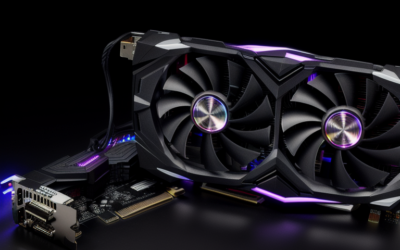
For small PCs, note that many 2060 models are dual-fan designs of moderate length, but sizes vary widely, with some compact variants and some large triple-slot designs. Check the dimensions of your specific model against your case.
The 2060 Family: 6GB, Super and 12GB
Three cards share the 2060 name in some form, and mixing them up is the most common mistake in used listings. The original 6GB card is the reference point for everything above. The 2060 Super moves to 8GB of memory on a wider bus, adds cores, and draws more power, so it needs a stronger supply. The 2060 12GB revision came later with a bigger memory pool and a higher core count than the original, and its power needs sit above the 6GB card too.
When a listing just says “RTX 2060,” look for the memory size on the label or the seller’s description, and cross-check it against the model name printed on the card. If the memory size is missing, ask. Also compare the connector layout: a card with a different arrangement than a single 8-pin connector is probably not the original.
Cooling, Noise and Size
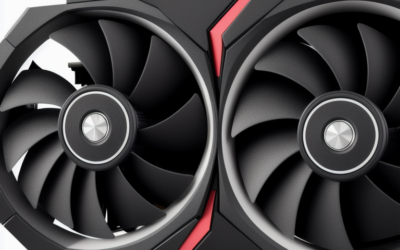
With a board power in the 160W class, the 2060 is easy to cool compared with more powerful cards, which is why a wide variety of partner designs exist. Dual-fan models with moderate length are common, compact single-fan designs exist for small cases, and some larger triple-fan coolers aim for quiet operation. Because cards from 2019 have had years to age, fans and thermal compound are the parts most likely to need attention, and a repaste and fan clean can restore temperatures on a used card.
Check the length and slot width against your case before buying, and leave room for airflow around the card. The 2060 also does not need a particularly strong motherboard, but it should sit in a full-length PCIe slot with the board’s primary connection.
Who Should Buy or Skip It
Owners with an existing 450W to 550W system
If your power supply has an 8-pin connector and decent capacity, a 2060 is a drop-in upgrade from older cards. Verify the supply’s quality and cables first.
Budget 1080p gamers
If you play esports and older games at 1080p, a used 2060 can still be a sensible, low-cost choice. Check condition, temperatures and the seller’s return terms.
Buyers wanting long-term headroom
If you want years of headroom for new releases, skip it. The 6GB limit and age make a newer card with more memory and newer features the better investment.
Compatibility Checklist
- Confirm your power supply has an 8-pin PCIe connector and sufficient capacity.
- Check that the supply is not a low-wattage or proprietary prebuilt unit.
- Measure case clearance for the specific partner model.
- Check your motherboard slot is PCIe x16 and the BIOS is current.
- Match the model you are buying: 6GB, 12GB or Super.
- Check that your monitor works with the card’s outputs.
Frequently Asked Questions
What power supply do I need for an RTX 2060?
NVIDIA’s guidance points to a 450W-class supply with one 8-pin PCIe connector. A quality 500W to 650W unit gives more comfortable headroom for most builds.
How much VRAM does the RTX 2060 have?
The original card has 6GB of GDDR6 on a 192-bit bus. A revised 12GB version was released later, so check the listing to see which one you are getting.
Does the RTX 2060 support ray tracing and DLSS?
Yes, the Turing architecture includes RT cores and tensor cores. Ray tracing performance is limited, while DLSS is the more useful feature in supported games.
Can I use a 6-pin connector instead of the 8-pin?
Adapters exist, but they are not ideal for a card in the 160W class. A supply with a native 8-pin PCIe cable is the safer option.
Related Guides
- RTX 2060 Super Review: Is This Turing GPU Worth It in 2026?
- RTX 4060 vs 2060: Less Bandwidth, More Frames, Explained
- RTX 2060 vs 5050: Is This Upgrade Really Worth It in 2026?
- RTX 2060 Drivers: Best Setup, Fixes & DLSS Explained

Write Your Review
No reviews yet. Be the first to share your experience!