
The GTX 760 is a Kepler-generation graphics card from mid-2013 with 2 GB of GDDR5 on a 256-bit bus, and as of late 2026 it is not worth buying or keeping for gaming beyond very old titles. It still functions as a display adapter and can run older games at modest settings, but its feature set, driver status and efficiency all trail far behind even cheap current hardware.
- What the GTX 760 Is
- Specifications in Plain Language
- Features You Get and Features You Do Not
- Driver Support Status
- What It Can Still Do
- Power, Heat and Running Cost
- How It Compares With Its Neighbors
- Practical Setup Tips if You Keep One
- Who Should Use It, Skip It or Upgrade
- Before You Rely on It
- Frequently Asked Questions
- Related Guides
If you are searching for “GTX 760 video card,” you are probably holding one in a spare PC, looking at a secondhand listing, or checking whether an old build can be revived. This article lays out what the card is, what its specs mean in practice, where it still works, and the point at which putting money into it stops making sense.
What the GTX 760 Is
NVIDIA launched the GTX 760 in June 2013 as a mid-range part in the GeForce 700 series. It uses the GK104 chip, the same silicon family as the older GTX 670 and 680, with some units disabled. It sat below the GTX 770 and well below the GTX 780, which used a larger chip. Its target audience was 1080p gamers who wanted to play the games of that era at high settings without paying flagship money.
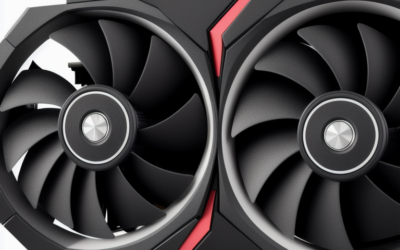
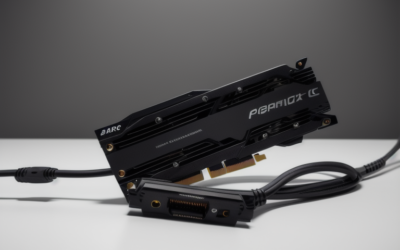
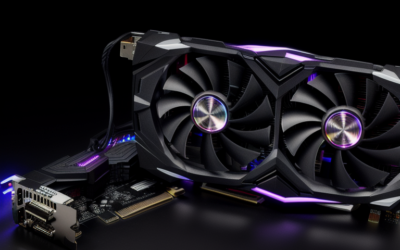
Compared with newer cards it is a hot, large and power-hungry design for what it delivers. It needs two 6-pin power connectors, and NVIDIA’s board power for the card was in the neighborhood of 170 watts. Cooling varies across partner models, from compact dual-fan coolers to larger triple-slot designs, so verify the physical size and connectors of any card before installing it.
Specifications in Plain Language
| Item | GTX 760 (reference class) |
|---|---|
| Architecture | Kepler (GK104) |
| Launch | June 2013 |
| Video memory | 2 GB GDDR5, with some partner models offering 4 GB |
| Memory bus | 256-bit |
| CUDA cores | 1152 |
| Power connectors | Two 6-pin |
| Board power | Roughly 170 W; check the specific model |
| PCIe | PCIe 3.0 x16 interface |
| Outputs | Typically DVI, HDMI and DisplayPort; varies by partner board |
The 2 GB memory pool is the clearest limit today. Modern game textures often exceed it even at 1080p, which results in stutter and forced low texture settings. The 256-bit bus gave the card good bandwidth for its time, but memory size, not bandwidth, is the bigger constraint now.
Features You Get and Features You Do Not
Kepler supports DirectX 11 and works with the lower feature levels of DirectX 12, but it lacks hardware features that modern engines increasingly assume. It has no ray tracing hardware, no tensor cores and none of the upscaling technology NVIDIA introduced later, such as DLSS. Hardware video decode and encode support is limited by modern standards, so newer video codecs may fall back to the processor.
The card has HDMI on most partner boards, but it predates the HDMI standards used by current televisions at high refresh rates. If you plan to attach a modern 4K display, check what the specific board supports before expecting smooth output.
Driver Support Status
This is the most important point for anyone planning to use the card seriously. Kepler cards moved off NVIDIA’s regular Game Ready driver cycle several years ago and into legacy support. The practical result is that new game-specific optimizations and fixes no longer arrive for it. Check NVIDIA’s legacy driver notes for the exact status, but plan on a fixed driver, not a moving target.
Running an unsupported driver on a current operating system is workable for office use and older games, yet newer software may refuse to run or may show graphical errors. On Linux, you will need a legacy branch from your distribution, and recent kernels do not always play nicely with older proprietary packages.
What It Can Still Do
- Older games: Titles from its own era and earlier run well at 1080p on moderate to high settings, assuming the engine does not ask for more than 2 GB of video memory.
- Esports-style games at low settings: Some lightweight competitive titles still run, depending on whether the current version still supports Kepler hardware.
- Desktop and video use: It drives multiple displays and plays standard video, though efficiency is poor compared with newer cards.
- Retro or spare builds: A fine choice when the goal is a period-correct machine.
Where it falls over is in anything built around modern graphics APIs and large texture pools. Many recent releases list minimum requirements that this card does not meet, and some will not launch at all.
Power, Heat and Running Cost
Two 6-pin connectors and a board power around 170 watts mean the card asks for a competent power supply, and NVIDIA’s suggested system supply was around 500 watts. Today’s budget cards deliver far more performance at lower power, which erodes any saving from picking up a secondhand 760. Consider whether you are paying with electricity and noise what you saved at purchase.
Used cards of this age may have dried thermal paste and worn fans. Replacing paste and cleaning heatsinks is cheap, but fans that are noisy or seized are a sign to walk away.
How It Compares With Its Neighbors
Within its own generation, the GTX 760 sat between the GTX 750 Ti and the GTX 770. The 750 Ti was far more efficient but had a narrower memory bus and fewer cores, while the 770 used the same family of chip with more units enabled and faster memory. Looking forward, the Maxwell cards that followed, such as the GTX 960 and GTX 970, delivered similar or better results at lower power, which is why the 760 aged quickly once they arrived.
The comparison that matters most now is against cheap modern cards. Entry-level cards from the GTX 16 series and beyond offer more memory, hardware features and active driver support, usually with a single small power connector or none at all. Put simply, a 760 is interesting for its history, not for its value.
Practical Setup Tips if You Keep One
If you are putting a 760 into service, a few steps improve the experience. Clean the heatsink and fans with compressed air, and consider fresh thermal paste if the card runs hot at idle. Use a power supply with two separate 6-pin leads rather than a splitter. Pair the card with a monitor connected through the most capable output it has, since older HDMI ports limit refresh rate at high resolutions. Keep your operating system in a configuration that has a legacy driver listed, and save the installer in case a Windows update replaces it. With those basics in place, a working 760 can serve as a stable secondary or retro machine for years.
Who Should Use It, Skip It or Upgrade
The Retro PC Builder
If you want a Windows 7 or early Windows 10 era machine, the card matches that period well and fits the driver generation of the time. Treat it as part of the project, not a performance purchase.
The Budget Gamer Looking at Used Cards
Skip it. For the same money or less you can usually find a newer generation card with more memory, lower power draw and active driver support. The GTX 1650, GTX 1070 and similar Pascal or Turing cards sit in a much better place for this role.
The Owner of an Existing 760
If it already works in your PC and you only need a basic display adapter plus older games, keep using it until it fails. When you upgrade, you will also gain video features and efficiency.
Before You Rely on It
- Confirm your power supply has two 6-pin PCIe connectors.
- Check which memory size your model has.
- Look for the output types your monitor uses.
- Inspect fans and heatsinks for damage or dust.
- Read NVIDIA’s legacy driver notes before choosing an operating system.
- Compare with newer used cards before paying for a 760.
Frequently Asked Questions
Can a GTX 760 run modern games?
Only some, and generally at low settings. Many current titles need more video memory or graphics features than this Kepler card offers.
Does the GTX 760 support ray tracing or DLSS?
No. Those features came with later RTX generations and need dedicated hardware that Kepler cards do not have.
How much power supply does it need?
NVIDIA’s suggested system supply was around 500 watts, and the card uses two 6-pin connectors. Use a quality unit with those connectors available.
Is the 4 GB version much better?
The extra memory helps with texture-heavy older games, but the core still limits performance. It is a modest improvement, not a transformation.
Related Guides
- GTX 1630 Review: Low-Profile Budget GPU Worth Buying?
- GTX 1070 Review 2026: Still a Great Budget Used GPU?
- GTX 1080 Review 2026: Is This Used GPU Still Worth It?
- GTX 1650 Review: Is It Still the Best Budget GPU in 2026?

Write Your Review
No reviews yet. Be the first to share your experience!