
- Top Pick: Corsair Vengeance RGB RS DDR5 16GB (2 x 8GB) Up to 6000MHz AMD Intel RAM
- Best Value: CORSAIR Vengeance RGB DDR5 RAM 32GB (2x16GB) Up to 6000MHz CL36-44-44-96 1.35V Intel XMP 3.0 Desktop Computer Memory – White (CMH32GX5M2E6000C36W)
- Premium Choice: Lexar Thor Z RGB DDR5 RAM 32GB Kit (2x16GB) 6000MHz CL38 DRAM 288-Pin UDIMM
Best DDR5 RAM for gaming is a narrower question than the marketing suggests, because past a certain speed the returns collapse while the price keeps climbing. This guide covers where that point sits on AMD and Intel platforms, how much capacity actually makes sense, and which kits are worth buying in a very unusual market.
As an Amazon Associate we earn from qualifying purchases at no extra cost to you.





As an Amazon Associate we earn from qualifying purchases at no extra cost to you.
By Ryan Cole
How to Choose the Best DDR5 RAM for Gaming
Selecting the best ddr5 ram for gaming means matching speed and latency to your platform rather than buying the biggest number available. Four decisions cover almost everything.
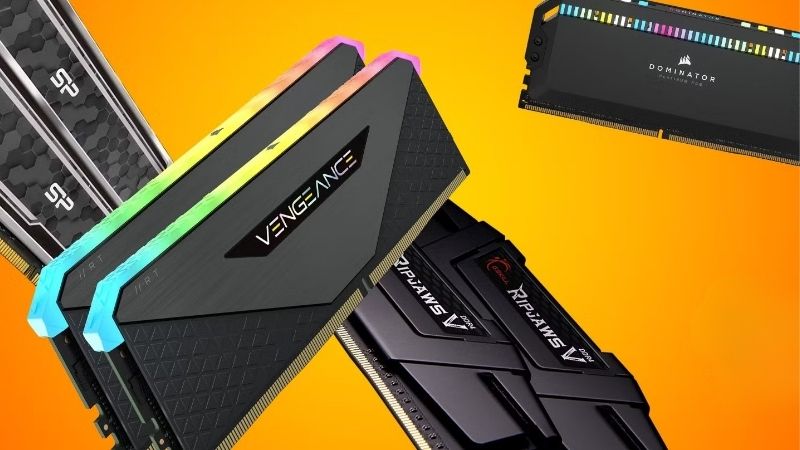
The 6000 CL30 Sweet Spot on AM5
On AMD’s AM5 platform, DDR5-6000 with CL30 timings is the practical target because it keeps the memory controller and infinity fabric running in a synchronised one-to-one ratio.
Pushing beyond that usually forces the controller into a divided mode, which adds latency and frequently cancels out the bandwidth gain. A 7200 kit can end up slower in games than a well-tuned 6000 kit on the same board.
Intel platforms behave differently and continue to benefit from higher speeds, with 7200 and above showing real gains on Core Ultra boards. That is the main reason the same kit is not the right answer for both platforms.
Latency Matters More Than Raw Speed
The CAS latency number combined with the speed gives you true latency in nanoseconds. DDR5-6000 CL30 works out faster in real terms than DDR5-6400 CL36, despite the lower headline figure.
Games are particularly sensitive to this because they issue many small memory requests rather than streaming large blocks. Simulation and strategy titles show the effect most clearly, where a tighter kit can be worth several percent.
Manufacturers rarely advertise true latency, so the arithmetic is worth doing yourself. Divide the CAS number by half the rated speed and multiply by two thousand to compare kits on equal terms.
Capacity: 32GB Is the New Baseline
Sixteen gigabytes still runs almost every current title, but several recent releases push against it once background applications are open. Thirty-two gigabytes in two sticks is the sensible target for a build you will keep.
Sixty-four gigabytes only helps if you stream, edit video or run virtual machines alongside games. For gaming alone that capacity sits idle, and given current pricing the money is better spent elsewhere in the build.
Leaving the second pair of slots empty is still worth doing. If your needs change in two years, having somewhere to add memory is better than owning a board with every slot already populated at reduced speed.
Two Sticks, Not Four
Filling all four DIMM slots forces the memory controller to work considerably harder, and on AM5 in particular a four-stick configuration often will not reach the same speeds a two-stick kit manages easily.
Buy the capacity you want as a matched two-stick kit from the start. Adding a second pair later frequently means running everything at reduced speed, which undoes the point of buying a fast kit in the first place.
Top Picks: Best DDR5 RAM for Gaming Builds
These six cover AMD and Intel platforms across capacity tiers. All specifications are manufacturer-published as of August 2026, and pricing in this category has been unusually volatile.
| Kit | Capacity | Speed | Timings | Profile |
|---|---|---|---|---|
| G.Skill Flare X5 | 32GB (2×16) | DDR5-6000 | CL30 | AMD EXPO |
| G.Skill Trident Z5 Neo RGB | 32GB (2×16) | DDR5-6000 | CL30 | AMD EXPO |
| Corsair Vengeance | 32GB (2×16) | DDR5-6000 | CL30 | EXPO and XMP |
| Teamgroup T-Create Expert | 32GB (2×16) | DDR5-6000 | CL30 | EXPO and XMP |
| G.Skill Trident Z5 RGB | 32GB (2×16) | DDR5-7200 | CL34 | Intel XMP |
| Kingston Fury Beast | 64GB (2×32) | DDR5-6000 | CL36 | EXPO and XMP |
G.Skill Flare X5 32GB DDR5-6000 CL30 – Best Overall
This is the kit most AM5 builds should buy. It hits the exact speed and latency combination the platform wants, uses low-profile heatspreaders that clear large air coolers, and skips the lighting most people never look at.
There is no RGB, which matters to some builders, and the plain finish looks unremarkable behind a glass panel. Availability of the CL30 variant is also inconsistent, and slower CL36 versions of the same product line exist.
G.Skill Trident Z5 Neo RGB 32GB – Best with Lighting
Identical performance to the Flare X5 with the addition of a well-diffused RGB bar, this is the kit for a build where appearance matters. EXPO profiles train reliably on virtually every AM5 board.
The taller heatspreaders foul the front fan position on many dual-tower coolers, so check clearance before ordering. It also carries a meaningful price premium over the non-lit version for no performance benefit.
Corsair Vengeance 32GB DDR5-6000 CL30 – Most Widely Available
Corsair’s kit carries both EXPO and XMP profiles, so it works equally well on either platform, and stock is consistently easier to find than the G.Skill equivalents. Low-profile versions clear almost any cooler.
The iCUE software required for the RGB variants is heavier than it needs to be. Performance is otherwise indistinguishable from the alternatives at the same speed and timings.
Teamgroup T-Create Expert 32GB – Best Value at CL30
Usually the cheapest route to 6000 CL30, this kit uses the same quality memory chips as more expensive alternatives with a plain aluminium heatspreader and no lighting.
Support and warranty handling is thinner than the major brands in several regions, and the heatspreader design does less for thermals under sustained load. Neither matters much for a kit running at rated speed.
G.Skill Trident Z5 RGB 7200 CL34 – Best for Intel
On Core Ultra boards, which continue to benefit from higher speeds, this kit delivers real gains that an AM5 system would not see. XMP profiles train reliably on Z890 boards.
It is the wrong choice for an AMD build, where it will likely run in a divided controller mode and perform worse than a 6000 kit. It also costs considerably more than the 6000 alternatives.
Kingston Fury Beast 64GB DDR5-6000 – Best High Capacity
For builds that stream, edit or run virtual machines alongside gaming, this delivers 64GB in two sticks so the memory controller is not burdened by four modules. Profiles cover both platforms.
CL36 timings are looser than the 32GB kits above, costing a small amount of gaming performance. For pure gaming this capacity is unnecessary, and at current pricing that is an expensive way to buy headroom you will not use.
Why Memory Pricing Changes This Decision in 2026
No category has moved more this year, and it should change how you buy the best ddr5 ram for gaming rather than simply which kit you choose.
Prices Are Still Climbing Into Q4
TrendForce raised its forecasts again for the second half of 2026, projecting DRAM contract prices up 13 to 18 percent quarter over quarter in Q3. The slowdown from earlier peaks reflects buyer resistance rather than supply improving.
New manufacturing capacity is not expected before late 2027, and major suppliers have already sold out allocation for the year. For a memory purchase specifically, waiting a month is unlikely to produce a better price.
Black Friday Will Not Rescue Memory Pricing
Stock arriving for the November sales was manufactured from DRAM bought at 2026 contract prices, so the discount headroom retailers normally carry is largely absent. The usual advice to wait does not apply to memory this year.
Genuine deals still exist in coolers, fans, cases and power supplies. If you are budgeting a full build, plan for savings on those parts and treat the memory kit as a fixed cost.
Buy the Capacity You Need Now
The traditional approach of buying 16GB and adding more later is working badly this year, because the second kit will very likely cost more per gigabyte and may not run at the same speed alongside the first.
That makes a single 32GB two-stick kit the sensible purchase for most builds. It is a pricing observation rather than a scare tactic, but nothing in the supply picture suggests relief before late 2027.
Frequently Asked Questions
The best ddr5 ram for gaming question usually arrives with these, from builders working out whether faster kits are worth the price gap.
Is the best ddr5 ram for gaming always 6000 CL30?
On AM5, effectively yes, because that combination keeps the controller and fabric synchronised. Intel platforms differ and continue gaining from higher speeds, so 7200 and above make sense there but not on an AMD build.
How much difference does memory speed make to frame rates?
At 1440p and above, where the graphics card limits performance, usually a few percent. The gap widens at 1080p with a fast card and in simulation or strategy titles that are sensitive to memory latency.
Should I buy 32GB or 64GB?
Thirty-two gigabytes for gaming, sixty-four only if you stream, edit video or run virtual machines alongside. Given current pricing, the extra capacity is an expensive way to buy headroom most gaming builds never touch.
Do I need to enable EXPO or XMP manually?
Yes. Kits run at a conservative default speed until you enable the profile in BIOS, which is why some builders never see the performance they paid for. It is a single setting and takes seconds to apply.
See More:
- Best 4TB NVMe SSD
- Best thermal grizzly paste
- Best thermal paste for 7800X3D
- Best CPU case fans
- Best motherboard for gaming computer
Final Thoughts
The best DDR5 RAM for gaming on an AM5 build is a 32GB two-stick kit at 6000 CL30, with the Flare X5 leading on value and the Trident Z5 Neo covering builds that want lighting. Intel systems should look higher up the speed range instead. With DRAM pricing still climbing into Q4 2026 and no relief expected before late 2027, buy the capacity you need in one kit today rather than planning to expand later.











Write Your Review
No reviews yet. Be the first to share your experience!