
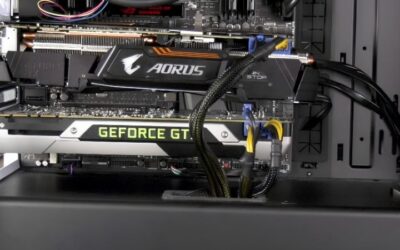
GPU vertical mount thermals are the make-or-break factor that decides whether a showpiece build looks stunning and runs cool, or looks stunning and quietly cooks itself. Mounting a graphics card vertically puts the fans on full display, but it also changes how the card breathes. Based on a synthesis of hundreds of user reports on Amazon riser kits and vertical brackets, plus widely shared community temperature logs, this review breaks down what actually happens to temperatures when you go vertical, where it goes wrong, and which gear keeps a vertical GPU happy.
What Vertical Mounting Really Does to GPU Temperatures
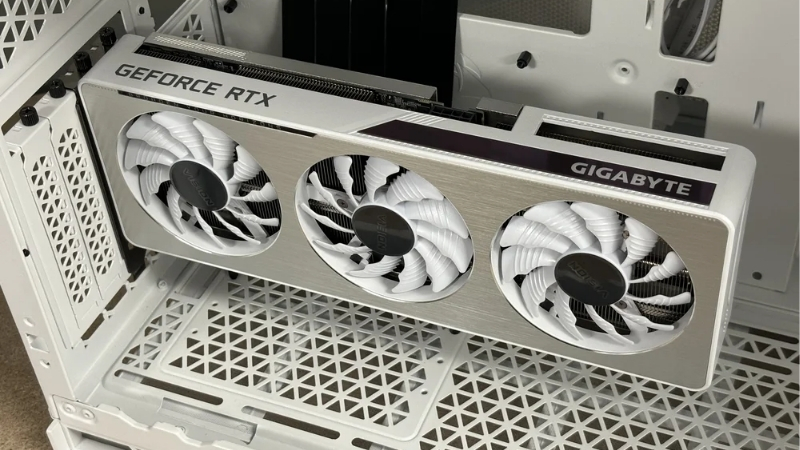
The quick answer: expect roughly 5 to 12 degrees Celsius hotter in a tight tempered-glass case, but close to zero penalty in a mesh-panel or wide case that keeps at least 35 to 40 millimeters of clearance between the fans and the panel. A vertical mount rotates the card 90 degrees so the fans face the side panel instead of the floor of the case. The visual payoff is obvious, but thermals depend almost entirely on one thing: how much clearance sits between the fans and the glass. Reviewers consistently report that this gap, not the bracket itself, is what separates a cool vertical build from a throttling one.
As an Amazon Associate we earn from qualifying purchases at no extra cost to you.


The Glass Panel Clearance Problem
The most common complaint in 3-star reviews is simple: the fans sit too close to a tempered glass side panel, starving them of air. Users repeatedly describe temperature jumps of roughly 5 to 12 degrees Celsius compared to the same card mounted horizontally, with the worst cases hitting throttle territory.
Cards with intake fans facing the glass suffer most because they cannot pull in enough fresh air. Reviewers who measured the gap found that anything under about 35 to 40 millimeters of clearance is where temperatures start climbing meaningfully.
The pattern is remarkably consistent across reports. Cards measured at 25 millimeters or less from the glass routinely show the worst numbers, while those with 45 millimeters or more behave almost like a horizontal install. If there is a single number to remember before going vertical, that clearance figure is it.
Airflow Direction and Case Design
Positive reviews almost always share a pattern: a mesh side panel instead of glass, or a wide case built for vertical mounting. With a mesh panel, several users reported temperatures within 1 to 3 degrees of horizontal mounting, essentially erasing the penalty.
Case airflow also matters more than people expect. A vertical card can block the path of intake fans, so builds with strong front-to-back airflow handle the rotation better than sealed, restricted cases.
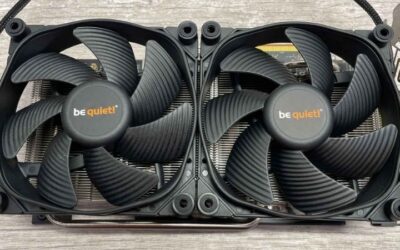
Several reviewers solved a marginal setup simply by adding two intake fans on the side panel, blowing fresh air directly at the now-exposed GPU fans. Those who did reported recovering most or all of the temperature penalty, which shows that airflow planning matters far more than the bracket brand you choose.
Card Thickness Versus Riser Position
Modern triple-fan cards are thick, and that thickness eats into the clearance budget. Reviewers with 3-slot and 4-slot cards report the tightest squeezes, since the cooler itself pushes the fans closer to the glass.
Some brackets allow you to set the card a slot or two further from the panel. Users who adjusted their riser outward consistently reported lower temperatures, making an adjustable bracket a smart buy for thick cards.
It is worth checking your card’s exact thickness in slots before you commit. A 2-slot card leaves generous breathing room behind a glass panel, while a chunky 3.5-slot or 4-slot cooler can eat almost the entire clearance budget on its own. Knowing this single spec ahead of time saves you from buying a bracket that physically fits but thermally suffocates the card.
Choosing a Riser Kit That Protects Your Thermals
Not all riser cables and brackets are equal, and the cheap ones show up again and again in negative reviews. A vertical mount adds a PCIe riser cable into the signal path, and a low-quality cable can cause instability that looks like a thermal problem but is really a connection issue. Picking the right kit protects both your temperatures and your sanity.
PCIe 4.0 and 5.0 Riser Cable Quality
For current GPUs, your riser cable must match your slot generation. Reviewers running modern cards on older PCIe 3.0 risers reported black screens, crashes, and forced bandwidth drops. A properly shielded PCIe 4.0 or 5.0 cable resolves these issues.
Higher-rated kits earn praise for thick shielding and solid connectors, while one-star reviews cluster around thin, unshielded cables. Spending a little more here is the difference between a stable build and a frustrating one, and the well-reviewed riser kits linked in this article are the ones users trust.
A useful detail from the reviews: some kits let you force the riser to run at a lower PCIe generation as a troubleshooting step. Owners who hit instability on a borderline cable used this to confirm whether the cable was the problem, then upgraded to a properly shielded version. It is a reminder that a cheap riser can masquerade as a thermal or hardware fault, costing you hours of misdiagnosis.
Bracket Adjustability and Build Quality
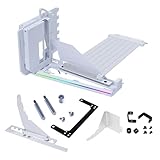
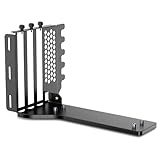
Adjustable brackets that let you fine-tune the distance to the panel consistently score higher because they let you reclaim clearance. Fixed brackets work only if your case already has the room.
Sturdy metal brackets also reduce GPU sag, a frequent secondary complaint. A solid bracket holds a heavy card level, which keeps the cooler seated properly and airflow consistent.
Sag is more than a cosmetic worry on a vertical mount. A drooping card can tilt its fans toward or away from the panel, changing the clearance you carefully planned for. A rigid metal bracket, and an optional support arm for very heavy cards, keeps everything square so your thermal results stay predictable over months of use rather than slowly drifting as the card settles.
Pros and Cons of Vertical GPU Mounting
Here is the honest balance drawn from real owner feedback:
- Pros: a standout visual centerpiece, full view of the card and its lighting, reduced GPU sag with a rigid bracket, and near-zero thermal penalty in a mesh-panel or wide case.
- Cons: a real 5 to 12 degree temperature rise in tight glass-panel cases, added cost for a quality riser, possible PCIe instability with cheap cables, and tighter fits for thick 3-slot or 4-slot cards.
The verdict from owners is clear: vertical mounting is excellent if you plan around clearance and buy a good riser, and risky if you treat thermals as an afterthought.
Real-World Results and Who Should Go Vertical
Pulling together the experiences shared across reviews, vertical mounting works beautifully for a specific kind of builder and poorly for another. The deciding factors are your case, your card’s thickness, and how much you value looks versus a few degrees of headroom. This section translates the data into a clear recommendation.
Best Scenarios for Cool Vertical Mounting
If you own a wide showcase case with a mesh side panel, vertical mounting is close to free thermally, and reviewers in this group are overwhelmingly positive. The same is true for lower-power cards that generate less heat to begin with.
Builders who measured clearance before buying, and who chose an adjustable bracket, reported the best outcomes. Planning ahead is the common thread in every happy review.
When to Avoid It or Add Cooling
Skip vertical mounting, or expect to fight temperatures, if you have a compact glass-panel case and a thick, high-wattage card. That combination produces the worst reports in the data.
If you still want the look, owners suggest adding side-panel intake fans or swapping to a mesh panel. These fixes recovered most of the lost performance in user testing, turning a hot build back into a cool one.
Be honest with yourself about how hard you push the card, too. A light esports setup may never reach temperatures where tight clearance matters, so a glass-panel vertical mount could be perfectly fine. A heavy 4K gaming or rendering rig generates far more sustained heat, and that is exactly the workload where a cramped vertical install shows its weakness fastest.
A Quick Setup Checklist for a Cool Vertical Build
Owners with the best results tend to follow the same short checklist before committing. First, measure the gap between your card’s fans and the side panel; aim for at least 35 to 40 millimeters of clearance. Second, confirm your riser cable matches your slot generation, whether that is PCIe 4.0 or 5.0.
Third, favor an adjustable bracket so you can push the card outward if temperatures climb. Reviewers who ticked off these three boxes before buying almost never appear in the negative reviews, while those who skipped them make up the bulk of the complaints.
If your case has a glass panel and tight clearance, plan for side-panel intake fans from the start rather than as an afterthought. Treating airflow as part of the build, not a fix applied later, is the single habit that separates a cool vertical showpiece from a throttling one.
A vertical GPU can absolutely run cool when the parts are chosen with care. If you are ready to build the showpiece without sacrificing temperatures, check the well-reviewed riser kits and adjustable brackets recommended in this review and pick the one that matches your case and card.
See More:
Conclusion
Healthy gpu vertical mount thermals come down to clearance, airflow, and a quality riser, not luck. Real owner data shows the penalty ranges from almost nothing in a mesh-panel case to a serious 5 to 12 degree climb in a tight glass build. Measure your gap, favor an adjustable bracket, and never cheap out on the PCIe cable. Do those three things and your vertical card will look incredible and stay cool. Browse the recommended riser kits and brackets above to set up your vertical mount the right way.
Top-Rated Picks


Save $3.65


| Product | Brand | Rating | Reviews | Price |
|---|---|---|---|---|
| ARCTIC MX-4 (4 g) – Premium Performance Thermal Paste… | ARCTIC | ★ 4.8 | 104k | $4.99 |
| ARCTIC MX-4 (incl. Spatula, 4 g) – Premium Performanc… | ARCTIC | ★ 4.8 | 71.9k | $5.49 |
| Crucial 8GB DDR4 RAM 3200MHz (PC4-25600), Downclockab… | Crucial | ★ 4.8 | 62.8k | $74.99 |
| AMD Ryzen 5 5600X 6-core, 12-thread unlocked desktop … | — | ★ 4.8 | 30.2k | $177.60 |
| NVIDIA Shield Remote; Voice Search, Motion-Activated,… | — | ★ 4.7 | 10.6k | $25.99 |
Frequently Asked Questions
Does vertical mounting make a graphics card run hotter?
It depends almost entirely on clearance to the side panel. With less than about 40mm of gap, intake fans recirculate their own exhaust and core temperatures typically rise eight to fifteen degrees. With 60mm or more, or with a case designed for vertical mounting and side intake, the difference often falls to a couple of degrees.
How much clearance do I actually need?
Aim for at least 60mm between the card’s fan intake face and the glass for a three-slot cooler. Cases that support vertical mounting properly usually place the mount further from the panel or offer a mesh side. If your riser bracket sits in the standard rear slot positions, expect a tight and thermally compromised fit.
Do I need a PCIe 4.0 or 5.0 riser cable?
Yes, if your platform runs at those speeds. A cheap PCIe 3.0 riser on a 4.0 or 5.0 slot causes signal integrity problems that manifest as black screens, driver timeouts or the slot silently dropping to a slower link. Buy a riser explicitly certified for your generation from a known cable manufacturer.
Does vertical mounting help with card sag?
It does eliminate the leverage that causes horizontal sag, since the card’s weight now runs along the bracket rather than across the slot. That is a genuine mechanical benefit for heavy flagship coolers. The trade-off remains thermal, so weigh reduced mechanical stress against the airflow penalty for your particular case.
How can I improve temperatures in a vertical setup?
Fit a mesh side panel if one is available, add a side intake fan blowing directly at the card, and raise front intake pressure so cool air is pushed toward the mount. An undervolt is also very effective here, because reducing heat output at the source compensates for the restricted airflow path.







Write Your Review
No reviews yet. Be the first to share your experience!