
- Top Pick: KIKIFAN 2pcs 87mm PLD09210S12HH 1660 Super GPU Fan for MSI GeForce GTX 1660 Super 1660Ti RTX 2060 Ventus XS OC Cooling Graphics Card Fan
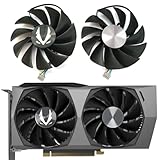
- Best Value: Graphics Card Cooling Fans Suitable for NVIDIA RTX 3070TI 3080 3080Ti FE Founders Edition Desktop 12V 0.6A 6Pin DAPC0815B2UP008 DAPC0815B2UP003 AFB0912HD-02 85mm (Fan 1)
- Premium Choice: GA92S2U CF9015H12S 4PIN for GPU RTX3080 RTX3090 Cooling Fan for Zotac RTX 3070Ti 3080 3080TI 3090 Trinity Oc Video Card Cooling Fan (Fan-ABC)


Prime
Limited Time
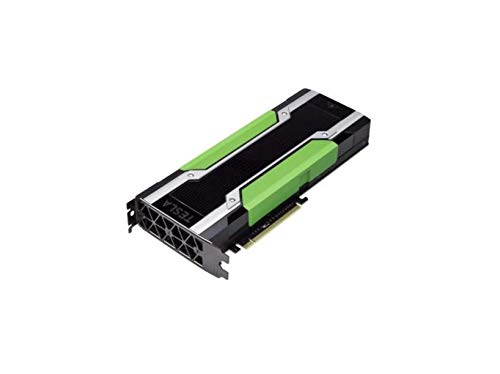
Generic Full Height Bracket Compatible with Nvidia Tesla P40 P100 M60 V100 GPU PK3RJ 820178-001 with 4 Screws


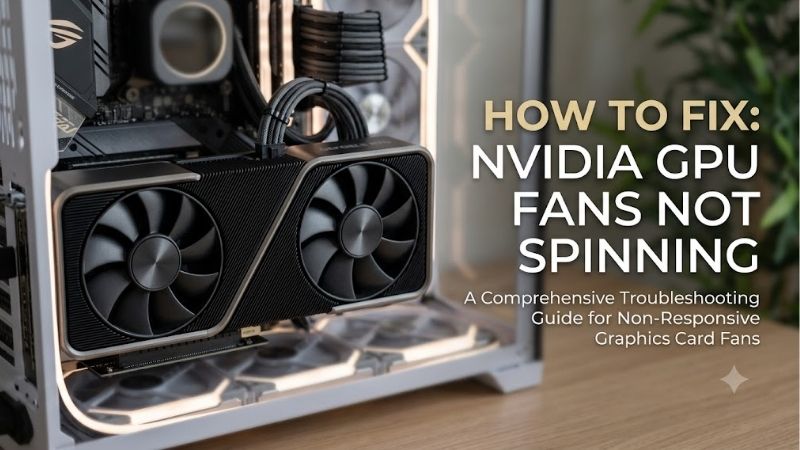
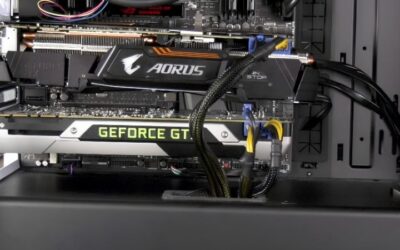
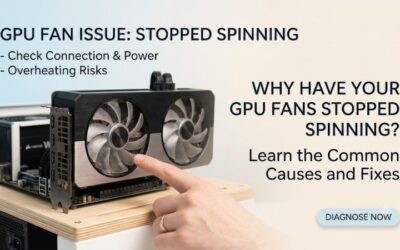
If you notice Nvidia Gpu Fans Not Spinning on your graphics card, it might be an intentional cooling feature or a hardware defect. Modern GPUs use intelligent fan-stop modes to eliminate idle noise, but unexpected fan failures demand quick troubleshooting to protect your PC.
Understanding Nvidia Fan Stop Technology and Diagnostics
Evaluating why your graphics card fans remain motionless requires distinguishing between intentional silent operation modes and critical hardware malfunctions. Modern GPU architectures incorporate intelligent thermal management designed to prolong mechanical lifespan and eliminate desktop background noise.
As an Amazon Associate we earn from qualifying purchases at no extra cost to you.






Zero RPM Mode Operations in Modern RTX Architecture
Modern Nvidia GeForce cards, spanning from the RTX 30 and 40 series up to the latest Blackwell RTX 50 series, feature built-in 0dB or Zero RPM technology. Under light operational workloads such as web browsing, video streaming, or document editing, core thermal output remains well below critical thresholds.
The graphics card firmware keeps the cooling fans completely stopped until core temperatures exceed approximately 60 degrees Celsius. Once thermal loads increase during gaming or 3D rendering, the onboard controller automatically triggers fan spinning to maintain safe temperatures without user intervention.
This passive cooling phase often causes unnecessary alarm for desktop PC builders unfamiliar with modern thermal profiles. Observing stationary fan blades while desktop applications are idle usually indicates healthy firmware operation rather than a hardware breakdown.
Software Conflicts and Fan Curve Overrides in Afterburner
Custom software utilities like MSI Afterburner, EVGA Precision X1, or Nvidia App can disrupt default firmware fan behaviors if configured incorrectly. Outdated utility profiles or corrupted configuration files can force fan speeds to zero percent even under heavy graphics workloads.
Third-party monitoring applications frequently overwrite hardware control tables, preventing automatic fan activation when GPU core temperatures climb. Disabling custom fan curves or resetting software utilities to factory default settings resolves a substantial portion of reported fan stoppage incidents.
Driver updates can occasionally trigger communication errors between the operating system and the GPU fan controller board. Performing a clean graphics driver reinstallation using Display Driver Uninstaller restores native hardware communication and standard fan response profiles.
Check the latest price on Amazon
Hardware Faults, Power Cables, and Thermal Sensor Triggers
When software troubleshooting fails to restore fan rotation, physical inspection of the graphics card and power delivery hardware becomes necessary. Loose 12VHPWR or 12V-2×6 power connectors can prevent auxiliary power delivery to fan headers while leaving basic display outputs operational.
Internal fan cable headers on the GPU printed circuit board can vibrate loose over years of desktop usage or thermal expansion cycles. Inspecting the physical wire connection beneath the cooling shroud ensures control signals reach the fan motors directly.
Defective thermal sensors or burnt motor bearings represent permanent mechanical hardware failures that prevent blades from spinning entirely. If GPU temperatures exceed 80 degrees Celsius while fan blades remain completely stationary, immediate hardware repair or fan module replacement is mandatory.
Real-World Performance, Replacement Coolers, and Amazon Feedback
Translating technical diagnostic steps into long-term hardware solutions involves analyzing real user experiences, replacement cooling performance, and physical build quality. Examining market options helps buyers choose between simple DIY fan repairs or upgrading to a fresh graphics card.
Check the latest price on Amazon:
Analyzing Amazon Customer Reviews and Common Hardware Issues
Customer reviews on Amazon highlight a clear divide between users misinterpreting Zero RPM features and those dealing with actual mechanical motor wear. Verified purchasers of mid-range and high-end Nvidia cards frequently award 5-star ratings once they understand that idle fan stoppage is designed to maintain dead-silent desktop operation.
Conversely, 2-star and 3-star customer feedback often centers on sleeve-bearing fan wear after two to three years of continuous gaming. Users report noticeable rattling noises preceding total fan lockup, where fan blades physically seize up due to dust accumulation or bearing oil degradation.
Reviewers appreciate graphics card models that feature modular, easily accessible fan shrouds. Cards equipped with quick-swap fan mechanisms allow users to clip out failed fan modules without removing the entire copper heatsink assembly or breaking factory thermal seals.
Replacement GPU Fans vs Premium Aftermarket Cooling Solutions
Restoring active airflow to a card with seized motors can be accomplished through affordable direct-replacement fan kits or universal GPU coolers available on Amazon. OEM replacement fan sets cost significantly less than replacing an entire graphics card, offering a budget-friendly fix for out-of-warranty hardware.
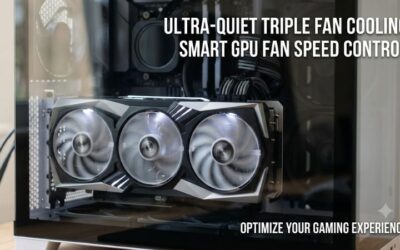
Installing aftermarket triple-fan cooling assemblies or custom liquid cooling blocks provides reduced thermal output and lower noise levels compared to stock shrouds. However, mounting these large cooling units requires careful clearance verification inside standard PC enclosures.
Check the latest price on Amazon
For users hesitant to disassemble complex heatsinks, purchasing a fresh factory-sealed GPU offers upgraded processing architecture, updated VRAM capacity, and full manufacturer warranty coverage. Weighing repair effort against modern architecture benefits guides smart desktop upgrading decisions.
Nvidia Gpu Fans Not Spinning Pros and Cons Analysis
Understanding the behavioral trade-offs of silent fan operation assists PC enthusiasts in maintaining system stability while enjoying low noise levels. Evaluating passive cooling features against potential mechanical failure points clarifies the pros and cons of modern GPU cooling designs.
Pros:
- Silent operation during routine desktop workloads extends fan bearing operational lifespan significantly.
- Reduced dust accumulation inside heat sink fins due to inactive fan rotation during idle hours.
- Energy-efficient thermal algorithms prevent unnecessary power draw from cooling fan motors.
- Modern firmware includes built-in thermal throttling safety controls to prevent chip damage if fans fail.
- Readily available OEM replacement fan modules on Amazon simplify DIY mechanical repair efforts.
Cons:
- Silent fan modes can create false hardware panic for inexperienced desktop PC builders.
- Software conflicts in tuning utilities can accidentally lock fan speeds at zero under load.
- Mechanical fan motor bearings eventually wear out after years of high-RPM gaming sessions.
- Compact ITX card shrouds lack quick-swap fan modules, requiring complex heatsink disassembly.
2026 GPU Market Dynamics, Component Prices, and Buy Guide
Evaluating GPU hardware decisions requires analyzing broader semiconductor industry trends, global supply chains, and rising desktop component costs in 2026. Understanding macroeconomic factors helps buyers decide whether to repair an older GPU or purchase a modern replacement.
Global H200 AI Chip Allocations and Consumer Silicon Supply
The global technology ecosystem continues to adapt to major regulatory shifts, including modified international trade policies permitting NVIDIA to export high-performance H200 AI chips to expanded enterprise markets. This policy shift has concentrated massive silicon manufacturing capacity toward high-margin enterprise data center processors.
Leading semiconductor foundries like TSMC prioritize advanced wafer allocation and packaging lines for enterprise AI hardware over consumer silicon. Consequently, production volumes for desktop graphics processors remain tightly managed rather than overproduced.
For retail consumers, controlled consumer GPU manufacturing means drastic price crashes below standard MSRP are highly improbable. Desktop builders waiting for market clearance discounts may find limited inventory, making timely component purchases more practical than long-term waiting strategies.
Component Price Inflation and Hardware Upgrade Timing Strategies
Broader economic factors continue to drive component price increases across the desktop PC ecosystem in 2026. Substrate material costs, high-speed GDDR7 memory pricing, and global logistics tariffs have steadily inflated retail prices for standalone graphics cards, prebuilt desktops, and gaming laptops.
As gaming laptop prices climb rapidly, desktop PC builds retain superior long-term value due to their modularity and repairability. Upgrading an existing desktop system with a modern, energy-efficient graphics card avoids the steep price premiums associated with fully integrated portable laptops.
Check the latest price on Amazon
Securing a replacement GPU or cooling kit early protects your budget against ongoing hardware price inflation. Selling older hardware or repaired components on secondary markets further mitigates net upgrade expenses.
Value Assessment and Smart Amazon Purchase Advice
Replacing a broken card with a modern RTX generation graphics card delivers incredible architectural leaps for gamers upgrading from older series. Features like DLSS 4 frame generation, expanded ray tracing cores, and efficient power draw transform gaming performance at popular 1080p and 1440p resolutions.
When shopping for graphics cards on Amazon, look for reputable board partner models from ASUS, MSI, Gigabyte, or Zotac that feature robust dual-ball bearing fans. Double-check your PC case dimensions, power supply wattage ratings, and connector clearance requirements before completing your order.
For budget-conscious builders dealing with fan failures on older cards, ordering a $20 replacement fan set on Amazon offers exceptional value. However, if your GPU core is several generations outdated, investing in a current-generation desktop graphics card represents the smartest long-term investment.
Conclusion
Understanding the root cause behind Nvidia Gpu Fans Not Spinning helps desktop gamers distinguish between normal Zero RPM silent cooling features and actual hardware failures. Whether you resolve fan stoppage through software tuning, install affordable Amazon replacement fans, or upgrade to a brand-new Blackwell graphics card, maintaining proper GPU airflow ensures peak gaming performance. Securing your desktop hardware today shields your gaming setup against rising component price inflation and guarantees smooth frame rates for years to come.
Frequently Asked Questions
Is it normal for my GPU fans to sit completely still?
Usually yes. Nearly every modern GeForce card from the GTX 10 series onward uses a zero-RPM or fan-stop mode, keeping the fans motionless on the desktop and during light workloads until the core passes roughly fifty-five to sixty degrees Celsius. If the fans spin up under a gaming load and temperatures stay reasonable, the card is behaving exactly as designed.
How do I confirm whether the fans are actually broken?
Run a monitoring tool such as HWiNFO64, GPU-Z or MSI Afterburner and watch both fan RPM and core temperature while running a load like FurMark or a demanding game. If temperature climbs past seventy degrees with RPM stuck at zero, there is a genuine fault. You can also force a hundred percent fan speed manually in Afterburner to test whether the motors respond at all.
Could a power cable problem stop the fans?
Yes. If a PCIe power cable is loose, only partially seated, or a 12V-2×6 connector is not fully clicked in, the card may enter a protected low-power state where it outputs video but never ramps its fans or clocks. Reseat every power cable at both the card and the PSU, and use separate cables rather than daisy-chained pigtails wherever possible.
Can a driver or software issue cause this?
It can. A corrupted driver install, a stale custom fan curve left behind by uninstalled software, or two overlapping utilities fighting over fan control will all produce stuck fans. Do a clean driver install using Display Driver Uninstaller in Safe Mode, remove any duplicate vendor tools such as Afterburner alongside the manufacturer utility, and reset the fan curve to default before assuming hardware failure.
When should I replace the fans or the card?
If the fans grind, rattle, spin slowly, or only start after a manual nudge, the bearings are worn and replacement fans are the fix. Many partner brands sell exact replacement modules, and generic replacements exist for common sizes. If the fan header itself is dead, or the card is still under a manufacturer warranty period, an RMA is the safer route than surgery on the PCB.

Write Your Review
No reviews yet. Be the first to share your experience!