
- Top Pick: Samsung 40” Odyssey G7 (G75F) Series WUHD Curved Gaming Monitor
- Best Value: Alienware 34 Curved Gaming Monitor – AW3425DWM – 34-inch WQHD 180Hz 1ms Display, 1500R, AMD FreeSync Premium, VESA AdaptiveSync.
- Premium Choice: Alienware 34 240Hz QD-OLED Curved Gaming Monitor – AW3425DW – 34.2-inch WQHD (3440 x 1440) 0.03ms Display, 1800R Curve, AMD FreeSync Premium Pro, VESA AdaptiveSync, DisplayHDR TrueBlack 400
The best 4K ultrawide gaming monitor means a 5120×2160 panel, not the 3440×1440 displays that dominate the ultrawide category. That distinction matters because the true 5K2K resolution carries around a third more pixels than standard 4K, and your graphics card pays for every one of them. The terminology hides a real hardware requirement.
As an Amazon Associate we earn from qualifying purchases at no extra cost to you.


As an Amazon Associate we earn from qualifying purchases at no extra cost to you.
By Ryan Cole
How to Choose the Best 4K Ultrawide Gaming Monitor
This category is small, expensive and easy to misunderstand, largely because the marketing language is loose. These four points cover what actually separates the panels and what your system needs to drive them. Choosing the best 4K ultrawide gaming monitor starts with the pixel count.
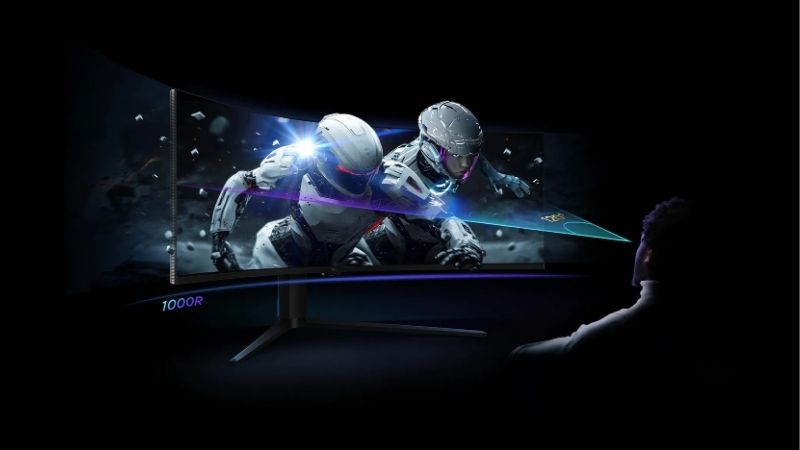
What counts as 4K ultrawide
A 5120×2160 panel is the genuine article, offering the same 2160 vertical pixels as 4K with a wider 21:9 frame. Displays at 3440×1440 are ultrawide but not 4K, and 5120×1440 super ultrawides are wider still with far less vertical space. Marketing uses the word ultrawide very loosely.
The distinction is not pedantry. At 5120×2160 you are pushing roughly eleven million pixels compared with about eight million at standard 4K, which is a substantial extra load on a graphics card already working hard at high settings. That extra load lands entirely on the graphics card.
Panel technology and what it costs
OLED panels deliver near-instant response and true black levels, which suits games with dark scenes and fast motion. The trade-offs are lower full-screen brightness, the possibility of image retention over years, and a considerably higher price. Room lighting affects which panel type suits you.
Modern IPS panels reach higher sustained brightness and carry no retention risk, which suits mixed work and gaming. Contrast is the compromise, though newer IPS variants with improved black levels have narrowed that gap noticeably in recent years. Newer IPS variants have narrowed the contrast gap.
Refresh rate against what you can drive
High refresh rates at this resolution are demanding. A 165Hz panel is only useful if the graphics card can produce frames fast enough, and at 5120×2160 that usually means running upscaling and accepting lower settings in demanding titles. Upscaling is the normal way people run these panels.
A 120Hz panel is a reasonable target for mixed use. If you mainly play slower single-player games, prioritising resolution and panel quality over refresh rate gives a better result than chasing a number the system cannot sustain. Panel quality outlasts a refresh rate number.
Connectivity and desk considerations
Check that the display and your graphics card share a connection capable of the resolution and refresh you want. DisplayPort 2.1 and HDMI 2.1 both handle high bandwidth, but older cards and cables can silently limit what the panel actually receives. Older cables silently limit bandwidth as well.
Physical size is easy to underestimate. A 40 or 45-inch ultrawide needs real desk depth to sit at a comfortable viewing distance, and a monitor arm is often necessary because the supplied stands are large and not always adjustable enough. Measure your desk before ordering anything this size.
Top Picks: Best 4K Ultrawide Gaming Monitor Options
Four true 5K2K panels plus one honest alternative for anyone whose graphics card cannot sustain that resolution. Match the refresh column to your hardware rather than your ambitions. Stock was checked in August 2026. Which is the best 4K ultrawide gaming monitor depends entirely on your graphics card.
| Monitor | Resolution | Panel | Refresh |
|---|---|---|---|
| LG UltraGear 45GX950A | 5120×2160 | OLED, 45 inch | Up to 165Hz |
| Dell UltraSharp U4025QW | 5120×2160 | IPS Black, 40 inch | 120Hz |
| LG 40WP95C-W | 5120×2160 | Nano IPS, 40 inch | 72Hz |
| Samsung Odyssey OLED G9 | 5120×1440 | QD-OLED, 49 inch | 240Hz |
| Alienware AW3423DWF | 3440×1440 | QD-OLED, 34 inch | 165Hz |
LG UltraGear 45GX950A
This is the closest thing to a purpose-built 4K ultrawide gaming display, pairing a 45-inch 5120×2160 OLED panel with a refresh rate up to 165Hz. For anyone with a card capable of driving it, nothing else in the category combines both properties. It is the only true gaming panel at this resolution.
It is extremely expensive and physically enormous, which means desk depth and a sturdy mount are genuine considerations. OLED brightness in full-screen bright scenes also remains lower than a good IPS panel, which is noticeable in daylight. Plan for a monitor arm from the start.
Dell UltraSharp U4025QW
Dell’s 40-inch IPS Black panel is the practical choice for people who work as well as game. It runs 5120×2160 at 120Hz with strong colour accuracy, and the improved black levels close much of the traditional gap to OLED. It suits people who work as much as they play.
It is a productivity display first, so gaming features are basic compared with dedicated gaming monitors. The 120Hz ceiling is also lower than enthusiast panels, though at this resolution few graphics cards will exceed it anyway. Few cards will exceed 120Hz at this resolution anyway.
LG 40WP95C-W
The 40WP95C is the value route into 5120×2160, using a Nano IPS panel with Thunderbolt connectivity that simplifies laptop setups. For slower-paced games and general use, the resolution and screen area are what you are buying. It is the cheapest route to 5120×2160.
Refresh tops out at 72Hz, which rules it out for competitive play and makes fast motion noticeably less smooth. Treat it as a large productivity display that games acceptably rather than as a gaming monitor with a compromise. Fast motion is where the low refresh shows.
Samsung Odyssey OLED G9
If width matters more than vertical space, this 49-inch 5120×1440 QD-OLED runs at 240Hz and is far easier to drive than a 5K2K panel. In racing and flight titles the wraparound effect is more compelling than the extra vertical pixels. Width matters more than height in racing titles.
It is not a 4K ultrawide, since 1440 vertical pixels is well short of 2160, and that shows in desktop work where vertical space runs out quickly. The curve is also aggressive enough that some people never adjust to it. Desktop work runs out of vertical space quickly.
Alienware AW3423DWF
Included as the honest alternative, this 34-inch 3440×1440 QD-OLED at 165Hz costs a fraction of the true 5K2K panels and is far easier to drive. For most graphics cards it delivers a better experience than a 5120×2160 display at reduced settings. It is far easier on a mid-range graphics card.
It is not the resolution you searched for, and the smaller screen area is obvious next to a 40-inch panel. If your card can genuinely sustain 5K2K, the larger displays above are the better long-term purchase. Screen area is the obvious compromise here.
What the 2026 Market Means for This Upgrade
Buying the best 4K ultrawide gaming monitor is really a graphics card decision, which makes the current state of that market central to the timing of this purchase. Both point back to the graphics card question.
Graphics card pricing is the real obstacle
Card prices have risen roughly 19% globally since late 2025, with some tiers moving considerably more. Driving 5120×2160 at high refresh needs hardware from the upper end of the range, which is exactly where the increases have been steepest. That tier has seen the steepest increases.
Radeon RX 9000 cards use GDDR6 rather than the scarcer GDDR7 and have been less affected by those increases, which makes them worth comparing. Prices here reflect August 2026 and should be checked against current listings. Radeon cards are worth comparing on price.
Nothing new arrives before CES 2027
The refreshed NVIDIA lineup and the next AMD and Intel processor generations have all moved to CES in January 2027, so there is no imminent launch that will relieve pricing pressure or bring substantially faster cards to market. There is no launch that will relieve this soon.
That removes the argument for waiting on the graphics side. If you already own a capable card, buying the monitor now is reasonable, and if you do not, the card is the purchase that should come first. The card should come before the panel.
Timing the monitor purchase
Displays are not tied to the memory contract pricing that has kept storage and system memory elevated, so genuine reductions around 27 November remain plausible in this category. Panels in this niche discount less predictably than mainstream sizes. Niche panels discount less predictably than mainstream sizes.
Availability is worth watching too. These are low-volume products, and a specific model can disappear for months rather than weeks, so buying when you find the panel you want is often the more practical approach. Low-volume models can vanish for months at a time.
Frequently Asked Questions
The questions readers ask most about this category, covering resolution definitions, hardware requirements, upscaling and whether the format suits their games. They come up most from readers deciding whether the best 4K ultrawide gaming monitor is worth the hardware.
Is 3440×1440 the same as 4K ultrawide?
No. It has 1440 vertical pixels rather than 2160, so it is ultrawide but not 4K. The genuine 4K ultrawide resolution is 5120×2160, which carries roughly a third more pixels than a standard 4K display does. The naming is the source of most confusion.
What graphics card do I need for 5120×2160?
Something from the upper end of the current range, and even then upscaling is usually necessary in demanding titles. At this resolution the card determines your experience far more than the panel refresh rate does. The card determines the experience more than the panel.
Does upscaling work well at this resolution?
Generally yes, since there are plenty of source pixels to work with. Rendering at a lower internal resolution and upscaling is the normal way people run 5K2K panels at high refresh in current games. There are plenty of source pixels to work with.
Do all games support 21:9 properly?
Most modern titles do, but some older games and a number of competitive shooters either letterbox the image or restrict the field of view. Checking your regular games before buying avoids an expensive disappointment. Check your regular titles before committing.
See More:
- best CPU cooler for Ryzen 5 5600X
- best small form factor CPU cooler
- best SFF CPU cooler
- best CPU cooler for i9-14900K
- What is the best AIO CPU cooler
Final Thoughts
Choosing the best 4K ultrawide gaming monitor starts with being honest about your graphics card, because 5120×2160 is a genuinely heavy load. Confirm what your hardware can sustain, then pick the panel technology that suits how you actually play. Panel technology matters less than raw pixel count.











Write Your Review
No reviews yet. Be the first to share your experience!