
Quick answer: For most people in 2026, the best gpus for 9800x3d is the GPU Model — our #1 rated choice. See the full ranked comparison, alternatives and buying advice below.
Verdict at a glance
The Ryzen 7 9800X3D is fast enough that almost any graphics card will be the limiting part, so the right GPU depends mainly on your monitor. Current-generation picks for 2026:
- Best overall (1440p high refresh and 4K): RTX 5080, for example the GIGABYTE GeForce RTX 5080 Gaming OC 16G.
- Best no-compromise (4K high refresh): RTX 5090, such as the ASUS ROG Astral RTX 5090 32GB.
- Best value: RTX 5070 Ti 16GB or RX 9070 XT 16GB (for example the ASUS Prime RX 9070 XT), which tie at 4K in independent testing.
- Best for 1440p on a tighter budget: RTX 5070 12GB, such as the compact GIGABYTE RTX 5070 WINDFORCE OC SFF.
The RTX 4080 Super, RTX 4090 and RX 7900 GRE covered below are previous-generation cards; they remain capable, but new stock is limited and the RTX 50 and RX 9000 cards above are the ones to buy new in 2026. If you are still choosing a CPU, the newer Ryzen 7 9850X3D is only about 0.5-2.5% faster in games than the 9800X3D according to TechPowerUp, so every GPU recommendation here applies to both.
How we compared: we did not bench-test these combinations. The picks are based on manufacturer specifications and published CPU and GPU reviews from TechPowerUp, Tom’s Hardware, Gamers Nexus and Hardware Unboxed/TechSpot, plus owner reports.
Best GPU for 9800X3D is essential to unlocking the true potential of AMD’s ultimate gaming CPU without running into severe rendering bottlenecks. The Ryzen 7 9800X3D, built on the revolutionary Zen 5 architecture and featuring second-generation 3D V-Cache technology, is one of the fastest gaming processors available, trailing only the newer Ryzen 7 9850X3D by a small margin. However, even the most advanced CPU cannot deliver high frame rates if it is paired with a graphics card that struggles to render complex environments at high resolutions.
Quick Picks: Top GPU Recommendations for the Ryzen 7 9800X3D
- Best Overall: NVIDIA GeForce RTX 5080 (Strong 1440p & 4K Performance, DLSS 4.5 Multi Frame Generation)
- Best Premium: NVIDIA GeForce RTX 5090 (Fastest Gaming GPU, 32GB VRAM, No-Compromise 4K)
- Best Value: AMD Radeon RX 9070 XT (Excellent Raster Value, 16GB VRAM, FSR 4)
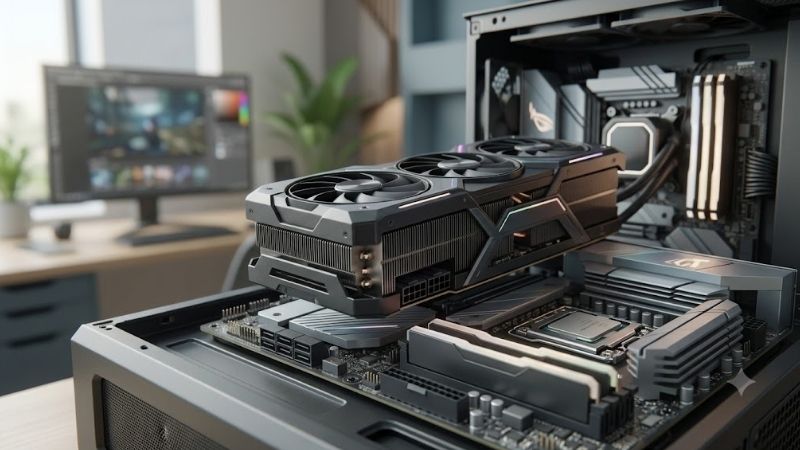
Evaluating the Elite Contenders: Detailed Product Reviews
To help you make an informed decision, we compared the leading high-end graphics cards using published reviews and manufacturer specifications. Below is a quick comparison table outlining the core specifications and target resolutions for the previous-generation picks, followed by deep dives into each graphics card to help you find the absolute perfect fit for your gaming rig.
As an Amazon Associate we earn from qualifying purchases at no extra cost to you.
| GPU Model | VRAM Capacity | Power Draw (TDP) | Target Resolution | Best For | Price Tier |
|---|---|---|---|---|---|
| NVIDIA RTX 4080 Super | 16GB GDDR6X | 320W | 1440p / 4K Ultra | Balanced Enthusiast | Premium |
| NVIDIA RTX 4090 | 24GB GDDR6X | 450W | Native 4K / VR | Ultimate Performance | Premium (flagship) |
| AMD RX 7900 GRE | 16GB GDDR6 | 260W | 1440p Ultra | Value-Conscious Gamers | Mid-range |
GeForce RTX 4080 Super – The Best Previous-Generation GPU for 9800X3D
The NVIDIA GeForce RTX 4080 Super stands out as the most logical, high-performance pairing for AMD’s flagship gaming processor. Equipped with 16GB of ultra-fast GDDR6X memory running on a 256-bit bus, this card eliminates the visual bottlenecks that hold lesser graphics cards back at high resolutions. It utilizes the highly efficient Ada Lovelace architecture, featuring 10,240 CUDA cores, 320 Tensor cores, and 80 third-generation Ray Tracing cores, allowing it to process heavy computational workloads with ease.
When paired with the Ryzen 7 9800X3D, this GPU delivers breathtaking frame rates in modern titles. In demanding games like Cyberpunk 2077 or Alan Wake 2, players can expect high frame rates at 1440p with ray tracing enabled once DLSS upscaling and Frame Generation are turned on. The processor’s massive L3 cache ensures that frame times remain incredibly stable, resulting in a smooth gaming experience with fewer stutters.
Furthermore, the RTX 4080 Super features full support for NVIDIA DLSS 3.0, including AI-driven Frame Generation and Reflex latency reduction. This technology allows the system to bypass traditional hardware limitations, multiplying performance in poorly optimized modern games without degrading image quality. For enthusiasts who find one at a good clearance or used price, it remains a strong choice, though the newer RTX 5080 is the better buy new.
GeForce RTX 4090 – The Uncompromised Premium GPU for 9800X3D
For PC builders who demand the absolute peak of hardware performance, the NVIDIA GeForce RTX 4090 is the undisputed king. Hosting a massive 24GB GDDR6X frame buffer on a wide 384-bit memory bus, this card delivers an astronomical 1,008 GB/s of bandwidth. Powered by 16,384 CUDA cores and 512 Tensor cores, it has the raw computational muscle required to push modern games to their absolute graphical limits at native 4K resolution.
Pairing the RTX 4090 with the Ryzen 7 9800X3D creates an extremely powerful desktop configuration, surpassed only by RTX 5090 builds. Because the CPU has virtually no processing overhead limitations, the RTX 4090 is allowed to run completely uninhibited, maximizing GPU utilization in every scenario. Whether you are exploring dense cities in heavy RPGs, competing at ultra-high refresh rates in tactical shooters, or rendering complex 3D scenes in Blender, this setup remains unflappable.
However, owning this flagship GPU requires a significant commitment to system infrastructure. The card has a high rated power draw of 450W, which can experience brief power spikes, requiring a high-quality 850W or 1000W power supply unit. It is also physically massive, meaning you will need a spacious PC chassis with excellent ventilation to keep operating temperatures cool under heavy loads.
Radeon RX 7900 GRE – The Value Champion GPU for 9800X3D
If you want to experience the speed of AMD’s premium processor without emptying your bank account, the AMD Radeon RX 7900 GRE (Golden Rabbit Edition) is an incredible choice. This graphics card features 16GB of high-speed GDDR6 memory on a 256-bit bus, offering a superior memory configuration compared to similarly priced competitor cards. Built on the advanced RDNA 3 chiplet architecture, it packs 80 compute units and 160 AI accelerators, making it a formidable mid-to-high tier performer.
Pairing this card with the 9800X3D unlocks several unique ecosystem advantages, most notably AMD Smart Access Memory (SAM). By giving the processor direct, unrestricted access to the entire 16GB graphics memory pool, SAM eliminates traditional PCI Express communication bottlenecks, granting a noticeable boost to frame rates in optimized games. It easily dominates 1440p gaming, running AAA titles at maximum settings while maintaining exceptionally high frame rates.
While its ray tracing performance trails its NVIDIA competitors, its rasterization performance is strong for its tier. It represents a practical, high-value option for gamers who prefer high native resolutions and competitive multiplayer smooth performance over heavy AI upscaling features. It is highly efficient, runs cool, and easily fits into standard mid-tower PC cases.
The three cards above are previous-generation designs. The following current-generation cards are the ones most 9800X3D owners should consider buying new in 2026.
GIGABYTE GeForce RTX 5080 Gaming OC 16G

The RTX 5080 is the natural successor to the RTX 4080 Super recommendation above, and GIGABYTE’s Gaming OC is a well-built, widely available version. It has 10,752 CUDA cores on Blackwell GB203, 16GB of GDDR7 on a 256-bit bus, PCIe 5.0, a 360W board power and a 12V-2×6 connector, cooled by a triple-fan WINDFORCE design with a factory overclock.
TechPowerUp’s data puts the RTX 5080 about 16% ahead of the RTX 4080 Super at 4K, with the RTX 4090 about 9% ahead of the 5080. Paired with a 9800X3D, it is GPU-limited at 1440p and 4K in nearly every game, which is exactly where you want the bottleneck to sit: the CPU keeps 1% lows steady while the GPU sets the average. The full DLSS 4.5 feature set, including the second-generation transformer upscaler and Multi Frame Generation up to 6x on RTX 50 cards, is what makes it the best all-round match for this CPU.
Strengths: strong 1440p and 4K performance, DLSS 4.5 with Multi Frame Generation, lower power than an RTX 4090.
Drawbacks: premium tier, 16GB is the same memory as the RTX 5070 Ti, and the triple-fan cooler is long, so measure your case.
How it compares: faster than the RTX 4080 Super pick and close to the RTX 4090, with newer features. Use an 850W power supply with a native 12V-2×6 cable.
ASUS ROG Astral GeForce RTX 5090 32GB OC Edition

The RTX 5090 replaces the RTX 4090 as the no-compromise partner for the 9800X3D. ASUS’s ROG Astral is one of its most heavily built versions: a quad-fan cooler on a 3.8-slot design, 21,760 CUDA cores, 32GB of GDDR7 on a 512-bit bus, a 575W reference board power and a 12V-2×6 connector with ASUS’s per-pin power monitoring.
TechPowerUp measured the RTX 5090 roughly 48% faster than the RTX 5080 at 4K, and Tom’s Hardware’s 2026 hierarchy lists it at about 111 fps average at 4K Ultra in rasterization. This is the one GPU fast enough that the 9800X3D can become the limit at 1440p in esports and CPU-heavy games, which is why reviewers use the X3D chips to benchmark it.
Strengths: the fastest gaming GPU available, 32GB VRAM for 4K path tracing and AI work, robust cooling and connector monitoring.
Drawbacks: the highest price tier, needs a 1000W-class power supply, and its size rules out many mid-tower cases.
How it compares: faster than the RTX 4090 pick it replaces and the only card here that makes sense for 4K 240Hz monitors.
ZOTAC Gaming GeForce RTX 5070 Ti Solid SFF OC 16GB

For most 9800X3D builds aimed at 1440p high refresh, the RTX 5070 Ti is the sweet spot, and ZOTAC’s Solid SFF OC keeps it compact enough for small-form-factor-ready cases. It carries 8,960 CUDA cores, 16GB of GDDR7 at 28 Gbps on a 256-bit bus, PCIe 5.0 and a roughly 300W board power, with ZOTAC’s IceStorm cooling.
Hardware Unboxed’s retest found the RTX 5070 Ti and RX 9070 XT effectively tied at 4K, both averaging just under 75 fps across 16 games, and at 1440p it delivers high-refresh frame rates in most titles. With a 9800X3D, 1% lows stay strong even in CPU-heavy games such as Battlefield 6, which TechPowerUp found heavily favors 3D V-Cache CPUs.
Strengths: 16GB VRAM, DLSS 4.5 and Multi Frame Generation, compact SFF-ready design.
Drawbacks: smaller coolers run louder under sustained load than full-size triple-fan designs, and it still needs a 750W power supply.
How it compares: lands a little below the RTX 4080 Super pick in raw performance but adds 2026’s newer DLSS features in a lower tier; the best value NVIDIA pick for this CPU.
ASUS Prime Radeon RX 9070 XT 16GB OC Edition

The RX 9070 XT replaces the RX 7900 GRE as the AMD value champion for a 9800X3D. ASUS’s Prime OC Edition uses a 2.5-slot triple-fan cooler with 64 RDNA 4 compute units, 16GB of GDDR6 on a 256-bit bus, PCIe 5.0 and standard 8-pin power connectors, with AMD’s reference board power at 304W.
It matches the RTX 5070 Ti in raster performance at 4K in Hardware Unboxed’s testing, and FSR 4, AMD’s machine-learning upscaler available only on RX 9000 cards, finally gives AMD owners upscaling quality close to DLSS. An all-AMD build also gives you Smart Access Memory, although the same Resizable BAR feature works with NVIDIA cards too.
Strengths: excellent raster value, 16GB VRAM, FSR 4, no 12V-2×6 adapter.
Drawbacks: heavy ray tracing trails NVIDIA, and frame generation is limited to one generated frame.
How it compares: clearly faster than the RX 7900 GRE pick it supersedes, with better upscaling and ray tracing.
GIGABYTE GeForce RTX 5070 WINDFORCE OC SFF 12G

Not every 9800X3D build needs a premium GPU, especially for 1440p competitive gaming. GIGABYTE’s RTX 5070 WINDFORCE OC SFF has 6,144 CUDA cores, 12GB of GDDR7 on a 192-bit bus, PCIe 5.0 and a board power around 250W, in a compact triple-fan design built to NVIDIA’s SFF-Ready guidelines.
At 1080p and 1440p in esports titles, a 9800X3D lets the RTX 5070 run at its full potential, and DLSS 4.5 with Multi Frame Generation covers high-refresh targets in heavier games. Tom’s Hardware’s hierarchy lists the RTX 5070 at about 54 fps average at 4K Ultra, so it is a 1440p card first.
Strengths: compact, efficient, full DLSS 4.5 feature set, a lower tier than the 5070 Ti.
Drawbacks: 12GB of VRAM limits high texture settings at 4K and in some new games at 1440p.
How it compares: the budget-conscious pairing for this CPU; consider the RX 9070 16GB if memory matters more than DLSS.
Decoupling Hardware Economics and the 2026 GPU Market Dynamics
The desktop graphics card market in 2026 is highly dynamic, heavily influenced by global supply chains and macroeconomic policies. When buying high-end components, savvy consumers must understand how international trade and manufacturing shifts affect consumer pricing. This section explores the broader economic landscape to help you determine the optimal time to purchase your new graphics card.
As commercial industries prioritize advanced artificial intelligence chips over consumer-grade graphics silicon, the desktop GPU market faces unique pressures. Let us examine how these major structural developments impact consumer choices and inventory pricing.
NVIDIA H200 China Export Approvals and Desktop Supply Chains
Recent regulatory updates from the United States government have officially approved NVIDIA to export its highly advanced H200 AI processors directly to the Chinese market. Because enterprise AI accelerators command incredibly high profit margins, major semiconductor foundries like TSMC must dedicate a substantial portion of their advanced leading-edge node capacity to these commercial contracts. Consequently, consumer graphics card production lines are carefully managed to prevent market oversupply and protect manufacturer margins.
For everyday PC builders, this commercial focus on enterprise AI means that retail inventories of high-end desktop graphics cards remain tightly controlled. Prices for established consumer models are unlikely to experience massive price drops, as supply is kept in close alignment with demand. Purchasing your graphics card now protects you against sudden market shortages that can occur if production capacity is diverted even further toward lucrative commercial AI hardware.
Rising Component Manufacturing Costs and Laptop Market Creep
Another major force shaping the current hardware market is the rising cost of raw materials, silicon substrates, power delivery VRMs, and high-performance memory chips. These manufacturing cost increases have steadily driven up the retail prices of desktop motherboards, power supplies, and pre-built gaming laptops across the industry. Getting your core components locked in early has become a smart financial strategy to shield yourself from ongoing hardware price inflation.
As the cost of producing newly developed architectures continues to escalate, older, highly capable graphics cards represent an outstanding value proposition. Securing a reliable, high-performing graphics card at a known price point ensures that you can build your dream gaming system immediately, avoiding potential tariff changes or unexpected component price spikes later in the year.
Pros and Cons of Upgrading Now vs. Waiting for Future Architectures
Deciding whether to build your high-end gaming PC immediately or wait for potential next-generation product launches requires a careful evaluation of trade-offs. Below, we have outlined the core advantages and disadvantages of choosing the best GPU for 9800X3D in the current market landscape.
- Pros:
- Eliminate Bottlenecks Immediately: Pairing your Ryzen 7 9800X3D with a top-tier GPU today allows you to immediately enjoy the smoothest, stutter-free gaming performance available.
- Exceptional Value Stability: Because consumer supply is tightly regulated, high-quality graphics cards hold their resale and performance value exceptionally well over time.
- VRAM Future-Proofing: Selecting a card with 16GB or 24GB of memory ensures that your system will comfortably run next-generation gaming releases without running out of textures.
- Immediate Return on Investment: You get to enjoy high-refresh-rate 1440p or 4K gaming, fast video rendering, and heavy multitasking right away, rather than sitting on a CPU without a proper GPU companion.
- Cons:
- Premium Initial Investment: High-performance graphics cards require a significant upfront financial commitment.
- Rapidly Changing Software Features: Buying into current architectures means missing out on potential hardware-exclusive AI features that may debut on future silicon.
- Power and Thermal Demands: Modern high-end graphics cards require high-quality power supplies and spacious PC cases with excellent cooling configurations to prevent thermal throttling.
Ultimate Buying Guide: How to Match Your GPU with the Ryzen 7 9800X3D
Building a balanced desktop PC requires a deep understanding of how individual components communicate with one another under intense visual workloads. The Ryzen 7 9800X3D is built to process frame calculations faster than almost any other consumer chip, making your choice of graphics card the ultimate deciding factor in overall system efficiency. This guide breaks down the technical concepts you need to consider before making your final purchase.
From matching system resolutions to planning your thermal dissipation, every decision contributes to the overall stability and longevity of your build. Let us look at the key performance metrics you need to evaluate.
Understanding Bottlenecks and CPU-GPU Synergy at Various Resolutions
To maximize your hardware investment, you must understand how resolution changes the relationship between your processor and your graphics card. AMD’s 3D V-Cache design places a massive L3 cache directly on top of the processor die, reducing the time the CPU spends waiting for data from system RAM. At lower resolutions like 1080p, games are heavily CPU-bound, meaning the 9800X3D will produce hundreds of frames that a low-end graphics card simply cannot render fast enough.
As you step up to 1440p and native 4K resolutions, the rendering bottleneck shifts heavily onto the graphics card. At 4K, the graphics card must calculate millions of additional pixels, which naturally slows down the overall frame output. Pairing this top-tier gaming CPU with a high-performance graphics card ensures that the processor is never idling, creating a beautifully balanced system where both components operate at peak efficiency.
Where the bottleneck sits at each resolution
With a 9800X3D or 9850X3D, the question is not whether the CPU will hold the GPU back, but how far up the GPU stack you can go before the CPU becomes the limit. TechPowerUp’s 9850X3D review illustrates the point: the newer chip’s lead over the 9800X3D shrinks from about 2.5% at 1080p to about 0.5% at 4K, because at 4K even the fastest GPUs are the limiting part.
| Resolution | RTX 5070 / RX 9070 tier | RTX 5070 Ti / RX 9070 XT tier | RTX 5080 tier | RTX 5090 tier |
|---|---|---|---|---|
| 1080p | Mostly GPU-limited in AAA; CPU-limited in esports titles above 300 fps | Mixed; CPU can limit in esports and simulation games | Often CPU-limited; a waste of GPU unless you run a 360Hz-plus panel | Frequently CPU-limited even with a 9800X3D |
| 1440p | GPU-limited | GPU-limited in AAA, balanced in esports | Mostly GPU-limited; the best-balanced pairing for 240Hz | Mixed; CPU-limited in lighter games |
| 4K | Heavily GPU-limited; needs upscaling | GPU-limited; DLSS or FSR 4 Quality recommended | GPU-limited; strong pairing for 4K 120-144Hz | GPU-limited; the only tier for near-native 4K high refresh |
CPU-heavy multiplayer games are the exception to this pattern. TechPowerUp found Battlefield 6 heavily favors 3D V-Cache CPUs, and in titles like that the 9800X3D’s advantage shows up in 1% lows even at 1440p.
Choosing the CPU tier for your GPU
If you are planning a new build rather than upgrading an existing 9800X3D system, this table matches CPU tiers to sensible GPU tiers. Platform cost covers CPU, motherboard and memory, expressed as tiers rather than exact prices.
| CPU | Cores / cache | Best GPU match | Platform cost tier | Notes |
|---|---|---|---|---|
| Ryzen 7 9850X3D | 8 cores, 96MB L3, up to 5.6GHz boost | RTX 5080, RTX 5090 | Premium | Released January 2026; about 0.5-2.5% faster in games than the 9800X3D per TechPowerUp, with higher power draw |
| Ryzen 7 9800X3D | 8 cores, 96MB L3, up to 5.2GHz boost | RTX 5070 Ti, RX 9070 XT, RTX 5080, RTX 5090 | Premium | The value pick of the two X3D chips when it costs clearly less |
| Ryzen 7 7800X3D | 8 cores, 96MB L3, up to 5.0GHz boost | RTX 5070 Ti, RX 9070 XT, RTX 5080 | Mid-range to premium | Still an excellent gaming CPU; small gap at 1440p and 4K |
| Ryzen 5 9600X | 6 cores, 32MB L3, up to 5.4GHz boost | RTX 5060 Ti 16GB, RX 9060 XT 16GB, RTX 5070, RX 9070 | Budget to mid-range | Good 1440p pairing; shows its limits with an RTX 5080 at 1080p |
| Ryzen 5 7600 | 6 cores, 32MB L3, up to 5.1GHz boost | RTX 5060 Ti 16GB, RX 9060 XT 16GB, RTX 5070 | Budget | The cheapest sensible AM5 entry; upgrade path to X3D chips later |
The upgrade path matters: every CPU in this table uses the AM5 socket, so a budget 7600 or 9600X build can move to a 9800X3D or 9850X3D later without replacing the motherboard, usually after a BIOS update.
Power Supply Requirements and System Thermal Management
High-end desktop graphics cards are power-hungry components, requiring stable electricity delivery to prevent system crashes during intense gaming sessions. When building a system with the Ryzen 7 9800X3D, you should look for a power supply that supports the ATX 3.1 standard and features a native 12V-2×6 connector. This native cable eliminates the need for messy, unsafe adapter dongles, ensuring safe power delivery to modern NVIDIA graphics cards.
Proper thermal management is equally important for maintaining stable performance over extended periods. Because the Ryzen 7 9800X3D boosts its clock speeds dynamically based on temperature headroom, keeping your PC case cool is essential. We recommend choosing a spacious computer chassis with mesh panels, high-quality intake fans, and a premium CPU liquid cooler or dual-tower air cooler to ensure that neither your processor nor your graphics card ever undergoes thermal throttling.
How we compared
We did not bench-test these GPU and CPU combinations ourselves. We compared manufacturer specifications (shader counts, VRAM, memory bus, board power, power connectors and card dimensions) with independent results published by TechPowerUp, Tom’s Hardware, Gamers Nexus and Hardware Unboxed/TechSpot, including CPU-scaling data for the 9800X3D and 9850X3D. Owner reports on noise, coil whine, sag and connector fit informed the specific model choices. Previous-generation cards stay in the guide because some buyers still find them, but new purchases should favor the current RTX 50 and RX 9000 cards.
Power connectors in 2026: 12V-2×6, not 12VHPWR
RTX 50 cards from the RTX 5070 upward use the 12V-2×6 connector, a revised version of the original 12VHPWR plug with shorter sense pins that cut power if the connector is not fully seated. Cables are physically compatible, but for a new build choose an ATX 3.1 power supply with a native 12V-2×6 cable, push the connector in until it clicks, and avoid sharp bends right at the plug. Most RX 9070-series and RX 9060 XT cards still use standard 8-pin connectors.
Quick setup checklist for a 9800X3D build
- Update the motherboard BIOS before installing the CPU if the board shipped before late 2024.
- Enable EXPO for DDR5-6000 CL30 memory, the most common sweet spot for X3D chips.
- Enable Resizable BAR (Smart Access Memory) in the BIOS; it works with both Radeon and GeForce cards.
- Leave Precision Boost Overdrive at default unless you are comfortable tuning; the gains in games are small.
- Use the newest upscaler your card supports: DLSS 4.5 on RTX cards through the NVIDIA app, FSR 4 on RX 9000 cards through AMD Adrenalin.
Frequently Asked Questions About the Best GPU for 9800X3D
Will a mid-range graphics card limit the gaming performance of the Ryzen 7 9800X3D? Yes, pairing this elite CPU with a mid-range or entry-level graphics card will create a classic GPU bottleneck, meaning your graphics card will run at 100% capacity while your high-end processor idles. While your gameplay will still feel incredibly smooth and stable due to the CPU’s excellent frame-time consistency, you will not be utilizing the full gaming capabilities of the 9800X3D. To get your money’s worth out of this premium processor, we highly recommend pairing it with at least a high-end graphics card like the RTX 5070 Ti, RX 9070 XT or RTX 5080.
Is 16GB of video memory necessary when building a system with this processor? For long-term future-proofing and high-resolution gaming, 16GB of VRAM is highly recommended. Modern AAA games are incredibly dense, utilizing high-resolution textures, complex shadow maps, and advanced asset streaming that can easily consume more than 12GB of graphics memory at 1440p or 4K. Having a generous 16GB or 24GB frame buffer ensures that your graphics card will not run out of memory, preventing sudden frame rate drops and stuttering during intensive gaming sessions.
Does AMD Smart Access Memory provide a noticeable speed boost in modern games? Yes, enabling AMD Smart Access Memory (SAM) in your motherboard BIOS can provide a modest performance boost, usually in the low single digits and occasionally more in titles that benefit. SAM allows your Ryzen 7 9800X3D to access the full capacity of an AMD Radeon graphics card’s memory buffer simultaneously, rather than processing data through a narrow bandwidth channel. This feature is a fantastic benefit for users who decide to pair their AMD processor with a high-value AMD graphics card like the Radeon RX 9070 XT.
Should I buy the Ryzen 7 9850X3D instead of the 9800X3D?
Only if the prices are close. Reviews from TechPowerUp, Gamers Nexus and Tom’s Hardware put its gaming lead at roughly 0-4%, with higher power draw. Every GPU recommendation in this guide applies to both chips.
Is an RTX 5070 too weak for a 9800X3D?
No. It is GPU-limited at 1440p and 4K, but the 9800X3D still improves 1% lows and leaves room for a GPU upgrade later. It is a sensible pairing for 1440p esports or a staged build.
Are the RTX 4080 Super and RTX 4090 still worth buying?
At a good used or clearance price, yes; both remain fast. New, the RTX 5080 and RTX 5070 Ti offer similar performance tiers with DLSS 4.5 Multi Frame Generation and lower power.
Conclusion
To wrap up, selecting the best GPU for 9800X3D is the most critical decision you will make when assembling your high-end gaming PC. For most enthusiasts, the NVIDIA GeForce RTX 5080 offers the best balance of premium performance, DLSS 4.5 upscaling and frame generation, and long-term driver support. If you demand the fastest rendering speeds with no compromises, the RTX 5090 is the flagship choice, while the AMD Radeon RX 9070 XT is the value champion; the RTX 4080 Super, RTX 4090 and RX 7900 GRE remain good buys only at clearance or used prices. In a complex, highly dynamic hardware market where component costs are steadily rising, investing in a robust, high-performance graphics card today ensures that your gaming system will remain incredibly fast and highly capable for many years to come.
Ready to decide? Our #1 pick for 2026 is the GPU Model.
Live price & availability on Amazon.











Write Your Review
No reviews yet. Be the first to share your experience!