
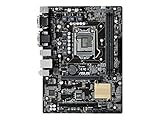
- Top Pick: ASUS PRIME B360M-A (300 Series) Intel LGA-1151 mATX Motherboard with Aura Sync RGB header, DDR4 2666MHz, M.2 support, HDMI, Intel Optane memory ready, SATA 6Gbps and USB 3.1 Gen 2
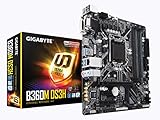
- Best Value: Gigabyte Z390 UD (Socket 1151/Z390 Express/DDR4/S-ATA 600/ATX)
- Premium Choice: Asus Micro ATX DDR4 LGA 1151 Motherboard H110M-C/CSM
LGA 1151 motherboard best picks for a full-size build come down to power delivery and expansion, because ATX is where this platform still has something real to offer. The six boards below suit 8th and 9th Gen Core chips, with the availability limits of a discontinued platform stated openly.
As an Amazon Associate we earn from qualifying purchases at no extra cost to you.





As an Amazon Associate we earn from qualifying purchases at no extra cost to you.
By Ryan Cole, PC hardware writer at NVIDIA Review.
Choosing an LGA 1151 Motherboard Best Suited to ATX Builds
Full-size boards are where this socket still makes sense, because the extra slots and stronger power delivery are exactly what smaller formats gave up. Four checks identify the LGA 1151 motherboard best matched to your parts.
Confirm the Socket Revision First
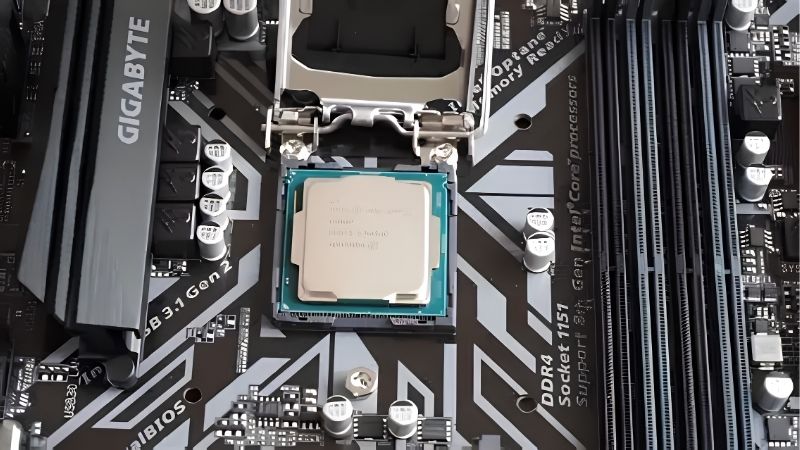
This socket exists in two electrically incompatible versions sharing a single name. The 100 and 200-series chipsets, such as Z170 and Z270, accept only 6th and 7th Gen Core processors regardless of how identical the socket appears.
The 300-series chipsets, meaning Z370, Z390 and B365, accept 8th and 9th Gen chips exclusively. An i7-9700K will not post in a Z270 board, and no firmware update bridges that gap because the limitation is electrical rather than software.
Judge VRM Capability Against Core Count
An i9-9900K under sustained all-core load draws serious power for a platform of this era. Boards with bare power stages hit their limits and throttle within minutes, which is the most common complaint levelled at cheaper models here.
Mid-tier Z390 boards and above generally carry proper VRM heatsinks and enough phases to hold clocks steady. For a locked i5 the requirement relaxes considerably, and the cheaper end of the range becomes entirely reasonable.
Case airflow compounds the difference. A lightly cooled VRM in a sealed case with a single exhaust fan behaves very differently from the same board sitting behind two front intakes, so plan cooling and board tier together.
Use the Expansion That ATX Actually Gives You
Full-size boards typically offer two or three PCIe slots below the graphics card, six SATA ports and two M.2 sockets. That combination is the practical argument for ATX on a platform where a single M.2 socket fills up immediately.
Remember the generation limit though. Both M.2 sockets and the graphics slot run at PCIe 3.0, so a modern Gen4 NVMe drive delivers roughly half its rated throughput even in the fastest slot the board provides.
SATA capacity partly compensates. Six ports on most ATX boards means bulk storage on mechanical drives or SATA SSDs stays straightforward once the two M.2 sockets are occupied by a boot drive and a game library.
Treat Availability as a Specification
Production ended years ago, so listings mix remaining retail stock with open-box and used units. Pricing varies more with individual seller inventory than with any consistent market logic, which rewards patience over urgency.
Set a spending ceiling before you start looking. Well-regarded boards from this era occasionally list above the cost of a current entry-level board and processor together, at which point rebuilding here stops making financial sense.
Top Picks: LGA 1151 Motherboard Best Options for ATX
The LGA 1151 motherboard best suited to your build depends on which chip you own and how hard it runs, so these six span enthusiast Z390 down to a stripped-back value model. Specifications come from manufacturer sheets; stock varies widely by seller.
| Model | Chipset | M.2 Sockets | Wireless | Best For |
|---|---|---|---|---|
| ASUS ROG Strix Z390-F Gaming | Z390 | 2 | None | i9-9900K builds |
| Gigabyte Z390 AORUS Pro | Z390 | 2 | None | Balanced enthusiast |
| MSI MPG Z390 Gaming Edge AC | Z390 | 2 | Wi-Fi 5 | Wireless included |
| ASUS Prime Z370-A II | Z370 | 2 | None | 8th Gen systems |
| ASRock Z390 Pro4 | Z390 | 2 | None | Locked i5 builds |
| MSI Z390-A PRO | Z390 | 2 | None | Lowest-cost Z390 |
ASUS ROG Strix Z390-F Gaming
The Strix F sits just below the E model and drops onboard wireless to lower the price, keeping the power delivery that matters most. Heavy VRM heatsinking, four DDR4 slots and two M.2 sockets with heatspreaders handle a 9900K properly.
Its BIOS gives precise control over power limits, which is the difference between stable sustained clocks and thermal throttling. The drawback is that used pricing on Strix boards stays high, since they held their value better than most.
Gigabyte Z390 AORUS Pro
The AORUS Pro is the well-rounded choice for an i7-9700K. A digital VRM with direct heatsink contact, four DDR4 slots, two M.2 sockets with thermal guards and reinforced graphics slots cover sustained loads without complaint.
Layout is sensible and the board has aged well in terms of BIOS stability. The omission is wireless, absent entirely on this variant, so plan for a PCIe card or USB adapter unless the machine runs on a wired connection.
MSI MPG Z390 Gaming Edge AC
The Gaming Edge AC includes integrated Wi-Fi 5, which is uncommon on boards from this era at this tier. It pairs that with four DDR4 slots, two M.2 sockets with shields and a competent power delivery for eight-core chips.
For a build in a room without a wired connection, that saves a slot and some cabling. The trade-offs are gigabit Ethernet, an audio implementation below the Strix, and rear I/O that feels thin against current-generation boards.
ASUS Prime Z370-A II
The revised Prime Z370-A shipped with firmware supporting 9th Gen chips, which removes the biggest headache associated with Z370 boards. It offers four DDR4 slots with XMP support, two M.2 sockets and solid power delivery for a mid-tier i7.
ASUS BIOS conventions make it one of the easier boards to tune on this platform. The caveat is that earlier Z370-A units without the II designation may need a firmware update, which is awkward without an 8th Gen chip on hand.
ASRock Z390 Pro4
Pro4 is the value entry into the Z390 chipset while keeping the features that justify choosing Z over B. Four DDR4 slots, memory overclocking support and two M.2 sockets arrive at a noticeably lower price than gaming-branded boards.
For a locked i5 or a mid-range i7 it does everything required. The honest limitation is power delivery, which is lighter than the boards above and better matched to six-core chips than to a 9900K under prolonged load.
MSI Z390-A PRO
This is the cheapest sensible route into a Z390 system. It keeps four DDR4 slots, memory overclocking and two M.2 sockets while stripping away lighting, heavy heatsinks and any pretence of gaming branding on the board itself.
As a replacement board for an existing 8th Gen system it is perfectly adequate. The compromises are modest VRM cooling, basic onboard audio and a rear panel that runs short of USB ports once peripherals start accumulating.
Where This Platform Sits in the 2026 Market
Two conditions decide whether rebuilding on this socket is a sound decision or whether the money belongs on a current platform instead.
Your Existing DDR4 Is Worth Real Money Now
DRAM contract pricing rose sharply through 2026, with further increases forecast into the fourth quarter and no meaningful new manufacturing capacity expected before late 2027. DDR5 kits absorbed the largest share of that rise.
If you already own a 32 GB DDR4 kit and a 9th Gen processor, reusing both sidesteps the most inflated part of any modern build. That is the strongest single argument for replacing only the board rather than migrating platforms.
There Is No Upgrade Path Beyond 9th Gen
This socket ended with 9th Gen, so whichever chip you fit is permanent. AMD confirmed at Computex 2026 that AM5 will accept new processors through the end of 2029, which is a very different proposition for a fresh build.
That comparison should shape your budget rather than your enthusiasm. Rebuilding here is a repair or value decision, not an investment in a system you intend to keep improving over the next several years.
Board Supply Has Thinned Across the Market
Motherboard sales fell by more than a quarter and manufacturers concentrated production on mid and high-tier current models, with promotional pricing policies withdrawn in February 2026. Discontinued platforms felt that squeeze first.
The practical effect is inconsistent pricing rather than uniform increases. Comparing listings across a week or two usually reveals a wide spread, so patience genuinely pays here in a way it does not with current hardware.
Frequently Asked Questions
These questions come up most often from people rebuilding a full-size system on this socket rather than starting from scratch.
Which LGA 1151 motherboard best suits an i9-9900K?
One with proper VRM heatsinking on a Z390 chipset. The 9900K draws heavily under sustained load, so boards with bare power stages throttle quickly. Strix and AORUS Pro tier models hold clocks far more reliably over long sessions.
Is Z390 worth it over B365 for a locked chip?
Rarely. Z390 adds CPU and memory overclocking, which a locked processor cannot use. If you own an i5-9400F or similar, B365 delivers the same performance and the saving is better spent on storage or cooling.
Can I use a Gen4 NVMe drive in these boards?
Yes, they are backward compatible, but the drive runs at PCIe 3.0 speeds. That means roughly half the rated sequential throughput, which affects large file transfers far more than game loading or general system responsiveness.
Do these boards still receive BIOS updates?
Occasional security updates appeared for some models, but active feature development ended long ago. Download the latest available firmware before building, since it will not change again during the life of the system.
See More:
- Best MSI motherboard
- Best motherboard processor combo for gaming
- Best B550 motherboard
- Best CPU for streaming
- What is the best AM4 CPU for gaming
Final Thoughts
Choosing an LGA 1151 motherboard best matched to a full-size build means checking the socket revision first, then buying enough VRM capability for your specific chip. Strix and AORUS Pro tier boards suit eight-core processors, ASRock Pro4 and Z390-A PRO cover locked chips, and the exercise works best when CPU and memory are already yours.











Write Your Review
No reviews yet. Be the first to share your experience!