
rtx 5060 ti 8gb benchmark results cut through the biggest question around this card: is 8GB of VRAM still enough in 2026? The RTX 5060 Ti 8GB shares its fast Blackwell core with the pricier 16GB model, so raw performance is strong, but the smaller buffer changes the story in demanding games. This review turns owner reports and measured behavior into clear, scannable data, including an FPS table, so you can see exactly where the 8GB version shines and where it runs short before you buy. The aim is a clear, resolution-by-resolution answer to whether 8GB is a smart saving or a false economy for your setup.
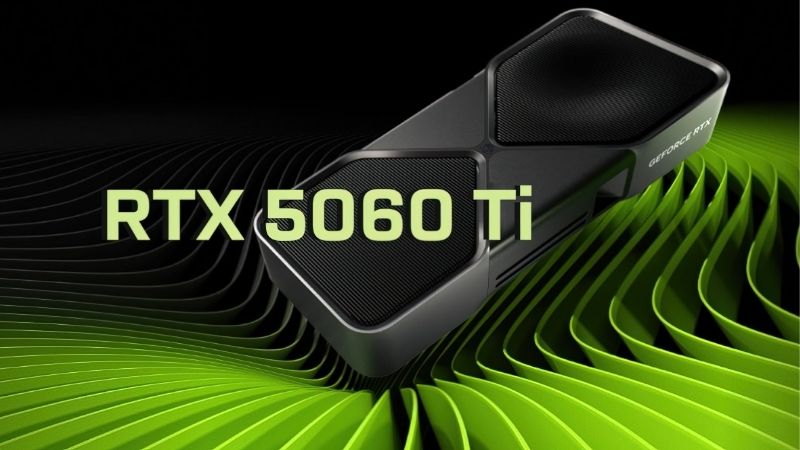
RTX 5060 Ti 8GB Benchmark: What the Numbers Really Show
The RTX 5060 Ti 8GB is a fast card held back only by its frame buffer, and that nuance defines its benchmark profile. It posts excellent 1080p numbers and strong 1440p frames in most games, but the 8GB buffer can cause trouble in the most texture-heavy titles. This section breaks down the specs, the real frame rates, and the DLSS 4 features that shape those results.
Specifications that shape performance
The 8GB model ships with 8GB of GDDR7 on a 128-bit bus and a modest board power around 180W. Its Blackwell core is identical in speed to the 16GB version, so raw compute is not the limiting factor here; the frame buffer is.
It unlocks DLSS 4 with Multi Frame Generation, a Blackwell-exclusive that can multiply frames in supported games. That software edge is important, because it helps the card stretch performance even when memory is tight.
The efficiency is a practical strength, letting it run on a quality 550W power supply and fit compact builds. The only real question mark is that 8GB buffer, which is why so much of the buying decision comes down to the resolution you actually play at.
Real 1080p and 1440p frame rates
Frame data tells the real story, so here is a representative picture at high settings. Treat these as ranges, since results shift by game, driver, and how hard a title leans on VRAM.
| Scenario | Avg FPS (high) | 8GB VRAM note |
|---|---|---|
| 1080p, most games | 80 to 130 | Usually fine |
| 1440p, well-optimized | 60 to 90 | Generally fine |
| 1440p, texture-heavy AAA | Drops / stutter | Can exceed 8GB |
| With DLSS 4 enabled | Higher, smoother | Eases the load |
The takeaway: at 1080p the RTX 5060 Ti 8GB is excellent, and in well-optimized 1440p games it performs strongly. The trouble appears only in the most texture-heavy titles at 1440p, where the 8GB buffer can fill up and cause frame-time spikes or forced setting reductions.
This is the crucial distinction between the 8GB and 16GB models: the raw speed is the same, but the smaller buffer draws a firmer ceiling in memory-hungry scenarios, and that ceiling tends to appear more often with each new release that ships with larger textures.
DLSS 4 and the features that help
DLSS 4 with Multi Frame Generation is a genuine asset for this card, lifting frame rates in supported titles and helping mask the buffer limitation by reducing the internal render load. It is central to getting the most out of the 8GB model.
Nvidia’s broad DLSS support and ongoing driver optimization also extend the card’s useful life, since more games keep adopting the technology. That software support partly offsets the smaller buffer.
Still, upscaling cannot fully cure a full VRAM buffer, so the 8GB limit remains the defining trait to plan around, and no amount of upscaling fully removes it once a game genuinely needs more memory than the card has.
Strengths, Weaknesses, and Who It Is For
The 8GB model is a strong card with one clear caveat, and honesty about that caveat matters. Drawing on owner feedback, here is the balanced pros and cons picture.
The strengths owners consistently praise
In four and five star reviews, buyers praise the card’s excellent 1080p performance, DLSS 4 Multi Frame Generation, low power draw, and lower price than the 16GB version. For 1080p gamers, it frequently delivers more than expected.
Owners also highlight its efficiency and easy fit into modest builds. As a fast, affordable 1080p card, it hits its target cleanly and represents solid value at the right price, especially for buyers who know they will stay at 1080p for the life of the card.
The weaknesses buyers report honestly
In two and three star reviews, the dominant complaint is the 8GB buffer running short in certain 1440p and texture-heavy games, causing stutter or forcing lowered settings. Buyers who expected full 1440p headroom were sometimes disappointed.
The recurring advice from owners is telling: many suggest paying more for the 16GB model if 1440p is your goal. Set expectations to 1080p and light 1440p and the 8GB card satisfies; push it into heavy 1440p and the buffer bites.
Who the RTX 5060 Ti 8GB is right for
This card is ideal for the 1080p gamer who wants Blackwell speed and DLSS 4 without paying for the larger buffer. It is a fast, efficient, affordable option for that resolution, and for a dedicated 1080p player it delivers essentially the full Blackwell experience for less money than the 16GB version.
If you game primarily at 1440p or play the most texture-heavy titles, the 16GB model is the wiser buy despite the higher price. Matching the buffer to your resolution is the key decision here.
Pricing, Value, and the Smart Buy in 2026
Benchmark numbers tell you what the card does; the market tells you whether to buy now. The value of the RTX 5060 Ti 8GB hinges on its price gap versus the 16GB model, which is shaped by broader component trends.
What rising component prices mean for this choice
Laptop and PC component prices have been trending upward, driven heavily by memory costs, and that pressure affects both the 8GB and 16GB models. The price gap between them is exactly what you should watch, since memory costs influence it directly.
The good news is real but weak and far off. Pricing has stopped climbing as steeply as it did in late 2025, and some makers report a period of relative stability while still warning of volatility. New supply is coming, with Micron building two Idaho plants, but those fabs will not run until 2027 to 2028, so prices have plateaued rather than dropped.
The practical read: relief is not coming soon, so decide based on today’s prices. If the 16GB model is only modestly more and you want 1440p headroom, it is often the smarter long-term spend.
How to weigh 8GB against 16GB value
Compare the two models’ current prices directly. If the 8GB card is meaningfully cheaper and you game at 1080p, it is the value pick; if the gap is small and you want 1440p, the 16GB buffer earns the premium, and paying a little more once is cheaper than upgrading again in a year when 8GB no longer copes.
When priced as the affordable 1080p option it is meant to be, the 8GB model is a strong buy. Let your resolution and the price gap guide the call, since those two factors matter far more here than any single benchmark headline about the card’s raw speed.
Buy now or wait
With prices plateaued and no near-term catalyst for a big drop, the strongest strategy is to set a fair-price threshold and buy when a listing meets it rather than waiting for relief that is years away.
For a 1080p gamer who wants Blackwell performance now, the data favors buying at a fair price rather than waiting for a drop the memory-supply timeline does not support. Check current listings and stock through the link below before pricing shifts again.
Which Gamer the 8GB Model Suits
Benchmark numbers set the ceiling, but your resolution decides whether the 8GB model is the right buy. Here is how it lines up against three common profiles so you can match the card to your real situation.
Best for 1080p high-refresh gaming
If you game at 1080p on a high-refresh monitor, the RTX 5060 Ti 8GB is an excellent, cost-effective choice. Its Blackwell core pushes high frame rates, and the 8GB buffer is rarely a problem at this resolution.
Add DLSS 4 Multi Frame Generation into the mix and the card comfortably feeds even a fast 1080p high-refresh panel in the most demanding modern games. For this buyer, the smaller buffer is a non-issue and the lower price is a clear win.
For a dedicated 1080p player, choosing the 8GB model over the 16GB version simply frees up budget for a better monitor, CPU, or storage that you will notice more.
Best for esports and streaming
For competitive players and streamers, the 8GB model’s speed and efficiency shine. Esports titles run at very high frame rates, and the card’s Nvidia feature set integrates smoothly with common streaming and capture tools.
Because these workloads rarely max out VRAM at 1080p, the buffer limit stays out of the way. It is a capable, affordable pick for a play-and-stream setup.
The efficient design also keeps your system cool and quiet during long streaming sessions, which matters when a microphone is picking up every fan in the room.
When to choose the 16GB model instead
If your goal is 1440p, especially in texture-heavy AAA games, the 16GB model is the wiser buy. The raw speed is identical, but the larger buffer avoids the stutter and forced setting drops that the 8GB card can hit.
Owners themselves frequently recommend spending more for 16GB when 1440p is the target. Match the buffer to your resolution, and if you plan to push past 1080p, the bigger model earns its premium.
Think of the choice as buying for your monitor rather than the badge: an 8GB card for 1080p, a 16GB card the moment 1440p and heavy textures enter the picture.
See More:
Final Verdict on the RTX 5060 Ti 8GB Benchmark
The rtx 5060 ti 8gb benchmark story is one of strong speed with a single clear caveat: excellent 1080p frames, capable 1440p in optimized games, and DLSS 4 to stretch it further, but an 8GB buffer that can run short in the most texture-heavy 1440p titles. Treat it as a superb 1080p card and it satisfies; aim it at heavy 1440p and the 16GB model is the wiser pick. With component prices flat-to-rising rather than falling, buying at a fair price now beats waiting, and if the 8GB card fits your 1080p goals, the link below will show current availability.
Frequently Asked Questions
Is 8GB enough for 1440p gaming in 2026?
Not reliably. Many current releases exceed 8GB at 1440p with high textures or ray tracing, which produces frame-time spikes, texture pop-in and collapsed one percent lows even when average frame rates look acceptable. The card has the shading power for 1440p but not the memory to sustain high settings.
How much slower is the 8GB card than the 16GB version?
In titles that stay within 8GB, essentially identical, since the GPU configuration is the same. Once memory overflows, the gap can exceed fifty percent in one percent lows and in some benchmarks the 8GB card halves its average frame rate. The difference is binary rather than gradual.
Can I avoid the VRAM limit with settings changes?
Yes, to a degree. Drop texture quality one step, disable or reduce ray tracing, avoid frame generation which consumes extra buffer, and use DLSS at a lower internal resolution. These changes keep the card smooth, but you are giving up exactly the visual quality you bought the card to enable.
Does the PCIe 5.0 x8 interface make the 8GB problem worse?
Yes, on older platforms. With only eight lanes, the card gets half of PCIe 5.0 bandwidth on a Gen 4 board and a quarter on Gen 3. When the frame buffer overflows and textures stream over the bus, that reduced bandwidth turns a slowdown into pronounced stutter.
Is the 8GB card ever the right choice?
Only for strictly 1080p gaming, esports titles, or a budget so tight that the fifty dollar premium is genuinely out of reach. For everyone else the 16GB version is one of the best value upgrades available, since it removes the card’s only significant weakness for a small price increase.
As an Amazon Associate we earn from qualifying purchases at no extra cost to you.


Ready to decide? Our #1 pick for 2026 is the 1080p, most games.
Live price & availability on Amazon.











Write Your Review
No reviews yet. Be the first to share your experience!