
Top Intel Graphics 4600 Can Still Picks for 2026
Here are our current top intel graphics 4600 can still picks, compared on real Amazon owner reviews, price, and features. Live prices update below.

intel Core i7-4770 Quad-Core Desktop Processor 3.4 GHZ LGA 1150 8 MB Cache BX80646I74770 (Renewed)


Intel HD Graphics 4600 still powers millions of desktops and laptops built between 2013 and 2015, and owners keep asking the same question in 2026: what can this integrated GPU realistically handle today? This review takes a data-driven look at the chip’s actual capabilities, compiles what long-term users praise and complain about, and maps out the smartest upgrade paths at a moment when graphics hardware prices are moving in the wrong direction for buyers who wait.
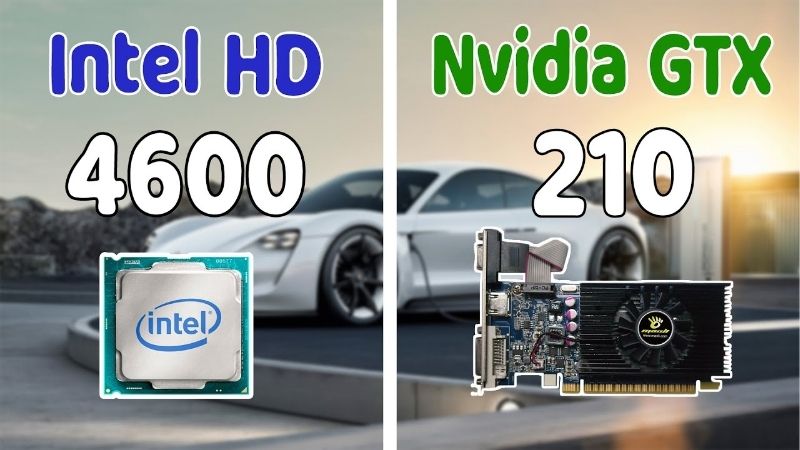
Intel HD Graphics 4600 Specs and Real Performance in 2026
The HD Graphics 4600 is the integrated GPU inside 4th-generation Intel Core “Haswell” processors such as the i5-4570 and i7-4790. It carries 20 execution units clocked between 350 MHz and 1,250 MHz depending on the host CPU, shares system DDR3 memory instead of having dedicated VRAM, and supports DirectX 11.1 and OpenGL 4.3. Those numbers define both what it can do and the hard ceiling it cannot move past.
Gaming Benchmarks: What Actually Runs
In measurable terms, the HD 4600 lands close to a dedicated GeForce GT 630. Older and lighter titles remain playable: CS:GO-era shooters run at 40-60 FPS on low settings at 720p, League of Legends holds 50-70 FPS at 1080p medium, and Minecraft, Stardew Valley, Terraria, and most indie games run comfortably.
Modern AAA titles are a different reality. Games built on current engines either fail to launch due to missing DirectX 12 Ultimate features or produce single-digit frame rates. Even Valorant, designed for low-end hardware, hovers around 30-45 FPS at minimum settings. If your library skews post-2020, this chip is no longer a gaming solution; it is a placeholder.
Everyday Desktop, Video, and Office Performance
For non-gaming work, the picture improves considerably. The HD 4600 drives up to three displays, handles 1080p video playback with full hardware decoding for H.264, and manages browsers, Office suites, and Zoom calls without complaint. Many small businesses still run fleets of Haswell machines for exactly this reason.
The limitations show up with modern codecs. There is no hardware decoding for H.265/HEVC or AV1, so 4K YouTube and Netflix streams fall back to CPU decoding, which spikes usage and drops frames on most Haswell chips. Dual-monitor 1080p productivity remains its genuine sweet spot in 2026.
One practical tuning note from real-world testing: the HD 4600 borrows its memory from system RAM, so configuration matters more than most owners realize. Two matched DDR3 sticks running in dual-channel mode roughly double the bandwidth available to the GPU compared to a single stick, which measurably reduces stutter in video playback and light gaming. If your machine shipped with one 4GB module, adding a second matching stick is the cheapest performance upgrade this chip will ever receive — often under $15 on the used market.
Driver Support Status and What It Means
Intel ended active driver development for Haswell-era graphics years ago; the final drivers are legacy releases with security fixes only. In practice this means new games will never receive optimization, and some modern applications that require up-to-date graphics drivers refuse to install.
Windows 11 officially excludes 4th-gen Intel CPUs as well, which leaves most HD 4600 systems on Windows 10 past its end-of-support date or on Linux, where community Mesa drivers actually keep the chip surprisingly functional. For a machine handling sensitive accounts, that support gap is worth taking seriously.
Pros and Cons of Intel HD Graphics 4600 Today
Synthesizing years of owner feedback on Haswell desktops and laptops produces a remarkably consistent verdict: people rate these systems 4-5 stars for reliability and value, while the 2-3 star reviews almost always trace back to graphics expectations the chip was never built to meet.
Strengths Long-Term Owners Still Praise
The most common praise is durability: thousands of these systems have run for over a decade with zero GPU-related failures, because an iGPU has no fans, no separate power connectors, and no VRAM modules to degrade. Power draw is another win — the entire CPU+GPU package sits inside an 84W envelope, a fraction of any gaming setup.
Owners also highlight the zero-cost aspect. For a home office PC, a media machine for the kids, or a point-of-sale terminal, the HD 4600 does its job invisibly, and refurbished Haswell desktops sell for under $100, making them some of the cheapest functional computers available.
Weaknesses That Drive 2-3 Star Complaints
The recurring complaint is stuttering and low frame rates in games buyers hoped would run, often phrased as “fine for email, terrible for anything 3D.” Shared memory is a hidden culprit: on systems with a single 4GB DDR3 stick, the GPU starves for bandwidth, and reviews frequently report that adding a second RAM stick for dual-channel mode noticeably improved smoothness.
The second cluster of complaints concerns modern compatibility — no HEVC or AV1 decoding, no Windows 11 path, and creative apps like DaVinci Resolve refusing to run. These are architectural limits, not fixable settings, and they define where this chip’s useful life ends.
Who Should Keep It and Who Should Upgrade
Keep the HD 4600 if your workload is browsing, documents, 1080p video, and older or lightweight games. Spending money to replace a machine that already covers your needs is the worst value move available.
Upgrade if you want modern gaming, 4K media, hardware-accelerated creative work, or simply a supported operating system. The good news is that most Haswell desktops have a free PCIe x16 slot, which opens a far cheaper path than replacing the whole computer.
Smart Upgrade Paths From HD Graphics 4600
A discrete GPU transforms a Haswell desktop more than any other single component, and several practical options exist at different budgets. Two constraints matter before anything else: your power supply’s wattage and whether your case physically fits a dual-slot card.
Budget GPU Upgrades That Work in Haswell Systems
For systems with a basic 300W OEM power supply, low-power cards that draw everything from the PCIe slot are the safe play: a used GTX 1650 (75W, no power connector on many models) multiplies HD 4600 performance roughly tenfold and runs esports titles at 1080p high comfortably.
Two compatibility checks prevent the most common upgrade failures reported by Haswell owners. First, confirm your motherboard BIOS supports UEFI graphics — most 2013-2015 boards do, but some OEM machines from Dell and HP need a BIOS update before a modern card will display anything. Second, measure the physical clearance: compact OEM towers often cap card length around 240mm, which rules out larger dual-fan designs but still fits most single-fan GTX 1650 and RX 6400 models without issue.
If your PSU offers a 6-pin or 8-pin connector and at least 450W, used RTX 2060 or RX 6600 cards bring genuine 1080p AAA gaming to a decade-old machine. A used desktop GPU in the $100-200 range paired with a $90 refurbished Haswell tower remains one of the cheapest tickets into PC gaming. When you decide on a card, checking current listings on Amazon for both new budget models and renewed options is the fastest way to compare real prices.
When a Full System Replacement Makes More Sense
If you need Windows 11, modern CPU performance, or laptop portability, putting money into Haswell hardware stops making sense. The CPU itself becomes the bottleneck for any GPU faster than midrange, and DDR3 platforms cannot accept modern memory.
A realistic threshold: if your upgrade budget exceeds $350, that money goes further toward a modern entry-level system with current integrated graphics like Intel Arc or AMD Radeon 780M-class iGPUs, which outperform the HD 4600 by 8-12x while keeping the no-graphics-card simplicity.
For laptop users the math is even simpler, because an HD 4600 notebook has no upgrade path at all beyond RAM and an SSD. A modern entry-level laptop brings a faster CPU, NVMe storage, current Wi-Fi, USB-C charging, and an iGPU that handles 4K video and casual gaming natively. With notebook prices currently trending upward rather than down, buyers who know they will replace a Haswell laptop within the year have a measurable incentive not to postpone the purchase.
Why Upgrade Timing Matters More in 2026
Two market forces argue against waiting indefinitely. First, the United States has approved Nvidia selling its powerful H200 AI chip to China, redirecting even more advanced silicon and memory capacity toward data centers — historically a reliable predictor of tighter consumer GPU supply and firmer prices in the following quarters.
Second, laptop and component prices are already trending upward, with memory leading the climb as AI demand absorbs DRAM production. Budget GPUs and entry-level laptops are precisely the categories where these cost increases land first, because their margins are thinnest. The used market follows new prices upward with a short lag.
The practical conclusion for HD 4600 owners planning an upgrade: the hardware you are considering is more likely to cost more in six months than less. If an upgrade is already on your roadmap for this year, executing it sooner locks in today’s pricing — and grabbing a well-reviewed budget card on Amazon while stock and prices remain reasonable is the move that data currently supports.
Recommended Products

Prime PNY GeForce RTX™ 4070 12GB Verto™ Dual Fan Graphics Card DLSS 3 (192-bit, PCIe 4.0, GDDR6X, HDMI/DisplayPort, Supports 4k, 2 Slot)

Prime ZOTAC Gaming GeForce RTX 4070 Twin Edge OC GDDR6 DLSS 3 12GB GDDR6 192-bit 20 Gbps PCIE 4.0 Compact SFF Gaming Graphics Card, IceStorm 2.0 Advanced Cooling, Spectra RGB Lighting, ZT-D40740H-10M

Prime ASUS TUF Gaming NVIDIA GeForce RTX 3080 Graphics Card (PCIe 4.0, 10GB GDDR6X, HDMI 2.1, DisplayPort 1.4a, Dual Ball Fan Bearings, Military-Grade Certification, GPU Tweak II) (Renewed)
As an Amazon Associate we earn from qualifying purchases. Product prices and availability are accurate as of the date/time indicated.
See more:
- ASUS TUF Gaming GeForce RTX 5090 3080 vs 5080
- Nvidia RTX 4070 Super graphics card
- Sapphire graphics card
- Is HDR good for gaming
- RTX 4080 vs 5070
Conclusion: A Faithful Workhorse at the End of Its Road
The Intel HD Graphics 4600 earned its decade of service: it remains a perfectly competent engine for everyday computing, light gaming, and 1080p media, with reliability that modern hardware should envy. But its missing codec support, frozen drivers, and DirectX 11-era ceiling mean its useful life is closing for anything beyond basic tasks. Whether you extend your Haswell system with an affordable discrete GPU or step up to a modern machine, the market signals are unusually clear — prices are rising, not falling. Browse the current GPU and upgrade deals on Amazon today and give your trusty system the second life it deserves before the window narrows.
Frequently Asked Questions
What is the best intel hd graphics 4600 in 2026?
The best intel hd graphics 4600 depends on your budget and how you plan to use it. The options compared above are our top-rated picks based on real customer ratings, build quality, and overall value — start with the highest-rated model that fits your budget.
How much should I expect to spend on a intel hd graphics 4600?
Prices vary by brand and features. Budget options cover the essentials, while mid-range and premium models add durability, performance, and extra features. Compare the prices in the list above to find the best value for your needs.
What should I look for when buying a intel hd graphics 4600?
Focus on what matters most for your use case — build quality, compatibility, performance, warranty, and verified customer reviews. Every pick above is selected to balance these factors.
Are budget intel hd graphics 4600 options worth it?
Yes. For most people a well-reviewed budget or mid-range intel hd graphics 4600 delivers excellent value. You only need to spend more if you specifically require premium materials or top-tier performance.
How did we choose these intel hd graphics 4600 picks?
We compare current Amazon ratings, review counts, key features, and price to surface the options with the best real-world value. The list is refreshed as ratings and availability change.
Top picks from this guide
 ASRockAmericaASRock Intel Arc B570 Challenger 10GB OC GDDR6 Graphics Card,…$260 \xc2\xb7 99/100
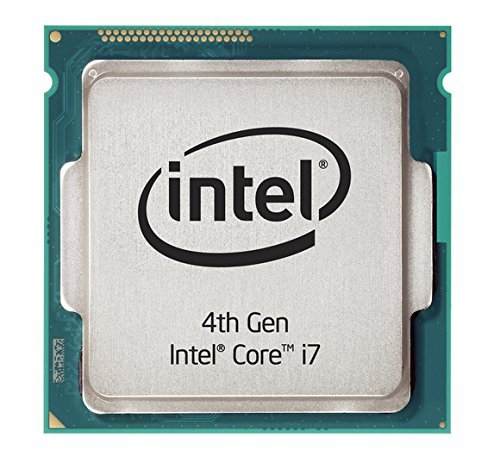 Amazon Renewedintel Core i7-4790 Processor - BX80646I74790 (Renewed)$59 \xc2\xb7 98/100
 ASRockAmericaASRock Intel Arc A580 Challenger 8GB OC Graphics Card, Intel…$200 \xc2\xb7 98/100PNYPNY GeForce RTX™ 4070 12GB Verto™ Dual Fan Graphics Card…$500 \xc2\xb7 97/100

Write Your Review
No reviews yet. Be the first to share your experience!