
The GTX 780 and GTX 780 Ti were NVIDIA’s near-flagship Kepler cards of 2013, built on the large GK110 chip with 3 GB of GDDR5 on a 384-bit bus. As of late 2026 they are collector pieces and spare-PC parts, not sensible gaming buys: they draw a lot of power for the performance they give, have limited video memory by modern standards, and sit on a legacy driver track.
- How the GTX 780 and 780 Ti Relate
- Side-by-Side Comparison
- What the Hardware Supports
- Driver Status Today
- What It Can Still Do
- How It Stacks Up Against Its Own Successors
- The Cost of Running One
- Display and Output Notes
- Who Should Buy or Skip
- Quick Checks for Any Used 780 Card
- Frequently Asked Questions
- Related Guides
People searching “gtx 780 gtx 780 ti” are usually trying to tell the two cards apart, check what each can still do, or decide whether an old rig is worth reviving. This guide separates the two models, explains the features they have and lack, and gives a straight answer on where they fit in a world of far more efficient hardware.
How the GTX 780 and 780 Ti Relate
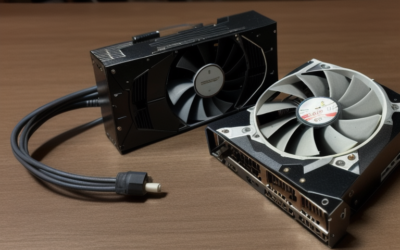
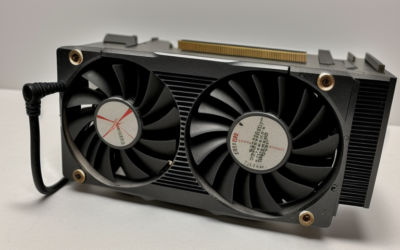
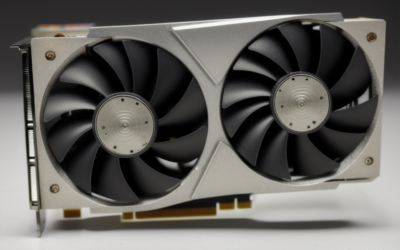
NVIDIA released the GTX 780 in May 2013, positioned just under the extremely expensive Titan, which used the same GK110 silicon. In November 2013 it followed with the GTX 780 Ti, which enabled more of that chip and became the fastest single-GPU GeForce card of its generation until the Maxwell-based GTX 980 arrived in 2014. Both cards share a large, relatively heavy reference cooler with a metal shroud, and both rely on a six-pin plus an eight-pin power connection.
Partner companies sold many variants, including factory-overclocked models and, for the plain 780, versions with 6 GB of memory. If you are buying or inspecting a card, the sticker and the listed memory size matter, because the model name alone does not tell you which board you have.
Side-by-Side Comparison
| Item | GTX 780 | GTX 780 Ti |
|---|---|---|
| Chip | GK110 (Kepler) | GK110 (Kepler) |
| Launch | May 2013 | November 2013 |
| CUDA cores | 2304 | 2880 |
| Memory | 3 GB GDDR5 (some 6 GB partner models) | 3 GB GDDR5 |
| Memory bus | 384-bit | 384-bit |
| Power connectors | 6-pin plus 8-pin | 6-pin plus 8-pin |
| Board power | Around 250 W | Around 250 W; check partner specs |
| Typical role then | High-end 1080p and 1440p | Fastest single-GPU of its time |
The Ti has more shader units and higher memory speed, which means it was clearly the quicker card, but it shares the key weakness of the plain 780: 3 GB of memory is tight for current games at high settings, even at 1080p.
What the Hardware Supports
Kepler supports DirectX 11 fully and runs under DirectX 12 at lower feature levels, plus Vulkan on drivers that still carry support. It has no ray tracing cores and no tensor cores, so DLSS and similar upscaling are not available. Video encode and decode are limited, and modern codecs may lean on the processor. Outputs on reference boards include dual DVI, HDMI and DisplayPort, though the HDMI version is older than what current televisions expect for high refresh rates.
One historical selling point was GPU Boost, which adjusts clocks according to power and temperature headroom. On a used card with tired cooling, boost behavior may be weaker than the original specification implies, so a card running hot may perform below its peak.
Driver Status Today
NVIDIA retired Kepler from its regular Game Ready driver releases some years ago, and the cards fall under legacy support. That means new game optimizations do not arrive, and newer software can show errors or fail to start. Before you plan a build around one of these cards, read NVIDIA’s legacy driver notes and match your operating system to a driver branch that still lists the card. On Linux, use the legacy package your distribution provides, and watch for kernel compatibility.
What It Can Still Do
The big GK110 chip still has plenty of raw capability for older titles. Games from the Windows 7 and early Windows 10 era generally run well at 1080p. Some lighter esports titles run acceptably if the current version still supports the card. Compute work using older CUDA versions is possible, though modern machine learning frameworks have dropped support for Kepler-class compute capability, so do not expect to run current AI tools on it.
- Older single-player games at high settings: reasonable.
- Modern AAA releases: often unsupported or heavily limited by 3 GB of memory.
- Video editing and creator work: limited by codec support and software requirements.
- Extra-display or retro rig use: workable.
How It Stacks Up Against Its Own Successors
The Kepler flagships were overtaken fast. The Maxwell-based GTX 980 arrived in 2014 with lower power draw and similar or better performance, and the GTX 980 Ti followed. After that, the Pascal generation, including the GTX 1070 and GTX 1080, made the 780 family look dated. Compared with those later cards, the 780 Ti used much more power per frame, had less memory and lacked newer video features.
That does not make them useless, but it frames the choice. A card that was the fastest of its generation in 2013 is now slower than many entry cards sold today, and its remaining advantage is the large 384-bit bus and the sheer size of the GK110 chip, which still helps in older games that favor raw shader throughput.
The Cost of Running One
A board power near 250 watts with two power connectors needs a capable power supply, and NVIDIA’s recommended system supply for the 780 was around 600 watts. Heat output and fan noise rise accordingly, and a small case with weak airflow will push the card to throttle. Newer mid-range cards give more performance at a fraction of that power draw, so the efficiency penalty is real over months of use.
Display and Output Notes
Reference boards offer two DVI ports, an HDMI port and a DisplayPort connector, which allows up to four displays on supported setups. Many partner cards replaced one of these with different combinations, so check which ports your board has before planning a multi-monitor desk. DisplayPort tends to be the better route to a modern high-refresh monitor, while the HDMI version on these cards is old enough that it may limit refresh rate or resolution on a current television. If you plan to drive a 4K screen for desktop use, expect to rely on DisplayPort and to accept modest frame rates in anything graphical.
Who Should Buy or Skip
The Period-Correct Builder
If you are assembling a machine around 2013 to 2015 hardware, a 780 Ti is a satisfying centerpiece, especially paired with a matching processor and an older Windows installation.
The Value Hunter
Skip it. A used card from the Pascal or Turing generation usually offers more memory, better efficiency and active or longer driver support at a comparable or lower cost. The GTX 1070 and GTX 1650 are examples worth comparing.
The Owner With a Working Card
Keep using it for what it handles well, and avoid spending money on cooling or power upgrades unless you have a sentimental or retro reason.
Quick Checks for Any Used 780 Card
- Confirm the exact model: 780, 780 Ti or a 6 GB variant.
- Check your power supply for 6-pin and 8-pin connectors.
- Inspect fans, heatsink fins and backplate for damage.
- Ask for idle and load temperatures if the seller can show them.
- Verify that your operating system has a legacy driver listed.
- Compare with a newer used card before paying for a 780.
Frequently Asked Questions
Is the GTX 780 Ti much faster than the GTX 780?
Yes, it has more cores and faster memory, so it was clearly stronger at launch. Both share the same limited 3 GB of memory, which holds both back in modern games.
Can a GTX 780 run Windows 11?
Windows 11 can load legacy drivers on many systems, but support depends on the driver branch NVIDIA still lists. Check NVIDIA’s legacy driver notes for your operating system.
Does the GTX 780 support DLSS or ray tracing?
No. Those need RTX-class hardware that Kepler cards do not have.
Is the 6 GB version worth looking for?
It helps in older games that exceed 3 GB, but the GPU itself remains the limit. It is a niche collector variant rather than a performance shortcut.
Related Guides
- GTX 980 Ti Review 2026: Does This Old GPU Still Hold Up?
- GTX 750 Ti in 2026: Is the Budget Legend Still Worth It?
- GTX 1080 Ti in 2026: Is This Legend Still Worth Buying?
- GTX 1660 Ti Review: Worth It Over the 1660 Super in 2026?


Write Your Review
No reviews yet. Be the first to share your experience!