
The GeForce GTX 745 is a low-power Maxwell graphics card sold mainly to system builders in 2014, with 384 CUDA cores, a 128-bit memory bus and a board power in the 55-watt class. It was designed for prebuilt desktops that needed a step up from integrated graphics without a power cable. If you are looking at one now, think of it as a basic display and light-gaming card for older office machines, not a gaming GPU.
This guide covers the card’s specs, power needs and where it fits as of late 2026. It also points out that the GTX 745 is easy to confuse with the better-known GTX 750 and GTX 750 Ti, which are retail cards with more capable hardware.
GTX 745 Specs Summary
| Item | Detail |
|---|---|
| Architecture | Maxwell (GM107) |
| Launch | Early 2014, aimed at OEM systems |
| CUDA cores | 384 |
| Memory bus | 128-bit |
| Memory | Typically 4GB DDR3 on OEM builds, check the specific unit |
| Board power | About 55 watts |
| Power connector | None, powered from the PCIe slot |
| Interface | PCIe 3.0 x16 |
| API support | DirectX 11 class hardware, OpenGL 4.x; check NVIDIA’s notes for newer API support |
Because the GTX 745 was an OEM-focused product, specifications can vary between the systems it shipped in. Always check the exact label or system documentation, and consult NVIDIA’s official specification page when it is available for your unit.
What the GTX 745 Is
NVIDIA’s Maxwell architecture arrived in early 2014 with the GTX 750 Ti, and the company followed with several cut-down and OEM-oriented variants that used the same GM107 chip. The GTX 745 is one of those. It shares the same basic design as the retail GTX 750 family but with fewer shader cores and slower memory in most configurations, which keeps the cost and power draw low.
That positioning makes it a niche part. Most people encountered a 745 inside a branded desktop rather than as a standalone purchase, and standalone listings today are usually pulls from such machines. If a seller advertises one as a gaming card, adjust your expectations accordingly.
Power Needs and Cooling
The big appeal of the GTX 745 is its modest power draw. At roughly 55 watts and with no external connector, it can run in a PC that has a very small power supply, including many compact office desktops. That is a genuine advantage compared with older cards that need a six-pin or eight-pin cable.
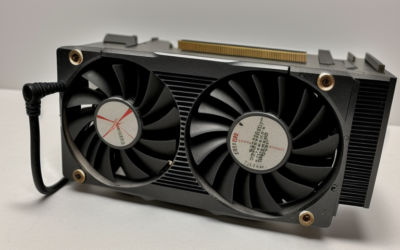
Cooling is usually simple, with a small heatsink and a single fan or even a passive design on some OEM versions. Because the card is small, check the bracket type: low-profile brackets are common in slim cases, and a full-height bracket will not fit them. Verify the bracket and output connectors before you buy, and confirm that your case has enough airflow around the card.
Performance and Where It Fits
The GTX 745 offers modest performance. It can handle desktop use, multiple displays, video playback in common formats and older or lightweight games at low settings. It is not a card for modern AAA titles, and with a 128-bit bus and, on many versions, slower DDR3 memory, it falls well behind the retail GTX 750 Ti in games.
It does fit a few real roles. In a small office or family PC where integrated graphics is too weak, it can add outputs and basic 3D capability without changing the power supply. In an HTPC for older formats, it can serve as a quiet display card, though its video engine lacks modern codec support such as AV1 and has limited hardware support for newer formats.
For anything more demanding, a newer low-power card gives better value. A slot-powered GTX 1650 in the versions that do not need a cable, or an entry-level RTX card where power allows, offers far more capability and current features.
How to Identify the Card You Have
Because the GTX 745 belongs to the OEM world, labeling can be inconsistent. Start with the sticker on the card or the product page for the prebuilt system it came from. Then install a GPU utility and compare the reported chip, memory size and memory type with the documentation. If the utility reports something different from the listing, ask the seller about it before paying.
It also helps to compare outputs. OEM boards often include a mix of connectors chosen for the system maker’s monitors, and some ship with only one or two ports. If you rely on a particular display connection, confirm that the card provides it, since adapters can add cost and compatibility issues.
Driver and Legacy Status
Maxwell-based cards, including the GTX 745, are in or near legacy status. NVIDIA has announced that older architectures are moving to legacy driver branches, so check NVIDIA’s legacy driver notes for the current state, the last Game Ready driver and the security update schedule. If you plan to use the card on a modern operating system, confirm that a driver exists before you buy.
OEM cards sometimes need drivers specific to the manufacturer. If the standard driver from NVIDIA’s site refuses to install, try the version listed in the system maker’s support page for your model. Keep in mind that driver downloads should come only from NVIDIA or the system manufacturer’s official site.
Upgrade Options
Low-power drop-in
If your PC has no power connector, look at slot-powered cards such as certain GTX 1650 models, but confirm the specific board and your case size. Some low-profile models exist for slim cases.
Higher-performance path
If you can replace the power supply, an entry-level RTX card gives you modern features and current drivers. Check case clearance and the connector type first.
Integrated graphics
If your processor is recent, integrated graphics may already match or beat the 745 on video decode and efficiency.
Who Should Buy / Skip It
The office-PC upgrader
If you need extra outputs or a basic GPU in an office desktop with a weak power supply, a 745 can work, as long as the card matches your bracket and your OS has a driver.
The retro HTPC builder
For an older media machine, it can be a quiet and cool option. Confirm codec needs before you commit.
The gamer
Skip it. Even in the Maxwell family, the retail GTX 750 Ti and later cards offer far more capability.
Checklist
- Confirm the exact model and memory type, since OEM versions vary.
- Check the bracket height and output connectors.
- Verify that a driver exists for your operating system.
- Do not confuse it with the GTX 750 or 750 Ti.
- Compare against integrated graphics and newer low-power cards.
Frequently Asked Questions
Does the GTX 745 need a power connector?
No. Its board power is low enough to run from the PCIe slot alone, which is why it suits small office PCs.
Is the GTX 745 the same as the GTX 750?
No. The 745 is an OEM-oriented card with fewer cores and typically slower memory. The GTX 750 and 750 Ti are separate retail cards with better performance.
Can the GTX 745 play games?
It can run older and lightweight games at low settings. It is not suited to modern titles.
Is the GTX 745 still supported?
It is a Maxwell card, and Maxwell is moving to legacy status. Check NVIDIA’s legacy driver notes for the current driver and support schedule.
Related Guides
- GTX 1630 Review: Low-Profile Budget GPU Worth Buying?
- GTX 1070 Review 2026: Still a Great Budget Used GPU?
- GTX 1080 Review 2026: Is This Used GPU Still Worth It?
- GTX 1650 Review: Is It Still the Best Budget GPU in 2026?


Write Your Review
No reviews yet. Be the first to share your experience!