
- Top Pick: Corsair Vengeance i7500 Gaming PC – Black
- Best Value: KOTIN Prebuilt Gaming PC Ryzen 5 9600X, 16GB DDR5, RTX 5060 Ti 8GB, 1TB SSD
- Premium Choice: NEWEGG Motherboard CPU Memory Combo -B550M Motherboard Bundle with Ryzen 5 5500 6-Core 3.6 GHz Socket AM4 65W CPU and 16GB (2 x 8GB) 288-Pin PC RAM DDR4 3200 Desktop Memory
Best CPU and GPU combo for gaming is decided by the monitor in front of you, not by a ranking chart. The same pairing that looks unbalanced at 1080p can be perfectly matched at 4K, which is why these six combinations are organised by resolution rather than by price.
As an Amazon Associate we earn from qualifying purchases at no extra cost to you.



As an Amazon Associate we earn from qualifying purchases at no extra cost to you.
By Ryan Cole, PC hardware writer at NVIDIA Review.
How to Pick the Best CPU and GPU Combo for Gaming
Balance means neither component sits idle waiting for the other at your target settings. Four principles shape the best CPU and GPU combo for gaming before you look at any specific product.
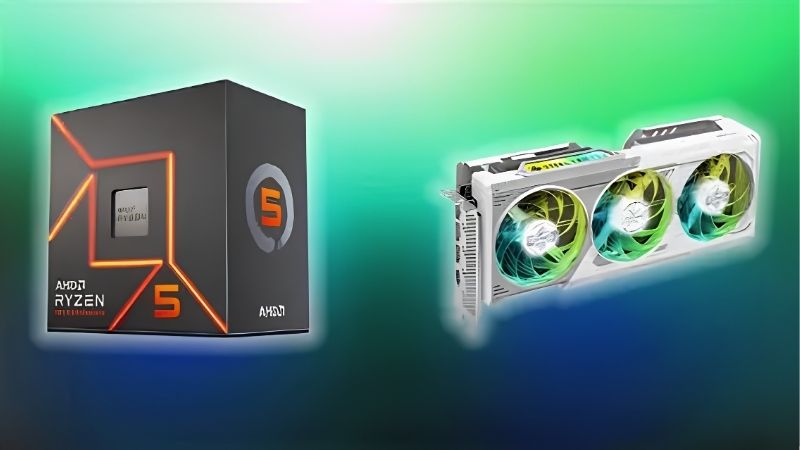
Resolution Decides Which Component Matters
At 4K the graphics card performs the overwhelming majority of the work, so a mid-range processor performs within a few percent of a flagship. At 1080p with a high-refresh monitor, the processor becomes the limiting factor.
This inverts the instinct to buy the strongest chip available. If you play at 1440p or 4K, moving budget from the processor to the graphics card produces higher frame rates than the reverse allocation would.
Cache Matters More Than Core Count for Games
AMD’s X3D processors carry a much larger L3 cache, which lifts minimum frame rates in titles with large worlds or heavy simulation. That advantage is most visible at 1080p and narrows as resolution increases.
Core count beyond eight rarely helps games. Sixteen cores benefit rendering and compilation considerably, but a gaming machine sees almost no return unless you also stream using software encoding at high quality settings.
Hardware encoders change that calculation further. With the graphics card handling stream encoding, an eight-core processor manages gaming and broadcasting together without the frame rate cost software encoding would impose.
Check VRAM Against Your Settings
Eight gigabytes has become the practical floor at 1080p with high textures, and 12 to 16 GB is the comfortable range for 1440p and above. Running short causes stutter that no processor upgrade can fix.
This is where the cheaper cards in a tier can disappoint. A card with strong raw performance but limited memory ages faster than a slightly slower card with more of it, particularly as texture sizes keep growing.
Budget the Power Supply and Memory Alongside
A combination is not complete without a power supply that suits it. ATX 3.1 units with a native 12V-2×6 connector handle transient spikes from modern cards, which older units can fail to absorb despite adequate wattage.
Memory belongs in the same calculation. A 32 GB DDR5-6000 kit with a tight EXPO profile is the sensible target on AM5, and memory speed measurably affects gaming performance on Ryzen processors.
Cooling completes the picture. A card drawing several hundred watts heats the whole case, so two front intakes and a clear exhaust path protect processor temperatures as much as the CPU cooler itself does.
Top Picks: Best CPU and GPU Combo for Gaming by Resolution
The best CPU and GPU combo for gaming below is grouped by target resolution rather than price. These are bought as separate components; specifications come from manufacturer documentation, and pricing moves constantly in the current market.
| Processor | Graphics Card | Target | Memory | Notes |
|---|---|---|---|---|
| Ryzen 9 9950X3D | GeForce RTX 5090 | 4K high refresh | 32-64 GB DDR5 | Halo build |
| Ryzen 7 9800X3D | GeForce RTX 5080 | 1440p and 4K | 32 GB DDR5 | Balanced flagship |
| Ryzen 7 9800X3D | Radeon RX 9070 XT | High-refresh 1440p | 32 GB DDR5 | Value at speed |
| Core Ultra 7 265K | GeForce RTX 5070 Ti | 1440p mixed use | 32 GB DDR5 | Game plus work |
| Ryzen 5 9600X | GeForce RTX 5060 Ti 16GB | 1080p and 1440p | 32 GB DDR5 | Mid-range |
| Ryzen 5 7600 | Radeon RX 9060 XT | 1080p | 32 GB DDR5 | Entry build |
Ryzen 9 9950X3D with RTX 5090
This is the pairing for 4K at high refresh with no compromises. Sixteen cores with 3D V-Cache handle both gaming and heavy productivity, while the 5090’s 32GB of GDDR7 removes any memory constraint for years.
It suits someone who renders or compiles as well as games. The drawbacks are cost and power: the card alone draws up to 575W, demanding a substantial ATX 3.1 power supply and serious case airflow.
Ryzen 7 9800X3D with RTX 5080
For pure gaming this is the more sensible flagship pairing. The 9800X3D’s cache lifts minimum frame rates while the 5080 handles 1440p at very high refresh and 4K comfortably in most current titles.
Eight cores are ample for gaming alongside a hardware-encoded stream. The limitation is productivity, where the 9950X3D finishes long rendering jobs considerably faster, so choose this only if games are the priority.
Ryzen 7 9800X3D with Radeon RX 9070 XT
This combination targets high-refresh 1440p at a lower cost than the NVIDIA equivalent. The RX 9070 XT uses GDDR6 rather than GDDR7, which insulated it somewhat from the memory-driven price increases affecting the market.
With 16GB of memory it has room for high textures. The honest trade-off is ray tracing performance, which trails NVIDIA’s equivalents noticeably, so weight that according to whether you actually enable those settings.
Core Ultra 7 265K with RTX 5070 Ti
If the machine also handles editing or compiling, this Intel pairing makes sense. Eight performance cores and twelve efficiency cores manage background work well, while the 5070 Ti covers 1440p at high settings.
Productivity performance per pound is strong here. In pure gaming at 1080p it sits behind AMD’s X3D chips, and platform cost is higher since LGA 1851 boards start above equivalent AM5 options.
Ryzen 5 9600X with RTX 5060 Ti 16GB
For most people building a mid-range machine, this is the practical sweet spot. Six Zen 5 cores are sufficient for gaming, and the 16GB version of the 5060 Ti avoids the memory limitations of the 8GB variant.
It handles 1080p at high refresh and 1440p at sensible settings. The limitation is cache, since without 3D V-Cache the processor trails X3D chips in simulation-heavy titles where minimum frame rates matter most.
Ryzen 5 7600 with Radeon RX 9060 XT
This is the entry point that still feels like a real gaming machine. The 7600 provides six cores at 65W with a bundled cooler, and the card handles 1080p at high settings in current titles.
Both components sit on platforms with upgrade room, which matters on a budget build. The compromise is headroom: this pairing is comfortable at 1080p but will need settings reduced at 1440p in demanding releases.
Upscaling technology extends its useful life considerably. Running at a lower internal resolution and reconstructing the image keeps frame rates acceptable in newer titles long after native rendering becomes too demanding.
Timing a Combined Purchase in the 2026 Market
Three market conditions affect this decision, and together they argue for building when you need to rather than waiting.
Nothing New Arrives Before CES 2027
Zen 6 processors, Intel Nova Lake and the refreshed RTX 50 Super line have all moved to CES in January 2027. Waiting for the next generation means a long delay with nothing launching in between.
That also removes any expectation of imminent discounting driven by new competition. Building when your current machine is actually limiting you is defensible; delaying several months for a price movement is not.
AM5 Extends the Life of the Build
AMD confirmed at Computex 2026 that AM5 accepts new processors through the end of 2029. Since the graphics card is usually the expensive half of a combination, a platform allowing a later processor upgrade protects that spend.
Intel’s next platform moves to a new socket, so those pairings are best treated as complete systems. Neither approach is wrong, but the future upgrade cost differs enough to influence which side you start on.
Price Memory as Part of the Combination
DRAM contract pricing rose steeply through 2026, with further increases forecast into the fourth quarter and no significant new capacity expected before late 2027. Memory is a larger share of a build than it was a year ago.
Waiting for seasonal sales does not help here either, since stock sold in November was built from dies bought at elevated contract prices. Price the memory alongside the processor and card rather than treating it as an add-on.
Frequently Asked Questions
These questions come up most often when people plan a processor and graphics card together.
What actually counts as a bottleneck?
A bottleneck simply means one component reaches its limit before the other at your settings. Every system has one somewhere, and at 4K a graphics card bottleneck is the desirable outcome rather than a problem to fix.
Should I buy the best CPU and GPU combo for gaming at 4K?
Not necessarily the most expensive one. At 4K the graphics card does most of the work, so a mid-range processor paired with a stronger card outperforms a flagship processor with a weaker card at the same total cost.
How much VRAM do I need in 2026?
Eight gigabytes is the practical floor at 1080p, with 12 to 16 GB comfortable for 1440p and above. Running short causes stutter that no other component can compensate for, so treat it as a hard requirement.
Is it better to upgrade one component at a time?
Often yes, provided the platform supports it. Upgrading the graphics card first usually delivers the larger improvement, and AM5’s support through 2029 means the processor can follow later without replacing the board.
See More:
- Best MSI motherboard
- Best motherboard processor combo for gaming
- Best B550 motherboard
- Best CPU for streaming
- What is the best AM4 CPU for gaming
Final Thoughts
The best CPU and GPU combo for gaming is the one matched to your monitor and your upgrade intentions. High-refresh 1080p and 1440p players gain most from cache-heavy AMD chips, 4K players should shift budget toward the graphics card, and everyone should price memory and a suitable power supply into the total rather than afterwards.











Write Your Review
No reviews yet. Be the first to share your experience!