
An NVIDIA RTX PRO card and a GeForce RTX card are built on the same Blackwell-era technology, but you pay for different things. GeForce cards put their budget into gaming speed and consumer features. RTX PRO cards spend it on larger error-correcting memory pools, certified software support, professional drivers, management and virtualization features, and a design meant to run reliably in workstations and servers for years.
- The Short Version of the Difference
- What You Pay For in an RTX PRO Card
- Memory: Capacity and Protection
- Drivers, Certification and Support
- Where GeForce Wins
- The Lineup Is Not Just One Card
- Licensing and Deployment Notes
- A Middle Path for Creators
- Who Should Buy What
- Decision Checklist
- Frequently Asked Questions
- Related Guides
That is why a professional card can cost far more than a gaming card that looks similar on paper, and why it is not automatically the better pick. If your work is gaming, streaming or hobby video editing, a GeForce RTX usually delivers more speed for the money. If your livelihood depends on a certified application, huge memory or round-the-clock stability, the premium buys something concrete. This guide breaks down what you are paying for, where GeForce wins, and how to decide. As of late 2026, check NVIDIA’s pages for the current RTX PRO and GeForce lineups.
The Short Version of the Difference
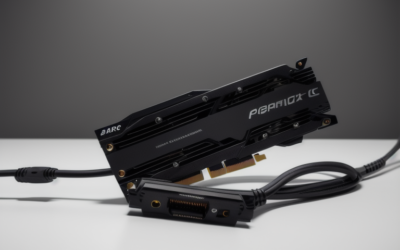
Both families use NVIDIA’s Blackwell architecture, with fifth-generation Tensor cores and fourth-generation ray tracing cores. The hardware foundations are related, but the packaging, memory, drivers and support around them are not. A GeForce RTX 5090 offers 32GB of GDDR7, while the top RTX PRO 6000 Blackwell offers 96GB of GDDR7 with ECC, which is three times the capacity with extra data protection.
The software side differs as much as the hardware. GeForce cards use Game Ready and Studio drivers. RTX PRO cards use professional driver branches designed for stability and validated against workstation applications, and software vendors often certify their products against those branches. That certification is a major part of the price.
What You Pay For in an RTX PRO Card
| Feature | GeForce RTX | RTX PRO |
|---|---|---|
| Primary audience | Gamers, streamers, hobby creators | Professionals, engineers, AI teams |
| Memory capacity | Up to 32GB on the flagship | Much larger on the top models, such as 96GB |
| ECC memory | Not a core feature on GeForce | Common on higher RTX PRO models, check the spec sheet |
| Drivers | Game Ready and Studio | Professional and enterprise branches |
| Software certification | Limited | Broad support from professional software vendors |
| Virtualization | Not the focus | Supported on many professional and server models |
| Form factor | Large gaming coolers | Workstation and server designs, some compact |
| Cost per gaming frame | Strong | Weaker |
Memory: Capacity and Protection
Memory is the clearest reason to pay up. Professional work such as large 3D scenes, scientific volumes, simulation meshes and AI models can overflow a consumer card’s VRAM, and when that happens jobs slow down or fail. Cards with far larger memory pools avoid that cliff.
ECC, or error-correcting code, adds another benefit. It detects and corrects certain memory errors, which matters when a single flipped bit could corrupt a long simulation or an engineering result. For gaming, a rare error is usually a visual glitch. For a scientific or financial workload, it can be a serious problem.
Drivers, Certification and Support
Professional software vendors test their applications against specific driver branches and publish lists of supported cards. When something goes wrong in a certified application, a support team can point to that list. With a GeForce card the application may still work well, but you may not qualify for the same level of vendor support.
NVIDIA also treats the professional line differently on lifecycle and availability. Business buyers often need the same card model to remain available for a long period, and professional lines tend to emphasize that. Enterprise management tools and remote administration features round out the offering.
Where GeForce Wins
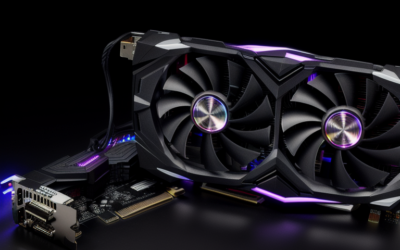
For gaming, GeForce is the clear winner. The drivers get game-specific optimizations earlier, the coolers handle sustained loads at lower noise, and the cost per frame is far better. DLSS 4 and other consumer features are central to the product. Many creators also find that a GeForce card with the Studio driver handles video editing, Blender and similar tools well at a fraction of the cost.
- Gaming: choose GeForce without question.
- Streaming and video editing: GeForce with the Studio driver usually fits.
- Hobby 3D and AI experiments: GeForce works well until memory becomes the limit.
- Certified professional workflows: look at RTX PRO.
- Server and virtualization: check licensing rules, since consumer driver terms may restrict data center use.
The Lineup Is Not Just One Card
It is easy to think of RTX PRO as a single expensive product, but the Blackwell professional family spans several tiers, from compact workstation cards to the 96GB flagship and its server-oriented sibling. The lower tiers cover design, engineering and media work with modest memory pools, and they come in slimmer forms that suit small workstations. NVIDIA’s lineup page lists the current members, so check it instead of assuming a name from memory.
GeForce spans a similar range from entry cards up to the RTX 5090. The overlap is where confusion starts: a mid-tier professional card may have less raw gaming speed than a mid-tier GeForce card, yet more memory, ECC or certified support. Compare the specific models you are considering, not the brand families, and weigh each difference against your workload.
Licensing and Deployment Notes
NVIDIA’s license terms for consumer drivers limit certain data center uses, so businesses planning to run GPUs in servers should read the terms carefully. Professional and data center cards carry licenses and software support built for those environments. Ignoring this can create compliance problems that cost more than the hardware difference.
Power and cooling also differ. Some RTX PRO cards use blower-style or compact coolers that exhaust heat in predictable ways, which suits workstations with multiple cards. Gaming coolers are optimized for open-air cases and quiet operation.
A Middle Path for Creators
Many creators sit between the two worlds. A freelance 3D artist or video colorist may not need certified drivers but may feel squeezed by 16GB or 24GB of memory. In that case the choice is not simply “gaming card or professional card.” It is about how often memory runs out, how much a failed render costs and whether the applications you rely on list specific GPUs as supported.
A practical test is to watch memory use during your heaviest project. If you rarely come close to the limit, a GeForce card will serve you well. If you regularly spill into slower system memory or fail jobs, the larger professional pools start to justify themselves.
Who Should Buy What
Gamers and Streamers
Buy GeForce. Paying for professional features that your games cannot use is wasted effort, and the performance for the money is worse on RTX PRO cards.
Engineers, Architects and Studios With Certified Software
If your applications publish certified GPU lists and your income depends on stable output, RTX PRO is worth evaluating. The support relationship and driver validation lower risk.
AI and Data Teams
If your models need more than 32GB of memory or you plan multi-user deployments, a professional card may be the only workable single-GPU option. If your models fit in consumer memory, a GeForce card can be a cost-effective start.
Decision Checklist
- Write down your actual memory requirement before comparing cards.
- Check whether your software vendor lists certified GPUs.
- Decide whether ECC memory matters for your results.
- Read license terms if you plan any server or shared use.
- Compare cooler design and slot width against your chassis.
- Consider total cost, including power supply and support.
Frequently Asked Questions
Is an RTX PRO card faster in games?
Not necessarily. Professional cards focus on memory, certification and stability, while GeForce drivers focus on game optimization. For gaming a GeForce card is the better value.
Do I need ECC memory?
Only if your work is sensitive to rare memory errors, such as long simulations or financial and scientific computing. Games and typical creative tasks rarely need it. Check which RTX PRO models include it.
Can I use a GeForce card for professional work?
Yes, many people do with the Studio driver, especially for video editing and 3D. The tradeoffs are less certification, smaller memory and license limits for server use. Check your software vendor’s guidance.
Why are RTX PRO cards so much more expensive?
You pay for larger memory, validation, support, long lifecycle and lower volume. The silicon is related, but the surrounding product is different. Whether that is worth it depends entirely on your workflow.
Related Guides
- RTX Pro GPU Review: Is Nvidia's Workstation Card Worth It?
- NVIDIA RTX Pro GPU Review: Workstation Power Worth It?
- Nvidia RTX 4060 vs. RTX 3060 Ti: Which Mid-Range GPU is Right for You?
- RTX 2080 GPU in 2026: Is This Turing Card Worth Buying?



Write Your Review
No reviews yet. Be the first to share your experience!