
Best LGA 1700 motherboard choices look different now that Intel has moved on to a new socket. This is a mature, well-supported platform with cheap chips available, and picking the right board means matching chipset and memory type to a build you will not be upgrading later. Here are six boards worth considering.
As an Amazon Associate we earn from qualifying purchases.
By Ryan Cole
Quick answer: For most people in 2026, the best lga 1700 motherboard is the MSI MAG Z790 Tomahawk MAX WiFi — our #1 rated choice. See the full ranked comparison, alternatives and buying advice below.
How to Choose the Best LGA 1700 Motherboard
The platform covers three CPU generations and four chipsets, with both DDR4 and DDR5 boards on sale. These four checks point to the best LGA 1700 motherboard for your chip without paying for capability you cannot use.
Z790, B760 or H770
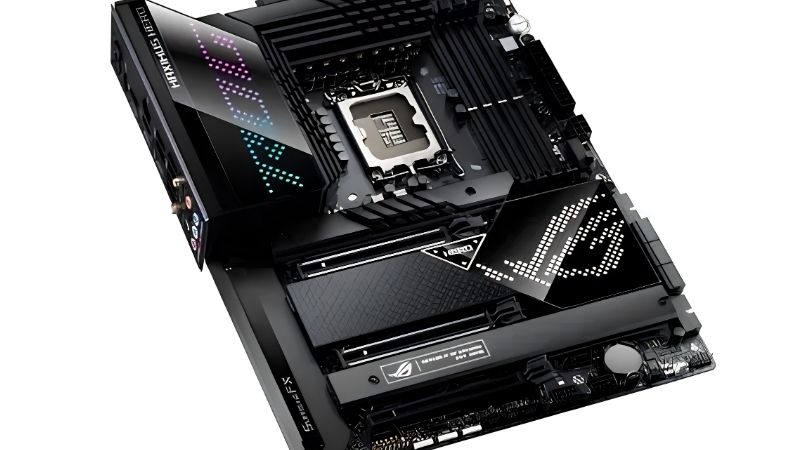
Chipset is the first fork in the road when picking the best LGA 1700 motherboard. Z790 unlocks CPU overclocking and full memory tuning, and provides the most PCIe lanes. It only makes sense with a K-series chip; on a locked processor most of that capability sits unused.
B760 is the practical choice for locked chips like the i5-14400F or i7-14700F. It supports memory profiles, gives two or three M.2 slots, and costs substantially less than the Z-series equivalent.
H770 sits between the two with more lanes than B760 but no CPU overclocking. It is worth considering only when a specific board in that range is priced well against nearby B760 options.
Chipset alone does not change frame rates. It determines lane counts, tuning options and connectivity, so choose it based on your CPU and storage plans rather than expecting a performance difference.
Decide Between DDR4 and DDR5 Boards
LGA 1700 is unusual in supporting both, but a board takes one or the other. DDR4 boards let you reuse existing memory, which is a real saving given how much DRAM pricing has moved this year.
DDR5 offers higher bandwidth and is the only path forward if you ever move those sticks to another system. On a gaming build with a mid-range GPU, the frame rate difference is modest.
If you already own a good DDR4 kit, a DDR4 board is the sensible economic choice on this platform. If you are buying memory anyway, DDR5 keeps the kit useful beyond this build.
Size the VRM to Your CPU
A Core i5 is undemanding, but a 14700K or 14900K under sustained load draws serious power and needs a board with heatsinked power stages and a proper 8-pin plus 4-pin EPS arrangement.
Cheap B760 boards will run high-core-count chips but may throttle during long all-core work. For gaming that rarely matters; for rendering or streaming while playing, it eventually does.
Look at the EPS connector layout as a quick indicator. A single 8-pin suggests the board was designed around mid-range chips, while 8-pin plus 4-pin signals headroom for the top of the stack.
Check Storage Layout and Lane Sharing
Boards in this generation commonly disable SATA ports when the second or third M.2 slot is populated. That detail lives in the specification table and catches people out after the build is complete.
Look for at least one M.2 slot above the graphics card with a heatsink. Drives mounted directly beneath a hot GPU run considerably warmer during sustained transfers.
PCIe 5.0 storage support appears on some boards in this generation, but Gen5 drives run hot and offer little benefit in games. A good Gen4 drive remains the sensible choice for a gaming build.
Top Picks: Best LGA 1700 Motherboard Options
The best LGA 1700 motherboard for a given build depends on chipset and memory type, so these six span budget DDR4 through to a full Z790 system. Specifications come from manufacturer documentation, and stock on this platform now varies significantly between retailers.
| Board | Chipset | Memory | M.2 Slots | Best For |
|---|---|---|---|---|
| MSI MAG Z790 Tomahawk MAX WiFi | Z790 | DDR5 | 4 | K-series builds |
| ASUS ROG Strix B760-F Gaming WiFi | B760 | DDR5 | 3 | Upper mid-range |
| Gigabyte B760 AORUS Elite AX | B760 | DDR5 | 3 | Balanced value |
| MSI PRO B760-P WiFi DDR4 | B760 | DDR4 | 2 | Reusing DDR4 memory |
| ASRock B760M Pro RS | B760 | DDR5 | 2 | Budget mATX |
| ASUS ROG Strix Z790-A Gaming WiFi II | Z790 | DDR5 | 4 | Storage-heavy systems |
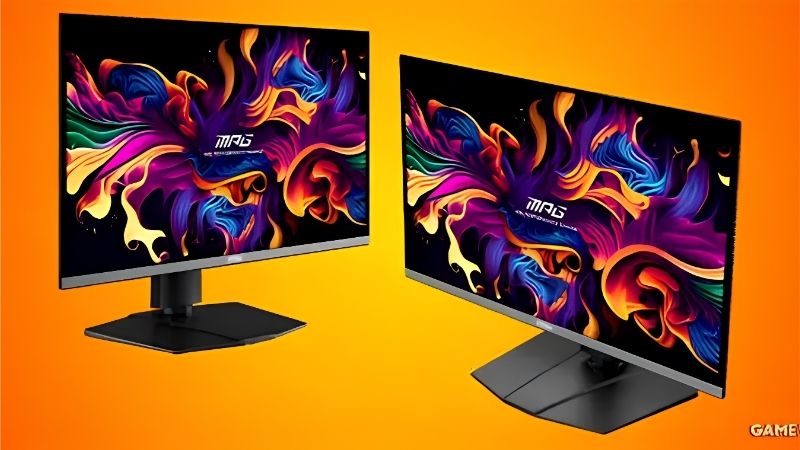
MSI MAG Z790 Tomahawk MAX WiFi
Strong power delivery, four M.2 slots, 2.5G Ethernet and Wi-Fi 7 make this the sensible top end of the platform. It handles a 14900K under sustained load without VRM temperatures becoming a concern.
It costs considerably more than a B760 board, and none of that premium improves gaming frame rates with a locked chip. Buy it only if you are running a K-series processor.
ASUS ROG Strix B760-F Gaming WiFi
A well-equipped B760 with three M.2 slots, Wi-Fi 6E and a power stage comfortably above what a locked i7 requires. BIOS Flashback is present, which simplifies pairing with older stock.
Pricing sits close to entry Z790 boards at times, which muddies the value case. If you find that gap narrow, the Z board is the better buy for the same money.
Gigabyte B760 AORUS Elite AX
Three M.2 slots with heatsinks, 2.5G Ethernet and Wi-Fi at a mid-range price make this a balanced pick for a gaming build using a locked i5 or i7 chip.
Gigabyte’s BIOS is less approachable than MSI’s, and lane sharing on the third M.2 slot disables SATA ports. Check the manual before planning your storage layout.
MSI PRO B760-P WiFi DDR4
The reason to choose this board is memory: it accepts DDR4, which turns an existing 32GB kit into a saving worth well over a hundred dollars in current conditions.
Styling is plain, there are only two M.2 slots, and DDR4 caps the bandwidth available to the CPU. On a gaming build with a mid-range graphics card, that trade is easy to accept, and the money saved on memory goes further elsewhere in the build.
ASRock B760M Pro RS
A compact mATX board with DDR5 support, two M.2 slots and enough VRM for a Core i5. It builds a cheap, tidy gaming system without obvious weak points at the price.
There is no Wi-Fi on the base model and rear I/O is basic. Pair it with a mid-range chip rather than trying to run a 14700K through it.
ASUS ROG Strix Z790-A Gaming WiFi II
Four M.2 slots, a strong power stage and a light colourway suit builds with heavy storage requirements or a capture card sharing space with the graphics card.
Like all Z790 boards it is expensive for what a gaming build needs, and much of the tuning capability goes unused by most owners. The white styling is part of what you are paying for.
What 2026 Pricing Means for LGA 1700 Buyers
This platform now competes on price rather than capability, which makes the current market context unusually relevant to the decision.
Legacy Status Cuts Both Ways
Intel’s next platform moves to a new socket, so LGA 1700 receives no further processors. In exchange, existing chips and boards have become significantly cheaper than current-generation equivalents.
Buy the best LGA 1700 motherboard for your budget only if you accept the build as a fixed configuration. If you want a CPU upgrade later, AM5 is supported with new chips through 2029.
DDR4 Support Is the Real Advantage
DRAM contract pricing rose through both Q3 and Q4 of 2026, with no new manufacturing capacity arriving before late 2027. That has made memory one of the most expensive parts of a new build.
A DDR4 board on this platform sidesteps much of that if you already own a kit. It is the clearest financial argument for choosing LGA 1700 over a current-generation socket right now.
Waiting Achieves Nothing
Nova Lake, Zen 6 and refreshed graphics cards have all moved to CES in January 2027. Nothing launching before then will make this platform cheaper or extend its CPU support.
Budget board options have also thinned out industry-wide, with manufacturers concentrating on mid and high-end SKUs after a sharp fall in overall motherboard sales. Good stock on a legacy platform does not sit around indefinitely, so if the board and chip you want are both available at a fair price, that is a reasonable point to buy.
Frequently Asked Questions
These four questions decide most purchases now that the platform has reached the end of its CPU roadmap, and they matter more than any spec-sheet comparison.
Is LGA 1700 still worth buying in 2026?
Yes, as a value build. Chips like the i5-14400F and i7-14700F are cheap and capable, and boards are widely available. Accept that no new processors will arrive for the socket.
Do I need Z790 for a 14700K?
Not strictly, since B760 will run it. However, Z790 provides better power delivery on comparable models and full memory tuning, both of which suit a high-core-count K-series chip under sustained load.
Is DDR4 much slower than DDR5 for gaming?
The gap exists but is smaller than benchmarks suggest at typical resolutions, where the graphics card limits performance. With a mid-range GPU at 1440p, most games land within a few percent.
Will my LGA 1700 cooler fit a newer socket?
Often yes with the correct bracket, since mounting dimensions are similar between recent Intel sockets. Check the manufacturer’s compatibility list, as some brands supply the kit free and others charge for it.
See More:
- Who makes the best motherboard
- Best budget AM5 CPU for gaming
- What is the best thermal paste pattern
- Best mini ITX computer case
- Best desktop RAM for gaming
Final Thoughts
The best LGA 1700 motherboard for most people is a mid-range B760 paired with a locked i5 or i7, or a DDR4 model if you already own memory worth reusing. Save Z790 for K-series chips you actually intend to tune. Treat the whole system as a fixed build, price it against a comparable AM5 setup, and it remains a sensible way to get good gaming performance cheaply.
Ready to decide? Our #1 pick for 2026 is the MSI MAG Z790 Tomahawk MAX WiFi.
Live price & availability on Amazon.

Write Your Review
No reviews yet. Be the first to share your experience!