
- Top Pick: SANSUI 32 Inch Curved 240Hz Gaming Monitor High Refresh Rate, FHD 1080P
- Best Value: Samsung 37” Odyssey G7 (G75F) Series 4K UHD Curved Gaming Monitor
- Premium Choice: Alienware 34 Curved Gaming Monitor – AW3425DWM – 34-inch WQHD 180Hz 1ms Display, 1500R, AMD FreeSync Premium, VESA AdaptiveSync.
Best curved gaming monitor 4K shopping is confused by a number most listings never explain. The R figure describes how tight the curve is, and matching it to your screen size and seating position is the whole game. Getting it wrong is why some people find curved panels immersive while others find them distorted and send them straight back.
As an Amazon Associate we earn from qualifying purchases at no extra cost to you.


As an Amazon Associate we earn from qualifying purchases at no extra cost to you.
By Ryan Cole
How to Choose the Best Curved Gaming Monitor 4K Panel
Picking the best curved gaming monitor 4K option starts with understanding curve radius, then matching it to your screen size and how far back you sit.
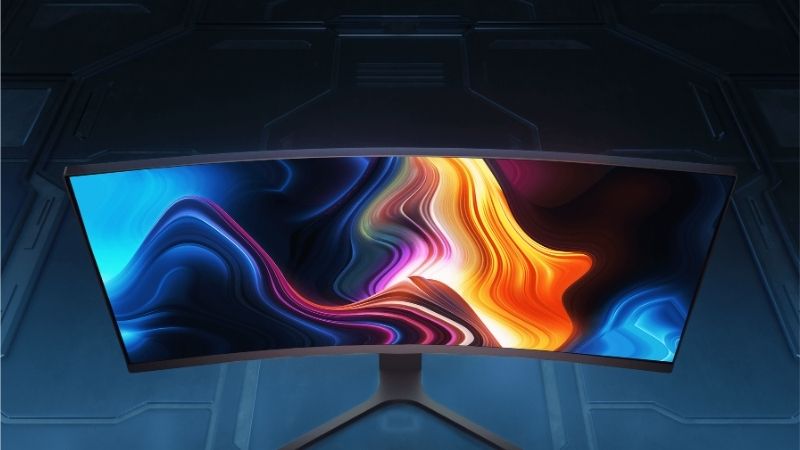
What the R Number Actually Means
The figure describes the radius in millimetres of the circle the curve would form if extended. A 1000R panel follows a circle one metre across, while an 1800R panel follows one nearly twice as wide and is therefore far gentler.
Lower numbers mean tighter curves. A 1000R display is designed for viewing at roughly one metre, where every point on the screen sits at a consistent distance from your eyes.
That is also why a curve tuned for one distance feels wrong at another. Sitting much closer or further back than the radius intends undoes the benefit and can make the geometry feel strange.
Practically, gentle curves around 1700R and 1800R suit 32 inch panels and general use, while 1000R belongs on very wide displays or setups where you sit close and use the monitor mainly for gaming.
Screen Size Decides Whether a Curve Helps
On a 27 inch panel a curve adds very little, because the edges are already close to a consistent viewing distance. Most manufacturers do not bother curving at that size for exactly this reason.
At 32 inches a gentle curve genuinely helps by bringing the edges closer. On ultrawide panels beyond 40 inches, a curve stops being a preference and becomes necessary for the far edges to remain usable.
Seating distance shifts the calculation as well. Sitting a metre back reduces the benefit of any curve, while sitting at arm’s length makes even a gentle one noticeably more comfortable than a flat panel.
Where Curves Work Against You
Any work involving straight lines suffers. Design, photo editing, spreadsheets and architectural work all reveal the distortion immediately, and no amount of getting used to it makes a straight line look straight.
Video editing sits somewhere in between. Timeline work is unaffected, but judging framing and horizon lines on a curved panel takes adjustment, and most editors keep a flat reference display alongside.
Curved glossy panels also gather reflections from a wider arc of the room than flat ones. A window behind you that a flat screen would miss entirely can appear in a curved panel’s field.
Multi-monitor setups become awkward too. Placing a flat secondary display alongside a curved primary one leaves an obvious mismatch at the join, which is why most people who go curved end up replacing both.
Resolution Beyond Standard 4K
Several curved panels at this level exceed 3840 by 2160. Dual-4K superultrawides reach 7680 by 2160, and 5K2K panels sit at 5120 by 2160, both demanding considerably more from a graphics card.
Treat those as a different class of purchase. They deliver enormous screen area but need high-end hardware to drive properly, and support in games for their aspect ratios is not universal.
Check desk width before anything else with these. A 57 inch panel needs well over a metre of usable surface, and a monitor arm rated for that weight is a separate cost worth budgeting for.
Top Picks: Best Curved Gaming Monitor 4K Models
These six span gentle and aggressive curves across standard 16:9 and superultrawide formats. Specifications are manufacturer-published as of August 2026.
| Monitor | Size | Curve | Panel | Refresh |
|---|---|---|---|---|
| Alienware AW3225QF | 31.6 in | 1700R | QD-OLED | 240 Hz |
| MSI MPG 321CURX | 31.5 in | Gentle | QD-OLED | 240 Hz |
| Samsung Odyssey Neo G8 | 32 in | 1000R | Mini-LED VA | 240 Hz |
| Samsung Odyssey Neo G7 | 32 in | 1000R | Mini-LED VA | 165 Hz |
| Samsung Odyssey Neo G9 57 | 57 in | 1000R | Mini-LED VA | 240 Hz |
| LG UltraGear 45GX950A | 45 in | Bendable | WOLED | 165 Hz |
Alienware AW3225QF – Best Overall
This is the best curved gaming monitor 4K option for most desks. The 1700R curve is gentle enough that straight lines remain acceptable while still improving immersion, and Dell’s three-year burn-in coverage is the strongest in the category.
The glossy coating gathers reflections in bright rooms, and pixel density at 32 inches makes OLED subpixel text rendering more visible than on 27 inch panels. Availability outside Dell’s channels is limited in several regions.
MSI MPG 321CURX – Best Value QD-OLED
MSI prices its OLED panels below the equivalent Dell and ASUS models while using the same panel generation, and the curve is gentle enough to remain comfortable for mixed work and gaming use.
Stand adjustment is more limited than rivals and the on-screen menu system is clumsier. MSI’s burn-in warranty terms are also less generous than Dell’s, which matters over a three-year ownership period.
Samsung Odyssey Neo G8 – Best HDR Without Burn-In Risk
A mini-LED backlight running hundreds of dimming zones delivers genuine HDR brightness with no burn-in concern, at 4K and 240Hz. For a display that also shows static work content all day, that is the sensible tradeoff.
The 1000R curve is aggressive for a 16:9 panel and divides opinion sharply. Blooming around bright objects on dark backgrounds is also visible and cannot be tuned away entirely.
Samsung Odyssey Neo G7 – Cheaper Mini-LED Option
Essentially the Neo G8 at a lower refresh rate, which suits anyone whose graphics card cannot sustain high frame rates at 4K anyway. Mini-LED HDR performance and the zero burn-in risk carry over unchanged.
At 165Hz it trails the OLED panels noticeably in motion clarity, and it shares the same aggressive 1000R curve and blooming characteristics as its faster sibling.
Samsung Odyssey Neo G9 57 – Most Screen Area
A dual-4K superultrawide at 7680 by 2160, this replaces two monitors with one continuous surface. The 1000R curve is genuinely necessary at this width to keep the far edges usable.
It demands an extremely capable graphics card and considerable desk width, and game support for the aspect ratio is inconsistent. It is also among the most expensive displays on the market.
LG UltraGear 45GX950A – Best Bendable Panel
A 5120 by 2160 WOLED panel that physically bends between flat and curved, letting you switch depending on whether you are gaming or working. The matte coating also handles bright rooms well.
The bending mechanism adds cost and a moving part that a fixed panel does not have. At 45 inches it also needs substantial desk width and a viewing distance most setups cannot easily provide.
What the 2026 Market Means for Curved Buyers
Two forces shape the best curved gaming monitor 4k decision, and only one of them concerns the display itself.
The Graphics Card Is the Larger Expense
Global graphics pricing rose roughly 19% from late 2025 after partner supply was cut by around 20%. Driving 4K at high refresh already costs more than most displays, and superultrawide formats demand considerably more again.
That matters most for the largest panels here. A dual-4K display renders roughly twice the pixels of a standard 4K screen, which puts it beyond what mid-range hardware can sustain in demanding titles.
Nothing New Arrives Before CES 2027
Refreshed graphics lineups slipped to January 2027, and display manufacturers typically announce new panels around the same show. There is no imminent launch that will make these resolutions cheaper to drive.
If your current monitor works and you are within a few months of a major show, waiting costs very little. Announcements also tend to push current models into genuine discount territory.
Monitors Still Discount Properly
Unlike memory and storage, where sale stock was built at elevated contract prices, displays continue to see real seasonal reductions. This is one category where holding out for the November sales genuinely works.
Large curved panels in particular tend to see deeper discounts than smaller ones, because they sell in lower volumes and retailers are more willing to move stock.
Frequently Asked Questions
The best curved gaming monitor 4k question usually arrives with these, from people who have only used flat panels and are unsure what a curve changes.
Is the best curved gaming monitor 4k better than a flat one?
For immersion in single-player and open-world games at 32 inches or wider, yes. For design work, photo editing or anything involving straight lines, a flat panel is clearly better and the curve becomes an active nuisance.
What curve radius should I choose?
Gentle curves around 1700R or 1800R suit 32 inch panels and mixed use. A tighter 1000R curve is designed for close viewing and very wide displays, and it is noticeably more polarising on a standard 16:9 screen.
Do curved monitors cause eye strain?
Generally the opposite, since a correctly matched curve keeps the whole screen at a consistent distance from your eyes. Strain more often comes from sitting too close to a large panel regardless of whether it curves.
Can I wall mount a curved monitor?
Yes, most support standard VESA mounting, though you should check the pattern and weight rating. Curved panels sit further from the wall than flat ones, so allow extra clearance when planning the position.
See More:
- Best 4TB NVMe SSD
- Best thermal grizzly paste
- Best thermal paste for 7800X3D
- Best CPU case fans
- Best motherboard for gaming computer
Final Thoughts
The best curved gaming monitor 4K choice for most people is the AW3225QF, whose gentle 1700R curve works for gaming without ruining productivity. The Neo G8 covers bright rooms and static content without burn-in risk, and the superultrawide options deliver enormous screen area if your graphics card can feed them. Match the curve radius to your size and seating distance first, and everything else follows.











Write Your Review
No reviews yet. Be the first to share your experience!