
- Top Pick: ZOTAC MEK Gaming PC Desktop, Ryzen 7 9700X, NVIDIA GeForce RTX 5070 Ti 16GB
- Best Value: Lenovo Legion Tower 5i – AI-Powered Gaming PC – Intel® Core Ultra 7 265F Processor – NVIDIA® GeForce RTX™ 5070 Ti Graphics – 32 GB Memory – 1 TB Storage – 3 Months of PC GamePass
- Premium Choice: Lenovo Legion Tower 5-2026 – Gaming Desktop – NVIDIA GeForce RTX 5070 Ti – Ryzen 7 9800X3D – 32GB Memory – 1TB Storage – Windows 11 Home – Eclipse Black – Free 3 Months PC Game Pass
An RTX 5070 Ti gaming PC is the enthusiast’s sweet spot in 2026: powerful enough for high-refresh 1440p and very capable 4K gaming, yet far more attainable than an RTX 5080 or 5090 system. Whether you plan to build your own or buy a prebuilt, this guide covers the best configurations and the components that let the GeForce RTX 5070 Ti reach its full potential.
As an Amazon Associate I earn from qualifying purchases.
The table below lists the ideal parts for an RTX 5070 Ti gaming PC, plus a strong prebuilt option for those who want a ready-made machine. Each part is chosen to keep the system balanced so the card is never held back.
| Product | Key Spec | Best For | Component |
|---|---|---|---|
| NVIDIA RTX 5070 Ti | 16GB GDDR7 | Core GPU choice | Graphics card |
| AMD Ryzen 7 9800X3D | 8C X3D cache | Best gaming CPU | Processor |
| AMD Ryzen 7 7800X3D | 8C X3D cache | Best value CPU | Processor |
| G.Skill Trident Z5 DDR5-6000 | 32GB CL30 | Ideal memory kit | Memory |
| Samsung 990 Pro 2TB | Gen4 NVMe SSD | Fast large storage | Storage |
| Corsair RM850e PSU | 850W 80+ Gold | Reliable power | Power supply |
| NZXT Player Prebuilt | RTX 5070 Ti, 9800X3D | Ready-to-go system | Prebuilt PC |
Verdict at a glance
- Best overall build: RTX 5070 Ti 16GB with a Ryzen 7 9800X3D, 32GB of dual-channel DDR5-6000 CL30, a 2TB Gen4 SSD and a quality 850W ATX 3.1 power supply such as the Corsair RM850e (2025).
- Best prebuilt: a Skytech system with the Ryzen 7 9800X3D, RTX 5070 Ti, 32GB DDR5, 2TB SSD and an 850W Gold power supply, provided the exact model uses DDR5-6000.
- Best small-form-factor prebuilt: Cooler Master NR2 Pro (9800X3D, RTX 5070 Ti, B850I motherboard, 850W SFX Gold power supply in an 18-liter case).
- Best value CPU option: Ryzen 7 7800X3D, which trails the 9800X3D only slightly at 1440p and 4K. The newer Ryzen 7 9850X3D adds only about 0.5-2.5% in games per TechPowerUp, so it only makes sense when priced close to the 9800X3D.
How we compared: we did not build or bench-test these systems. Recommendations are based on manufacturer and retailer specification sheets, independent CPU and GPU reviews (TechPowerUp, Hardware Unboxed/TechSpot, Tom’s Hardware), and owner reports on noise, thermals and build quality.
Why choose an RTX 5070 Ti gaming PC?
The RTX 5070 Ti delivers flagship-adjacent gaming performance at a much friendlier price. With 16GB of GDDR7 memory, it powers high-refresh 1440p and very playable 4K with DLSS 4 multi-frame generation. It is the card most enthusiasts should target because it hits the intersection of high performance, sensible power draw, and reasonable cost.
The GPU at the center of your RTX 5070 Ti gaming PC
The RTX 5070 Ti is the star. Its 16GB frame buffer eliminates VRAM concerns at 1440p and 4K, and DLSS 4 with frame generation dramatically boosts frame rates in ray-traced titles. Choose a model with a robust triple-fan cooler for quiet operation and consistent boost clocks under sustained load.
Best CPU for an RTX 5070 Ti gaming PC: Ryzen 7 9800X3D
To avoid any bottleneck, pair the card with the Ryzen 7 9800X3D, one of the fastest gaming CPUs available (the newer 9850X3D is only marginally quicker). Its second-gen 3D V-Cache keeps frame rates at the top of the charts, ensuring the RTX 5070 Ti is never the one waiting. This is the definitive pairing for high-refresh 1440p gaming.
Best value CPU option: Ryzen 7 7800X3D
If you want to trim cost without sacrificing much, the Ryzen 7 7800X3D is superb. It trails the 9800X3D by only a few frames in real gameplay, drops into the same AM5 platform, and costs noticeably less, freeing budget for a bigger SSD or better cooling.
Memory, storage, and power
Equip the build with 32GB of DDR5-6000 CL30 memory, the proven gaming sweet spot for X3D chips, and a 2TB Gen4 NVMe SSD for a spacious, fast game library. An 850W 80+ Gold PSU like the Corsair RM850e supplies clean, efficient power with headroom for the card’s transient spikes.
Prebuilt alternative
Prefer to skip assembly? Prebuilts pairing the RTX 5070 Ti with a Ryzen 7 9800X3D, such as the NZXT Player line, deliver a balanced, warrantied machine ready out of the box. Verify the exact RAM, PSU, and cooling specs to ensure the system matches a well-built DIY equivalent.
Skytech Gaming PC: Ryzen 7 9800X3D, RTX 5070 Ti, 32GB, 2TB

Skytech sells the Ryzen 7 9800X3D and RTX 5070 Ti combination in several cases (King 95, Legacy 4, Blaze 5, Azure 3 and others), and this listing follows the common recipe: 9800X3D, RTX 5070 Ti 16GB (graphics card brand may vary), 32GB of DDR5, a 2TB Gen4 NVMe SSD, a 360mm AIO liquid cooler and an 850W 80 Plus Gold ATX 3.0 power supply, with Wi-Fi and Windows 11 Home.
That specification lines up closely with the DIY build in this guide. The 850W Gold unit gives headroom for the RTX 5070 Ti’s roughly 300W board power and future GPU upgrades, and the 360mm AIO is more cooling than the 9800X3D needs, which keeps noise down. Skytech lists a one-year parts, labor and shipping warranty plus lifetime technical support.
What to verify: memory speed varies by model. Some Skytech 9800X3D/5070 Ti variants ship with DDR5-6000, others with DDR5-5600 or 5200, and the motherboard chipset (B650 or X670) is not always listed. DDR5-6000 is the sweet spot for X3D chips, so check the exact model number.
Strengths: balanced core specs, 850W Gold power supply, 2TB SSD, generous cooling.
Drawbacks: component brands can vary between batches, the warranty is shorter than building with parts that carry their own multi-year warranties, and some variants use slower memory.
How it compares: the most direct ready-made equivalent of this guide’s recommended build. If it lands close to the cost of buying the parts, it is the easier choice.
Cooler Master NR2 Pro Mini-ITX: Ryzen 7 9800X3D, RTX 5070 Ti

For buyers who want RTX 5070 Ti performance in a small case, Cooler Master’s NR2 Pro is one of the few prebuilts that does it properly. It uses a Ryzen 7 9800X3D, a GIGABYTE RTX 5070 Ti 16GB, a GIGABYTE B850I AORUS PRO motherboard, 32GB of DDR5-6000 in a dual-channel 2x16GB kit, a 2TB Gen4 SSD, an ML280 AIO cooler and an 850W SFX Gold power supply, all inside the 18.25-liter NR200P MAX V2 case.
The parts list reads like a careful enthusiast build: named, reputable components, the right memory speed for X3D chips, and a quality SFX power supply rather than an unbranded one. Cooler Master claims 120 fps-plus at 1440p on high settings, which is consistent with independent RTX 5070 Ti results.
Strengths: fully specified with name-brand parts, compact footprint, DDR5-6000 dual channel, 850W SFX Gold power supply.
Drawbacks: tight internals make future upgrades and cleaning harder, small cases run warmer and louder under sustained load than mid-towers, and pricing has swung widely.
How it compares: a premium over a mid-tower build with similar parts, but very hard to replicate yourself at this size.
Corsair RM850e (2025) 850W ATX 3.1

This guide recommends an 850W unit for an RTX 5070 Ti build, and the 2025 version of Corsair’s RM850e is a sensible default. It is an 80 Plus Gold, fully modular power supply built to the ATX 3.1 and PCIe 5.1 standards, with a native 12V-2×6 cable for RTX 50 cards, so no adapter is needed.
An 850W unit runs well below its limit with a 9800X3D and RTX 5070 Ti, which keeps fan noise low and leaves room for a GPU upgrade later. ATX 3.1 compliance means it is designed for the brief power spikes modern GPUs produce.
Strengths: native 12V-2×6 cable, fully modular, ATX 3.1, reputable brand.
Drawbacks: not the quietest unit in its class under heavy load; premium Platinum units are more efficient.
How it compares: the updated version of the RM850e named in this guide’s parts table; buy the 2025 ATX 3.1 model rather than older stock.
Patriot Viper Venom DDR5-6000 CL30 32GB (2x16GB)

The memory recommendation in this guide is 32GB of DDR5-6000 CL30 in two sticks, and Patriot’s Viper Venom kit meets it exactly: a 2x16GB kit rated at 6000 MT/s with CL30 timings, with AMD EXPO and Intel XMP profiles.
Two sticks matter as much as the speed. A 2x16GB kit runs in dual-channel mode on every AM5 board, which is what X3D chips need for full performance. One 32GB stick halves memory bandwidth, and four sticks often force lower speeds on AM5.
Strengths: the exact speed and timing sweet spot for Ryzen 9000 and 7000 X3D chips, dual-channel kit, EXPO profile.
Drawbacks: DDR5 prices rose sharply in 2026, so memory is a much larger share of the build budget than it was in 2025.
How it compares: a no-frills alternative to the G.Skill Trident Z5 kit in the parts table; performance is the same at identical speed and timings.
How to build the ideal RTX 5070 Ti gaming PC
Start with the GPU and a matching X3D CPU to prevent bottlenecks. Add 32GB of fast DDR5, a high-quality 850W PSU, and a capacious NVMe SSD. Choose a case with strong airflow, at least three intake fans, to keep the 16GB card cool. For CPU cooling, a 240mm or 280mm AIO or a premium air cooler keeps the X3D chip in check. Finally, pick a motherboard with good VRMs and current BIOS support for the newest Ryzen chips.
Resolution and monitor pairing
An RTX 5070 Ti gaming PC excels at 1440p 165Hz to 240Hz and delivers strong 4K performance with DLSS. Pair it with a high-quality 1440p high-refresh monitor, or a 4K 144Hz panel if you prioritize resolution. Either way, the card has the muscle to make the display shine.
Cooling and acoustics
The RTX 5070 Ti draws moderate power for its class, so a well-ventilated mid-tower keeps temperatures and noise in check. Pairing it with an efficient X3D CPU means the whole system runs cooler and quieter than a comparable Intel high-wattage build, which is a real day-to-day benefit.
Frequently Asked Questions
Is an RTX 5070 Ti gaming PC good for 4K?
Yes, an RTX 5070 Ti gaming PC handles 4K gaming very well, particularly with DLSS 4 upscaling and frame generation enabled. You will enjoy smooth, high-quality visuals in most titles, occasionally lowering a setting or two in the most demanding games. Its 16GB of VRAM comfortably supports 4K textures without running short on memory.
What is the best CPU for an RTX 5070 Ti gaming PC?
The AMD Ryzen 7 9800X3D is the best CPU for an RTX 5070 Ti gaming PC, delivering top-tier gaming frame rates that never bottleneck the card. For a more affordable option that performs nearly as well, the Ryzen 7 7800X3D on the same AM5 platform is an excellent value choice for high-refresh 1440p gaming.
How much power supply does an RTX 5070 Ti gaming PC need?
An 850W 80+ Gold power supply is recommended for an RTX 5070 Ti gaming PC, providing clean, efficient power with headroom for the card’s transient spikes and future upgrades. A high-quality 750W unit can also work, but 850W offers a safer margin and flexibility if you later add more storage or upgrade the graphics card.
How much RAM should an RTX 5070 Ti gaming PC have?
An RTX 5070 Ti gaming PC should have 32GB of DDR5-6000 memory, which is the current gaming sweet spot. This capacity handles modern games, streaming, and multitasking with ease. On AMD X3D platforms, DDR5-6000 with tight CL30 timings extracts the best gaming frame rates, so choose a kit that matches those specifications.
Is the Ryzen 7 9850X3D worth it for an RTX 5070 Ti PC?
Usually not. TechPowerUp measured it only about 0.5-2.5% faster than the 9800X3D in games, with the smallest gap at 4K, where an RTX 5070 Ti is the limiting part anyway. Buy it only if it costs about the same as the 9800X3D.
Does an RTX 5070 Ti need a special power cable?
It uses the 12V-2×6 connector. An ATX 3.1 power supply with a native 12V-2×6 cable is the cleanest option; otherwise use the adapter supplied with the card and make sure every plug is fully seated.
What should a prebuilt RTX 5070 Ti PC include at minimum?
A Ryzen 7 X3D or comparable CPU, 32GB of dual-channel DDR5, a 1TB or larger Gen4 SSD, and a 750-850W Gold power supply from a named brand. Anything less is cutting corners.
Should I build or buy an RTX 5070 Ti gaming PC?
Building your own RTX 5070 Ti gaming PC saves money and lets you guarantee quality components like the CPU, RAM, and power supply. Prebuilt systems cost a bit more but offer convenience and a unified warranty. Choose building if you want maximum value and control, or a prebuilt if you prefer a ready-to-use machine with support.
Related Guides
- 4070 Gaming Laptop (2026 Guide)
- Cpu And Gpu Combo (2026 Guide)
- Best Cpu To Pair With 5070 Ti (2026 Guide)
- Best Gpu Under 500 (2026 Guide)
As an Amazon Associate we earn from qualifying purchases at no extra cost to you.


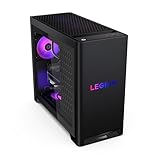


RTX 5070 Ti gaming PC spec table
Use this table to compare a prebuilt’s spec sheet with a sensible DIY build. The “minimum acceptable” column is the floor below which the RTX 5070 Ti starts to be held back or the system cuts corners.
| Component | Recommended | Minimum acceptable | Why it matters |
|---|---|---|---|
| CPU | Ryzen 7 9800X3D (or 9850X3D if priced close) | Ryzen 7 7800X3D, Ryzen 7 9700X or Core Ultra 7 265K | Keeps 1% lows high at 1440p high refresh |
| GPU | RTX 5070 Ti 16GB, triple-fan cooler | RTX 5070 Ti 16GB, any reputable brand | 16GB GDDR7 for 1440p and 4K textures |
| Memory | 32GB DDR5-6000 CL30, 2x16GB | 32GB DDR5-5600, 2x16GB | Dual channel matters more than the last few MT/s |
| Storage | 2TB Gen4 NVMe | 1TB Gen4 NVMe | Modern games often take 100-150GB each |
| Power supply | 850W 80 Plus Gold, ATX 3.1, native 12V-2×6 cable | 750W 80 Plus Gold from a known brand | Headroom for transient spikes and future upgrades |
| CPU cooler | 240-360mm AIO or dual-tower air cooler | Quality single-tower air cooler | X3D chips run cool; noise is the main concern |
| Motherboard | B850 or X870 with current BIOS | B650 with current BIOS | BIOS support for Ryzen 9000 chips and EXPO memory |
| Warranty | Multi-year on individual parts (DIY) or 2-plus years system-wide | 1 year system-wide (common on prebuilts) | Long-term cost of failures |
Build vs buy: where the budget goes
Here is how a typical RTX 5070 Ti build splits its budget in late 2026, shown as rough shares rather than prices. Shares shift with sales, but the pattern is consistent.
| Component | Approximate share of a DIY build | What prebuilts often cut |
|---|---|---|
| Graphics card (RTX 5070 Ti) | About 40% | Rarely cut, but the brand and cooler may vary |
| Memory (32GB DDR5) | About 15-18% | Slower speeds (5200-5600) or single-stick setups |
| CPU (Ryzen 7 9800X3D) | About 15% | Swapped for a non-X3D chip such as the 9700X |
| Motherboard | About 7-8% | Entry chipsets with basic VRMs |
| Storage (2TB NVMe) | About 6-7% | 1TB drives or DRAM-less SSDs |
| Power supply (850W Gold) | About 4% | Unnamed or lower-tier units |
| Case, fans and cooler | About 8-10% | Airflow-restricted cases, few fans |
| Windows license | About 3-5% | Included in prebuilts |
The big change in 2026 is memory. DDR5 and SSD prices rose sharply as AI demand absorbed supply, so memory now takes a much larger slice of the budget than in 2025. Prebuilt makers buy in volume and include Windows, so a well-specified prebuilt can land close to the cost of building; compare the total against the parts list before deciding.
What to check before buying a prebuilt
- Power supply brand and rating. Look for a named brand (Corsair, Seasonic, MSI, be quiet!, Cooler Master, Thermaltake, ASRock and similar), 80 Plus Gold or better, ATX 3.0 or 3.1, and at least 750W. “850W” with no brand is a red flag.
- Memory channels and speed. 32GB should be two 16GB sticks running in dual channel, ideally DDR5-6000 for X3D chips. One 32GB stick halves bandwidth. Confirm EXPO is enabled once you receive the system.
- The exact CPU. “Ryzen 7” can mean a 9800X3D, 7800X3D or 9700X; the X3D chips are noticeably better for gaming.
- GPU brand. Listings often say “brand may vary.” That is normal, but it means the cooler and noise can differ from photos.
- SSD type. Gen4 NVMe with DRAM or HMB is fine; avoid small or SATA-only boot drives.
- Case airflow. A mesh front panel and at least three intake fans keep the RTX 5070 Ti quiet.
- Warranty terms. Check who handles repairs, whether shipping is covered, and how long parts and labor are covered.
How we compared
We did not build or bench-test these systems. Component choices are based on manufacturer specifications, independent CPU and GPU reviews from TechPowerUp, Hardware Unboxed/TechSpot and Tom’s Hardware, retailer spec sheets for the prebuilt systems, and owner reports on noise, thermals and build quality. Budget shares are approximate and derived from typical retail listings for each component category in late 2026, not from a single store.











Write Your Review
No reviews yet. Be the first to share your experience!