
- Top Pick: 51RISC GeForce GTX 1660 Ti Graphics Card, 6GB GDDR6 192bit Video Card for Gaming GPU PCIe 3.0 x16 DP HDMI DVI 1080P 2K Game PC Card 1660ti 4K 8K Display (GTX 1660 Ti – Red)
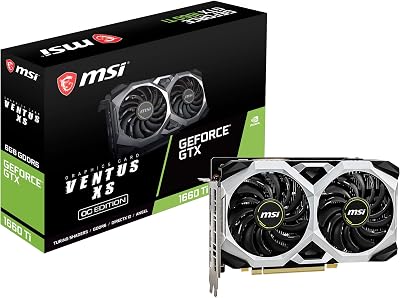
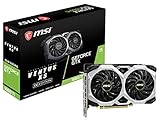
- Best Value: MSI Gaming GeForce GTX 1660 Ti 6GB GDRR6 – 192-bit HDMI/DP, Dual Fan, VR Ready, OC Graphics Card for Gaming PC, NVIDIA Video Card GPU (GTX 1660 TI Ventus XS 6G OC) Computer Graphics Cards (Renewed)
- Premium Choice: EVGA 06G-P4-1667-KR GeForce GTX 1660 Ti SC Ultra Gaming, 6GB GDDR6, Dual Fan (Renewed)

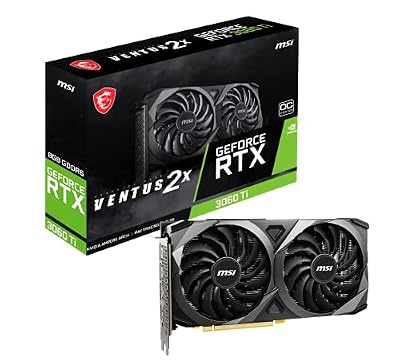


RTX 3060 vs GTX 1660 Ti is usually asked by someone who already owns the 1660 Ti. That changes the question entirely. You are not choosing between two cards on a shelf — you are deciding whether to spend money on a machine that already works, and the honest answer depends on things a benchmark chart cannot see: what you play, what your card sells for, and whether you would be better off skipping this tier completely. This page treats it as the upgrade decision it actually is, and gives you four specific signals that mean yes.
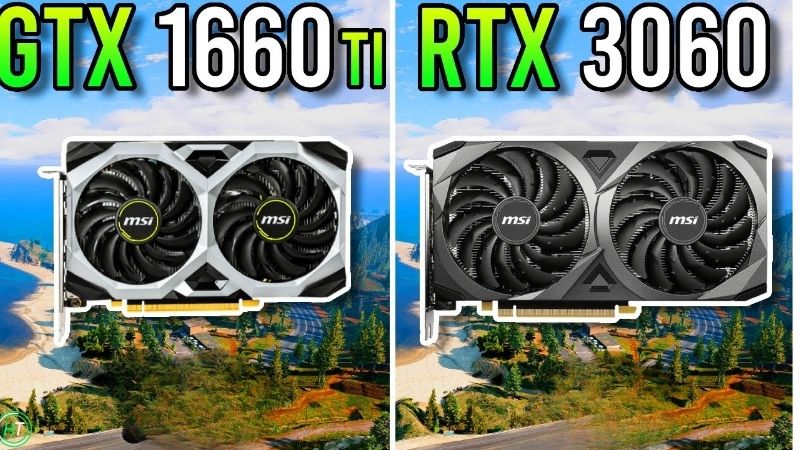
The Upgrade Verdict: Should 1660 Ti Owners Move to a 3060?
Conditionally yes, and the condition is what you play. The RTX 3060 is roughly 40-50% faster and carries 12GB against your 6GB, which is the part that matters most in 2026. But if your library is CS2, Valorant and older single-player titles, your 1660 Ti is not failing you and this upgrade buys frames you cannot see on a 144Hz panel. If you are hitting stutter in modern AAA titles, that is the 6GB buffer, and no amount of lowering settings fixes it properly — that is when the upgrade is worth every dollar. The net cost after selling your 1660 Ti is usually $120-160, which is a fair price for a card that lasts until 2029.
As an Amazon Associate we earn from qualifying purchases at no extra cost to you.





The Four Signals That Mean Upgrade Now
Work through these honestly. If two or more apply, upgrade. If none do, keep your card and read the last section instead.
- You get freezes, not just low frame rates. Second-long hitches, textures loading in visibly late as you turn. That is the 6GB buffer overflowing and it is unfixable in software.
- You have started avoiding games. Not “playing them on Low” — actually not buying them. That is a card that has stopped doing its job.
- You want to stream or record. Turing’s older NVENC block against Ampere’s is a visible quality difference at the same bitrate.
- You have touched anything AI. Stable Diffusion, local models, CUDA coursework. The 1660 Ti has zero tensor cores — not fewer, none — and 6GB will not load what 12GB will.
The signal that is not on this list: “my card is old.” Age is not a reason. A 1660 Ti hitting 140 FPS in the games you play is a card doing exactly what you need.
Why the 12GB Matters More Than the 40%
This is the part that flips the decision, and it is the thing 2021 comparisons of these two cards could not have told you.
A 40-50% raster gain is nice. It turns 45 FPS into roughly 65. Real, worth something, but not transformative — you would notice it and then forget about it.
The memory jump is different in kind. 6GB to 12GB is not “more of the same”, it is the difference between a card that stutters and a card that does not. When a game’s allocation exceeds your buffer, the driver spills assets across PCIe into system RAM, and the resulting frame time spikes damage the experience far more than a 40% average deficit ever could. Averages hide this completely. It is why your 1660 Ti can post a respectable 34 FPS average in Hogwarts Legacy while feeling genuinely broken to play.
If that description matches what you are experiencing, you have your answer and the rest of this page is confirmation.
What You Actually Gain, Measured
Numbers rather than adjectives. The specification table first, then what it produces in games you might actually own.
Core Specifications Side by Side
| Specification | GTX 1660 Ti (yours) | RTX 3060 (12GB) |
|---|---|---|
| Architecture | Turing (TU116) | Ampere (GA106) |
| Launch year | 2019 | 2021 |
| CUDA cores | 1,536 | 3,584 |
| VRAM | 6GB GDDR6 | 12GB GDDR6 |
| Memory bus | 192-bit | 192-bit |
| Bandwidth | 288 GB/s | 360 GB/s |
| Tensor cores | None | 112 |
| RT cores | None | 28 (2nd gen) |
| NVENC | Turing 6th gen | Turing 7th gen |
| TDP | 120W | 170W |
| PSU recommended | 450W | 550W |
Two rows are bolded because they are the ones that decide it. Doubling the VRAM, and going from zero tensor cores to 112. Everything else is incremental.
Check the PSU row before you commit. Going from 120W to 170W on a supply sized for a 1660 Ti is a real consideration — if you are on a 450W unit, budget for a replacement. That is $60-80 nobody mentions when they tell you to upgrade.
What the Upgrade Buys You, Game by Game
1080p High, no upscaling. Asterisks mark where your 6GB is the constraint rather than your shaders.
| Game (1080p High) | GTX 1660 Ti | RTX 3060 | Gain |
|---|---|---|---|
| Counter-Strike 2 | ~198 FPS | ~205 FPS | +4% (nothing) |
| Valorant | ~245 FPS | ~240 FPS | 0% (nothing) |
| GTA V Enhanced | ~104 FPS | ~98 FPS | Slightly worse |
| Elden Ring | ~50 FPS | ~57 FPS | +14% |
| Cyberpunk 2077 | ~40 FPS* | ~55 FPS | +38% |
| Hogwarts Legacy | ~34 FPS* | ~54 FPS | +59% |
| Black Myth: Wukong | ~26 FPS* | ~42 FPS | +62% |
This table is the whole decision and it deserves a slow read. In the first three rows, upgrading buys you nothing — and in GTA V it actually costs you a few frames, because the 1660 Ti’s raw bandwidth is competitive at those settings. If those three rows are your library, close this page and keep your money.
The bottom three rows are a different card entirely. 59% and 62% gains, and those are averages that understate the real difference: your 1660 Ti’s 1% lows collapse below 15 FPS during traversal in Hogwarts while the 3060 holds around 40. That is not a frame rate improvement. That is the game becoming playable.
The Real Cost After Selling Your Card
The number that matters, and nobody calculates it for you.
A working GTX 1660 Ti still sells on the used market — not for much, but not for nothing either, because used prices are anchored by a new market that has stopped falling. Subtract that from a used 3060’s price and the net cost of this upgrade typically lands around $120-160.
Then add the honest extras. A PSU upgrade if you are on 450W: $60-80. Thermal paste on whatever used 3060 you buy: $15. And the risk premium of buying someone else’s card, which is not a dollar figure but is real.
So the true cost is closer to $135-255 depending on your PSU. For a card that stays sensible until 2029, that is defensible. For a card you will replace in eighteen months anyway, it is not.
Deep Dive: What You Cannot Get by Upgrading
Worth being clear about the limits, because the 3060 is frequently oversold to 1660 Ti owners on features it does not actually deliver.
DLSS: Real, But Not What You Have Been Told
The 3060 has 112 tensor cores; your 1660 Ti has none. That is a genuine capability gap — DLSS is not slow on your card, it is impossible, permanently, in every game.
But here is the catch that changes how much this is worth. DLSS 4.5’s newer second-generation transformer models — Model M and Model L — rely on native FP8 support, which Ampere does not have. On an RTX 3060, selecting those models costs more performance than the image quality gain justifies, and Nvidia’s own guidance is that RTX 30 series owners should generally stay on Model K, the DLSS 4.0 model.
So you gain DLSS, and you gain the version of it from two generations ago rather than the current one. Still a real gain — roughly 30% recovered at 1080p Quality — but if someone told you to upgrade for “the latest DLSS”, they were wrong.
Frame Generation: You Are Not Getting It
This is the most common misunderstanding among people upgrading from GTX to RTX, and it is worth stating flatly: the RTX 3060 does not have Frame Generation and never will.
Frame Generation requires Ada’s optical flow accelerator — hardware that Ampere does not contain. This is not a driver limitation or artificial segmentation. It is silicon that is either present or absent, and on a 3060 it is absent.
If Frame Generation is what you actually want, the 3060 is the wrong upgrade and you need a 4060 or newer. That is a different conversation and a different budget, and it is exactly the scenario the last section covers.
Pros and Cons of Making This Upgrade
| Pros of upgrading | Cons of upgrading |
|---|---|
| 12GB ends the stutter permanently | Zero gain in esports and older titles — sometimes negative |
| 40-60% faster in modern AAA | 170W vs 120W may force a PSU upgrade at $60-80 |
| DLSS access at all (Model K) | No Frame Generation, ever — that needs Ada |
| Better NVENC for streaming | Buying used means buying someone else’s risk |
| 112 tensor cores opens AI and CUDA work | No FP8, so DLSS 4.5’s best models are off the table |
| Net cost after resale often $120-160 | Skipping to a 4060 gets Frame Generation for not much more |
Read the right column carefully. Two of those cons — no Frame Generation, and the 4060 sitting close by — are the reason a meaningful number of 1660 Ti owners should skip this tier entirely.
The Cost of Waiting, and When Skipping Is Smarter
Every upgrade decision has a “just wait” option attached, and it deserves an honest examination rather than a reflex. In this market, waiting is not free.
Why Waiting Has Not Paid Off
Component and laptop prices have kept trending upward rather than settling back, and entry-level cards have absorbed the sharpest share because memory is a large fraction of what they cost to build. The traditional pattern — a card drifting well below launch price by its third year — has simply stopped operating.
The practical evidence: 1660 Ti owners who decided in 2024 to wait for the 3060 to hit $180 mostly still have not seen it, and are now two years further into a card that stutters. The waiting cost them the use of a better machine and saved them nothing.
This cuts both ways, and it is the useful part. It also means your 1660 Ti is holding its resale value better than a six-year-old card has any right to — which makes the net cost of this upgrade lower than it would have been in a normal market. The anchor that hurts you as a buyer helps you as a seller.
Prices Flattened, But Relief Is Years Out
The good news is real and should be stated precisely rather than hopefully. The steep climb of late 2025 has eased. Framework, which publishes unusually candid component pricing updates, has described a stretch of relative stability while still cautioning that volatility has not ended. That is stabilisation, not a decline.
New capacity is genuinely coming. OEMs can now source DDR5 from Chinese manufacturers such as CXMT, and Micron is building two fabs in Idaho. Both add real supply. Neither begins production before 2027-2028, which is two GPU generations away.
So if your plan is “wait for prices to drop”, the evidence says that plan has no arrival date. Decide on today’s prices.
When Skipping This Tier Is the Better Move
Here is the case against this upgrade, made honestly. If your 1660 Ti is still delivering in the games you play, keep it. Put the $150 in a jar and skip to a 5060 or a 9060 in eighteen months. You will jump two generations instead of one, get Frame Generation, and avoid buying a five-year-old used card in between.
And if you are going to spend money now anyway, look hard at a new RTX 4060 before settling on a used 3060. It is faster, it has Frame Generation the 3060 will never have, it draws 115W so no PSU upgrade, and it comes with a warranty. It costs more — but a new card with three years of support against a used card with none is not the same purchase at all.
See More:
- GTX 1650 vs RTX 3050
- Nvidia DIGITS
- Nvidia cuDNN
- Radeon RX 9070 XT vs RTX 5090
- PNY GeForce RTX 5080 review
Final Verdict: RTX 3060 vs GTX 1660 Ti
The rtx 3060 vs gtx 1660 ti upgrade comes down to one honest question: are you getting stutter, or just lower frame rates? If it is stutter — freezes, textures loading late, games you have quietly stopped buying — that is your 6GB buffer, it is not fixable in settings, and the 3060’s 12GB ends it permanently. At a net cost around $120-160 after selling your card, that is money well spent for a machine that stays sensible until 2029.
If your 1660 Ti is holding 140 FPS in CS2 and you are happy, do not upgrade. The table above is clear that you would gain nothing in those titles and occasionally lose a few frames. Keep the card, save the money, and skip to a 5060 in eighteen months when you will get Frame Generation, a warranty, and two generations instead of one. With prices flat rather than falling, there is no reward for waiting — but there is also no penalty for keeping a card that still works.
Frequently Asked Questions
When is upgrading from a 1660 Ti to a 3060 worth it?
Upgrade now if you are hitting the 6GB VRAM wall, which shows up as texture pop-in and sudden stutter rather than low averages, or if you want DLSS at 1440p. The 3060 12GB removes both problems and adds ray tracing, at a cost of about 50W more power draw.
When should I wait instead?
Wait if you mostly play esports titles like Valorant, CS2, Rocket League or Overwatch at 1080p, where the 1660 Ti already clears 144fps. Wait also if your budget can grow to the RTX 5060, RX 7700 XT or Arc B580 tier within a few months, since those are a much larger generational jump.
How much faster is the 3060 in real games?
Expect 35 to 45 percent more frames at 1080p and closer to 50 percent at 1440p where the wider memory system and larger buffer help. With DLSS quality mode enabled in supported titles the effective gap widens further, because the 1660 Ti has no tensor cores and must rely on FSR.
Do I need a new power supply?
Probably not, but check. The 1660 Ti is 120W with a single 8-pin, the RTX 3060 is 170W and Nvidia recommends 550W. A quality 550W or 600W unit from a reputable brand is fine. A no-name 450W unit that was adequate for the 1660 Ti is the one case where you should replace it.
Will the 3060 bottleneck an older CPU?
At 1080p it can. Paired with a Ryzen 5 1600, an i5-8400 or older, you may only see part of the gain because the CPU limits frame rates in busy scenes. At 1440p the load shifts back to the GPU and the upgrade delivers much closer to its full potential.








Write Your Review
No reviews yet. Be the first to share your experience!