
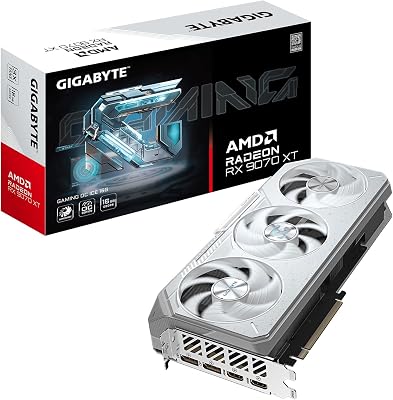
- Top Pick: GIGABYTE Radeon RX 9070 XT Gaming OC 16G Graphics Card, PCIe 5.0, 16GB GDDR6, GV-R9070XTGAMING OC-16GD Video Card
- Best Value: GIGABYTE Radeon™ RX 9070 XT Gaming OC ICE 16G Graphics Card (16GB GDDR6, 256-bit, PCIe 5.0, HDMI/DP 2.1, 2.7 Slot, Hawk Fan, Server-Grade Thermal Gel, Reinforced Structure)
- Premium Choice: Sapphire 11348-03-20G Pulse AMD Radeon™ RX 9070 XT Gaming Graphics Card with 16GB GDDR6, AMD RDNA 4


rx 9070 xt vs rtx 3080 ti is the kind of matchup review sites skip – a current mid-high card against a four-year-old flagship, from different vendors, across two generations. Nobody benchmarks it properly because it does not fit a launch review cycle. But it is exactly the comparison a 3080 Ti owner needs, because the question is not which card is better on a chart. It is whether a card that cost $1,199 in 2021 has actually been outrun by a $599 card in 2026. Verdict below, numbers in a table, and an honest resale calculation.
Quick Verdict: RX 9070 XT vs RTX 3080 Ti
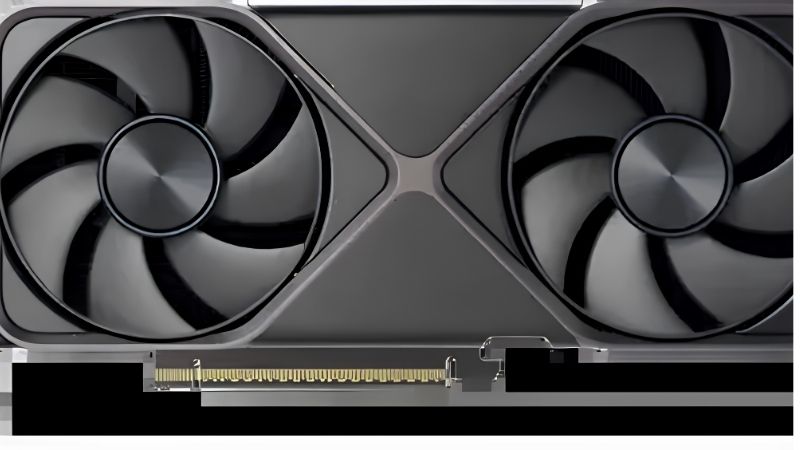
The RX 9070 XT wins, and by more than most 3080 Ti owners expect – roughly 20-30% faster in rasterised games at 1440p, with 16GB against 12GB, at 304W against 350W. It also brings FSR 4 and substantially better ray tracing than RDNA 3 offered, though the 3080 Ti’s RT hardware remains competitive in a way AMD’s older cards were not. This is a genuine upgrade rather than a sidegrade. Whether it is worth roughly $250-350 net after selling depends on whether your 3080 Ti is currently the thing limiting you.
As an Amazon Associate we earn from qualifying purchases at no extra cost to you.


What Four Years Actually Bought
The 3080 Ti was a flagship. It cost $1,199 at launch and it was, for a while, one of the fastest cards you could buy. Four years later a $599 card beats it comfortably – which is the ordinary rhythm of PC hardware and also a useful reality check on halo purchases.
In rasterised games at 1440p, expect roughly 100-125 fps from the 9070 XT where the 3080 Ti delivers 80-100. At 4K the gap holds or widens slightly, because the 9070 XT’s 16GB buffer gives it room the 3080 Ti’s 12GB does not.
That is a 20-30% gap, which sits at the edge of what people reliably feel. The transformative threshold is roughly 40-50%. So the honest read: you will notice this upgrade in demanding titles, and you will not notice it in most of your library. That nuance is the whole decision, and it is why this needs more than a bar chart.
Ray Tracing: The Category That Refuses to Resolve
This is where the comparison gets genuinely interesting, and where a four-year-old Nvidia card holds ground it has no business holding.
The 3080 Ti’s RT hardware was ahead of its time. Ampere’s ray tracing implementation was strong, and it remains competitive against RDNA 4 in a way RDNA 3 never managed. In mixed RT titles at 1440p, the 9070 XT leads – but by a much narrower margin than its raster advantage, often in the low double digits rather than the 20-30% you see with RT off.
In the heaviest path-traced showcases, Nvidia’s ecosystem advantages compound. Those titles are typically built around Nvidia’s toolchain, and the 3080 Ti can close or occasionally reverse the gap despite being four years old and a generation behind on paper.
The upscaling side cuts the other way. FSR 4 is a genuine generational leap over what AMD offered before, and it is competitive with DLSS in a way FSR 3 was not. But the 3080 Ti has DLSS – not Frame Generation, which requires Ada or newer, but the core upscaler, with the broader game support list. Neither card wins this cleanly, which is unusual and worth knowing before you assume the newer card sweeps everything.
Full Comparison Table for 3080 Ti Owners
Framed as what changes, rather than as two products.
| Specification | Your RTX 3080 Ti | RX 9070 XT | What changes |
|---|---|---|---|
| Launch price | $1,199 (2021) | $599 (2025) | Half the price, more performance |
| VRAM | 12GB GDDR6X | 16GB GDDR6 | +4GB – meaningful at 4K |
| Memory bus | 384-bit | 256-bit | Narrower, but faster overall |
| Board power | ~350W | ~304W | -46W, less heat |
| Raster 1440p | ~80-100 fps | ~100-125 fps | +20-30% – the real gain |
| Ray tracing | Strong for its age | ~110-115% | Modest gain only |
| Upscaling | DLSS, no Frame Gen | FSR 4 | Sideways, not up |
| Memory junction temp | Often 95C+ | Not applicable | GDDR6X runs hot |
| Creator apps (CUDA) | Works | Limited | You lose this |
| Net upgrade cost | – | ~$250-350 after selling | The question |
Two rows deserve attention that the fps rows do not get. The CUDA row is a hard blocker rather than a slowdown – if you use Blender or Resolve, moving to AMD is not an upgrade, it is a workflow change. And the memory junction row is the one 3080 Ti owners live with daily: GDDR6X on that card commonly reads 95C or higher, which is a genuine reason people replace it that has nothing to do with frame rate.
Deep Dive: The Reasons to Move That Are Not Frames
A 20-30% gap alone does not justify $300 for most people. But there are two structural reasons 3080 Ti owners upgrade, and neither appears on a benchmark chart. If either applies to you, the calculation changes completely.
The GDDR6X Heat Problem
This is the honest reason a lot of 3080 Ti owners are reading this page, even if they searched for benchmarks.
GDDR6X memory runs hot – much hotter than the core. Memory junction temperatures of 95-105C under load are routine on 3080 Ti and 3090 cards, and while the silicon is rated for it, the thermal pads between the memory and the heatsink degrade over four years. Cards that ran fine in 2022 now hit memory junction throttling, which presents as sudden performance drops mid-session rather than consistently lower frames.
The fix costs about $20 and an afternoon: replace the thermal pads with quality replacements at the correct thickness, repaste the core, and rebuild the fan curve. Owners routinely drop memory junction temperatures 15-20C this way. That is a genuine restoration, not a workaround.
Do this before you decide anything. A repadded 3080 Ti behaves like a different card, and a large share of people who upgraded because their card “got slower” were replacing a maintenance problem with a purchase.
Power, Heat and What 46W Actually Means
350W against 304W sounds like a rounding error and is not, for two reasons.
The first is your room. 46W of continuous heat during a four-hour session is noticeable, particularly in a small room in summer. The 3080 Ti is a genuinely hot card, and that is separate from whether it is fast.
The second is the connector. The 3080 Ti uses either 2x 8-pin or a 12-pin depending on the model, while the 9070 XT uses conventional 2x 8-pin – simple, safe, no adapter and no seating anxiety. That is a small advantage but a real one, especially against the newer Nvidia cards a 3080 Ti owner might otherwise consider.
Both cards want a 750W supply and real intake airflow. If your case has one intake fan behind a solid glass panel, neither card performs the way its spec sheet promises – and swapping one throttled card for another throttled card is $300 poorly spent.
Pros and Cons of Upgrading From a 3080 Ti
| Upgrade to the RX 9070 XT | Keep your RTX 3080 Ti | |
|---|---|---|
| Pros | 20-30% faster in raster at 1440p and 4K; 16GB instead of 12GB; 46W cooler and no GDDR6X heat problem; FSR 4 is a real leap; conventional 8-pin connectors; strong 3080 Ti resale offsets much of the cost | Costs nothing; RT performance still competitive despite four years; you keep DLSS and its broader support list; you keep CUDA for creator work; a $20 repad and repaste often restores most of the loss you are feeling |
| Cons | ~$250-350 net for a gain below the transformative threshold; you lose CUDA entirely – a hard blocker for Blender and Resolve; RT gain is modest, not the 20-30% raster figure; you leave the DLSS ecosystem | 12GB is getting tight at 4K with high textures; GDDR6X pads degrade and will need replacing; 350W and hot; no Frame Generation; four years into its service life |
The pattern is clearer than most upgrade decisions. This is a real upgrade on raster and VRAM, a marginal one on RT, and a downgrade on CUDA and ecosystem. Which column dominates depends entirely on whether your machine does anything besides play games.
Why the Resale Maths Works in Your Favour
Everything above assumes today’s prices, and here the pricing situation is genuinely the best news in the decision – not because the new card is cheap, but because your old one refuses to depreciate.
Flat Prices Mean Your 3080 Ti Held Its Value
The memory-driven surge through late 2025 lifted component and laptop pricing broadly, and used GPUs followed with a lag – the used market prices against the cheapest new alternative rather than against age. That is why a four-year-old flagship still commands serious money.
The genuinely positive news is narrow but real: the steep climb seen at the end of 2025 has stopped, and manufacturers including Framework have reported a period of relative stability, while still warning openly that volatility has not ended.
Flat is not falling, and here that helps you. Your 3080 Ti is not depreciating the way a four-year-old flagship normally would, which means selling it recovers more than it would in a healthy market – and the net cost of moving to the 9070 XT is lower than the sticker suggests. It also means there is no urgency: your card will be worth roughly this much next quarter too.
The Nvidia H200 Decision and Why Nothing Is Getting Cheaper
The US has cleared Nvidia to sell the H200 – among its most capable AI accelerators – to China. That reads like data centre news, but it explains why the entire GPU market, including AMD’s half of it, stays firm.
Nvidia has finite advanced packaging and high-bandwidth memory allocation, and every unit gets assigned somewhere. AI silicon carries margins gaming cards cannot approach. Opening a large additional market for H200 increases the pull on the upstream memory and packaging supply that both vendors draw from – which keeps prices firm across the board rather than only on Nvidia’s side.
The practical read for a 3080 Ti owner: there is no crash coming to make the 9070 XT cheap, and no collapse coming to punish you for waiting. That removes timing from the decision entirely. Buy it if you want the raster and the VRAM. Do not buy it hoping the price improves, and do not delay hoping the same.
The Alternative: Fix It or Skip a Generation
If $300 net feels steep for a gain below the transformative threshold – it reasonably might – there are two cheaper paths worth pricing first.
Restore the card you own. A quality thermal pad kit at the correct thickness, fresh paste, and a custom fan curve typically drop memory junction temperatures 15-20C on a 3080 Ti and recover 60-90 MHz of sustained boost. That is roughly $20 and an afternoon against $300, and for a large share of owners it addresses the exact symptom that sent them searching.
Or skip forward. Your 3080 Ti is a 12GB card that still handles 1440p comfortably and is not close to obsolete. Waiting one more generation gets you a card that beats it on raster, RT, and VRAM simultaneously rather than trading RT and CUDA away for raster.
See More:
- A fan curve msi afterburner
- amd radeon rx 9070 vs rtx 5070
- 5060 ti vs 5070 benchmark
- rx 6600 vs rtx 3050
- 2060 vs 3060
Final Verdict and Recommendation
On rx 9070 xt vs rtx 3080 ti, the newer card genuinely wins – and that is not the same as saying you should buy it.
Upgrade if you play at 4K, if 12GB has started stuttering on you at high textures, if the GDDR6X heat has become a daily annoyance you are tired of managing, and if your machine does not depend on CUDA. A 20-30% raster gain plus 4GB plus 46W less heat is a real improvement, and your 3080 Ti’s stubbornly high resale value makes the net cost more reasonable than it looks.
Keep it if you use Blender or Resolve – losing CUDA is a workflow change, not a trade. Keep it if ray tracing is your priority, because the RT gain is modest rather than the headline figure. And keep it if you have not yet replaced the thermal pads: a $20 repad and repaste plus a proper fan curve frequently restores 15-20C on memory junction and most of the performance you think you lost to age.
Do the $20 first. Then decide with real numbers rather than frustration – and take your time, because with prices flat on both the new card and your old one, nothing about this decision expires.
Frequently Asked Questions
How much faster is the RX 9070 XT than an RTX 3080 Ti?
In rasterized gaming the RDNA 4 card generally leads by roughly fifteen to thirty percent at 1440p and 4K, and the margin grows further when FSR 4 upscaling is available. In ray traced workloads the two are closer, since the Ampere-based 3080 Ti had strong RT hardware for its era, though RDNA 4 substantially narrowed AMD historic ray tracing deficit.
Does the memory difference matter?
It can. The RX 9070 XT has 16GB of GDDR6 on a 256-bit bus while the RTX 3080 Ti has 12GB of faster GDDR6X on a wider 384-bit bus. The Radeon has more capacity, which matters at 4K with ultra textures and in heavily modded games, while the GeForce card has more raw bandwidth. Capacity is the more limiting factor going forward.
What is the power consumption difference?
The RX 9070 XT is rated around 304W and the RTX 3080 Ti around 350W, so the newer card delivers more performance while drawing meaningfully less power. That improved efficiency also means less heat in the case and quieter fan behaviour. A quality 750W supply suits the Radeon, whereas the 3080 Ti is generally paired with 850W.
What features would I gain by switching?
You gain FSR 4 machine learning upscaling which requires RDNA 4 hardware, improved ray tracing throughput, AV1 hardware encoding, and a full modern Adrenalin feature set with a long support runway ahead. You would give up DLSS, CUDA acceleration and NVENC, which matters if you stream, render in CUDA-accelerated applications, or run local AI tooling built around NVIDIA hardware.
Is this upgrade worth doing?
If you already own a working RTX 3080 Ti, a fifteen to thirty percent raster gain is a modest return unless you also want the larger frame buffer and lower power draw. The upgrade makes far more sense if your 3080 Ti is aging, you are hitting the 12GB limit at 4K, or you can offset a large share of the cost by selling the old card.
Ready to decide? Our #1 pick for 2026 is the Launch price.
Live price & availability on Amazon.






Write Your Review
No reviews yet. Be the first to share your experience!