
For an RTX 3090, NVIDIA’s published system requirement is a power supply of roughly 750 watts, and the card’s board power is about 350 watts. If you searched for a minimum “PDU,” you almost certainly mean the PSU, the power supply unit inside the PC. A PDU, or power distribution unit, is the rack-mounted or desk-level power strip used in server rooms, and it matters only if you plan to run several 3090 systems from one circuit.
- RTX 3090 Specification Summary
- Memory: Why 24 GB Is the Headline
- Cores and Features
- Power Draw, Connectors, and PSU Sizing
- Choosing a PSU: Beyond the Wattage Label
- Size, Cooling, and Case Fit
- Where the RTX 3090 Fits Today
- Who Should Buy or Skip It
- PSU and Fit Checklist
- Frequently Asked Questions
- Related Guides
The 3090 is a GA102-based Ampere card with 24 GB of GDDR6X memory, and it was the top GeForce model of its generation. This guide covers the memory, the core counts, the power connectors, the practical PSU class, the physical size, and the kinds of workloads where the card still fits as of late 2026.
RTX 3090 Specification Summary
| Specification | RTX 3090 |
|---|---|
| Architecture | Ampere (GA102) |
| CUDA cores | 10,496 |
| Tensor cores | 328 (third generation) |
| RT cores | 82 (second generation) |
| Memory | 24 GB GDDR6X |
| Memory bus | 384-bit |
| Memory bandwidth | About 936 GB/s |
| Board power | About 350 W |
| NVIDIA suggested PSU | About 750 W |
| PCIe interface | PCIe 4.0 x16 |
| NVLink | Supported, one bridge |
Boost clocks, dimensions, and cooler designs vary between partner boards, so the spec sheet for your exact model is the final authority on those details.
Memory: Why 24 GB Is the Headline
The 24 GB frame buffer is the reason the 3090 still draws attention. Memory is built from GDDR6X chips on a wide 384-bit bus, delivering a very high bandwidth figure that helps in rendering, video work, and large data sets. For gaming, 24 GB is far more than any current title requires at 4K, so it works as insurance rather than a daily need.
For local AI, the extra capacity is more meaningful. Larger models and bigger batch sizes fit in memory without being split or quantized as aggressively. This is why used 3090 cards have kept a following long after newer gaming cards launched with less memory.
Cores and Features
The 3090 uses nearly the complete GA102 chip. The CUDA, Tensor, and RT core counts above are the headline figures. Tensor cores handle DLSS upscaling and AI math, and RT cores accelerate ray tracing. The card supports DLSS upscaling and hardware ray tracing, but not DLSS frame generation, which requires the Ada Lovelace generation or newer.
It was also the only RTX 30 Series GeForce card to support NVLink for linking two cards. Support for multi-GPU gaming has largely faded, though some compute applications can still make use of a bridge. Check the software you plan to run before assuming it benefits.
Power Draw, Connectors, and PSU Sizing
The power question is the most common reason people look up the 3090. Here is how to think about it.
- Board power: about 350 watts under full load.
- NVIDIA’s suggested PSU: roughly 750 watts for a typical system with a mainstream CPU.
- Connectors: the Founders Edition uses NVIDIA’s compact 12-pin connector with an adapter that takes two 8-pin cables. Many partner boards use two or three separate 8-pin connectors.
- Transient spikes: Ampere cards can briefly draw more than their listed power for fractions of a second, which is why quality matters as much as the wattage on the label.
Builders with a high-core-count CPU, heavy overclocking, many drives, or a card with a raised power limit often step up to a larger unit. Choose a reputable, well-reviewed PSU with solid over-current protection, and use separate cables for each 8-pin connector instead of one daisy-chained lead.
Choosing a PSU: Beyond the Wattage Label
A wattage number tells only part of the story. The 12-volt rail is what feeds a graphics card, and a unit that reaches its rating mostly on that rail handles a 3090 better than one that splits capacity across older rails. Modern units from established brands generally follow that design, and the label or the manual will show the 12-volt capacity.
Efficiency certifications such as 80 Plus Gold indicate how much power is lost as heat, not how well the unit handles transient spikes, so they are a useful but incomplete guide. Look for a model with a long warranty, a track record of stable behavior with high-end cards, and modular cables so you can route the thick leads cleanly.
If you are replacing a power supply for this card, also account for the rest of the system. A fast processor under load can add well over a hundred watts, and drives, fans, and lighting add a little more. Leaving headroom keeps the unit operating in its efficient range and reduces fan noise.
Size, Cooling, and Case Fit
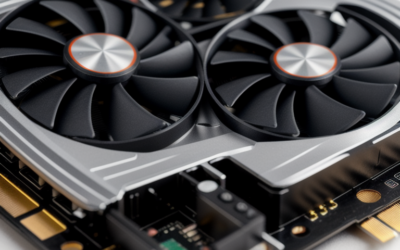
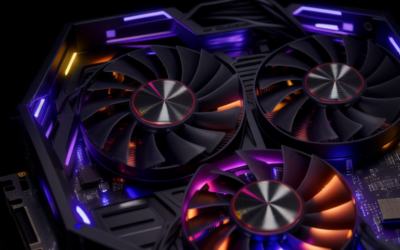
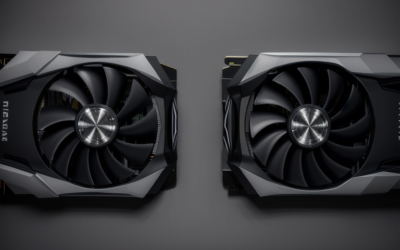
The 3090 is one of the largest consumer graphics cards. The Founders Edition occupies three slots, and several partner models are thicker or longer. Before ordering, measure the usable length and width in your case, the space above the motherboard for cable bending, and the clearance needed for the front fans.
Memory on both sides of the board means airflow around the backplate matters. A case with strong front-to-back airflow and a card that does not sit tightly against a side panel will keep memory temperatures healthier.
Where the RTX 3090 Fits Today
Today it fits as a used card for memory-hungry work or for gamers who want 4K headroom without buying new. It handles 1440p and 4K at tuned settings in most titles, and it keeps receiving current drivers as far as NVIDIA’s published release notes show. Confirm support for your operating system on NVIDIA’s driver pages.
Resolution and settings targets follow from those specs. At 1440p the card runs nearly everything at high refresh rates with settings maxed. At 4K it handles most current games at high settings, often with upscaling to hold higher frame rates. Memory capacity is never the limit, so the question is only how much raw speed you need compared with newer, more efficient cards.
Who Should Buy or Skip It
The home AI and rendering builder
This is the strongest use case. The 24 GB pool lets you run larger models and scenes than most mid-range cards, and the CUDA ecosystem support is broad. Budget for a strong PSU and good cooling.
The 4K gamer with a roomy case
The card delivers capable 4K performance with upscaling, and memory will never limit you. Weigh the power and heat costs against newer cards that match its speed more efficiently.
The small-form-factor builder
Skip it. The physical size and power needs rule it out for most compact cases, and heat can be difficult to manage in a small enclosure.
PSU and Fit Checklist
- Confirm your PSU wattage meets or exceeds NVIDIA’s suggestion for your CPU class.
- Count the PCIe power connectors your specific 3090 needs and make sure you have separate cables.
- Measure case length, width, and clearance for three slots.
- Check motherboard slot spacing if you plan to use extra expansion cards.
- Read the spec sheet for your exact model, since partner boards differ in power limits and size.
Frequently Asked Questions
What is the minimum power supply for an RTX 3090?
NVIDIA’s published recommendation is about 750 watts. Systems with powerful CPUs or overclocks often use a larger unit for margin.
Is a PDU the same as a PSU?
No. A PSU is the power supply inside your computer, while a PDU distributes power to multiple devices in a rack or work area. For a single desktop, you want the right PSU.
How much VRAM does the RTX 3090 have?
It has 24 GB of GDDR6X on a 384-bit bus. That is among the largest memory pools on a consumer card of its generation.
Does the RTX 3090 support DLSS 3 frame generation?
No. It supports DLSS upscaling and ray tracing, but frame generation needs a newer generation of GeForce card.
Related Guides
- Nvidia GeForce RTX 3090 Review Is It Still Worth Buying
- RTX 3090 Ti Review: Is This GPU Still Worth Buying in 2026?
- RTX 3090 24GB Review: Is It Still Worth Buying in 2026?
- RTX 3090 Price in 2026: Is the 24GB Ampere Card Worth It?


Write Your Review
No reviews yet. Be the first to share your experience!