
How much VRAM do I need is the question that trips up almost every PC buyer, and getting it wrong means either wasted money or a card that stutters within a year. VRAM, the dedicated memory on your graphics card, decides whether textures load cleanly or smear, and how long your card stays comfortable as games grow hungrier. This step-by-step guide gives you clear targets for each resolution, shows you how to measure your real usage, and explains why today’s memory market makes your timing matter as much as the number itself.
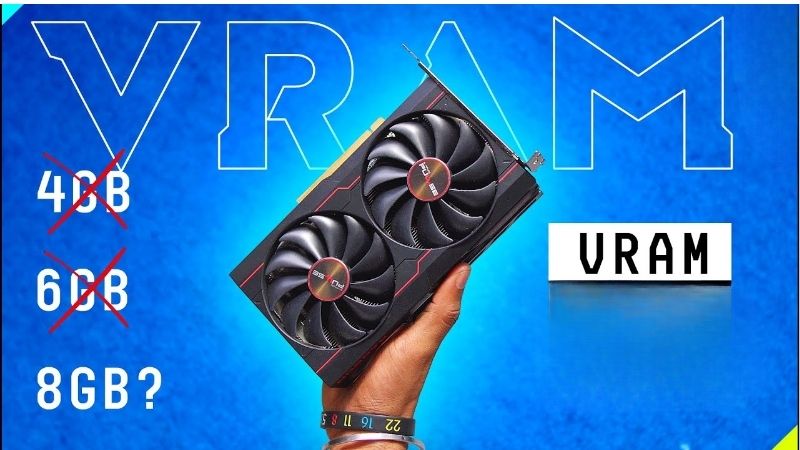
How Much VRAM Do I Need for My Setup
The honest answer is that it depends on your resolution, your settings, and how long you plan to keep the card. There is no single magic number, but there are clear, realistic targets once you understand what VRAM does and what fills it. Let us start with the basics before the numbers.
As an Amazon Associate we earn from qualifying purchases at no extra cost to you.



What VRAM Actually Does
VRAM is the fast, dedicated memory built onto your graphics card, separate from the system RAM on your motherboard. It holds the textures, frame buffers, and assets the GPU needs for the exact frame it is drawing right now.
When that memory fills up, the GPU has to swap data over the slower PCIe bus to system memory, and you feel that as stutter, texture pop-in, and sudden frame drops. Enough VRAM keeps everything the card needs close at hand, which is exactly why the right amount matters so much for smoothness.
So the question of how much you need is really about having enough fast memory to hold a whole frame’s worth of data at your chosen resolution and settings. The higher the resolution and the richer the textures, the more of this fast memory each frame demands.
VRAM Targets by Resolution
For 1080p gaming at high settings, 8 GB still works for most titles in 2026, though a handful of the heaviest games now brush against that limit. It remains a sensible floor for budget builds.
For comfortable 1440p gaming, aim for 12 GB, which gives room for high textures and some ray tracing without constant pressure. For 4K gaming with ray tracing, 16 GB is the realistic floor, and the most demanding titles will use even more.
These are targets for comfort and a little headroom, not bare minimums, because a card that just scrapes by today will feel cramped within a year or two as games grow more demanding. Building in a small buffer is far cheaper than replacing a card early.
What Eats VRAM: Textures, Ray Tracing, and Mods
Three things drive VRAM use hardest. High-resolution texture packs are the biggest, since textures are the single largest asset a GPU holds, and ultra texture settings can add several gigabytes on their own.
Ray tracing is the second, often adding 1.5 GB to 2 GB of VRAM use when enabled in a demanding title. Mods, especially graphics and texture mods, are the third, and they can balloon memory use far beyond a game’s defaults.
If you run ultra textures, ray tracing, or heavy mods, lean toward the higher end of each resolution target rather than the floor. These three together can push a game’s VRAM use well beyond what its default settings suggest, so they deserve real weight in your decision.
How to Work Out Your VRAM Need — Step by Step
The best way to answer how much VRAM you need is to measure your own usage rather than guess. A few minutes with free tools tells you exactly where you stand and whether an upgrade is overdue. Here is what to use and how.
What You Will Need to Check
Everything here is free or already on your PC. Gather these before you start.
- Windows Task Manager — shows your total dedicated GPU memory in the Performance tab in seconds.
- The NVIDIA app or GPU-Z — free tools that display live VRAM usage while you play.
- A demanding game at your settings — to load the card the way you actually use it.
- A capable graphics card, if you fall short — for headroom at 1440p and 4K, a card with at least 12 GB to 16 GB of VRAM, such as a current-generation NVIDIA RTX model, keeps you comfortable for years.
If you decide to upgrade, match the card to your power supply and case length before buying, since high-VRAM cards often draw 250 watts or more.
Step-by-Step: Measuring Your Real VRAM Use
Follow these steps in order to see exactly how much VRAM your games actually use.
- Find your total VRAM. Open Task Manager, go to Performance, select your GPU, and note the dedicated GPU memory figure.
- Launch a demanding game at your normal resolution and settings, and play for several minutes.
- Watch your live usage with the NVIDIA app overlay or GPU-Z while you play the busiest scenes.
- Check for the ceiling. If usage sits pinned near your maximum with stutter, you are VRAM-limited and need more.
- Lower textures one notch and recheck. If the stutter clears, that confirms VRAM rather than raw power was the bottleneck.
If your usage stays well below the maximum, your card has headroom and a VRAM upgrade would be wasted money for now. The numbers from your own games are far more reliable than any general rule, since they reflect exactly how you play.
Pros and Cons of Buying Extra VRAM Headroom
It is tempting to buy as much VRAM as possible, but extra headroom is a trade-off worth weighing against price and your real needs. More is not always better in practice.
On the plus side, extra VRAM future-proofs you against growing texture budgets, lets you enable ray tracing and high-res packs without stutter, and helps if your GPU also handles editing or AI work. For 4K gaming in particular, generous VRAM is close to essential rather than a luxury.
On the downside, VRAM only helps up to the point your GPU core can keep up, so 16 GB on a weak chip will not raise frame rates if the processor is the limit. High-VRAM cards also cost more and draw more power, so buying far beyond your resolution’s needs is money better spent elsewhere.
Buying Smart for VRAM in 2026
Choosing the right amount of VRAM is only half the decision in 2026; when you buy matters almost as much, because the memory market is in an unusual state. Here is how today’s prices should shape your timing, plus the tips that keep you from overspending.
Why Memory Prices Should Shape Your Timing
Timing has rarely mattered more, because VRAM is built from the same memory chips facing real price pressure. Laptop and PC component prices have been trending upward, and current forecasts expect them to keep climbing, which feeds directly into graphics card prices since the memory is a major part of the cost.
There is some genuinely good news, but it is mild and a little distant. The steep price climb of late 2025 has paused, and a few hardware makers, Framework among them, have reported a stretch of relative stability. The catch is that those same makers are still warning of further volatility, so this calm is best read as a breather rather than an all-clear.
New supply is also slowly opening up. PC makers can now source DDR5 from Chinese suppliers such as CXMT, and Micron is building two new plants in Idaho to expand output. The problem is the calendar: those Idaho plants are not expected to run until 2027 or 2028, so prices have flattened rather than fallen, and real relief is still years away.
What does this mean for how much VRAM you should buy and when? If your measurements show your card already maxing out, waiting for a dramatic price drop is a gamble that may not pay off before 2027. Buying the VRAM capacity you genuinely need now, while prices are at least stable rather than spiking, protects you from the next upward swing and from the steady creep of texture budgets. If you can comfortably afford the headroom today, locking it in is the lower-risk move.
Pro Tips and Mistakes to Avoid
A few habits separate buyers who get real value from those who overspend or fall short.
- Do not chase capacity alone. A balanced card with a strong core and 12 GB beats a weak chip with 16 GB for real frame rates.
- Match VRAM to your screen. Buying 16 GB for a 1080p panel is wasted money; buying 8 GB for 4K is asking for stutter.
- Use DLSS and frame generation. These can ease VRAM pressure while keeping the image sharp.
- Buy one tier up if you keep cards for years. Texture sizes only grow, so a little headroom pays off over time.
The biggest mistake is buying purely on the VRAM number while ignoring the GPU core, which leaves you with memory you cannot fully use and frame rates that still disappoint.
When to Upgrade for More VRAM
If your own readings show VRAM pinned at the limit with stutter, an upgrade is the most effective fix, and a card with enough headroom transforms the experience. The right capacity depends on your resolution, so match it rather than overbuying.
With prices stable for now but real relief years off, locking in the VRAM you need today is a sound long-term move rather than a gamble on a drop that may not come. The cost of being caught short, in stutter and an early upgrade, usually outweighs the hope of saving a little by waiting.
When your measurements confirm it is time, compare current graphics cards with the right VRAM for your resolution and grab the one that fits your needs before the market shifts again.
See More:
- GPU pink screen
- Nvidia Control Panel missing
- Nvidia Control Panel not opening
- GeForce Experience won’t open
- Nvidia app won’t install
Final Word on How Much VRAM You Need
So how much VRAM do I need comes down to a simple framework: 8 GB for 1080p, 12 GB for 1440p, and 16 GB or more for 4K, adjusted upward for ray tracing, ultra textures, and mods. Measure your real usage rather than guessing, and match the capacity to the screen you actually own.
With memory prices stable for now but lasting relief still years away, buying the VRAM you genuinely need today is the smarter long-term play than waiting for a drop that may not arrive. Measure first, match your resolution, and a question that once felt intimidating becomes a clear, confident decision about exactly how much VRAM you need.
Top-Rated Picks


| Product | Brand | Rating | Reviews | Price |
|---|---|---|---|---|
| ARCTIC MX-4 (4 g) – Premium Performance Thermal Paste… | ARCTIC | ★ 4.8 | 104k | $4.99 |
| ARCTIC MX-4 (incl. Spatula, 4 g) – Premium Performanc… | ARCTIC | ★ 4.8 | 71.9k | $5.49 |
| Crucial 8GB DDR4 RAM 3200MHz (PC4-25600), Downclockab… | Crucial | ★ 4.8 | 62.8k | $74.99 |
| AMD Ryzen 5 5600X 6-core, 12-thread unlocked desktop … | — | ★ 4.8 | 30.2k | $177.60 |
| NVIDIA Shield Remote; Voice Search, Motion-Activated,… | — | ★ 4.7 | 10.6k | $25.99 |
Frequently Asked Questions
How much VRAM do I need for each resolution?
For 1080p high settings, 8GB is workable and 12GB is comfortable. For 1440p, 12GB is the practical minimum and 16GB is the sensible choice. For 4K, plan on 16GB or more, especially if you intend to use ray tracing, high resolution texture packs or frame generation alongside upscaling.
Does VRAM capacity affect frame rate directly?
Not until you run out. Below the limit, adding memory changes nothing. Above it, performance collapses in a distinctive way, with severe frame time spikes and texture pop-in rather than a gentle decline. That cliff-edge behaviour is why capacity is treated as a hard requirement rather than a scaling performance figure.
Do I need more VRAM for content creation or AI?
Yes, often more than for gaming. Video editing with 4K or 8K timelines, Blender scenes with large textures, and local language models all scale with memory. Running a quantised model locally requires the whole model to fit in VRAM, making capacity the single most important specification for that use case.
Can I add more VRAM to my graphics card?
No. Memory chips are soldered to the board and the memory controller in the GPU is designed for a fixed configuration. There is no upgrade path, which is why choosing sufficient capacity at purchase time matters far more than for system RAM, which you can add later in most desktops.
How do I monitor real VRAM usage?
Use MSI Afterburner with RivaTuner Statistics Server and enable both the memory usage and frame time graphs. On Windows, Task Manager shows dedicated and shared GPU memory, and rising shared memory during gameplay is a strong indicator that you have exhausted dedicated VRAM and are spilling into system RAM.










Write Your Review
No reviews yet. Be the first to share your experience!