
- Top Pick: msi Gaming GeForce RTX 3060 Ventus 2X 12G OC V1 Graphics Card – 15 Gbps GDRR6 Boost Clock: 1807 MHz 192-Bit HDMI/DP PCIe 4 Torx Twin Fan Ampere
- Best Value: msi Aegis ZS Gaming Desktop, AMD Ryzen 9 9900X, GeForce RTX 5080, 32GB RAM, 2TB SSD, Liquid Cooling, Wi-Fi 7, Keyboard & Mouse Included, DIY Friendly, Windows 11 Pro
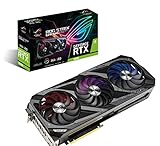
- Premium Choice: ASUS ROG Strix NVIDIA GeForce RTX 3090 Gaming Graphics Card- PCIe 4.0, 24GB GDDR6X, HDMI 2.1, DisplayPort 1.4a, Axial-tech Fan Design, 2.9-Slot
Workstation GPU vs gaming GPU is the decision that trips up almost every new professional, freelancer, and student who realizes a gaming card is far cheaper than the certified alternative. The two look similar on paper and often share the same silicon, yet they are built for different jobs, and choosing wrong wastes either money or productivity. This comparison gives you the quick verdict first, then a spec table and a feature-by-feature breakdown so you can decide with clear reasoning rather than price alone.
As an Amazon Associate we earn from qualifying purchases at no extra cost to you.






Workstation GPU vs Gaming GPU: The Quick Verdict
For pure performance per dollar, a gaming GPU usually wins; for certified reliability, ECC memory, and professional software support, a workstation GPU is worth its premium. Which matters more depends entirely on your work, so here is who should pick which before the details.
Who Should Buy a Workstation GPU
Choose a workstation GPU if you run certified professional software like SolidWorks, CATIA, or medical and simulation tools, where driver certification and stability are requirements, not luxuries. In these fields, a crash or rendering error can cost far more than the card.
You also want one if you need ECC memory for data integrity, very large VRAM for huge models or scenes, or the reliability guarantees that client work and long computations demand. These are capabilities gaming cards simply do not offer.
The analytical case is that for professionals whose income depends on stability and certified correctness, the workstation premium buys risk reduction. When downtime or errors are expensive, that reliability is the cheaper choice over a career.
It is worth stressing that this is about risk, not raw speed. A workstation card rarely wins a benchmark against a similarly priced gaming card; what it wins is predictability, and for the right buyer that is precisely the more valuable trait.
Who Should Buy a Gaming GPU
Choose a gaming GPU if your work is not tied to certified software and you want the most raw performance per dollar. Modern gaming flagships offer enormous compute and generous VRAM at prices well below equivalent workstation cards.
This suits many 3D artists, video editors, developers, and AI hobbyists whose applications run perfectly well on standard drivers. For them, a gaming card delivers the same or better performance at a fraction of the cost.
The honest framing is that gaming cards are a performance-and-value play. You forgo ECC, certification, and some professional features, but if your workflow does not need them, you are simply not paying for guarantees you will never use.
That is a genuinely liberating realization for many creators. Once you confirm your software runs fine on standard drivers, the gaming card’s lower price frees budget for more memory, faster storage, or simply savings, without sacrificing the performance you actually feel.
Comparison Table at a Glance
Here are the core differences side by side, the factors most buyers weigh before deciding between the two classes of card.
| Factor | Workstation GPU | Gaming GPU |
|---|---|---|
| Drivers | Certified for pro apps | Optimized for games |
| ECC memory | Usually yes | No |
| VRAM capacity | Very high (up to 96 GB) | Moderate to high (up to 32 GB) |
| Reliability focus | Continuous, certified | Consumer-grade |
| Form factor / power | Often compact, efficient | Large, high-power |
| Price for similar silicon | Higher | Lower |
Workstation vs Gaming GPU: Feature Face-Off
The verdict is clear in principle, but the reasons behind it decide whether the workstation premium is worth it for your specific work. This section compares the two classes on the factors that actually separate them.
Certified Drivers and Reliability
The biggest difference is driver certification. Workstation GPUs ship with drivers validated by software vendors, so applications behave predictably and correctly, which matters enormously in fields where errors carry real consequences.
Gaming drivers, by contrast, are tuned for game performance and frequent updates rather than certified stability in professional apps. They usually work fine, but they carry no guarantee for professional software, which is the risk you accept for the lower price.
The analytical point is that certification is insurance. For a hobbyist it is unnecessary, but for a professional whose deliverables and deadlines depend on flawless behavior, it is a feature worth paying for rather than a marketing checkbox.
The reverse is equally true, though. If no vendor certifies your workflow and no client demands it, paying for certification buys you nothing tangible, and the money is better spent on raw capability from a gaming card instead.
ECC Memory and VRAM Capacity
Workstation cards typically offer ECC memory, which detects and corrects the silent errors that can corrupt long computations or renders. For scientific work and lengthy jobs, that integrity is a genuine, if invisible, advantage gaming cards lack.
Workstation cards also reach far higher VRAM, up to 96 GB on the newest flagship, versus the moderate capacities of gaming cards. For huge models, complex scenes, or large datasets, that capacity can be the deciding factor no amount of gaming performance replaces.
The practical takeaway is to look hard at your memory needs. If you regularly exceed a gaming card’s VRAM or need error correction, a workstation card is not a luxury but a requirement; if you do not, the gaming card’s memory is plenty.
A simple check settles it: look at your largest real project’s memory use. If it comfortably fits a gaming card’s VRAM and you never see errors, the workstation card’s ECC and extra capacity are solving problems you do not actually have.
Performance, Price, and Value
On raw performance per dollar, gaming cards generally win, because they deliver comparable or greater compute at a lower price by omitting professional features. For workloads that do not need those features, that value is hard to argue with.
Workstation cards also tend toward compact, efficient, often single-slot designs suited to professional systems and multi-card setups, while gaming cards are large and power-hungry. Form factor and power can matter as much as raw price in a professional build.
The experimental angle is that both classes now carry the same Tensor Core technology for AI, so a gaming card can be a superb local AI tool, while a workstation card adds reliability and memory for serious professional AI work. The AI capability is shared; the guarantees are not.
That shared AI capability increasingly blurs the line for hobbyists and developers. For local model experimentation, a gaming card is often the smarter buy, reserving the workstation card for those who also need its certified, error-corrected foundation.
This is why the honest answer for many modern buyers is nuanced rather than absolute. The same person might reasonably run a gaming card for AI tinkering and gaming, and only reach for a workstation card once paid, certified work enters the picture.
Value, Alternatives, and Pros and Cons
The choice is rarely as binary as it first appears, and 2026’s market adds a timing dimension. Here is the honest picture, plus the middle path that suits many buyers who fall between the two clear camps.
The Alternative: When a Prosumer Card Wins
Many buyers sit between the two extremes, and for them a high-end gaming or prosumer card can be the smart middle path. A flagship gaming card with generous VRAM handles a great deal of professional and AI work at a fraction of a workstation card’s price.
This route makes sense when you need serious performance and memory but not certification or ECC, which describes a large share of freelancers and small studios. You get most of the capability without the professional premium.
The caveat is to be honest about whether you will ever need certification. If a future client or software vendor requires it, buying a workstation card upfront can save a costly second purchase, so weigh your likely trajectory, not just today’s needs.
Thinking a step ahead can prevent a costly mistake in either direction. Buyers near the professional threshold should ask where their work will be in a year, since the right answer today can become the wrong one quickly as a career or studio grows.
Market Timing and Prices
Both classes of card are shaped by the same memory market. Component and memory prices climbed steeply through late 2025 before merely leveling off, which is relief but not a cut, so neither workstation nor gaming cards are likely to get dramatically cheaper soon.
New supply is coming, with OEMs able to source DDR5 from vendors such as CXMT and Micron building two Idaho plants, but those fabs will not reach volume until 2027 to 2028. Waiting for a broad price collapse is therefore optimistic budgeting for either class.
The practical read is that once you have decided which class fits your work, buying now generally beats waiting. The productivity or enjoyment you gain today outweighs speculative savings that the supply timeline says are still years away.
For either class, then, the disciplined move is to pick based on your work and buy when you need it. Deferring a purchase on the hope of a market that the supply picture says will not soften soon simply costs you the use of the card in the meantime.
Put simply, the memory market rewards decisiveness over patience right now. Whichever class your work calls for, the value you capture by using the card today generally outweighs a discount that the supply timeline says is still years off.
Workstation vs Gaming GPU Pros and Cons
The trade-offs distilled for a fast decision.
Workstation pros: certified drivers; ECC memory; very high VRAM; reliability and often compact, efficient designs. Workstation cons: higher price; lower raw performance per dollar; overkill for uncertified work.
Gaming pros: excellent performance per dollar; high compute and solid VRAM; great for gaming and local AI. Gaming cons: no ECC or certification; consumer-grade reliability; large and power-hungry; VRAM ceilings below workstation flagships.
See More:
Final Verdict and Recommendation on Workstation vs Gaming GPU
The workstation GPU vs gaming GPU decision comes down to one question: does your work require certified reliability, ECC, or very large VRAM, or does it simply need the most performance per dollar? Buy a workstation GPU if certification and integrity are requirements of your profession; buy a gaming GPU if your applications run fine on standard drivers and value is your priority; and consider a high-end gaming card as the middle path when you need power and memory but not guarantees.
Whichever class fits your work, a firm memory market means waiting is unlikely to reward you. Compare current workstation and gaming GPU prices, memory options, and availability through the link below and choose the card that matches how you actually work before demand tightens further.
Top-Rated Picks

Save $500.00


Save $66.01

| Product | Brand | Rating | Reviews | Price |
|---|---|---|---|---|
| ARCTIC MX-4 (4 g) – Premium Performance Thermal Paste… | ARCTIC | ★ 4.8 | 104k | $4.99 |
| ARCTIC MX-4 (incl. Spatula, 4 g) – Premium Performanc… | ARCTIC | ★ 4.8 | 71.9k | $5.49 |
| Crucial 8GB DDR4 RAM 3200MHz (PC4-25600), Downclockab… | Crucial | ★ 4.8 | 62.8k | $74.99 |
| AMD Ryzen 5 5600X 6-core, 12-thread unlocked desktop … | — | ★ 4.8 | 30.2k | $177.60 |
| NVIDIA Shield Remote; Voice Search, Motion-Activated,… | — | ★ 4.7 | 10.6k | $25.99 |
Frequently Asked Questions
What actually differs between a workstation and a gaming GPU?
They often share the same silicon but differ in firmware, drivers and board design. Workstation cards add ECC memory, ISV certification for applications like SolidWorks and CATIA, larger VRAM capacities, blower or passive coolers for dense chassis, and validated professional drivers tuned for stability rather than peak frame rate.
Do workstation GPUs render faster in Blender or DaVinci Resolve?
Usually not per dollar. In CUDA or OptiX rendering a consumer card with the same GPU die often matches or beats the professional equivalent for far less money. The professional advantage is VRAM capacity, ECC correction, certified driver stability, and multi-GPU density in a rack.
What is ISV certification and does it matter to me?
It means the card and driver combination has been validated by the software vendor for correct rendering and stability. It matters if your studio has support contracts or you use CAD packages that behave incorrectly on consumer drivers. For freelance 3D, video and AI work it usually does not.
How do power and cooling requirements compare?
Workstation cards typically target lower power envelopes for the same class and use single-slot, low-profile, blower or fully passive coolers designed for server airflow. Passive cards like data center models require chassis fans to function at all and will overheat in a standard desktop with no directed airflow.
When is a gaming GPU the right professional choice?
When your workload fits in the available VRAM, your software has no certification requirement, and you value price-to-performance. A high-VRAM consumer card handles most rendering, video editing and local AI inference well. Choose professional hardware for ECC needs, compact form factors, or vendor support obligations.






Write Your Review
No reviews yet. Be the first to share your experience!