
Amazon GPU deals can save you real money or quietly trick you with a marked-up “sale,” and when you are ready to buy you want to know which is which in seconds. This review shows you how to verify a genuine discount, gives concrete deal targets by tier, and walks through the seller and warranty checks that protect your purchase, so you can click buy with confidence instead of second-guessing the price.
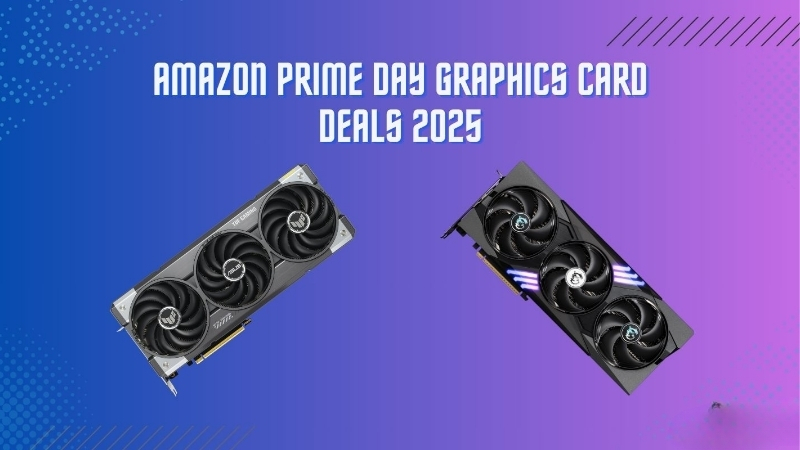
How to Find Real Amazon GPU Deals
Short answer: Amazon does have genuine GPU deals, but only if you can tell a real discount from an inflated price dressed up as a sale. The platform’s huge selection and fast shipping make it the default for many ready-to-buy shoppers, yet listed “discounts” are not always what they seem. The skill that matters is verification: a quick price-history check and a target number turn a noisy listing into a clear yes or no. Master that one habit and the entire platform becomes navigable, because you stop reacting to discount labels and start judging real numbers. Everything that follows is designed to make that verification fast enough to run in the seconds before you commit.
As an Amazon Associate we earn from qualifying purchases at no extra cost to you.



Spotting a Genuine Discount vs a Fake Sale
A struck-through “list price” is not proof of a deal. Some listings anchor against an inflated reference number to make an ordinary price look discounted.
The reliable test is price history. Check what the card has actually sold for over recent weeks, and judge the current price against that real baseline rather than the marketing strike-through.
If the current number genuinely sits below the recent norm, it is a deal worth acting on. If it merely matches the usual price, the “sale” label is doing the work, not the discount. This is the single most valuable check in the entire process, because it is immune to marketing framing. A real price history cannot be dressed up, so it gives you an honest baseline no strike-through can fake.
GPU Deal Price Targets by Tier
The fastest way to evaluate any listing is to compare it to a target. This table gives you a realistic deal price for each tier so you can judge an Amazon listing at a glance.
| Card | Typical Street Price | Good Deal Target | Verdict Trigger |
|---|---|---|---|
| RTX 4060 | $300 to $330 | At or below $290 | Buy if at or under target |
| RTX 4070 | $580 to $640 | Around $560 | Strong buy near MSRP |
| RTX 5080 | $1,100 to $1,250 | At or near $999 | Instant buy at MSRP |
| RTX 5090 | $2,200 to $2,500 | At or near $1,999 | Rare; grab at MSRP |
Read it as a decision aid: if a listing meets or beats the target for its tier, the deal is real and worth acting on, and on flagships simply hitting MSRP is the trigger to buy.
Why Good Amazon GPU Deals Sell Out
The best-priced cards disappear fast because supply, not demand, is the constraint. Memory remains tight and finished-card output is still limited relative to the number of waiting buyers.
Relief is on the way but slow. New capacity from suppliers such as CXMT and Micron’s two Idaho plants should eventually loosen things, yet those facilities are not expected online until 2027 to 2028.
That is why a genuine deal can vanish within hours. Through 2026, the prepared buyer who recognizes a target price and acts immediately is the one who actually gets it. Hesitation is the real enemy here, not price, because a verified deal at a fair number rarely survives a night of deliberation. Deciding your target in advance is what lets you move at the speed the market demands.
Evaluating an Amazon GPU Deal Before You Buy
A good price is only half of a good deal; the seller, warranty, and reviews decide whether you will be happy a month later. A bargain from a questionable source can cost more than full price from a trusted one once returns and warranty headaches are factored in. This section covers the checks that protect your money, plus an honest look at the pros and cons, so a low number never lures you into a bad purchase.
Pros and Cons of Buying GPUs on Amazon
Weigh the platform’s strengths against its quirks before you commit to an Amazon GPU deal.
- Pros: a massive selection, fast shipping, straightforward returns, and strong buyer protection when you order from a reputable seller.
- Cons: misleading “list price” discounts, third-party sellers of varying quality, and occasional warranty confusion on cards not sold directly by the brand or Amazon.
For most ready-to-buy shoppers the pros dominate, as long as you verify the seller and the real price rather than trusting the discount label at face value.
Seller, Warranty, and Return Checks
Who you buy from matters as much as the price. Prefer listings sold and shipped by Amazon or the manufacturer over unknown third-party sellers.
Confirm the warranty path before purchase, since some third-party cards complicate manufacturer claims. Check the return window too, which is your safety net if the card arrives faulty.
These checks take a minute and remove the most common sources of regret. A great price from a questionable seller is not actually a great deal. The cost of a return, a warranty fight, or a card that is not as described can easily erase the saving that drew you in. Spending sixty seconds on seller verification is the cheapest insurance you can buy on any Amazon GPU purchase.
What Reviews Tell You
Buyer reviews reveal patterns that specs cannot. The strongest cards earn consistent praise for arriving genuine, well-packaged, and running at expected performance.
The lower ratings are worth reading closely. Recurring complaints about packaging damage, suspected used-as-new units, or warranty friction usually point to a seller problem rather than a bad card.
Weigh the pattern, not the outliers. A listing with a high volume of consistent positive feedback from a reputable seller is the safest path to a deal you will be happy with. A handful of negative reviews among thousands of positive ones is normal and tells you little; a cluster of the same complaint is the real warning sign. Reading reviews for trends rather than anecdotes is what keeps a tempting price from becoming an expensive mistake.
Turning an Amazon GPU Deal Into a Smart Buy
With the price verified and the seller checked, the final step is buying at the right moment and understanding the long-term value of what you are getting. Timing and patience, paired with alerts, are what let you act decisively instead of impulsively. Here is how to close the deal with confidence, so the card you buy is both well-priced today and still worth owning years from now.
Set Alerts and Buy at the Right Moment
Because broader prices remain firm in 2026, the winning move is not waiting for a crash but catching a fair deal when it appears. Price alerts on your exact models do the watching for you.
Set your target from the table above, then let the alert notify you the moment a listing drops into range. This turns a stressful refresh habit into a single, well-timed purchase.
When the alert fires and the seller and warranty check out, act quickly, since a genuine deal in a supply-constrained market does not wait around.
Future-Proofing: What You Actually Get
A current-gen Nvidia card is worth more than its raw specs suggest because its feature set keeps improving after purchase. That changes the value math on any deal.
Technologies like DLSS and frame generation are enhanced through ongoing driver and software updates, extending a card’s useful life and helping it hold resale value over time.
So a fair deal today is effectively a better deal in a year, since you are buying performance that matures rather than a fixed snapshot. That long runway is part of what makes acting on a real Amazon deal worthwhile. It also reframes the resale conversation, because a card that keeps improving holds its value better when you eventually upgrade. In effect, the true cost of a current-gen deal is lower than the sticker, once you account for both future performance gains and stronger resale.
FAQ on Amazon GPU Deals
Fast answers to the questions that keep buyers hovering over the buy button.
Are Amazon GPU prices negotiable? No, but price fluctuates often, so an alert on your target number effectively gets you the best moment to buy. Because listings move with demand and stock, the same card can swing in price within a single week. Letting an alert watch your exact model means you capture the low point without checking obsessively, which is the closest thing to negotiating that the platform offers.
Is buying from a third-party seller safe? It can be, provided the seller has strong, consistent reviews and the warranty path is clear; when in doubt, favor listings sold directly by Amazon or the brand.
See More:
- Are GPU prices dropping
- Refurbished GPU worth it
- Open box GPU risk
- GPU warranty transfer
- Microcenter GPU deals
Conclusion
Finding real Amazon GPU deals in 2026 is about verification, not luck: check the price history, compare against a per-tier target, confirm the seller and warranty, and act fast when a genuine discount appears. With prices firm and supply tight until new memory capacity arrives around 2027 to 2028, the best deals sell out quickly, so preparation wins. Set your target, arm your alerts, and run the seller checks in advance. Reduced to a habit, the whole process takes seconds at the moment of purchase, because all the hard thinking was done beforehand. That preparation is precisely what lets you outpace other buyers when a genuine deal finally appears. When a listing meets your target and passes the checks, use the links in this guide to open the latest Amazon price and grab the card before the deal is gone.
Top-Rated Picks

Best Seller
Programming Your GPU with OpenMP: Performance Portability for GPUs (Scientific and Engineering Computation)


| Product | Brand | Rating | Reviews | Price |
|---|---|---|---|---|
| ARCTIC MX-4 (4 g) – Premium Performance Thermal Paste… | ARCTIC | ★ 4.8 | 104k | $4.99 |
| ARCTIC MX-4 (incl. Spatula, 4 g) – Premium Performanc… | ARCTIC | ★ 4.8 | 71.9k | $5.49 |
| Crucial 8GB DDR4 RAM 3200MHz (PC4-25600), Downclockab… | Crucial | ★ 4.8 | 62.8k | $74.99 |
| AMD Ryzen 5 5600X 6-core, 12-thread unlocked desktop … | — | ★ 4.8 | 30.2k | $177.60 |
| NVIDIA Shield Remote; Voice Search, Motion-Activated,… | — | ★ 4.7 | 10.6k | $25.99 |
Frequently Asked Questions
How do I tell a real GPU discount from a fake one?
Compare the current price against the card’s typical street price over the last few months rather than against an inflated list figure. A genuine deal sits clearly below the recent average for that exact model. Watch for inflated reference prices and for listings where the discount applies to a lower-tier variant of the same GPU family.
Does the seller matter or only the price?
The seller matters a great deal. Prefer items shipped and sold by Amazon itself or by the manufacturer’s official storefront, since third-party marketplace sellers vary widely in handling, packaging and return handling. Check the seller name on the listing, not just the product page, and read recent negative feedback for shipping damage complaints.
Are open-box or renewed GPU listings worth considering?
They can save real money, but coverage is narrower than new. Renewed items typically carry a limited return guarantee rather than the full manufacturer warranty, and most brands tie warranty to the original invoice. Test thoroughly inside the return window with a sustained gaming load and a VRAM stress tool before the period expires.
When do GPU prices usually drop?
Around major sale events such as Prime Day, Black Friday and Cyber Monday, and again after a new generation launches, when previous-generation stock clears. Set price alerts on your exact model and let the tracking do the work, rather than checking manually and buying reactively on a modest discount.
What should I check the moment a new GPU arrives?
Inspect the box for crush damage before opening, then check the card for a bent PCB, damaged connector pins and loose fan blades. Install it, confirm the model reported by GPU-Z matches what you ordered, and run a stress test with temperature monitoring while you are still comfortably within the return period.











Write Your Review
No reviews yet. Be the first to share your experience!