
- Top Pick: ASUS ROG Strix SCAR 18 (2025) Gaming Laptop, 18” ROG Nebula HDR 16:10 2.5K 240Hz/3ms, NVIDIA GeForce RTX 5090, Intel Core Ultra 9 275HX, 32GB DDR5, 2TB PCIe Gen 4 SSD, Wi-Fi 7, Win 11 Pro, G835LX-XS97
- Best Value: ASUS ROG Strix Scar 16 (2025) Gaming Laptop, 16” ROG Nebula HDR 16:10 2.5K 240Hz/3ms, NVIDIA GeForce RTX 5090, Intel Core Ultra 9 Processor 275HX, 32GB DDR5, 1TB SSD, Wi-Fi 7, Win11 Home, G635LX-DS96
- Premium Choice: EXCaliberPC [2025] MSI Raider 18 HX AI A2XWJG-069US (Intel Core Ultra 9 285HX, 64GB DDR5 RAM, 2TB NVMe SSD, NVIDIA GeForce RTX 5090, 18" UHD+ mini LED, Windows 11 Pro) Gaming Laptop
![EXCaliberPC [2025] MSI Raider 18 HX AI A2XWJG-069US (Intel Core Ultra 9 285HX, 64GB DDR5 RAM, 2TB NVMe SSD, NVIDIA GeForce RTX 5090, 18" UHD+ mini LED, Windows 11 Pro) Gaming Laptop](https://m.media-amazon.com/images/I/31wpNaexAXL._SL400_.jpg)


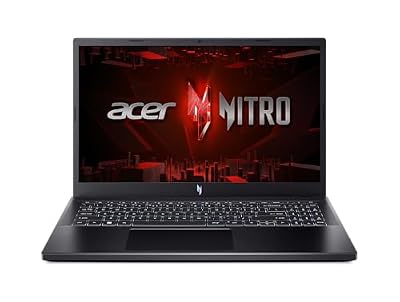

RTX 5090 laptop is the undisputed flagship of Nvidia’s Blackwell mobile lineup, headlined by 10,496 CUDA cores and a record-setting 24GB of GDDR7. It is built for uncompromising 4K gaming and heavy AI workloads on a portable machine. This review draws on owner feedback and benchmark data to judge whether the ultimate mobile GPU justifies its considerable price in 2026.
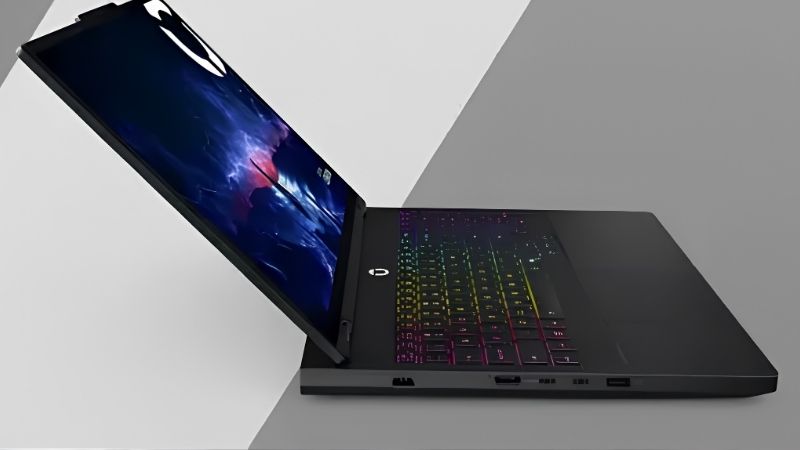
Inside The RTX 5090 Laptop’s Hardware
Flagship status is defined by specifications, and the 5090’s numbers are designed to remove every limit. A close look at the hardware reveals both its raw power and the demands it places on a chassis.
As an Amazon Associate we earn from qualifying purchases at no extra cost to you.


![EXCaliberPC [2025] MSI Raider 18 HX AI A2XWJG-069US (Intel Core Ultra 9 285HX, 64GB DDR5 RAM, 2TB NVMe SSD, NVIDIA GeForce RTX 5090, 18" UHD+ mini LED, Windows 11 Pro) Gaming Laptop](https://m.media-amazon.com/images/I/31wpNaexAXL._SL160_.jpg)



The Full Specifications Breakdown
The RTX 5090 laptop features 10,496 CUDA cores, 24GB of GDDR7, a massive 1,824 AI TOPS, and a TGP from 95W to 150W. That 24GB frame buffer is the largest ever in a laptop, and the AI throughput marks it as a true mobile powerhouse for creators and researchers.
Notably, it shares the same 150W maximum as the 5080. The extra cores and memory deliver gains, but the power ceiling means cooling quality strongly influences how much of that potential you actually access.
4K Benchmarks And AI Performance
At 4K maxed, a well-cooled RTX 5090 laptop sustains high frame rates across AAA titles, and DLSS 4 with Multi Frame Generation pushes ray-traced games like Cyberpunk 2077 into smooth, fluid territory. It is the most capable mobile gaming chip available.
Its AI credentials stand out even more. With 24GB of VRAM and 1,824 AI TOPS, it handles local generative AI, large model inference, and demanding creative pipelines that no other laptop GPU can match.
Thermals And The Cooling Imperative
Because it can draw 150W in a compact chassis, cooling is everything. Reviews stress that a larger laptop with strong thermals can extract noticeably more from this GPU, and in some cases a well-cooled 5080 can approach a thermally limited 5090.
The practical lesson is critical here: a 5090 demands a premium thermal design and high rated TGP. Buying it in a slim chassis wastes much of what makes it special.
The Real-World RTX 5090 Laptop Experience
Owning the flagship means accepting its appetites. Beyond benchmarks, the machines, the power draw, and the intended audience determine whether this GPU fits your needs or overshoots them.
Flagship Laptops And Required Pairings
The 5090 appears only in halo machines like the Razer Blade 16, ASUS ROG Strix Scar 18, and MSI Titan, with configurations frequently exceeding $3,000. These are premium desktop replacements with top-tier displays and build quality.
To feed it, owners pair the GPU with a flagship Core i9 or Ryzen 9 and 32GB of RAM or more. Anything less creates bottlenecks that waste the chip’s enormous potential.
Battery, Weight And Practical Limits
Portability is the obvious sacrifice. These laptops are heavy, and battery life under load is brief, with even light productivity use trailing the lineup despite Advanced Optimus.
This is a desktop replacement that happens to fold. Buyers should plan to game and create plugged in and treat the battery as a convenience rather than a feature.
Who Genuinely Needs This GPU
The RTX 5090 laptop is for the no-compromise enthusiast and the serious mobile professional. If you run local AI, render complex 3D scenes, edit high-resolution video, or demand 4K gaming on one portable machine, nothing else competes.
For pure gamers, reviewers often note the 5080 delivers most of the gaming experience for far less. The 5090’s unique value is its AI and creative ceiling.
Pros, Cons And Buying It In 2026
Flagship pricing demands honest accounting. Weighing the 5090’s extraordinary strengths against its costs, and against today’s market, clarifies whether it is the right halo purchase.
The Honest Pros And Cons
The strengths are unmatched: class-leading 4K gaming, a record 24GB buffer, elite AI performance, and triple-encoder creative power. Owners describe it as effortless across every workload.
The drawbacks are equally real: a very high price, poor battery life, heavy chassis, loud fans, and a 150W ceiling shared with the cheaper 5080 that limits its gaming lead. For gaming alone, the value is hard to justify, which is the honest framing reviewers repeat.
How Laptop Pricing Trends Affect The Choice
The market makes timing meaningful at every tier. Premium gaming laptops have kept trending more expensive, with tight memory supply as the chief driver, and halo GPUs absorb that pressure first. Encouragingly, the steep late-2025 surge has eased, and some makers report a phase of relative stability, while still warning that prices may move again.
Genuine relief remains distant. Additional DDR5 capacity is coming from suppliers like CXMT and from two Micron plants under construction in Idaho, but those will not ramp until 2027 to 2028. The practical reading is that prices have plateaued rather than fallen, so an RTX 5090 laptop is unlikely to get cheaper by waiting through 2026.
Future-Proofing And The Final Verdict
With its colossal 24GB buffer and top AI throughput, the 5090 has the strongest longevity of any mobile GPU, and growing DLSS 4 support extends it further. It will remain a 4K and AI powerhouse for years.
If you want the ultimate portable machine and will use its ceiling, this GPU is unmatched. Ready to secure the flagship while prices hold? Compare current RTX 5090 laptop configurations through the links on this page and choose the best-cooled, highest-TGP chassis.
Frequently Asked Questions
The RTX 5090 laptop crowns the mobile market, and these are the questions buyers most often ask about the flagship.
Is the RTX 5090 laptop the fastest mobile GPU?
Yes, the RTX 5090 laptop is the uncontested mobile flagship, with 10,496 CUDA cores and a record 24GB of GDDR7.
It leads every other mobile chip in raw performance and feature support, making it the top of the hierarchy.
How much VRAM does the RTX 5090 laptop have?
It carries an enormous 24GB of GDDR7, far beyond any other mobile GPU on the market.
That buffer is ideal for 4K gaming, heavy creative workloads, and AI tasks that demand large memory pools.
Does the RTX 5090 laptop support DLSS 4?
Yes, it fully supports DLSS 4, including Multi Frame Generation that can dramatically raise frame rates in compatible games.
Paired with its raw horsepower, this makes it the most capable mobile gaming platform available.
Is the RTX 5090 laptop worth the premium?
For uncompromising gamers and professionals who need maximum frames and VRAM, the flagship justifies its cost.
Most players will find better value a tier or two down, but nothing else matches the 5090’s ceiling.
Is the RTX 5090 laptop overkill for 1080p gaming?
For pure 1080p gaming, the RTX 5090 laptop is more power than necessary, since it is built for 4K and the most demanding workloads. Lower tiers serve 1080p players better on value.
It makes sense at 1080p only for competitive players chasing extreme frame rates or those who also do heavy creative work.
Real-World Performance Expectations
Understanding what the RTX 5090 laptop delivers shows why it sits alone at the summit. This breakdown sets expectations across the most demanding gaming and professional scenarios.
Uncompromising 4K Gaming
At 4K the 5090 holds high frame rates across virtually any AAA title at maximum settings, with DLSS 4 Multi Frame Generation pushing the most demanding games even further. Its 24GB buffer feeds the resolution effortlessly.
No other mobile card matches its 4K ceiling, making it the definitive choice for buyers who refuse to compromise.
Maximum 1440p And Ray Tracing
At 1440p the 5090 saturates the fastest high-refresh panels even with full ray tracing enabled, leaving enormous headroom. Frame Generation extends this lead well beyond any other tier.
For competitive players who want both maximum fidelity and frame rate, the card delivers without compromise across any title.
Elite Creative And AI Workloads
The 5090’s massive 24GB of GDDR7 makes it a formidable mobile workstation for 4K and 8K editing, heavy rendering, and large AI models. It comfortably handles professional pipelines that overwhelm lesser cards.
Its current-generation Blackwell features and enormous buffer position it to absorb future memory-hungry workloads, securing unmatched longevity at the top of the stack.
Smart Buying Tips For The RTX 5090 Laptop
An RTX 5090 laptop sits at the very top, so pairing it with the strongest possible components protects that significant investment. These tips help you maximize the flagship.
Demand The Best CPU Available
Pair the 5090 with a flagship Core i9 or Ryzen 9 processor, because anything less risks bottlenecking the fastest mobile GPU on the market. The pairing matters in both gaming and heavy creative work.
Even at 4K, a top CPU prevents stutters in demanding moments and keeps minimum frame rates high.
Pair It With A Flagship Display
The 5090 deserves a 4K mini-LED or OLED panel, or a high-refresh 1440p screen at minimum, to reveal its enormous headroom. A modest display squanders the card’s capability.
Only a premium panel lets you experience the performance and fidelity this flagship is built to deliver.
Insist On Maximum Cooling And Memory
Choose the most thermally capable chassis you can, since the 5090 draws heavily and rewards sustained clocks. A robust cooling system is non-negotiable at this tier.
Pair it with 32GB of RAM or more, complementing the 24GB of GDDR7, to suit the demanding gaming and professional workloads the card targets.
See More:
The Bottom Line
The RTX 5090 laptop is the definitive mobile flagship: dominant 4K gaming, a record 24GB buffer, and elite AI and creative power in one portable machine. It commands a steep price, heavy hardware, and plugged-in use, and its gaming lead over the 5080 is modest. But for professionals and enthusiasts who need its ceiling, it is the most powerful laptop GPU of 2026, especially while prices stay flat rather than rising.











Write Your Review
No reviews yet. Be the first to share your experience!