
- Top Pick: ASUS ROG Strix G16 (2025) Gaming Laptop, 16” FHD+ 16:10 165Hz/3ms, NVIDIA® GeForce RTX™ 5060, Intel® Core™ i7 Processor 14650HX, 16GB DDR5, 1TB Gen 4 SSD, Wi-Fi 7, Windows 11 Home, G615JMR-AS74
- Best Value: msi Katana 15 HX 15.6” 165Hz QHD+ Gaming Laptop: Intel Core i9-14900HX, NVIDIA Geforce RTX 5070, 32GB DDR5, 1TB NVMe SSD, RGB Keyboard, Win 11 Home: Black B14WGK-016US
- Premium Choice: Alienware M18 R2 Gaming Laptop – 18 QHD+ 165Hz 3ms Display, Intel Core i9-14900HX, 32GB DDR5 RAM, 1TB SSD, NVIDIA GeForce RTX 4080 12 GB GDDR6, Windows 11 Home, Onsite Service – Dark Metallic Moon


Dropped $60.01

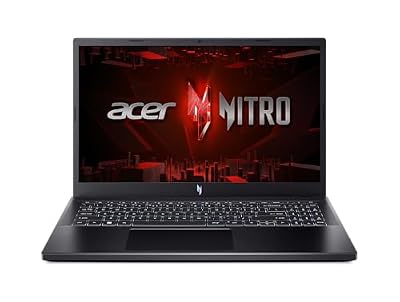

RTX 4080 laptop is where Nvidia’s mobile Ada Lovelace lineup graduates from mainstream to genuinely high-end. With 7,424 CUDA cores and a roomy 12GB GDDR6 frame buffer, it targets gamers who want maxed 1440p and credible 4K. This review weighs verified owner feedback and benchmark data to decide whether its premium asking price is justified in 2026.
As an Amazon Associate we earn from qualifying purchases at no extra cost to you. Product prices and availability are accurate as of the date shown and are subject to change.




What The RTX 4080 Laptop Brings To The Table
The jump from the 4070 to the 4080 is one of the largest in the mobile stack, both in silicon and in price. Examining the hardware shows exactly why this chip is a tier above and where its real-world advantages concentrate.
Specifications And Memory Bandwidth
The RTX 4080 laptop packs 7,424 CUDA cores, 12GB of GDDR6 on a wider 192-bit bus, and a TGP spanning 60W to 150W. That larger memory bus is the unsung hero, feeding the cores far better than the 128-bit interface on lower tiers and easing the VRAM anxiety that haunts 8GB cards.
This configuration is built for headroom. The combination of more cores, more memory, and more bandwidth means fewer compromises when you crank settings, especially with ray tracing enabled.
1440p And Entry-Level 4K Benchmarks
At 1440p, a 150W RTX 4080 laptop runs nearly everything maxed at high frame rates, frequently exceeding 100 FPS in AAA titles with DLSS Quality. Step up to 4K and it remains very playable, holding 60 FPS in demanding games once DLSS 3 Frame Generation is active.
Owners describe it as the first mobile GPU that feels comfortable spanning resolutions. It is overkill for 1080p, ideal for 1440p, and a capable part-time 4K performer, which is a rare versatility on a laptop.
Thermals And The TGP Reality
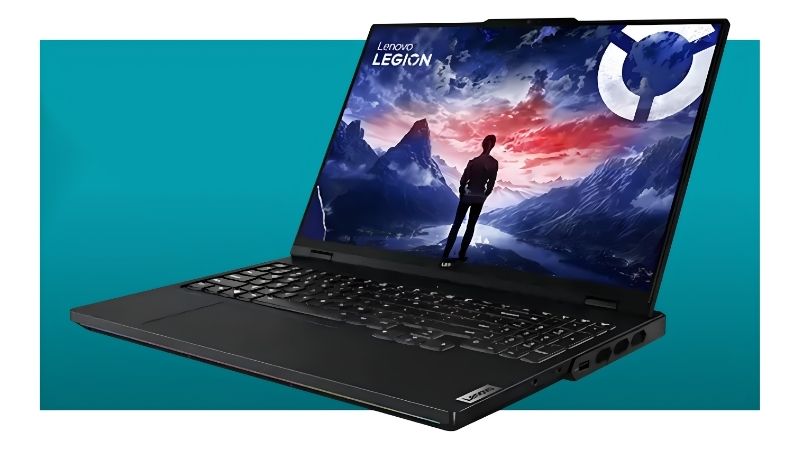
Because this chip draws up to 150W, cooling separates the great configurations from the merely adequate. Reviews of well-built chassis like the Legion Pro 7i praise sustained clocks, while thinner designs trade some performance for portability and quieter fans.
The practical guidance is firm here: a 4080 deserves a robust thermal design. Buying this GPU in an under-cooled chassis wastes much of what you pay for.
Daily Ownership Of An RTX 4080 Laptop
High-end hardware demands a closer look at how it integrates into real life, from the machines that house it to the power and portability tradeoffs. The RTX 4080 laptop is a performance-first tool, and its ownership profile reflects that.
Available Laptops And Smart Pairings
You will find the 4080 in premium rigs such as the Lenovo Legion Pro 7i, ASUS ROG Strix Scar, and MSI Vector, generally priced from around $1,799 upward. These machines pair the GPU with high-refresh QHD panels that play to its strengths.
To avoid bottlenecks, owners recommend a high-end Core i9 or Ryzen 9 processor and 32GB of RAM as a baseline. Anything less risks leaving GPU performance on the table in CPU-intensive titles.
Power, Heat And Portability Tradeoffs
This is not an efficiency champion. Battery life under load is short, and even light-use endurance trails the lower tiers, typically landing around 4 to 6 hours with Advanced Optimus enabled.
The chassis are larger and heavier too, usually 16 inches with thick cooling. If portability is a top priority, this tier asks you to compromise; if raw performance leads, the tradeoff is worth it.
Who Should Choose This GPU
The RTX 4080 laptop suits the enthusiast who games at high-refresh 1440p, dabbles in 4K, and runs creative workloads like video editing or 3D rendering. Its 12GB buffer and strong encoder make it a capable mobile workstation.
Casual or budget-minded gamers will get better value from the 4060 or 4070. This chip is for buyers who genuinely use the extra power.
Pros, Cons And The 2026 Value Question
At this price, value scrutiny is unavoidable. Balancing the 4080’s tangible strengths against its costs, and against the current market, decides whether it is the right splurge.
The Pros And Cons That Matter
On the plus side, owners cite excellent maxed-out 1440p performance, a comfortable 12GB VRAM buffer, strong ray-tracing capability, and a versatile creator-friendly feature set. The 192-bit memory bus draws specific praise for keeping performance steady at high settings.
The cons are mostly about cost and practicality: the price premium over the 4070 is steep relative to the raw gain, battery life is weak, and the chassis are bulky and hot under load. A few owners also note that lower-TGP versions blur the line with the 4070, so checking wattage is critical at this tier too.
How Memory Prices Influence Your Decision
The pricing environment adds weight to acting deliberately. Gaming laptops have continued trending more expensive, with a tight memory market as a primary driver, and premium GPUs feel that pressure acutely. The reassuring development is that the sharp late-2025 climb has slowed, and some makers report a phase of relative stability, while still flagging that volatility could return.
Meaningful relief, however, remains years out. New DDR5 capacity is coming from suppliers like CXMT and from two Micron plants being built in Idaho, but those will not begin production until 2027 to 2028. The bottom line is that prices have stabilized, not fallen, so postponing an RTX 4080 laptop purchase well into 2026 carries little upside.
Future-Proofing And The Final Verdict
Looking ahead, the 4080’s generous core count and 12GB buffer give it real staying power, and Nvidia’s continued DLSS development extends its lifespan further. Frame Generation in particular helps it keep pace with increasingly demanding releases.
If you want near-flagship capability with creative versatility, this GPU delivers. Ready to invest while pricing holds steady? Explore the RTX 4080 laptop configurations linked on this page and choose the high-TGP, well-cooled model that protects your investment.
Frequently Asked Questions
Before investing in a high-end machine, buyers ask these key questions about the RTX 4080 laptop, answered directly here.
Is the RTX 4080 laptop good for 4K gaming?
The RTX 4080 laptop can play many titles at 4K, especially with DLSS 3 enabled, though it is most at home delivering high-refresh 1440p.
For consistent native 4K in the most demanding games, the 4090 with its wider bus and extra cores is better suited.
How much VRAM does the RTX 4080 laptop have?
It carries 12GB of GDDR6 on a 192-bit bus, a meaningful step up from the 8GB found in the 4060 and 4070.
That larger buffer removes the memory ceiling those mainstream cards hit, giving the 4080 stronger 1440p and entry 4K longevity.
Does the RTX 4080 laptop support DLSS 3?
Yes, as an Ada Lovelace GPU it fully supports DLSS 3 Frame Generation in compatible games.
This AI feature lifts frame rates considerably, helping the card maintain smooth performance in heavy ray-traced titles.
Is the RTX 4080 laptop worth it over the 4070?
If you game at 1440p maximum settings or dabble in 4K, the 4080’s 12GB buffer and extra cores justify the premium.
For pure 1080p or light 1440p play, the 4070 offers better value, so the upgrade depends on your resolution target.
Real-World Performance Expectations
To understand the RTX 4080 laptop’s value, it helps to see what it delivers across resolutions and workloads. This breakdown frames realistic expectations for high-end buyers.
High-Refresh 1440p Gaming
At 1440p, the 4080 is in its element, pushing well past 100 frames per second in most AAA titles at high or ultra settings. Its 12GB buffer removes the memory ceiling that constrains lower tiers.
With DLSS 3 Frame Generation active, even ray-traced titles run smoothly, making the card an excellent match for high-refresh 1440p panels.
Entry-Level 4K Capability
The 4080 can step into 4K gaming, holding 60 frames per second in many titles when paired with DLSS upscaling. It is not a dedicated 4K card like the 4090 but handles the resolution credibly.
For buyers who occasionally connect to a 4K display, the 4080 offers enough headroom to enjoy the resolution without paying the flagship price.
Demanding Creative Workloads
The 4080’s 12GB buffer and strong core count suit serious creative work, from 1440p and 4K video editing to GPU rendering and 3D tasks. It comfortably exceeds the capabilities of the mainstream tier.
Nvidia’s AI acceleration and DLSS 3 round out the package, and continued driver optimization keeps the card performing well as creative applications evolve.
Smart Buying Tips For The RTX 4080 Laptop
Getting the best from an RTX 4080 laptop means choosing supporting hardware that matches its high-end capability. These tips help you build a balanced machine.
Pair It With A Strong CPU
Pair the 4080 with a high-tier Core i7, Core i9, or Ryzen 9 processor to keep the powerful GPU fed in demanding titles. A mismatched chip can cap performance, particularly in CPU-bound scenes.
This balance matters most at 1440p and in creative workloads, where the processor and GPU share the load.
Choose A High-Refresh 1440p Or 4K Display
A 1440p panel at 165Hz or higher is the natural partner for the 4080, letting its 12GB buffer and core count shine. For occasional 4K use, a mini-LED or OLED panel showcases the card’s fidelity.
Matching the display to the GPU ensures you actually see the performance you paid for rather than leaving it untapped.
Prioritize Cooling And Power Delivery
The 4080 rewards a thicker chassis with strong cooling and a higher TGP rating, since sustained clocks depend on thermal headroom. A slim design may throttle the card under extended load.
Check the specific laptop’s wattage rating, as two machines with the same GPU can perform quite differently based on cooling.
See More:
The Bottom Line
The RTX 4080 laptop is a confident high-end choice: maxed 1440p, credible 4K, a healthy 12GB memory buffer, and creator-grade versatility. It asks for a premium and a larger chassis in return, but for enthusiasts who will actually use the headroom, it remains one of the most capable mobile GPUs of 2026, especially while prices sit flat rather than climbing.










Write Your Review
No reviews yet. Be the first to share your experience!