
The NVIDIA RTX PRO 4000 Blackwell is a mid-range professional desktop GPU with 24GB of GDDR7 memory, built as a single-slot card so it can fit in standard workstations that cannot take a thick, high-wattage board. It sits above the compact RTX PRO 2000 and below the 4500 and 5000 cards, and it is the tier many CAD, visualization and AI-assisted creative professionals will end up comparing first.
This guide explains the specs NVIDIA publishes, how the full-size card differs from the small-form-factor variant, and which workloads it fits best. It stays on what the datasheet shows rather than on speculation, and where a number varies by version it points you to NVIDIA’s official specification page instead.
Where the RTX PRO 4000 Blackwell Sits
NVIDIA announced the RTX PRO Blackwell desktop family in 2025 as the replacement for the RTX Ada Generation workstation cards. The 4000 tier is the successor to the RTX 4000 Ada, which gained a following for packing a lot of professional capability into a single-slot board.
In the Blackwell range, the numbers climb with memory and power: the 2000 serves compact builds, the 4000 covers everyday professional workstations, the 4500 and 5000 push into larger designs, and the 6000 targets very large datasets and top-end performance. A small-form-factor edition of the 4000 also exists for slim systems, which makes the name appear twice in listings and causes some confusion for buyers.
Availability and exact launch timing vary by region and channel, so check NVIDIA’s announcement and your workstation vendor’s configurator for what is currently offered.
Specifications and Form Factor
The table shows the main characteristics of the full-size card. Core counts, clock speeds and connector details should be confirmed on NVIDIA’s page, since system builders sometimes ship customized versions.
| Item | RTX PRO 4000 Blackwell |
|---|---|
| Architecture | Blackwell professional desktop |
| Memory | 24GB GDDR7 (ECC support listed by NVIDIA on this tier) |
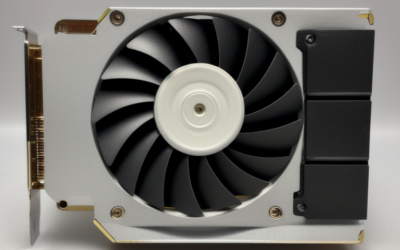
| Form factor | Single-slot, full-height card |
| Board power | Roughly 140W class; check the datasheet |
| Power connector | Check the datasheet for the exact connector on your version |
| Interface | PCIe 5.0 x16 class |
| Outputs | Four DisplayPort connectors on the full-size card |
| Predecessor | RTX 4000 Ada Generation |
The single-slot design is a key feature. Many workstation chassis, rack-mount towers and multi-GPU layouts leave very little space between slots, so a card that does not occupy two slots makes it possible to install more than one GPU or to keep a neighboring slot free for networking or capture hardware.
Full-Size vs Small-Form-Factor Edition
The small-form-factor version of the 4000 is meant for slim desktops where the chassis supports only low-profile cards and limited power. It keeps the same naming but is a different board with its own power and cooling limits, and it should not be assumed to match the full-size card in sustained throughput.
When you shop, read the listing for the words “SFF” or “small form factor” and compare the board power on the datasheet. The full-size card is the right choice for tower workstations with a proper cooling path. The compact edition is for systems from vendors that sell slim workstations, where the power supply and cooling are sized for it. Putting the wrong version in the wrong chassis is the most common misunderstanding with this tier.
Best-Fit Workloads
With 24GB of memory and a single-slot, moderate-power board, the card suits workloads where capacity matters more than extreme throughput:
- CAD and product design: large assemblies, complex surfaces and simulation previews in the major CAD suites.
- Architecture and engineering visualization: real-time rendering, walkthroughs and model review with detailed textures.
- Video and motion work: editing, color grading and effects at high resolutions, where video memory fills quickly.
- AI-assisted creative tools: local image models, upscaling, denoising and inference that fit in 24GB.
- Data science and development: prototyping and fine-tuning small models before moving to larger hardware.
The card is less suited to training large models, running very large simulations or rendering extremely heavy scenes, all of which benefit from the extra memory and power budget of higher tiers. Compared with a gaming GeForce card of similar price class, the main advantages are certified drivers, professional-grade features, longer availability and a single-slot form factor, rather than higher frame rates.
Compatibility Notes
A single-slot board at this power class is easy to place, but there are a few practical checks. Confirm that your power supply provides the connector the card needs, and confirm airflow: single-slot blower coolers push air out of the rear of the case, so they behave well in dense layouts but can run loud under sustained load.
For software, use the professional driver branch listed under the RTX PRO series on NVIDIA’s drivers page, and check that your applications are validated for it. As of late 2026, enterprise driver branches are the stable route for managed environments, while Studio drivers can suit freelancers who prioritize newer features. Always match the branch to your application vendor’s guidance.
Finally, check display compatibility. The full-size card uses full-size DisplayPort connectors, so most monitors connect directly, but older displays may need adapters.
Professional Drivers, Certification and Support
One reason buyers choose a professional card over a consumer one is software support. NVIDIA validates RTX PRO drivers with major application vendors, and workstation makers test and certify specific card configurations in their systems. For a design firm or engineering team, that reduces the risk that an application update or driver change breaks a workflow, and it gives the support desk a clear path when something does go wrong.
The practical consequence is to pick the driver branch your application vendor recommends rather than the newest one by default. Enterprise branches update less often and focus on stability, while Studio releases move faster and suit creators who want new features. Check the release notes for your applications before upgrading, and keep a known-good installer available so you can roll back if needed.
Warranty terms and lifecycle are also part of the value. Professional cards generally stay in production longer than consumer cards, which helps organizations that need to buy identical hardware over several years. Compare the warranty offered by the card’s seller or system vendor, because terms can differ between channels.
Who Should Buy or Skip It
Professional workstation users with space limits
If you run CAD, visualization or editing in a standard tower or a dense multi-slot layout, this card is a strong fit, since it combines 24GB of memory with a single-slot form factor and moderate power draw.
Small studios stepping up from older cards
If you are upgrading from a card with 8GB to 12GB of memory and hitting memory limits in large projects, the jump to 24GB can remove a major bottleneck, particularly for texture-heavy scenes or large timelines.
Buyers who need maximum throughput
If you need the highest rendering or training speed, or very large datasets in memory, skip this tier and look at the 4500, 5000 or 6000 cards. If you mainly play games, a GeForce card is the better use of money.
Quick Checklist
- Confirm whether the listing is the full-size card or the small-form-factor edition.
- Check the power connector requirement against your power supply.
- Verify case clearance and airflow for a blower-style single-slot board.
- Check that your monitors connect through the card’s DisplayPort outputs.
- Confirm your professional applications are validated on the current driver branch.
- Compare with the 4500 tier if your projects regularly fill 24GB.
Frequently Asked Questions
How much memory does the RTX PRO 4000 Blackwell have?
The full-size card is listed with 24GB of GDDR7. Always confirm on NVIDIA’s specification page, since the small-form-factor edition and system-vendor configurations can differ in power and cooling.
Is it a single-slot card?
Yes, the full-size version is designed as a single-slot board, which is a major reason workstation buyers choose this tier. Check your chassis for clearance and airflow before installing it next to other cards.
What did it replace?
It follows the RTX 4000 Ada Generation card in NVIDIA’s professional desktop lineup. Owners upgrading from that card gain newer architecture and GDDR7 memory.
Can it handle AI work?
It can handle inference and smaller fine-tuning jobs that fit in 24GB, including many local image and language model tasks. Larger models and training runs are better served by higher tiers with more memory.
Related Guides
- RTX PRO 5000 Blackwell Mobile: Pro Laptop GPU Reviewed
- Nvidia RTX PRO 6000 Blackwell Review: Is It Worth the Cost?
- Best Small Form Factor Gaming PCs: Which One to Buy
- Best Small Form Factor CPU Cooler: 5 Top ITX Picks 2026


Write Your Review
No reviews yet. Be the first to share your experience!