
The GTX 1660 Super is a 6GB graphics card built on NVIDIA’s Turing architecture, using the TU116 chip with 1408 CUDA cores, GDDR6 memory on a 192-bit bus, and a board power in the 125-watt class. It targets 1080p gaming and sits between the GTX 1650 Super and the RTX 2060 in NVIDIA’s 2019 lineup. If you are checking whether your power supply, case and monitor suit the card, the details below cover the basics.
- Core Specs at a Glance
- Memory: 6GB of GDDR6 on a 192-bit Bus
- Cores and Architecture
- Power Draw, Connector and Power Supply Needs
- Outputs and Interface
- Features Worth Knowing About
- Installing It in a Small or Older System
- Where It Fits: Resolution and Settings
- Who Should Buy / Skip It
- Spec Checklist
- Frequently Asked Questions
- Related Guides
This guide walks through the memory configuration, core layout, power draw and connector, display outputs, PCIe interface and the resolution class the card fits. Where a number varies by partner design, it says so and points you to NVIDIA’s official specification page rather than guessing.
Core Specs at a Glance
| Spec | GTX 1660 Super |
|---|---|
| Architecture | Turing (GTX 16 series, no RT or Tensor cores) |
| GPU chip | TU116 |
| CUDA cores | 1408 |
| Video memory | 6GB GDDR6 |
| Memory bus | 192-bit |
| Memory speed | 14 Gbps class |
| Board power | About 125 watts |
| Recommended power supply | 450-watt class, per NVIDIA guidance |
| Bus interface | PCIe 3.0 x16 |
| Launch | October 2019 |
Clock speeds, cooler size and exact outputs vary by manufacturer. Factory-overclocked models may use slightly higher boost clocks and a bit more power, so treat the numbers above as the reference class.
Memory: 6GB of GDDR6 on a 192-bit Bus
The memory setup is the core of this card’s identity. Six gigabytes of GDDR6 running at roughly 14 Gbps across a 192-bit bus gives the card a memory bandwidth figure in the mid-300-gigabytes-per-second class. That is a clear step up from the original GTX 1660, which used slower GDDR5 on the same bus width, and it explains why the Super is often seen as the version of the card that “fixes” the 1660.
Six gigabytes is a comfortable amount for 1080p at medium to high settings in most older and many current games. It becomes a limit in recent titles that want higher texture quality, and it is a reason to be cautious about 1440p. When a game exceeds the VRAM, performance can drop sharply because data spills into system memory, so lowering texture quality is usually the first fix.
Cores and Architecture
The 1408 CUDA cores come from the Turing design, which brought concurrent integer and floating-point execution and a redesigned cache structure. The GTX 16 series deliberately omits the RT cores and Tensor cores found on RTX 20 cards, so the 1660 Super has no hardware ray tracing and no DLSS. The practical effect is that all of its performance comes from the standard shader pipeline. If you want a specific core count for RT or Tensor hardware, the answer is none.
The card does include the newer Turing video encoder, which is a meaningful benefit for streamers and creators who rely on NVENC. It does not include AV1 hardware support, which appeared on later generations, so confirm your software’s requirements if you plan to work with that codec.
Power Draw, Connector and Power Supply Needs
Board power sits in the 125-watt class, which is modest compared with higher-tier cards. Most partner models use a single PCIe power connector, and eight-pin versions are common on this card. A few designs may differ, so check the specific model. NVIDIA’s guidance pointed to a 450-watt supply as a recommended class, and that figure assumes a typical system with a mainstream CPU. If your PC has a power-hungry processor, a lot of storage or several fans, leave extra headroom.
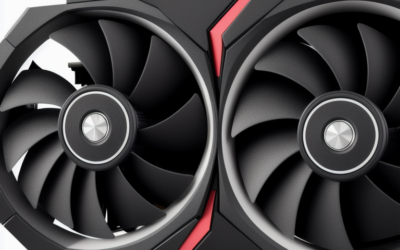
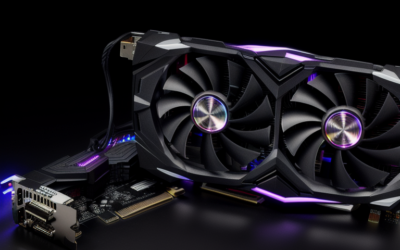
Cooling needs are modest too. Dual-fan designs are common, and compact single-fan versions exist for small cases. Check the length and slot thickness of the exact model against your case, and make sure there is airflow around the cooler, because small coolers can get noisy under sustained load.
Outputs and Interface
Display outputs differ by partner, but the reference-style layout includes DisplayPort, HDMI and, on some models, a DVI connector. Confirm the output mix if you run several monitors or an older display that depends on a specific port. The card connects over PCIe 3.0 x16. It works in a PCIe 4.0 or 5.0 slot at 3.0 speeds, and you can use it in a slower slot with limited performance loss for this class of card, though a full x16 slot is the safer choice.
Features Worth Knowing About
Beyond the headline numbers, a few features shape day-to-day use. The card supports the usual NVIDIA software stack, including the NVIDIA App for driver updates and capture tools, and it supports G-SYNC Compatible displays over DisplayPort. Variable rate shading is available on Turing, though game support is limited. Image scaling and sharpening options in the driver can help at lower resolutions, even without DLSS.
Multi-monitor support is typical for a card in this class, with the exact count depending on the outputs your model provides. For a desktop used mainly for work with an occasional game, that flexibility is as relevant as frame rate figures.
Thermals are manageable. The 125-watt class board power does not need an exotic cooler, so even budget partner models tend to keep temperatures reasonable in a case with decent airflow. Fan curves and noise differ by model, and a card with a larger heatsink will generally run quieter than a compact one under the same load.
Installing It in a Small or Older System
Because the board power is moderate, the card is easy to place in older desktops, provided the power supply has the right connector and enough capacity on the 12-volt side. Many branded prebuilt systems ship with supplies that have no spare PCIe connector at all, so check before you buy. Adapters from a four-pin peripheral plug exist, but they should be a last resort and should not push a weak supply past its rating.
Where It Fits: Resolution and Settings
The 1660 Super is a 1080p card. For esports titles it can drive high refresh rates at moderate settings, for older single-player games it can run high settings, and for many modern releases it needs medium settings or lower textures. At 1440p it can work in lighter games, but VRAM and shader limits show up quickly. At 4K it is a media and desktop card rather than a gaming one.
As of late 2026, its main competitors are used higher-tier cards and new entry-level RTX parts. The 1660 Super holds a place for budget builds, secondary PCs and HTPC use where efficient power draw and a mature driver are what matter.
Who Should Buy / Skip It
The 1080p esports player
If you play popular competitive games at 1080p, this card has the memory and shader count to keep frame rates healthy. A quiet dual-fan model is usually a good fit.
The small-form-factor builder
Compact partner models exist, and the 125-watt class draw is easy to cool. Check length and slot width before you commit.
The upscaling-dependent gamer
If you rely on DLSS or want ray tracing, the 1660 Super is not the card for you. Look at an RTX-branded alternative.
Spec Checklist
- Confirm the card is the Super and not the 1660 or 1660 Ti.
- Check that the memory is 6GB of GDDR6.
- Match the power connector to your power supply.
- Check card length and slot thickness against your case.
- Confirm the output types you need.
- Verify current driver support on NVIDIA’s download page.
Frequently Asked Questions
How much memory does the GTX 1660 Super have?
It has 6GB of GDDR6 on a 192-bit bus. That is faster memory than the original GTX 1660 used.
How many CUDA cores does the GTX 1660 Super have?
It has 1408 CUDA cores, the same count as the plain GTX 1660. The GTX 1660 Ti has more.
What power supply does a GTX 1660 Super need?
NVIDIA’s guidance points to a 450-watt class supply, with a single PCIe power connector on most models. Use a higher-wattage unit if the rest of your system draws a lot of power.
Can the GTX 1660 Super run ray tracing or DLSS?
No. It has no RT or Tensor cores, so it relies on standard shader performance. Other upscaling methods that do not need Tensor hardware can still be used in supported games.
Related Guides
- GTX 1660 Super Review: Still the Budget Value King?
- GTX 1660 Super vs 1650: Which One Should You Buy?
- GTX 1660 Super vs RX 580: Best Used Budget GPU?
- RTX 4060 vs GTX 1660 Super: 2026 Benchmark & Upgrade Guide

Write Your Review
No reviews yet. Be the first to share your experience!